Samsung
Samsung's Stats
Reviews
- Review Count0
- Helpfulness Votes0
- First ReviewNone
- Last ReviewNone
- Featured Reviews0
- Average Rating0
Reviews Comments
- Review Comment Count0
- Helpfulness Votes0
- First Review CommentNone
- Last Review CommentNone
- Featured Review Comments0
Questions
- Question Count0
- Helpfulness Votes0
- First QuestionNone
- Last QuestionNone
- Featured Questions0
- Answer Count74150
- Helpfulness Votes37,966
- First AnswerApril 24, 2013
- Last AnswerSeptember 9, 2026
- Featured Answers0
- Best Answers3948
Samsung's Reviews
Samsung has not submitted any reviews.
Samsung's Questions
Samsung has not submitted any questions.
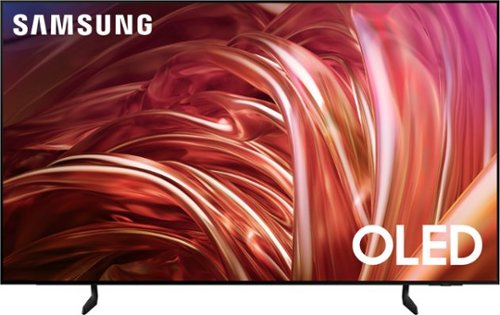
Samsung - 65 Class S85D Series OLED 4K Smart Tizen TV (2024)
This premium Samsung AI TV features details and contrast, expert validated colors, and a slim bezel. An AI-powered processor that upgrades your content scene by scene. Its contour design brings you a modern look, while clear motion and depth enhance the picture.
does this have a built-in web browser?

greg - Yes, a built-in web browser app comes pre-installed.
~ Samsung Specialist
~ Samsung Specialist
1 year, 10 months ago
by
Posted by:
Samsung
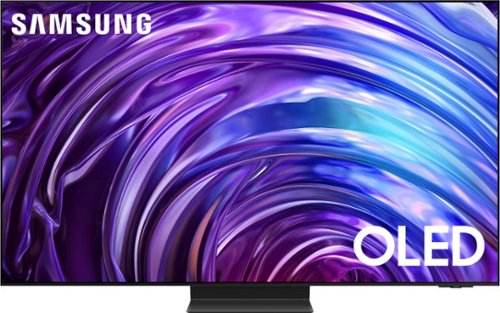
Samsung - 65 Class S95D Series OLED 4K Glare-Free Smart Tizen TV (2024)
This premium Samsung AI TV features dramatic detail, reduced glare, and our most powerful brightness. Smooth motion, depth and 4K processing make for a non-stop, breathtaking picture.
Hello, Can S95D do the Chrome Cast or similar streaming from a mobile device like an iPhone or iPad? Thank you.
You can screen mirror via Airplay with iOS devices.
~ Samsung Specialist
~ Samsung Specialist
1 year, 10 months ago
by
Posted by:
Samsung
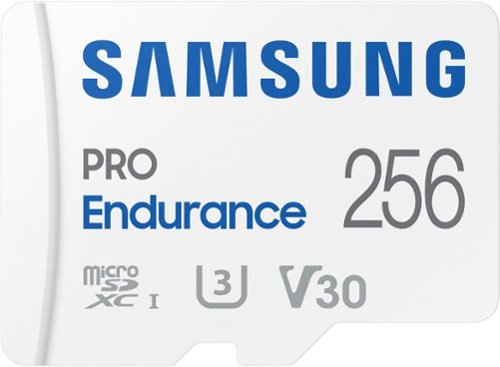
Extreme endurance for monitoring devices Built to last up to hours of recording (256GB model) Stands up against magnets, X-rays, water, drop and more. Record and play in FHD and 4K Engineered to deliver long lasting performance.
Is this compatible with Go Pro Hero 12?
Kico,
Yes, the PRO Endurance is compatible with the GoPro HERO 12.
~Samsung Pro
Yes, the PRO Endurance is compatible with the GoPro HERO 12.
~Samsung Pro
1 year, 10 months ago
by
Posted by:
Samsung
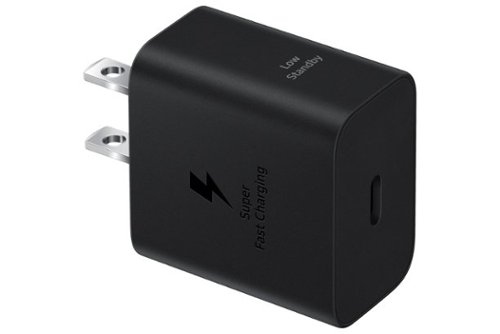
Make sure your mobile devices get the powerful and safe charging support they need with the 25W Power Adapter. Its compact design makes it more travel-friendly, all while delivering Super Fast Charging with a USB Type-C cable. Now you're free to charge ahead wherever your day takes you.
Is it compatible with the samsung 7 watch charging cable
Thanks for taking the time to reach out with your inquiry, Rich. The 25W Super Fast Charging Wall Charger should be compatitible with your Watch7's type C charger. Plug into any standard wall outlet via the include AC adapter. The Super Fast charger delivers up to 3 Amp to give your phone power at a much faster rate than your standard 1A or 700mA charger. If you have any further questions, please reach out to us at Support. -Kelvin
1 year, 10 months ago
by
Posted by:
Samsung

Your favorite new health and wellness companion is here ~ Galaxy Watch7. Enhanced with Galaxy AI,~ this Watch has everything you need to keep you moving toward your health goals. Wake up on the right side of the bed every morning with an Energy Score1 that helps you understand your well-being better. Hit your morning workout while staying in touch with your world ~ make calls from your Watch and quickly respond to texts on the go with Suggested Replies.~ Then hone in on your heart health during your workout with improved Heart Rate Tracking,~ and improve each day with personalized Wellness Tips~ viewable right on your Galaxy smartphone.~ Plus, stay in the zone by streaming your favorite playlist or podcast from your Watch to your Galaxy Buds.~ Your ultimate fitness partner is now on your wrist ~ Galaxy Watch7.
IS THE WATCH ABLE TO ACT AS A SEPERATE PHONE???
It's great to hear from you! We noticed your interest in the Galaxy Watch7. Samsung's range of smartwatches includes both Bluetooth and LTE-compatible models, providing users with a versatile wearable tech experience. The LTE models are distinctive because they allow users to receive calls and messages without needing to be connected to a smartphone. However, activating the LTE service requires a plan from your mobile carrier. This is a Bluetooth watch, so you would need a phone to use it. If you have any other questions, please feel free to reach out to us at Support. -Kelvin
1 year, 10 months ago
by
Posted by:
Samsung
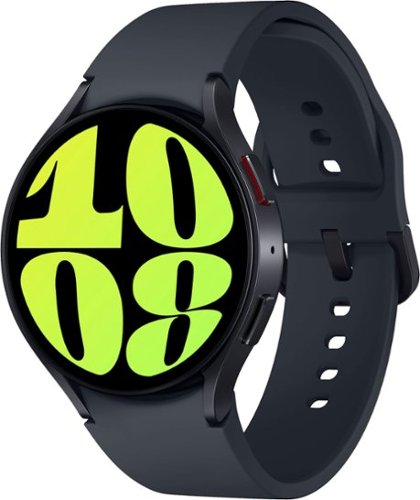
Samsung - Galaxy Watch6 Aluminum Smartwatch 44mm LTE - Graphite - (2023)
It~s your day ~own it with Samsung Galaxy Watch6. From the gym to the office, our large display keeps you in the know with simple navigation and a super easy-to-read screen. Work out smarter with personalized heart rate zones, and get insights for better rest with Advanced Sleep Coaching. Stay connected by using Galaxy Watch6 to call, text, play music and get notifications on the go. Plus, wherever the day takes you, own your look with a variety of customizable Watch bands and faces. Unlock your day~s full potential with Galaxy Watch6.
Is this watch compatible with the Google pixel 8 pro?
We appreciate your outreach. The Galaxy Watch6 and Galaxy Watch6 Classic are compatible with phones with Android 10.0 and RAM 2.0 GB or higher are supported. If you have any other questions, please reach out to us at Support. -Kelvin
1 year, 10 months ago
by
Posted by:
Samsung
Your favorite new health and wellness companion is here ~ Galaxy Watch7. Enhanced with Galaxy AI,~ this Watch has everything you need to keep you moving toward your health goals. Wake up on the right side of the bed every morning with an Energy Score1 that helps you understand your well-being better. Hit your morning workout while staying in touch with your world ~ make calls from your Watch and quickly respond to texts on the go with Suggested Replies.~ Then hone in on your heart health during your workout with improved Heart Rate Tracking,~ and improve each day with personalized Wellness Tips~ viewable right on your Galaxy smartphone.~ Plus, stay in the zone by streaming your favorite playlist or podcast from your Watch to your Galaxy Buds.~ Your ultimate fitness partner is now on your wrist ~ Galaxy Watch7.
Does the watch connected to the phone with Bluetooth or does this watch need to be activated
We appreciate the outreach, Josh. We see that you are interested in the Galaxy Watch7. This specific model is the Bluetooth model. We do offer LTE versions of the Watch7 that would need to be activated. If you have any further questions, please reach out to us at Support. -Kelvin
1 year, 10 months ago
by
Posted by:
Samsung
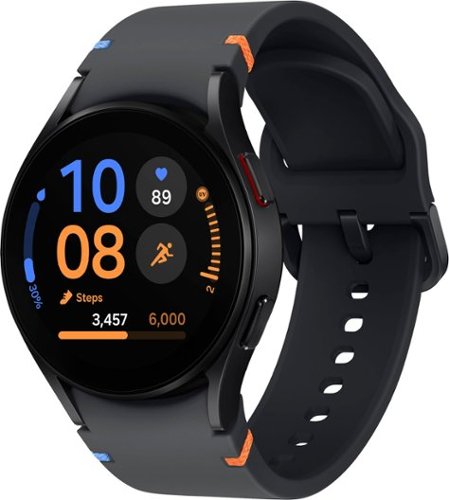
Samsung - Galaxy Watch FE Smartwatch 40mm BT - Black - (2024)
Start your journey toward a healthier, happier you with Galaxy Watch FE, the Watch that knows you best. Get more out of every movement and work toward your health goals with easy-to-understand insights like step counts, calories burned, heart health, muscle mass and more.~ Your best self isn~t just made by moving ~ Advanced Sleep Coaching with Galaxy AI~ helps you plan your bedtime, detect snoring~ and track your sleep stages so you can rest better and wake up feeling energized. When you~re up and ready to go, feel free to make calls, take pics and pull up playlists right from your wrist thanks to seamless connectivity with your other Galaxy devices. With its sleek and lightweight design, you can enjoy all-day comfort and style, wherever your day takes you. Plus, at an affordable price, Watch FE helps you stick to all your goals. Empower you and your loved ones to take control of your health and wellness with an everyday companion that will support you every step of the way ~ Galaxy Watch FE.
Does the Samsung Galaxy Watch support LTE? It’s not listed in the specs so I have a feeling it does not. Just Bluetooth and WiFi
It's great to hear from you, Dave. We see that you are interested in the Galaxy Watch FE. This Galaxy Watch FE is available for Bluetooth use only. If you have any further questions, feel free to reach out to us at Support. -Kelvin
1 year, 10 months ago
by
Posted by:
Samsung

Samsung - Galaxy Watch Ultra Titanium Smartwatch 47mm LTE - Titanium Silver - (2024)
Gear up for greatness with Galaxy Watch Ultra, a premium new smartwatch built for top-of-the-line performance. Climb the highest peak. Bike the long way home. The durable titanium design is our toughest yet, able to stand up to the rigors of your workout ~ even ocean swimming.~ Maintain your healthy lifestyle with new features enhanced by Galaxy AI~ that give your performance an edge, including an Energy Score~ that helps you start each day in the know and improved Heart Rate Tracking~ that helps you hone in on your heart health during your favorite cardio activities. Challenge yourself to do better than before on a run or a bike ride with a tracker that compares your current performance to your last one.~ Wherever you decide to go, blaze new trails with an improved GPS~ that makes navigation a breeze and a battery that keeps you moving ~ it~s our longest lasting yet, up to 100 hours.~ Plus, you can stay focused on your workout while keeping in touch with call and text capabilities right on your wrist.~ Get the extra motivation you need to conquer your goals with Galaxy Watch Ultra.
Is the screen on the watch sapphire glass?
Thanks for coming to us with your question, QueOnda. The Watch Ultra is built with an all-terrain Sapphire Crystal glass built to withstand dust, snow, rain and more. If you have any further questions, we're always here to assist! -Kelvin
1 year, 10 months ago
by
Posted by:
Samsung
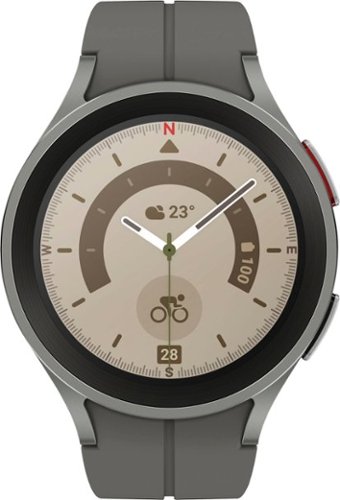
Samsung - Galaxy Watch5 Pro Titanium Smartwatch 45mm BT - Gray - (2022)
Take on your ultimate adventure with Galaxy Watch5 Pro~. It~s our most advanced outdoor watch yet, featuring a 2x stronger~ Sapphire Crystal Glass display. Power through intense activities, even with GPS on, with a long-lasting battery. Stay on the right trail even in unfamiliar terrain thanks to voice or vibration guided turn-by-turn navigation~. Push your body further with accurate sensors that help keep a closer eye on your heart rate~, and BIA~ measurements that help you track your physique. Get the rest you need to stay energized on your journeys with Advanced Sleep Coaching~. Look sharp on every expedition with bands and watch faces that you can match to any outfit. Plus, pair your watch with the rest of your Galaxy for a connected network of devices that work together to help go stronger and harder than ever before. Whether you~re hiking, kayaking~ or camping, get ready to take it to the extreme with Galaxy Watch5 Pro.
Is this watch compatible with J series phones.
We appreciate you reaching out to ask your question! The Galaxy Watch5 and Galaxy Watch5 Pro are compatible with phones with Android 8.0 and RAM 1.5 GB or higher are supported. For any further inquiries, please be sure to reach out to us at Support. -Kelvin
1 year, 10 months ago
by
Posted by:
Samsung