Samsung
Samsung's Stats
Reviews
- Review Count0
- Helpfulness Votes0
- First ReviewNone
- Last ReviewNone
- Featured Reviews0
- Average Rating0
Reviews Comments
- Review Comment Count0
- Helpfulness Votes0
- First Review CommentNone
- Last Review CommentNone
- Featured Review Comments0
Questions
- Question Count0
- Helpfulness Votes0
- First QuestionNone
- Last QuestionNone
- Featured Questions0
- Answer Count73696
- Helpfulness Votes37,930
- First AnswerApril 24, 2013
- Last AnswerAugust 18, 2026
- Featured Answers0
- Best Answers3943
Samsung's Reviews
Samsung has not submitted any reviews.
Samsung's Questions
Samsung has not submitted any questions.

Odyssey G5~s lightning-fast 165Hz refresh rate ensures flawlessly smooth action scenes even in games with high frame rates. The Odyssey G5 range allows you to make the most out of the games you love to play, at a fantastic price point.
What are the best speakers for this Samsung 34 Odyssey G5 monitor

Hi Greg,
To best assist you, please call us at 1-800-SAMSUNG between 8AM - 9PM EST Monday - Friday, and 8AM - 6PM Saturday and Sunday. Our LiveChat agents are also available by clicking the ‘Support’ link at Samsung.com.
~ Samsung Advisor
To best assist you, please call us at 1-800-SAMSUNG between 8AM - 9PM EST Monday - Friday, and 8AM - 6PM Saturday and Sunday. Our LiveChat agents are also available by clicking the ‘Support’ link at Samsung.com.
~ Samsung Advisor
2 months, 2 weeks ago
by
Posted by:
Samsung
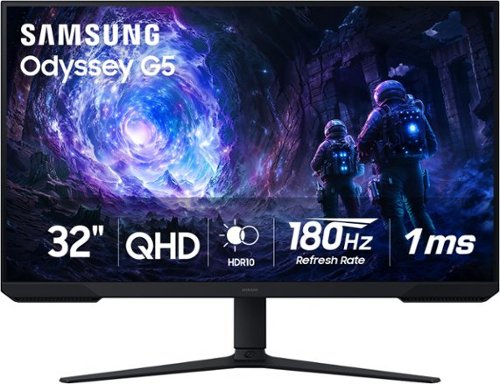
Samsung~s 32~ Odyssey G5 G51F Gaming Monitor boasts incredibly detailed, pin-sharp images with QHD resolution (2560x1440). HDR10 provides brighter highlights, improved contrast and color accuracy, making every scene feel more vivid and realistic. 180Hz Refresh Rate and near-instant 1ms Response Time (MPRT) captures all your moves with reduced lag for ultra-smooth gameplay. AMD FreeSync Premium Pro reduces choppiness, screen lag, and image tears. Black Equalizer allows you to adjust dark areas in games, so you can locate opponents hiding in the deepest shadows. Virtual Aim Point allows you to hit your marks with next-level accuracy, giving you the optimal aim with crosshairs on the screen. Auto Source Switch+ instantly switches to a new source signal when connected devices are turned on, without having to use multiple inputs. Ergonomic stand makes it simple to tilt and adjust the monitor for total gaming comfort.
Can I mount this screen on an adjustable stand?
Hi Yug,
The Samsung G51F gaming monitor supports VESA mounting, with a 75 × 75 mm VESA pattern. Any adjustable monitor mount that supports 75×75 mm VESA and the monitor’s weight will work.
~Samsung Advisor
The Samsung G51F gaming monitor supports VESA mounting, with a 75 × 75 mm VESA pattern. Any adjustable monitor mount that supports 75×75 mm VESA and the monitor’s weight will work.
~Samsung Advisor
2 months, 2 weeks ago
by
Posted by:
Samsung
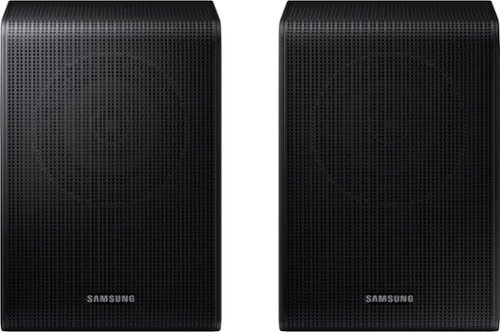
Get a truly cinematic experience from your home theater with rear speakers that connect wirelessly to your soundbar for simple setup and less clutter. With true surround sound, add audio depth and dimension with sound that comes from all sides, making you feel like you're in the scene.
Connect to Samsung sound bar model HW-873CD
Hi there! No, the HW-B73CD is compatible with the SWA-9200S Wireless Rear Speaker Kit. ~ Samsung Solutions
2 months, 2 weeks ago
by
Posted by:
Samsung
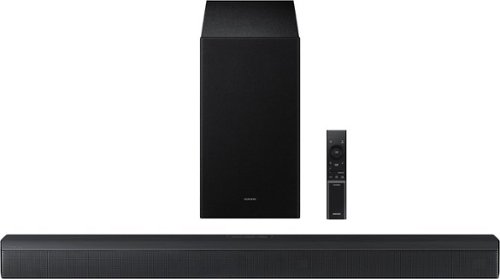
Upgrade your home theater setup with a 3.1 Channel sound system, featuring a built in center speaker to enhance voices and a wireless subwoofer for booming bass. Get rich and balanced sound in your movies and shows while voices are intelligently separated from background noise, delivering clear dialogue even at low volume. Plus, you won't have to hassle with pairing and unpairing your devices to play music - you can connect two simultaneously and switch between them seamlessly.
how does this connect to tv
Hi! The HW-B650 features three ways to connect to an external device: HDMI (ARC), digital optical audio, and Bluetooth wireless audio technology. If your TV is compatible with one of these three audio connections, you should have no issue connecting the soundbar to your TV. ~Samsung Solutions
2 months, 2 weeks ago
by
Posted by:
Samsung

Enjoy room filling sound in an all in one design. Experience captivating 3D audio with Dolby Digital 5.1 capable and DTS Virtual :X. Perfectly synchronized TV and soundbar sound brings a new level of immersion. Plus, don't miss a word, thanks to a built in center speaker.
Is there a visual /digital readout panel on front to be able to see settings as you toggle thru them?
Hi BrightonBob! No, the HW-S50B does not have a LED screen. It uses LED indicator lights to show volume, input selection, and certain settings through light patterns and colors. So you can see that a change has been made, but you won't get a text readout of the setting on the front of the soundbar. ~ Samsung Solutions
2 months, 2 weeks ago
by
Posted by:
Samsung

Step up to Full HD for a significantly clearer picture than regular HD. Enjoy impressive, fine-tuned colors and deep contrast, all wrapped in a sleek design and secured by triple-layer protection. Virtual 3-D sound is enhanced and tracks movement on screen for a truly immersive experience.
will this tv sync to a dish remote. turn on change channel and volume without having to use a samsung remote to change to input
Hi sheepdog,
Yes, you can use a third-party remote with the F6000F TV.
~Samsung Advisor
Yes, you can use a third-party remote with the F6000F TV.
~Samsung Advisor
2 months, 2 weeks ago
by
Posted by:
Samsung
Enjoy room filling sound in an all in one design. Experience captivating 3D audio with Dolby Digital 5.1 capable and DTS Virtual :X. Perfectly synchronized TV and soundbar sound brings a new level of immersion. Plus, don't miss a word, thanks to a built in center speaker.
Can I pair a Samsung soundbar with Sonos speakers?
Hello Chris, No, you can't pair the Samsung HW-S50B with Sonos speakers. ~ Samsung Solutions
2 months, 2 weeks ago
by
Posted by:
Samsung
Step up to Full HD for a significantly clearer picture than regular HD. Enjoy impressive, fine-tuned colors and deep contrast, all wrapped in a sleek design and secured by triple-layer protection. Virtual 3-D sound is enhanced and tracks movement on screen for a truly immersive experience.
Is there a usb port?
Hi Ports,
Yes, the F6000F has 1 USB port.
~Samsung Advisor
Yes, the F6000F has 1 USB port.
~Samsung Advisor
2 months, 2 weeks ago
by
Posted by:
Samsung
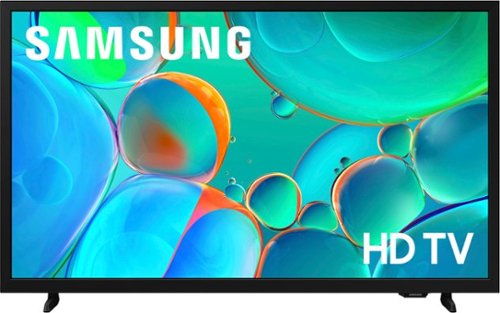
Enjoy your favorite shows in high definition, featuring vibrant colors, deep contrast and dynamic audio that flows with the action. Stream 2,700+ free channels including 400+ Samsung TV Plus premium channels, and feel secure with triple-layer protection for your personal data.
Can this tv be connected to my optimum cablevision box?
Hi Bonn,
You can connect the H5000F TV to your cable box via AUX or HDMI.
~Samsung Advisor
You can connect the H5000F TV to your cable box via AUX or HDMI.
~Samsung Advisor
2 months, 2 weeks ago
by
Posted by:
Samsung
Step up to Full HD for a significantly clearer picture than regular HD. Enjoy impressive, fine-tuned colors and deep contrast, all wrapped in a sleek design and secured by triple-layer protection. Virtual 3-D sound is enhanced and tracks movement on screen for a truly immersive experience.
Does this work off of Spectrum WIFI?
Hi,
The F6000F TV is Wi-Fi capable and should work with most Wi-Fi networks.
~Samsung Advisor
The F6000F TV is Wi-Fi capable and should work with most Wi-Fi networks.
~Samsung Advisor
2 months, 2 weeks ago
by
Posted by:
Samsung