Samsung
Samsung's Stats
Reviews
- Review Count0
- Helpfulness Votes0
- First ReviewNone
- Last ReviewNone
- Featured Reviews0
- Average Rating0
Reviews Comments
- Review Comment Count0
- Helpfulness Votes0
- First Review CommentNone
- Last Review CommentNone
- Featured Review Comments0
Questions
- Question Count0
- Helpfulness Votes0
- First QuestionNone
- Last QuestionNone
- Featured Questions0
- Answer Count72714
- Helpfulness Votes37,805
- First AnswerApril 24, 2013
- Last AnswerJune 29, 2026
- Featured Answers0
- Best Answers3927
Samsung's Reviews
Samsung has not submitted any reviews.
Samsung's Questions
Samsung has not submitted any questions.
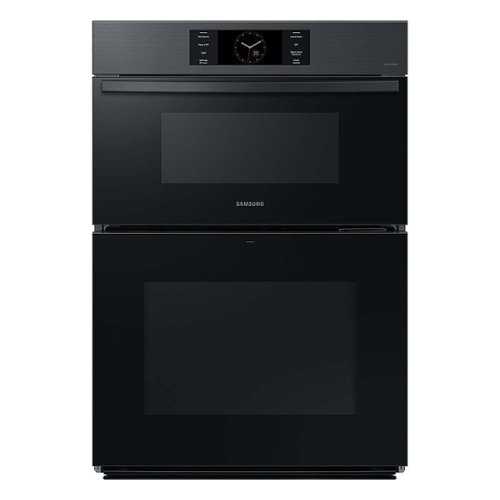
The Samsung Bespoke 30" Microwave Combination Wall Oven with Flex Duo features stunning glass and steel finishes that complement other Bespoke appliances in your kitchen. Rich with features like Flex Duo, Air Sous Vide, Steam Cook Plus and Air Fry, you'll enjoy cooking just like a professional in your own kitchen. Bespoke is Samsung~s premium line of home appliances, leading the way in design, technology, and connectivity. Create a kitchen that expresses your personal style.
Can you get the microwave only?
Hi there,
No, this particular model is specifically designed as a combination oven with a microwave.
We have a wide range of available microwave units to choose from. Please check the link below for further details.
https://www.samsung.com/us/home-appliances/microwaves/all-microwaves/?shop=Buy+Online
Have a great day!
^Chrystel
No, this particular model is specifically designed as a combination oven with a microwave.
We have a wide range of available microwave units to choose from. Please check the link below for further details.
https://www.samsung.com/us/home-appliances/microwaves/all-microwaves/?shop=Buy+Online
Have a great day!
^Chrystel
2 years, 3 months ago
by
Posted by:
Samsung
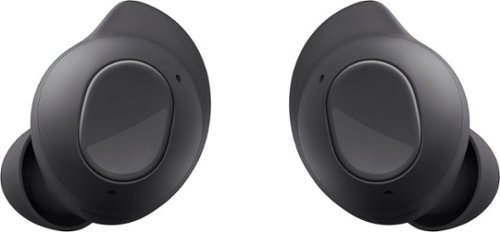
Samsung - Galaxy Buds FE Wireless Earbud Headphones - Graphite
Meet Galaxy Buds FE, your new favorite everyday audio experience. Buds FE fit comfortably into your day, combining your favorite Galaxy innovations on the go. With their ear-friendly design and a variety of wingtip options, your Buds stay in place securely and comfortably ~ you might even forget you~re wearing them. Lose yourself in the sounds you love with Active Noise Cancellation and Ambient Sound. Plus, Buds FE connect seamlessly with your Galaxy devices ~ get ready for effortless pairing from your phone to your Tab to your laptop. It~s easy to keep up with Buds FE too. Get a notification if you leave a Bud behind, and locate it easily with SmartThings Find. Enjoy your favorite audio experiences throughout your day with Galaxy Buds FE. Whether on a call or during face-to-face conversations, hear real-time translations through your Buds with Galaxy AI.~
Will these buds work with Samsung s21 phones
Greetings, thank you for finding the unobstructed time out of your bustling day to ask us your question about the Samsung Galaxy Bids FE. That's a great question! Yes! Your earbuds can connect to Bluetooth devices for streaming music or making calls. You'll get the best experience when using the Galaxy Wearable app on your phone or tablet because you'll have full control over your music. Some features won't appear in the app unless you've already connected the earbuds at least once. For more information, check out "How to connect your Galaxy Buds." Let us know if you have any other questions for us by reaching out to Samsung Support at your earliest convenience. Thank you for being a dedicated Samsung customer. - Debra
2 years, 3 months ago
by
Posted by:
Samsung

Samsung - Galaxy S24 Ultra S Pen - Yellow Gold
Get ready to elevate your Galaxy S24 Ultra experience to a whole new level. Capture epic moments by controlling your camera shutter with a click of the S Pen and effortlessly navigate features using Air Command. Plus, say goodbye to charging hassles as your device conveniently powers up your S Pen, ensuring you~re always ready for whatever the day throws at you.
Does it have Bluetooth?
Hi there Ocon24, thanks for taking the opportunity to ask us your question about the Samsung Galaxy S24 Ultra. That's a great question. Yes, the S24 Ultra does indeed feature Bluetooth (v5.3). If you think of any other questions for us, feel free to contact Samsung Support. Thank you for being a loyal Samsung customer. - Debra
2 years, 3 months ago
by
Posted by:
Samsung
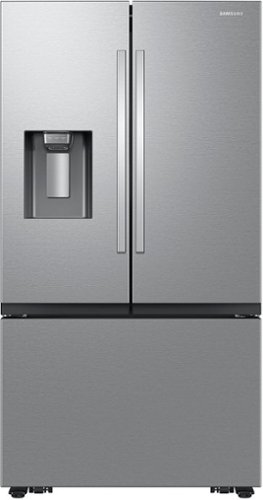
Samsung Mega Capacity 3-Door French Door Counter Depth refrigerator with 26 cu. ft. comes with four types of ice and modern design. Store more groceries, including big and bulky items. The Dual Auto Ice Maker makes two types of ice ~ cubed or Ice Bites while the external dispenser offers two additional ice options, curved and crushed.
Have they fixed the ice maker from freezing up? Ive had 2 samsung refrigerators both had the problem as well as many other people. hate to fall into that trap again.
Hi Max,
We understand the convenience of having a good working ice maker in our daily needs. Let us help you.
Please see the link below for the steps if the ice maker is freezing up.
https://www.samsung.com/us/support/troubleshooting/TSG01001791/
It would also be great if we could talk to you directly and gather more information about your concern.
Please feel free to reach us via the options below, as we look forward to assisting you in the best possible way.
1. Facebook Messenger: http://m.me/samsungsupport
2. Twitter: https://twitter.com/messages/compose?recipient_id=18768513
3. Samsung Community: https://us.community.samsung.com/t5/Samsung-Community/ct-p/us
When you message us, please provide us with this reference number 1146983818, which will help our team pull up your information.
^Rainly
We understand the convenience of having a good working ice maker in our daily needs. Let us help you.
Please see the link below for the steps if the ice maker is freezing up.
https://www.samsung.com/us/support/troubleshooting/TSG01001791/
It would also be great if we could talk to you directly and gather more information about your concern.
Please feel free to reach us via the options below, as we look forward to assisting you in the best possible way.
1. Facebook Messenger: http://m.me/samsungsupport
2. Twitter: https://twitter.com/messages/compose?recipient_id=18768513
3. Samsung Community: https://us.community.samsung.com/t5/Samsung-Community/ct-p/us
When you message us, please provide us with this reference number 1146983818, which will help our team pull up your information.
^Rainly
2 years, 3 months ago
by
Posted by:
Samsung
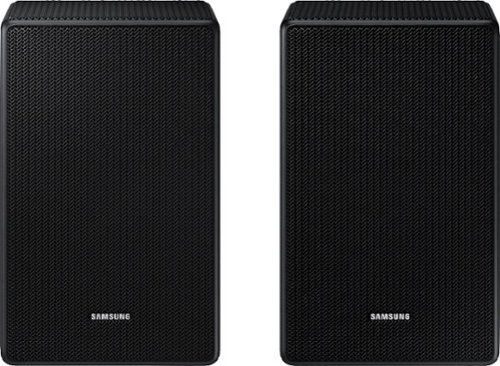
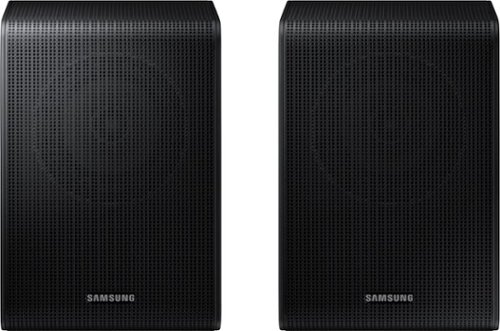
Samsung - SWA-9200S/ZA 2.0 Channel Wireless Rear Speaker Kit - Black
Connect easily and wirelessly to Samsung speakers for room-filling sound.
Do I need a soundbar for these? Can I connect these via Bluetooth directly to my tv for sound speakers?
Samsung - SWA-9200S/ZA 2.0 Channel Wireless Rear Speaker Kit - Black
Connect easily and wirelessly to Samsung speakers for room-filling sound.
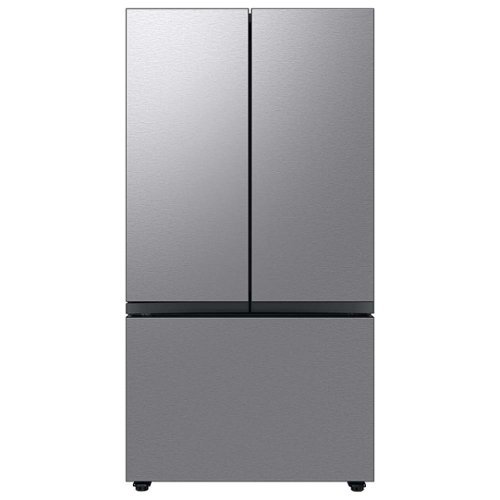
Extra-large capacity 3-Door French Door Refrigerator : a revolution in convenience and design, the concealed Beverage Center features both a water dispenser and AutoFill Water Pitcher. Plus a Dual Ice Maker with cubed ice and Ice Bites.
Hello, how to unlock wheels for fridge to move forward? There is a black long cover, cannot figure out how to move it. Thanks!
Greetings,
We are glad to receive your inquiry about the Samsung refrigerator wheel. Let us answer your question.
This Samsung refrigerator doesn't have wheels. To move the refrigerator, we highly suggest following the steps on page 21 of the model's user manual linked below.
https://downloadcenter.samsung.com/content/UM/202311/20231114133649358/FDR_RF8000B_DA68-04402K-01_EN_MES__CFR.pdf
Please feel free to reach us via the options below, as we look forward to assisting you in the best possible way.
1. Facebook Messenger: http://m.me/samsungsupport
2. Twitter: https://twitter.com/messages/compose?recipient_id=18768513
3. Samsung Community: https://us.community.samsung.com/t5/Samsung-Community/ct-p/us
When you message us, please provide us with this reference number 1146983692, which will help our team pull up your information.
^Rainly
We are glad to receive your inquiry about the Samsung refrigerator wheel. Let us answer your question.
This Samsung refrigerator doesn't have wheels. To move the refrigerator, we highly suggest following the steps on page 21 of the model's user manual linked below.
https://downloadcenter.samsung.com/content/UM/202311/20231114133649358/FDR_RF8000B_DA68-04402K-01_EN_MES__CFR.pdf
Please feel free to reach us via the options below, as we look forward to assisting you in the best possible way.
1. Facebook Messenger: http://m.me/samsungsupport
2. Twitter: https://twitter.com/messages/compose?recipient_id=18768513
3. Samsung Community: https://us.community.samsung.com/t5/Samsung-Community/ct-p/us
When you message us, please provide us with this reference number 1146983692, which will help our team pull up your information.
^Rainly
2 years, 3 months ago
by
Posted by:
Samsung
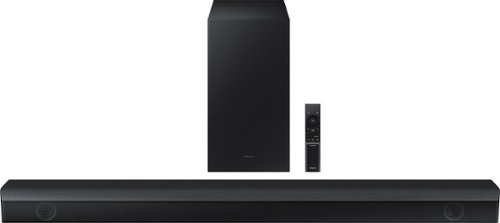
Samsung - HW-B650/ZA 3.1 Channel Soundbar with Wireless Subwoofer, Dolby 5.1 / DTS Virtual:X - Black
Dolby Atmos creates realistic 3D sound by projecting it from all around you, including from above, while DTS Virtual: X expands your listening experience without having to add extra speakers. Boost the bass with a touch of a button. The built-in center speaker delivers enhanced dialogue so you won't miss a word. Experience the intensity of action movies with the powerful bass coming from the included subwoofer. Enjoy optimized audio with enhanced voice clarity on all your favorite video content.
My soundbar connects but there’s no sound. What do I do?
Hi Jess! If available, we recommend using the HDMI connection to your TV.
Connecting your soundbar to a TV through HDMI will provide the best audio and user experience, often eliminating any connection or delay issues you may be experiencing. There are 2 ways to connect your soundbar with HDMI: you can connect a device to your soundbar (like a Blu-ray player) and then connect the soundbar to the TV, or you can use HDMI ARC. The first method will give you the best possible sound from external devices you regularly use. ARC is the way to go if you want great sound from streaming apps on your TV and a soundbar.
If connected via Bluetooth to the TV and the soundbar is dropping out intermittently there are a few things to check before performing any troubleshooting:
1) The maximum wireless signal transmission distance is about 33 ft.
2) If there is a device that uses the same wireless frequency near the Soundbar, interference may cause some sound interruption.
4) Check all the sources on the soundbar. If the audio is dropping while watching TV it could be an issue with the broadcast.
5) Also, please be sure you have the latest firmware update. You can update your firmware by using a USB device. You can find the update on the product page of your HW-B650 on the Samsung website.
~ Samsung Solutions
Connecting your soundbar to a TV through HDMI will provide the best audio and user experience, often eliminating any connection or delay issues you may be experiencing. There are 2 ways to connect your soundbar with HDMI: you can connect a device to your soundbar (like a Blu-ray player) and then connect the soundbar to the TV, or you can use HDMI ARC. The first method will give you the best possible sound from external devices you regularly use. ARC is the way to go if you want great sound from streaming apps on your TV and a soundbar.
If connected via Bluetooth to the TV and the soundbar is dropping out intermittently there are a few things to check before performing any troubleshooting:
1) The maximum wireless signal transmission distance is about 33 ft.
2) If there is a device that uses the same wireless frequency near the Soundbar, interference may cause some sound interruption.
4) Check all the sources on the soundbar. If the audio is dropping while watching TV it could be an issue with the broadcast.
5) Also, please be sure you have the latest firmware update. You can update your firmware by using a USB device. You can find the update on the product page of your HW-B650 on the Samsung website.
~ Samsung Solutions
2 years, 3 months ago
by
Posted by:
Samsung
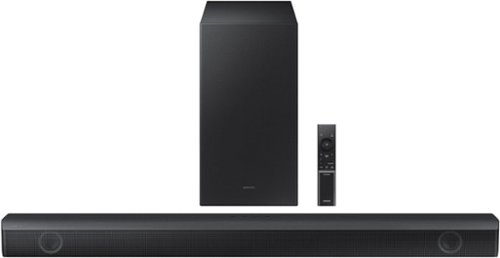
Samsung - HW-B550 2.1ch Soundbar with Dolby Audio / DTS Virtual:X - Black
Dolby Audio creates realistic 3D sound by projecting it from all around you, including from above, while DTS Virtual: X expands your listening experience without having to add extra speakers. Boost the bass with a touch of a button. Experience the intensity of action movies with the powerful bass coming from the included subwoofer. .Enjoy optimized audio with enhanced voice clarity on all your favorite video content.
I have this soundbar connected to my Samsung tv using the optical cord and the tv remote will turn the volume up and down but I can’t get the tv remote to turn the sound bar off or on. Am I doing something wrong here? What can I do to fix this issue?
Hi JesstySauceIf! If your soundbar and Samsung TV are connected by an optical cable, Auto Power Link will turn your soundbar on automatically when you turn on the TV. If you have the soundbar connected with an HDMI cable to the Samsung TV, Anynet+ will turn the soundbar on automatically. No need to reach for the soundbar remote every time you want to watch TV! To use Auto Power Link, follow the steps below: 1) Connect your soundbar to your TV with an optical cable. 2) Set the soundbar to D.IN mode by pressing Source on the remote or soundbar. 3) Press and hold the left direction on the direction pad on the remote for more than 5 seconds or until Auto Power Link appears on the soundbar display to activate or deactivate Auto Power Link. ~ Samsung Solutions
2 years, 3 months ago
by
Posted by:
Samsung