Samsung
Samsung's Stats
Reviews
- Review Count0
- Helpfulness Votes0
- First ReviewNone
- Last ReviewNone
- Featured Reviews0
- Average Rating0
Reviews Comments
- Review Comment Count0
- Helpfulness Votes0
- First Review CommentNone
- Last Review CommentNone
- Featured Review Comments0
Questions
- Question Count0
- Helpfulness Votes0
- First QuestionNone
- Last QuestionNone
- Featured Questions0
- Answer Count72714
- Helpfulness Votes37,805
- First AnswerApril 24, 2013
- Last AnswerJune 29, 2026
- Featured Answers0
- Best Answers3927
Samsung's Reviews
Samsung has not submitted any reviews.
Samsung's Questions
Samsung has not submitted any questions.
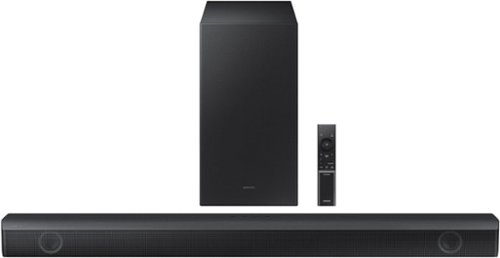
Samsung - HW-B550 2.1ch Soundbar with Dolby Audio / DTS Virtual:X - Black
Dolby Audio creates realistic 3D sound by projecting it from all around you, including from above, while DTS Virtual: X expands your listening experience without having to add extra speakers. Boost the bass with a touch of a button. Experience the intensity of action movies with the powerful bass coming from the included subwoofer. .Enjoy optimized audio with enhanced voice clarity on all your favorite video content.
I have this soundbar connected to my Samsung tv using the optical cord and the tv remote will turn the volume up and down but I can’t get the tv remote to turn off the sound bar. Am I doing something wrong? Oh do I fix this?
Hi JesstySauceIf! If your soundbar and Samsung TV are connected by an optical cable, Auto Power Link will turn your soundbar on automatically when you turn on the TV. If you have the soundbar connected with an HDMI cable to the Samsung TV, Anynet+ will turn the soundbar on automatically. No need to reach for the soundbar remote every time you want to watch TV!
To use Auto Power Link, follow the steps below:
1) Connect your soundbar to your TV with an optical cable.
2) Set the soundbar to D.IN mode by pressing Source on the remote or soundbar.
3) Press and hold the left direction on the direction pad on the remote for more than 5 seconds or until Auto Power Link appears on the soundbar display to activate or deactivate Auto Power Link.
~ Samsung Solutions
To use Auto Power Link, follow the steps below:
1) Connect your soundbar to your TV with an optical cable.
2) Set the soundbar to D.IN mode by pressing Source on the remote or soundbar.
3) Press and hold the left direction on the direction pad on the remote for more than 5 seconds or until Auto Power Link appears on the soundbar display to activate or deactivate Auto Power Link.
~ Samsung Solutions
2 years, 3 months ago
by
Posted by:
Samsung
Samsung - HW-B550 2.1ch Soundbar with Dolby Audio / DTS Virtual:X - Black
Dolby Audio creates realistic 3D sound by projecting it from all around you, including from above, while DTS Virtual: X expands your listening experience without having to add extra speakers. Boost the bass with a touch of a button. Experience the intensity of action movies with the powerful bass coming from the included subwoofer. .Enjoy optimized audio with enhanced voice clarity on all your favorite video content.
Can I connect this to a Bluetooth record player
Hi! The HW-B550 features three ways to connect to an external device: HDMI (ARC), digital optical audio, and Bluetooth wireless audio technology. If the device is compatible with one of these three audio connections, you should have no issue connecting the soundbar to it. ~Samsung Solutions
2 years, 3 months ago
by
Posted by:
Samsung
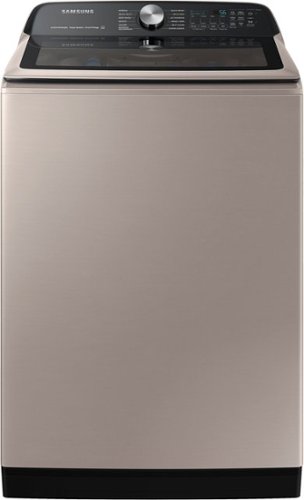
Samsung - 5.2 Cu. Ft. High-Efficiency Smart Top Load Washer with Super Speed Wash - Champagne
Samsung~s new 5.2 cu. ft. Large Capacity Smart Top Load Washer helps you fit more in every load and cut down on laundry time. Also, with Super Speed Wash you can wash a full load of laundry with full performance in just 28 minutes, and with integrated Wi-Fi you can receive end of cycle alerts and remotely start, stop, and schedule laundry right from your smartphone.
Hi. I am interested in this washer but it says not available in my area. What does this mean? Can I purchase this item? Thanks
Dear Valued Best Buy Client,
To better assist you with this matter, please contact Best Buy customer service department at P. (888) 237-8289 H. 24 hours a day.
They can either answer your question or transfer you to your local store to answer your inquiry about the washer not being available in your area.
-Kimberly
To better assist you with this matter, please contact Best Buy customer service department at P. (888) 237-8289 H. 24 hours a day.
They can either answer your question or transfer you to your local store to answer your inquiry about the washer not being available in your area.
-Kimberly
2 years, 3 months ago
by
Posted by:
Samsung
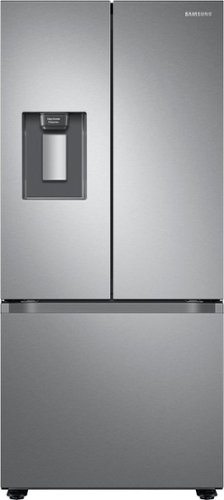
Samsung's 22 cu. ft. Smart 3-Door French Door refrigerator is beautifully designed with an external water dispenser and a modern look that blends seamlessly into your kitchen.
does this come in black?
Hi Bernie,
Yes, this model comes with fingerprint-resistant black stainless steel.
You can check it out at the link below.
https://www.samsung.com/us/home-appliances/refrigerators/3-door-french-door/22-cu-ft-smart-3-door-french-door-refrigerator-with-external-water-dispenser-in-fingerprint-resistant-black-stainless-steel-rf22a4221sg-aa/
Thank you for choosing Samsung and have a great day!
^Rainly
Yes, this model comes with fingerprint-resistant black stainless steel.
You can check it out at the link below.
https://www.samsung.com/us/home-appliances/refrigerators/3-door-french-door/22-cu-ft-smart-3-door-french-door-refrigerator-with-external-water-dispenser-in-fingerprint-resistant-black-stainless-steel-rf22a4221sg-aa/
Thank you for choosing Samsung and have a great day!
^Rainly
2 years, 3 months ago
by
Posted by:
Samsung
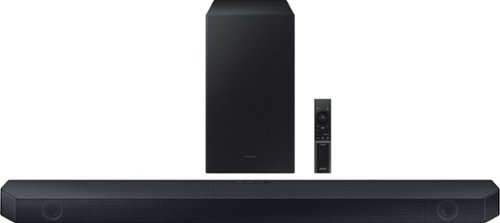
Samsung - HW-Q60C 3.1 Channel Q-Series Soundbar with Wireless Subwoofer, Dolby Atmos and Q-Symphony - Titan Black
Turn up the volume on your audio experience with the Q60C soundbar and enjoy realistic 3D sound that expands the possibilities of all your favorite content. With Q-Symphony and 3.1ch. Dolby Atmos Sound, you~ll experience dimensional audio that wraps all around you.
What size TVs is this bar recommend for? Is there a better option for a 75" TV. I'm looking for a 3.1 sound bar with no up firing speakers.
Hi MJlaj! The Samsung HW-Q60C is a great soundbar, regardless of your TV’s size. When connected to certain Samsung TVs, you can take advantage of Q-Symphony, which utilizes not only the soundbar speakers but also the TV’s speakers to enhance your audio experience!
~ Samsung Solutions
~ Samsung Solutions
2 years, 3 months ago
by
Posted by:
Samsung
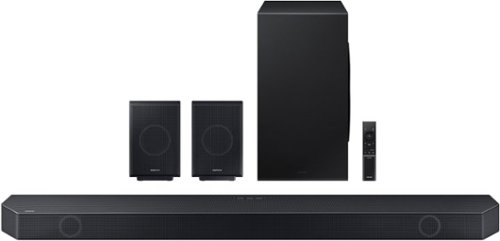
Samsung - Q-series 11.1.4 ch. Wireless Dolby Atmos Soundbar + Rear Speakers w/ Q-Symphony - Titan Black
All the sounds. All the feels. Experience our greatest of all time -level audio synchronized to your TV~s sound and customized to your living space~no wires attached
Center speaker laud all other speakers very low hard to hear
Hi there! You can manually optimize your audio experience by pressing the SOUND CONTROL button (which looks like a gear), you can set the audio function such as Auto EQ, Spacefit sound, AVA, Voice Enhance mode, Night mode, Sync, Surround speaker mode, Virtual. The desired item can be adjusted using the Up/Down buttons.
Alternatively, you can press and hold the SOUND CONTROL button for about 5 seconds to adjust the sound for each frequency band. 150Hz, 300Hz, 600Hz, 1.2kHz, 2.5kHz, 5kHz, and 10kHz are selectable using the Left/Right buttons and each can be adjusted to a setting between -6 to +6 using the Up/Down buttons.
You can try quickly optimizing the audio by pressing the SOUND MODE button on your remote, and then select the desired sound effect by choosing STANDARD, SURROUND SOUND, GAME, or ADAPTIVE SOUND.
To control the volume of each speaker, press the CH LEVEL button on the provided remote. Then select CENTER LEVEL, SIDE LEVEL, WIDE LEVEL, FRONT TOP LEVEL, REAR LEVEL, or REAR TOP LEVEL. Once you find the channel you are looking for, adjust the volume between -6 to +6 by using the Up/Down buttons.
There are multiple ways to control the bass levels for your new Soundbar.
1) Using the WOOFER button on the provided Soundbar remote. Use the woofer button by pushing forward or pulling backward on the button itself to adjust the bass levels between -12 or -6/+6. If you want to reset the bass to 0 then push the button in.
2) When you press the TONE CONTROL button, you can adjust the treble or bass levels between -6/+6.
Alternatively, you can adjust all of these same settings and more within the SmartThings app. Download the app for your iOS or Android device and then connect your Soundbar to Wi-Fi. From here, you will be able to adjust all of the same settings as the provided remote, but with the added benefit of being able to see the changes on your smart device.
~ Samsung Solutions
Alternatively, you can press and hold the SOUND CONTROL button for about 5 seconds to adjust the sound for each frequency band. 150Hz, 300Hz, 600Hz, 1.2kHz, 2.5kHz, 5kHz, and 10kHz are selectable using the Left/Right buttons and each can be adjusted to a setting between -6 to +6 using the Up/Down buttons.
You can try quickly optimizing the audio by pressing the SOUND MODE button on your remote, and then select the desired sound effect by choosing STANDARD, SURROUND SOUND, GAME, or ADAPTIVE SOUND.
To control the volume of each speaker, press the CH LEVEL button on the provided remote. Then select CENTER LEVEL, SIDE LEVEL, WIDE LEVEL, FRONT TOP LEVEL, REAR LEVEL, or REAR TOP LEVEL. Once you find the channel you are looking for, adjust the volume between -6 to +6 by using the Up/Down buttons.
There are multiple ways to control the bass levels for your new Soundbar.
1) Using the WOOFER button on the provided Soundbar remote. Use the woofer button by pushing forward or pulling backward on the button itself to adjust the bass levels between -12 or -6/+6. If you want to reset the bass to 0 then push the button in.
2) When you press the TONE CONTROL button, you can adjust the treble or bass levels between -6/+6.
Alternatively, you can adjust all of these same settings and more within the SmartThings app. Download the app for your iOS or Android device and then connect your Soundbar to Wi-Fi. From here, you will be able to adjust all of the same settings as the provided remote, but with the added benefit of being able to see the changes on your smart device.
~ Samsung Solutions
2 years, 3 months ago
by
Posted by:
Samsung
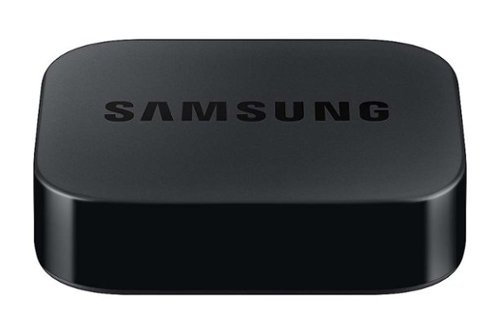
Samsung - SmarThings Hub Dongle VG-STDB10A/ZA - Black
Access SmarThings compatible devices with SmartThings Dongle
Can I use this box instead of my one connect box on my Samsung UH65KS8500 tv
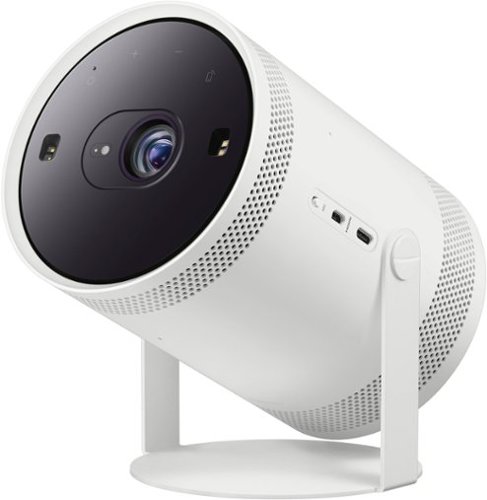
Be ready when the big screen beckons. Bring the action with The Freestyle Gen 2 with Gaming Hub, a smart theater you can take to-go. It brings you the best experience at any size, so you can make motion picture magic in minutes

Samsung - 55" Class The Frame QLED 4K UHD Smart Tizen TV (2022)
Artwork, shows, movies and memories display what you love on The Frame, the picture frame like TV. See everything on the QLED 4K TV at 100% Color Volume with Quantum Dot that saturates your screen with a billion colors. Switch on Art Mode and transform your TV into your own personal art exhibit.~ ~QLED televisions can produce 100% Color Volume in the DCI P3 color space, the format for most cinema screens and HDR movies for television.
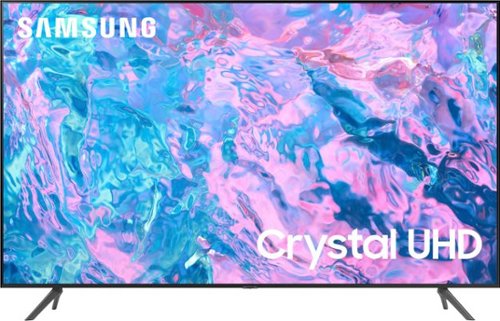
Samsung - 50 Class CU7000 Crystal UHD 4K Smart Tizen TV (2023)
True-to-life color. Effortless connectivity. Dazzling 4K value. Samsung Crystal UHD is worth a look (and more). Effortlessly access TV shows, movies and ambient content using the Samsung Smart Hub, or find a range of great games on the Samsung Gaming Hub.* Enjoy content even more clear than it was created as its upgraded to 4K resolution
Does the Samsung tv have the direct TV app?
Hi Gertrude,
Yes, the DIRECTV app is available on the CU7000 TV.
~Samsung Advisor
Yes, the DIRECTV app is available on the CU7000 TV.
~Samsung Advisor
2 years, 3 months ago
by
Posted by:
Samsung