Samsung
Samsung's Stats
Reviews
- Review Count0
- Helpfulness Votes0
- First ReviewNone
- Last ReviewNone
- Featured Reviews0
- Average Rating0
Reviews Comments
- Review Comment Count0
- Helpfulness Votes0
- First Review CommentNone
- Last Review CommentNone
- Featured Review Comments0
Questions
- Question Count0
- Helpfulness Votes0
- First QuestionNone
- Last QuestionNone
- Featured Questions0
- Answer Count72714
- Helpfulness Votes37,805
- First AnswerApril 24, 2013
- Last AnswerJune 29, 2026
- Featured Answers0
- Best Answers3927
Samsung's Reviews
Samsung has not submitted any reviews.
Samsung's Questions
Samsung has not submitted any questions.
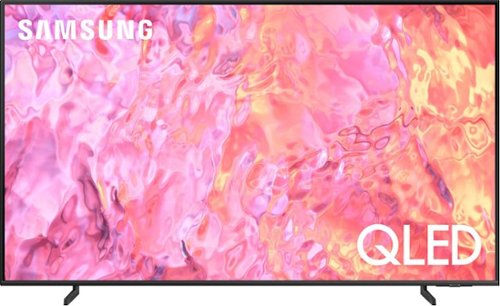
Samsung - 55" Class Q60C QLED 4K UHD Smart Tizen TV (2023)
This lean, mean 4K machine is primed for your leap into Quantum Dot technology~and a bold new world of color and contrast. Take your entire viewing experience to the next level with the elevated audio and astounding picture quality of Samsung QLED. Not only will you see your TV shows and movies instantly transformed into 4K, but you~ll also take in a billion shades of unwavering color. Beyond amazing visuals, you~ll be drawn in by 3D surround sound that moves with the action.
If I use an antenna for local television service, what kind of menu will this TV generate for the available channels? And does is give descriptions for the shows? Thank you.
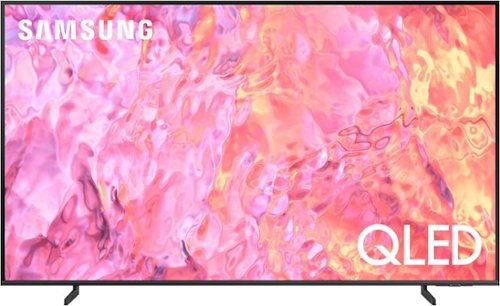
Samsung - 43" Class Q60C QLED 4K UHD Smart Tizen TV (2023)
This lean, mean 4K machine is primed for your leap into Quantum Dot technology~and a bold new world of color and contrast. Take your entire viewing experience to the next level with the elevated audio and astounding picture quality of Samsung QLED. Not only will you see your TV shows and movies instantly transformed into 4K, but you~ll also take in a billion shades of unwavering color. Beyond amazing visuals, you~ll be drawn in by 3D surround sound that moves with the action.
When using my Verizon Fios remote, I cannot maximize the sound. But sound works fine when using Samsung remote. I can I fix this?

Samsung - Pro Plus 512 GB microSDXC Memory Card
Your new go-to card + adapter combo, the Micro SD PRO Plus + Adapter makes capturing seamless 4K video on compatible phones or drones a breeze. Plus, the expanded storage provides you the freedom to play more high-performance and intensive games on your tablet or gaming device. It~s all the extra space you need from a brand you can count on.
Hello, I want to ask if this card is a good choice for Canon HF G70 for shooting in 4K. Of course it is compatible, and it will work I know but is it good choice for shooting 150mb/s 4k? If no, what card would you recommend and why. Thanks
CanonHFG70,
Yes, the PRO Plus is a good choice for shooting in 4K! 4K videos look sharp with UHS-I, V30 rated speed and A2 rating provides more storage for apps and games. Supercharged write speeds and trusted performance lets you capture seamless 4K videos on your compatible device.
~Samsung Pro
Yes, the PRO Plus is a good choice for shooting in 4K! 4K videos look sharp with UHS-I, V30 rated speed and A2 rating provides more storage for apps and games. Supercharged write speeds and trusted performance lets you capture seamless 4K videos on your compatible device.
~Samsung Pro
2 years, 3 months ago
by
Posted by:
Samsung
Samsung - 55" Class Q60C QLED 4K UHD Smart Tizen TV (2023)
This lean, mean 4K machine is primed for your leap into Quantum Dot technology~and a bold new world of color and contrast. Take your entire viewing experience to the next level with the elevated audio and astounding picture quality of Samsung QLED. Not only will you see your TV shows and movies instantly transformed into 4K, but you~ll also take in a billion shades of unwavering color. Beyond amazing visuals, you~ll be drawn in by 3D surround sound that moves with the action.
how much does this tv weight
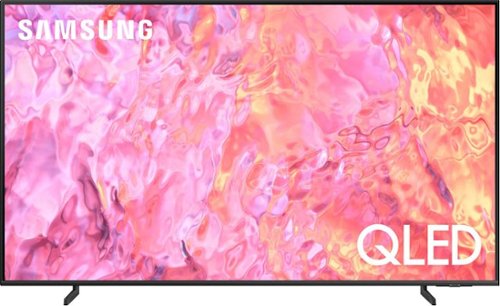
Samsung - 50" Class Q60C QLED 4K UHD Smart Tizen TV (2023)
This lean, mean 4K machine is primed for your leap into Quantum Dot technology~and a bold new world of color and contrast. Take your entire viewing experience to the next level with the elevated audio and astounding picture quality of Samsung QLED. Not only will you see your TV shows and movies instantly transformed into 4K, but you~ll also take in a billion shades of unwavering color. Beyond amazing visuals, you~ll be drawn in by 3D surround sound that moves with the action.
Samsung - 55" Class Q60C QLED 4K UHD Smart Tizen TV (2023)
This lean, mean 4K machine is primed for your leap into Quantum Dot technology~and a bold new world of color and contrast. Take your entire viewing experience to the next level with the elevated audio and astounding picture quality of Samsung QLED. Not only will you see your TV shows and movies instantly transformed into 4K, but you~ll also take in a billion shades of unwavering color. Beyond amazing visuals, you~ll be drawn in by 3D surround sound that moves with the action.
What are the warranty conditions? Is there a copy of the policy online I can view?
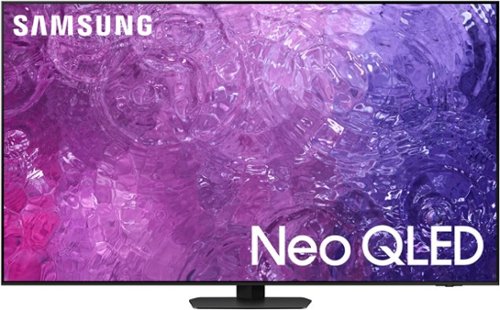
Samsung - 55" Class QN90C Neo QLED 4K UHD Smart Tizen TV (2023)
Some TVs just have it. They make everything look good~even hard stuff like 4K upscaling, weird viewing angles and daytime sports. Among the gifted their talents still shine bright. But when it~s Samsung Neo QLED 4K we~re talking about, there~s no need to be jealous. Because~thanks to its brilliant picture, dynamic audio and stellar design~it~ll make you look good, too.
Has anyone tried to utilize the Samsung app that is supposed to be able to control a tv from a remote location. This would be a huge development for caretakers of elderly relatives living elsewhere ( technology challenged and/or physically challenged)
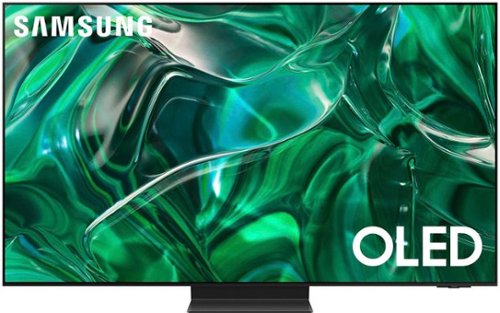
Samsung - 65" Class S95C OLED 4K UHD Smart Tizen TV (2023)
Steal the show with the bold contrast, dramatic sound, and vibrant colors of Samsung OLED. Samsung~s Infinity One Design is sleek, slim and impossibly thin. Imagination becomes reality with the infinite amount of dramatic detail made possible by self-illuminating pixels. Sit back and be mesmerized as your content is transformed to 4K. Priority Order

Samsung - 77 Class S89C OLED 4K UHD Smart Tizen TV
Prepare to be captivated. Whether you prefer dramatic thrillers or fantasy football, lose yourself in the viewing adventure with a contrast rich picture. Let your picture do the talking with the sleek and thin Laser Slim design. You~ll see pure blacks, bright whites and dramatic color, while the audio pulls you into the action thanks to Dolby Atmos built in and Object Tracking Sound Lite. The Samsung OLED experience doesn~t stop there shifting adventures is a breeze with access to the latest Smart TV apps and Samsung Gaming Hub.
Samsung - 77 Class S89C OLED 4K UHD Smart Tizen TV
Prepare to be captivated. Whether you prefer dramatic thrillers or fantasy football, lose yourself in the viewing adventure with a contrast rich picture. Let your picture do the talking with the sleek and thin Laser Slim design. You~ll see pure blacks, bright whites and dramatic color, while the audio pulls you into the action thanks to Dolby Atmos built in and Object Tracking Sound Lite. The Samsung OLED experience doesn~t stop there shifting adventures is a breeze with access to the latest Smart TV apps and Samsung Gaming Hub.