Samsung
Samsung's Stats
Reviews
- Review Count0
- Helpfulness Votes0
- First ReviewNone
- Last ReviewNone
- Featured Reviews0
- Average Rating0
Reviews Comments
- Review Comment Count0
- Helpfulness Votes0
- First Review CommentNone
- Last Review CommentNone
- Featured Review Comments0
Questions
- Question Count0
- Helpfulness Votes0
- First QuestionNone
- Last QuestionNone
- Featured Questions0
- Answer Count73699
- Helpfulness Votes37,932
- First AnswerApril 24, 2013
- Last AnswerAugust 18, 2026
- Featured Answers0
- Best Answers3943
Samsung's Reviews
Samsung has not submitted any reviews.
Samsung's Questions
Samsung has not submitted any questions.
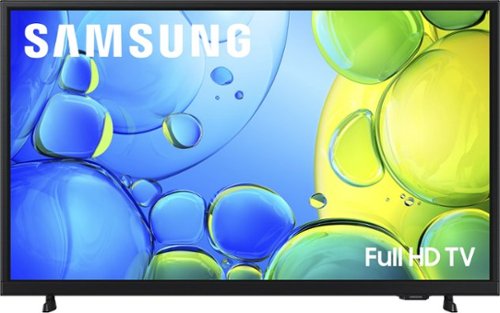
Step up to Full HD for a significantly clearer picture than regular HD. Enjoy impressive, fine-tuned colors and deep contrast, all wrapped in a sleek design and secured by triple-layer protection. Virtual 3-D sound is enhanced and tracks movement on screen for a truly immersive experience.
Is this tv cable ready?

Hi Beth,
You can connect a cable box via HDMI aux cable.
~Samsung Advisor
You can connect a cable box via HDMI aux cable.
~Samsung Advisor
2 months, 3 weeks ago
by
Posted by:
Samsung
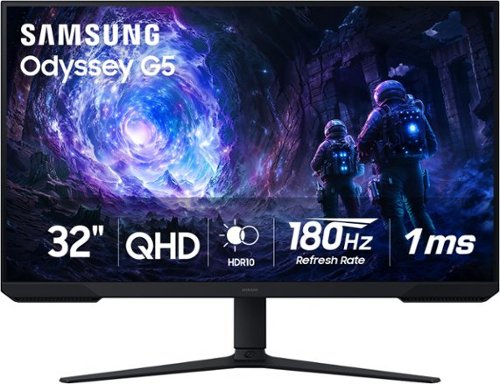
Samsung~s 32~ Odyssey G5 G51F Gaming Monitor boasts incredibly detailed, pin-sharp images with QHD resolution (2560x1440). HDR10 provides brighter highlights, improved contrast and color accuracy, making every scene feel more vivid and realistic. 180Hz Refresh Rate and near-instant 1ms Response Time (MPRT) captures all your moves with reduced lag for ultra-smooth gameplay. AMD FreeSync Premium Pro reduces choppiness, screen lag, and image tears. Black Equalizer allows you to adjust dark areas in games, so you can locate opponents hiding in the deepest shadows. Virtual Aim Point allows you to hit your marks with next-level accuracy, giving you the optimal aim with crosshairs on the screen. Auto Source Switch+ instantly switches to a new source signal when connected devices are turned on, without having to use multiple inputs. Ergonomic stand makes it simple to tilt and adjust the monitor for total gaming comfort.
Can this monitor be hooked up to a Spectrum cable for cable TV ?
Dawn:
Yes, you can hook the Samsung G51F monitor up to Spectrum cable, but not directly out of the box. Because this is a dedicated computer monitor, it lacks a built-in TV tuner and coaxial. To make it work, you will need a Spectrum cable box.
- Samsung Monitors
Yes, you can hook the Samsung G51F monitor up to Spectrum cable, but not directly out of the box. Because this is a dedicated computer monitor, it lacks a built-in TV tuner and coaxial. To make it work, you will need a Spectrum cable box.
- Samsung Monitors
2 months, 3 weeks ago
by
Posted by:
Samsung
Step up to Full HD for a significantly clearer picture than regular HD. Enjoy impressive, fine-tuned colors and deep contrast, all wrapped in a sleek design and secured by triple-layer protection. Virtual 3-D sound is enhanced and tracks movement on screen for a truly immersive experience.
can I hook up a soundbar to this tv
Hi,
Yes, you can connect a soundbar via HDMI or Bluetooth.
~Samsung Advisor
Yes, you can connect a soundbar via HDMI or Bluetooth.
~Samsung Advisor
2 months, 3 weeks ago
by
Posted by:
Samsung
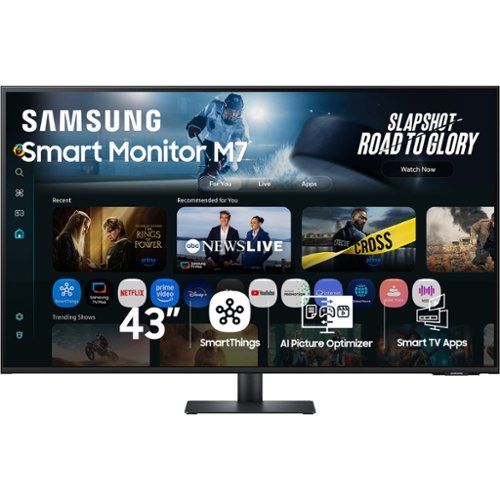
Samsung~s 43" M7 Smart Monitor brings AI-powered intelligence to your setup with smart features that adapt to how you work, play, and watch. Smart TV Apps provide instant access to your favorite content. The AI Picture Optimizer adapts the visuals for optimal quality whether working, gaming, or watching videos. SmartThings enables control of connected devices, turning the monitor into a central IoT hub. Knox Security protects your data and enhances the safety of your IoT connections through tightly controlled access. Click-to-Search offers content details. Gaming Hub enables access to the biggest games from top streaming partners, with no PC or console needed. The 4K UHD display brings content to life in vivid detail with incredible clarity. Active Voice Amplifier adapts to noisy environments and automatically adjusts volume. The ergonomically designed stand supports comfortable viewing with height adjustment, tilt, and pivot capabilities. Multiple ports, including USB-C, HDMI, and USB-A, make connectivity simple.
does this monitor compatible with Apple Macbook laptop?
Yes, the Samsung M70F monitor is compatible with Apple MacBook laptops.
- Samsung Monitors
- Samsung Monitors
2 months, 3 weeks ago
by
Posted by:
Samsung
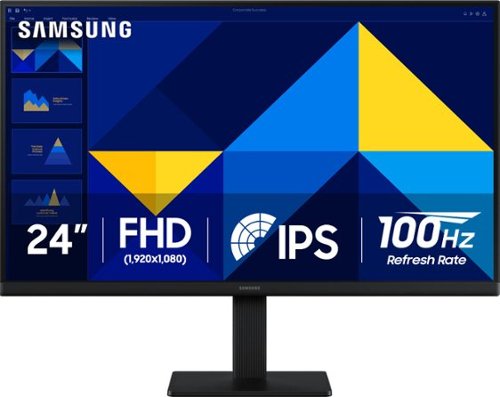
Samsung~s 24" S3 Monitor enables smooth performance, heightened productivity, and greater comfort. The IPS Panel delivers a stunning color experience across the entire display with less color washing, offering clarity from any viewpoint so tones stay consistent and accurate. The 100Hz refresh rate reduces lag and motion blur while playing games, watching videos, or working. Game Picture Mode with optimizable game settings enables instant adjustment of color and image contrast. Eye Saver Mode protects vision, reduces blue light and screen flicker, and extends comfort even during long sessions. The ergonomic super-slim design is a stylish addition to any environment, while ultra-thin border bezels make the most of screen space. Multiple connectivity enables devices to be plugged straight into the monitor for increased flexibility.
Does the tv have Toku built in?
Audi:
No, the Samsung S30GD does not have Roku built in. To use it with Roku, you will need to plug a standalone Roku Streaming Device into the monitor's HDMI port.
- Samsung Monitors
No, the Samsung S30GD does not have Roku built in. To use it with Roku, you will need to plug a standalone Roku Streaming Device into the monitor's HDMI port.
- Samsung Monitors
2 months, 3 weeks ago
by
Posted by:
Samsung
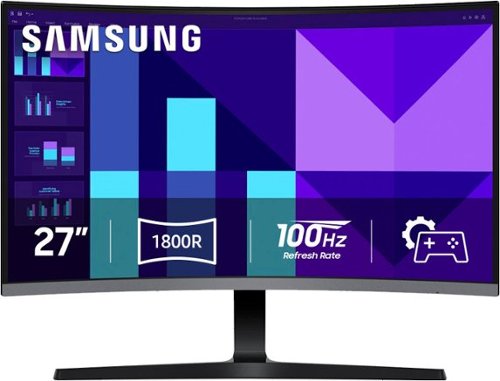
Samsung's 27" S3 FHD 100Hz Curved Monitor with Speakers provides an immersive viewing experience. The 1800R Curved Screen enhances depth perception and minimizes peripheral distractions, enabling greater focus. The 100Hz Refresh Rate reduces lag and motion blur when playing games, watching videos, or working on creative projects. Game Mode with optimizable settings allows color and image contrast to be instantly adjusted, filling the screen with every detail in view. Built-in Speakers free up desk space, minimize connections, and create a more efficient working environment for listening with ease. Eye Saver Mode with T~V-certified eye comfort technology reduces irritating screen flicker and minimizes excessive blue light, even during long sessions. Multiple Connectivity enables devices to be plugged straight into the monitor for a more convenient computing environment.
Is this monitor compatible with a MacBook Pro M4, Mac OS TAHOE 26.5?
pac:
Yes, the Samsung S39GD monitor is compatible with the MacBook Pro M4 running macOS Tahoe 26.5. You can seamlessly connect them via a direct HDMI-to-HDMI cable or using a USB-C to DisplayPort cable.
- Samsung Monitors
Yes, the Samsung S39GD monitor is compatible with the MacBook Pro M4 running macOS Tahoe 26.5. You can seamlessly connect them via a direct HDMI-to-HDMI cable or using a USB-C to DisplayPort cable.
- Samsung Monitors
2 months, 3 weeks ago
by
Posted by:
Samsung

Enjoy room filling sound in an all in one design. Experience captivating 3D audio with Dolby Digital 5.1 capable and DTS Virtual :X. Perfectly synchronized TV and soundbar sound brings a new level of immersion. Plus, don't miss a word, thanks to a built in center speaker.
can this be mounted behind tv or will remote not work then ?
Hi there! It can be mounted behind the TV, but the remote may not work reliably if the TV blocks the soundbar’s IR receiver. If you’re using HDMI-CEC or controlling volume through the TV remote, it should still work fine. ~ Samsung Solutions
2 months, 3 weeks ago
by
Posted by:
Samsung
Watch all your content in crisp 4K resolution, with rich contrast, amazing color and clear picture. Discover thousands of subscription-free channels, including 700+ premium channels with Samsung TV Plus. Also, play thousands of video games without a console thanks to Samsung Gaming Hub. Enjoy peace of mind for years to come with the TV brand rated #1 in durability.
Can you use 2 sets of headphones
Hi,
Yes, the U8000H offers Dual-Bluetooth Audio.
~Samsung Advisor
Yes, the U8000H offers Dual-Bluetooth Audio.
~Samsung Advisor
2 months, 3 weeks ago
by
Posted by:
Samsung

Enjoy Dolby Atmos sound from above and around without requiring HDMI cables. Perfectly synchronized TV and soundbar audio~ bring s a new level of immersion. This all in one soundbar delivers sharp and rich audio with a compact design. ~ Q Symphony requires a compatible 2020 2024 Samsung TV. Please refer to samsung.com for more information.
Is this soundbar compatible with 2026 Samsung neo qled qn80h tv?
Hello Sound! Yes, the HW-S60D Soundbar can be used with the QN80H TV with either of the following connections: Wi-Fi, HDMI (eARC), digital optical audio, and Bluetooth wireless audio technology.
~ Samsung Solutions
~ Samsung Solutions
2 months, 3 weeks ago
by
Posted by:
Samsung
Watch all your content in crisp 4K resolution, with rich contrast, amazing color and clear picture. Discover thousands of subscription-free channels, including 700+ premium channels with Samsung TV Plus. Also, play thousands of video games without a console thanks to Samsung Gaming Hub. Enjoy peace of mind for years to come with the TV brand rated #1 in durability.
where are the ports located on the back of the tv? left or right side 2026 model 43U8000H
Hi Kate,
The inputs on the U8000H 2026 TV Series are closer to the left side of the TV when you're facing the back.
~Samsung Advisor
The inputs on the U8000H 2026 TV Series are closer to the left side of the TV when you're facing the back.
~Samsung Advisor
2 months, 3 weeks ago
by
Posted by:
Samsung