Samsung
Samsung's Stats
Reviews
- Review Count0
- Helpfulness Votes0
- First ReviewNone
- Last ReviewNone
- Featured Reviews0
- Average Rating0
Reviews Comments
- Review Comment Count0
- Helpfulness Votes0
- First Review CommentNone
- Last Review CommentNone
- Featured Review Comments0
Questions
- Question Count0
- Helpfulness Votes0
- First QuestionNone
- Last QuestionNone
- Featured Questions0
- Answer Count73699
- Helpfulness Votes37,932
- First AnswerApril 24, 2013
- Last AnswerAugust 18, 2026
- Featured Answers0
- Best Answers3943
Samsung's Reviews
Samsung has not submitted any reviews.
Samsung's Questions
Samsung has not submitted any questions.
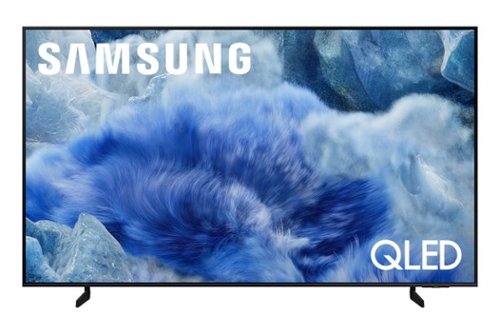
Elevate your entertainment with vivid visuals and dynamic audio tailored to your content. A color spectrum of over one billion shades brings scenes to life with distinctive contrast, highlighting details with precision. Plus, discover innovative personalized experiences with Samsung Vision AI and also enjoy access to thousands of live TV channels, movies and shows all for free while Knox protects your confidential data.
Does it have dual audio out so a hearing aid streamer and soundbar can work together

Hi headache,
Yes, the Q8F has Multi-output Audio, which lets you play sound through both your TV speakers and Bluetooth headphones at the same time. You can also set the headphone volume higher than the TV’s if needed. To enable, go to: Settings > All Settings > General & Privacy > Accessibility > Multi-output Audio
~ Samsung Advisor
Yes, the Q8F has Multi-output Audio, which lets you play sound through both your TV speakers and Bluetooth headphones at the same time. You can also set the headphone volume higher than the TV’s if needed. To enable, go to: Settings > All Settings > General & Privacy > Accessibility > Multi-output Audio
~ Samsung Advisor
2 months, 3 weeks ago
by
Posted by:
Samsung
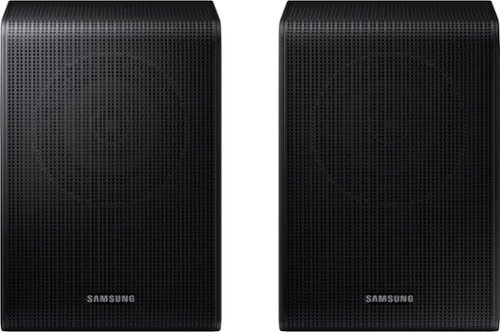
Get a truly cinematic experience from your home theater with rear speakers that connect wirelessly to your soundbar for simple setup and less clutter. With true surround sound, add audio depth and dimension with sound that comes from all sides, making you feel like you're in the scene.
Will this work work with HW A445 sound bar?
Hello Jake! No, the SWA-9250S Wireless Rear Speakers are compatible with the HW-Q600F, HW-B750F, HW-B650F, HW-B630F, and HW-B550F 2025 Samsung Soundbars. ~ Samsung Solutions
2 months, 3 weeks ago
by
Posted by:
Samsung

Bring the party to life wherever you are with massive sound and lights that sync to every beat. Perfect for house parties, outdoors celebrations, and karaoke sessions, this compact tower is splash resistant and delivers long lasting playtime. Plus, link it wirelessly with other Sound Towers to amplify the moment and keep the good vibes going strong.
Can I connect it to the TV?
Hi Nonac! Yes, you can connect it to your TV via Bluetooth. ~ Samsung Solutions
2 months, 3 weeks ago
by
Posted by:
Samsung
Bring the party to life wherever you are with massive sound and lights that sync to every beat. Perfect for house parties, outdoors celebrations, and karaoke sessions, this compact tower is splash resistant and delivers long lasting playtime. Plus, link it wirelessly with other Sound Towers to amplify the moment and keep the good vibes going strong.
Is the speaker Samsung SmartThings app compatible
Hi AI! No, the MX-ST40F is not compatible withSmartThings, however it can been connected with the Samsung Sound Tower App found in the Google Play App store or the Apple App store. ~ Samsung Solutions
2 months, 3 weeks ago
by
Posted by:
Samsung
Get a truly cinematic experience from your home theater with rear speakers that connect wirelessly to your soundbar for simple setup and less clutter. With true surround sound, add audio depth and dimension with sound that comes from all sides, making you feel like you're in the scene.
There's conflicting information about the Compatibility of these speakers working with the Samsung hw s60d Soundbar. Are they compatible or not
Hello Simon! The HW-S60D is compatible with the SWA-9200S Wireless Rear Speaker Kit. ~ Samsung Solutions
2 months, 3 weeks ago
by
Posted by:
Samsung
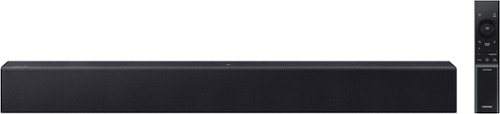
All you need is one this soundbar delivers balanced audio and features a built in woofer so you can enjoy everyday content with robust, rich sound. Enjoy clearer voices in your shows and movies with automatically amplified dialogue, so you won't have to rewind or turn on t he subtitles. Plus, you can simplify your home theatre setup by controlling everything with your Samsung TV remote. Simple like that.
Will this soundbar connect to an incense Smart TV?
Hello there! The HW-B400F features three ways to connect to an external device: HDMI (ARC), digital optical audio, and Bluetooth wireless audio technology. If your TV is compatible with one of these three audio connections, you should have no issue connecting the soundbar to your TV. ~Samsung Solutions
2 months, 3 weeks ago
by
Posted by:
Samsung
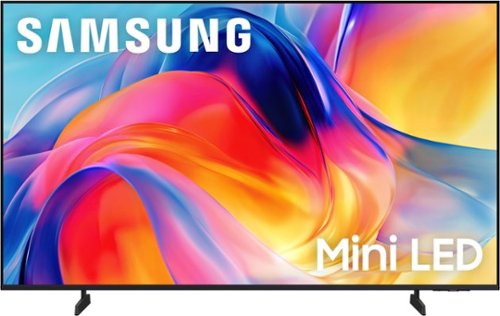
Bright, detailed colors pair together with deep, cinematic contrast in your favorite smart apps and video games thanks to precise control with Mini LEDs, delivering a realistic picture no matter what you watch. Get thousands of subscription free channels, including 700+ premium channels with Samsung TV Plus. Rest assured your personal data is secured with Knox Security.
Does this tv have a sleep timer
Hi Jarvis2026,
The M70H TV includes Auto Power Off, Sleep Timer, and Off Timer – each designed to reduce power use or automate shutoff. Sleep Timer and Off Timer let you schedule when the TV shuts off.
Auto Power Off turns off the screen if the TV hasn’t been used for a while. To adjust these settings: Home > Settings > All Settings > General & Privacy > Power and Energy Saving.
~ Samsung Advisor
The M70H TV includes Auto Power Off, Sleep Timer, and Off Timer – each designed to reduce power use or automate shutoff. Sleep Timer and Off Timer let you schedule when the TV shuts off.
Auto Power Off turns off the screen if the TV hasn’t been used for a while. To adjust these settings: Home > Settings > All Settings > General & Privacy > Power and Energy Saving.
~ Samsung Advisor
2 months, 3 weeks ago
by
Posted by:
Samsung
All you need is one this soundbar delivers balanced audio and features a built in woofer so you can enjoy everyday content with robust, rich sound. Enjoy clearer voices in your shows and movies with automatically amplified dialogue, so you won't have to rewind or turn on t he subtitles. Plus, you can simplify your home theatre setup by controlling everything with your Samsung TV remote. Simple like that.
Is it compatible with the 65" QLED? Can it be paired via Bluetooth with that model?
Hi there! Yes, the HW-B400F features three ways to connect to an external device: HDMI (ARC), digital optical audio, and Bluetooth wireless audio technology. You should have no issue connecting the soundbar to your TV. ~Samsung Solutions
2 months, 3 weeks ago
by
Posted by:
Samsung
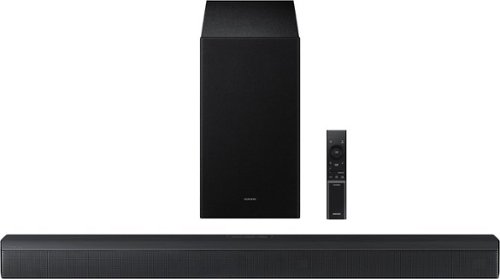
Upgrade your home theater setup with a 3.1 Channel sound system, featuring a built in center speaker to enhance voices and a wireless subwoofer for booming bass. Get rich and balanced sound in your movies and shows while voices are intelligently separated from background noise, delivering clear dialogue even at low volume. Plus, you won't have to hassle with pairing and unpairing your devices to play music - you can connect two simultaneously and switch between them seamlessly.
Hi. I don't like the sound of these speakers. They just don't sound right. I have tried different settings and I can barely hear the bass. What am I doing wrong?
Hi Espe! By pressing the TONE CONTROL button, you can adjust the volume of the treble or bass sound. Press the button to select TREBLE or BASS and then adjust the volume between -6~+6 by using the Up/Down buttons.
Press and hold the SOUND CONTROL button for about 5 seconds to adjust the sound for each frequency band. 150Hz, 300Hz, 600Hz, 1.2kHz, 2.5kHz, 5kHz, and 10kHz are selectable using the Left/Right buttons and each can be adjusted to a setting between -6 to +6 using the Up/Down buttons. (Make sure the Sound mode is set to “STANDARD”.
Additionally, using the WOOFER button on the remote, you can adjust the subwoofer’s volume between -6 to +6 by toggling the button up or down. To set the subwoofer volume level to 0, press the button down.
If you need more help, Samsung is here for you. Please call us at 1-800-SAMSUNG, Mon – Fri 8 AM – 9 PM EST, Sat & Sun 8 AM – 6 PM EST. Live Chat with an agent as well as manuals, software, creating a service ticket, and warranty info can be found at the ‘Support’ link on our Samsung website.
~ Samsung Solutions
Press and hold the SOUND CONTROL button for about 5 seconds to adjust the sound for each frequency band. 150Hz, 300Hz, 600Hz, 1.2kHz, 2.5kHz, 5kHz, and 10kHz are selectable using the Left/Right buttons and each can be adjusted to a setting between -6 to +6 using the Up/Down buttons. (Make sure the Sound mode is set to “STANDARD”.
Additionally, using the WOOFER button on the remote, you can adjust the subwoofer’s volume between -6 to +6 by toggling the button up or down. To set the subwoofer volume level to 0, press the button down.
If you need more help, Samsung is here for you. Please call us at 1-800-SAMSUNG, Mon – Fri 8 AM – 9 PM EST, Sat & Sun 8 AM – 6 PM EST. Live Chat with an agent as well as manuals, software, creating a service ticket, and warranty info can be found at the ‘Support’ link on our Samsung website.
~ Samsung Solutions
2 months, 3 weeks ago
by
Posted by:
Samsung
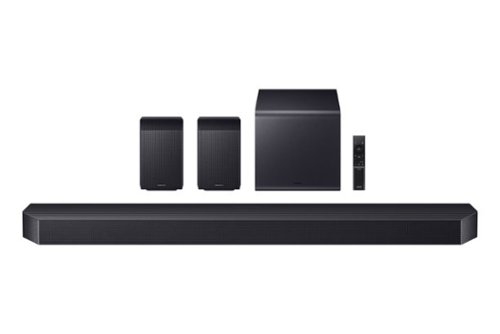
Experience our top of the line 11.1.4 soundbar, delivering breathtaking surround sound that elevates your home theater to new heights. With the included rear speakers, get an immersive audio experience that surrounds you from every angle. Feel heightened emotion with every thunderstorm, explosion, or car chase thanks to powerful, booming bass. Sit back and let the action come to life, with audio that makes every moment feel more real.
are both the rear speaker wireless?
Hi there! Yes, the included rear speakers for the HW-Q990F are wireless, however each one does require them to be plugged into a power outlet. ~ Samsung Solutions
2 months, 3 weeks ago
by
Posted by:
Samsung