Samsung
Samsung's Stats
Reviews
- Review Count0
- Helpfulness Votes0
- First ReviewNone
- Last ReviewNone
- Featured Reviews0
- Average Rating0
Reviews Comments
- Review Comment Count0
- Helpfulness Votes0
- First Review CommentNone
- Last Review CommentNone
- Featured Review Comments0
Questions
- Question Count0
- Helpfulness Votes0
- First QuestionNone
- Last QuestionNone
- Featured Questions0
- Answer Count73699
- Helpfulness Votes37,932
- First AnswerApril 24, 2013
- Last AnswerAugust 18, 2026
- Featured Answers0
- Best Answers3943
Samsung's Reviews
Samsung has not submitted any reviews.
Samsung's Questions
Samsung has not submitted any questions.
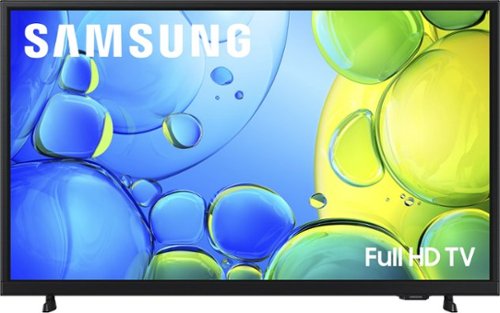
Step up to Full HD for a significantly clearer picture than regular HD. Enjoy impressive, fine-tuned colors and deep contrast, all wrapped in a sleek design and secured by triple-layer protection. Virtual 3-D sound is enhanced and tracks movement on screen for a truly immersive experience.
can u use a vizio sound bar with this tv

Hi Curious,
You can connect a soundbar via HDMI cable or Bluetooth connection.
~Samsung Advisor
You can connect a soundbar via HDMI cable or Bluetooth connection.
~Samsung Advisor
2 months, 3 weeks ago
by
Posted by:
Samsung
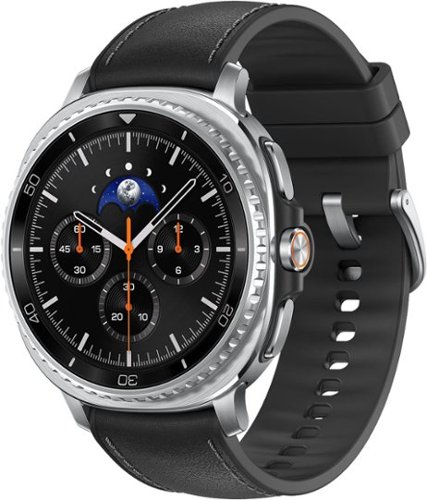
Galaxy Watch8 Classic is more than a watch- it~s an elegant timepiece with traditional style that helps keep your day on track. Now brighter and incredibly comfortable, it~s the perfect blend of fashion and function that offers enhanced performance without compromise. Backed by Galaxy AI, this watch does more than track- it understands and helps you act. Wake up to meaningful sleep insights, not just data- because when your sleep improves, so does everything else. Then confidently head out the door with quick briefings on weather, sports scores and more, all at a glance on your Watch screen. You can also send texts and knock out multiple tasks while you walk with an assistant you activate by raising your wrist. Whether you~re focused on productivity, health or performance, Watch8 Classic fits better, lasts longer and helps you get the most out of every day. Galaxy Watch8 Classic redefines what a timepiece can do.
Can I use this watch with the full Alexa app? If yes will it also work on the LTE setting?
Hey there Jkn, thank you for asking us your questions about the Samsung Galaxy Watch8 Classic. Yes, you can use the Amazon Alexa app on this device and it also functions on the LTE setting so you can use voice commands without your phone nearby. If you have additional questions for us, please feel free to reach out to Support. Thank you for being a valued Samsung customer. - Debra
2 months, 3 weeks ago
by
Posted by:
Samsung
Step up to Full HD for a significantly clearer picture than regular HD. Enjoy impressive, fine-tuned colors and deep contrast, all wrapped in a sleek design and secured by triple-layer protection. Virtual 3-D sound is enhanced and tracks movement on screen for a truly immersive experience.
DOES IT HAVE A SLEEP MODE
Hi CWO,
Yes, the F6000F TV includes Auto Power Off, Sleep Timer, and Off Timer – each designed to reduce power use or automate shutoff. Sleep Timer and Off Timer let you schedule when the TV shuts off. Auto Power Off turns off the screen if the TV hasn’t been used for a while. To adjust these settings: Home > Settings > All Settings > General & Privacy > Power and Energy Saving.
~ Samsung Advisor
Yes, the F6000F TV includes Auto Power Off, Sleep Timer, and Off Timer – each designed to reduce power use or automate shutoff. Sleep Timer and Off Timer let you schedule when the TV shuts off. Auto Power Off turns off the screen if the TV hasn’t been used for a while. To adjust these settings: Home > Settings > All Settings > General & Privacy > Power and Energy Saving.
~ Samsung Advisor
2 months, 3 weeks ago
by
Posted by:
Samsung
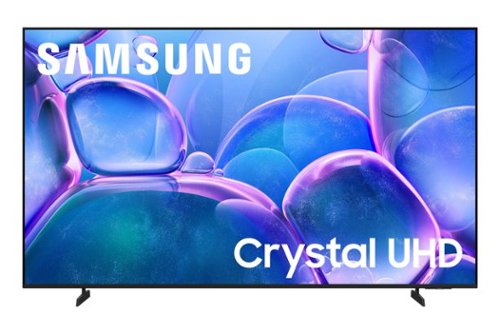
Upgrade your home theater with this stylish 4K TV featuring vibrant colors, rich contrast and an advanced 4K processor. Stay endlessly entertained with thousands of on demand shows and movies for free and enjoy peace of mind as watch thanks to our proprietary triple layer security that protects your personal data across all connected devices at once.
Anti glare
Hi Jr,
No, the U7900F is not anti-glare. We offer Anti-reflection technology starting in our QN90F Series and above.
~Samsung Advisor
No, the U7900F is not anti-glare. We offer Anti-reflection technology starting in our QN90F Series and above.
~Samsung Advisor
2 months, 3 weeks ago
by
Posted by:
Samsung
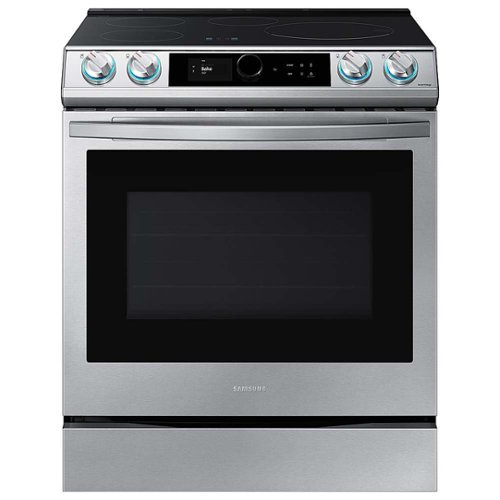
Samsung - 30 in. Wide 4 Elements 6.3 cu. ft. Slide-in Induction Range with Smart Dial, WiFi & Air Fry - Stainless Steel
The Samsung Smart Slide-In Induction range with Smart Dial and Air Fry is fully Wi-Fi connected and voice-enabled, giving you the tools you need to simplify the cooking experience in the kitchen. This Slide-In range features Virtual Flame technology giving the visual of gas cooking, with the precision of induction cooking.
How to how do I get to the self Cleaning mode on the dial I don’t see that option
Hi Ac,
To get to the Self Clean feature, tap the three-line menu icon on the control panel, select "Cleaning", then choose "Self Clean". From there, you can pick your preferred cleaning time and start the cycle.
For additional guidance, you can refer to pages 51–53 of the user manual, where you'll find detailed steps for using the self-cleaning function:
https://downloadcenter.samsung.com/content/UM/202311/20231122161711134/01._FULL_NE63T8911SS_NE63T8911S-04_EN.pdf
Hope this helps!
Jeffrey
Samsung Care
To get to the Self Clean feature, tap the three-line menu icon on the control panel, select "Cleaning", then choose "Self Clean". From there, you can pick your preferred cleaning time and start the cycle.
For additional guidance, you can refer to pages 51–53 of the user manual, where you'll find detailed steps for using the self-cleaning function:
https://downloadcenter.samsung.com/content/UM/202311/20231122161711134/01._FULL_NE63T8911SS_NE63T8911S-04_EN.pdf
Hope this helps!
Jeffrey
Samsung Care
2 months, 3 weeks ago
by
Posted by:
Samsung
Upgrade your home theater with this stylish 4K TV featuring vibrant colors, rich contrast and an advanced 4K processor. Stay endlessly entertained with thousands of on demand shows and movies for free and enjoy peace of mind as watch thanks to our proprietary triple layer security that protects your personal data across all connected devices at once.
Does it have Bluetooth, Apple Airplay, 3 HDMI
Hi marianamon,
The U7900F has Bluetooth, Apple AirPlay, and features 2 HDMI ports.
~Samsung Advisor
The U7900F has Bluetooth, Apple AirPlay, and features 2 HDMI ports.
~Samsung Advisor
2 months, 3 weeks ago
by
Posted by:
Samsung
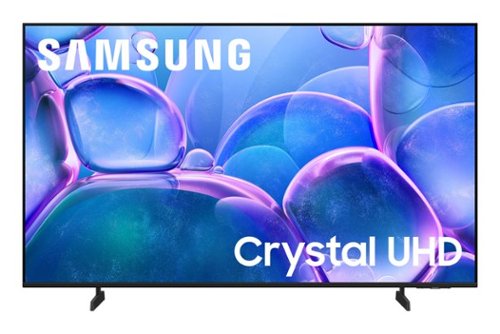
Samsung - 50" Class U7900 Series UHD 4K Smart Tizen TV (2025)
Upgrade your home theater with this stylish 4K TV featuring vibrant colors, rich contrast and an advanced 4K processor. Stay endlessly entertained with thousands of on demand shows and movies for free and enjoy peace of mind as watch thanks to our proprietary triple layer security that protects your personal data across all connected devices at once.
So, for a sleep timer I have to go through multiple screens & my only option is 4 hours? That’s not very energy efficient. I’m going to have to turn my TV on 2 hours before I plan to go to bed & not change the channel again or it will go back to 4 hours?
Hi SuzieQ,
The Sleep timer offers several increments up to 180 minutes, including 30, 60, 120, and 190 minutes. Go to Home > Settings > All Settings > General & Privacy > Power and Energy Saving > Sleep Timer.
~Samsung Advisor
The Sleep timer offers several increments up to 180 minutes, including 30, 60, 120, and 190 minutes. Go to Home > Settings > All Settings > General & Privacy > Power and Energy Saving > Sleep Timer.
~Samsung Advisor
2 months, 3 weeks ago
by
Posted by:
Samsung

Meet the new shape of sound ~ Galaxy Buds3 Pro ~ now completely redesigned with improved hardware to bring you deeper into your audio.~ With Galaxy AI,~ your Buds create a great listening experience by optimizing sound based on your surroundings and how you wear them ~ while providing a snug fit for all-day comfort, no matter what you do. Buds3 Pro get how much you love your audio. From jamming while cooking to listening to your favorite show on a crowded subway to taking a work call, your Buds will adjust to the different sounds around you using Adaptive Active Noise Cancellation so you always hear what~s important. Plus, they~re packed with features to create a convenient listening experience ~ from auto-switching~ your audio between your Galaxy phone and your Galaxy PC to immersing you in the latest TV shows with 360 Audio, now available on Samsung TVs.~ And it doesn~t stop there ~ Buds make perfect companions for your Galaxy phone as you travel. Real-time Interpreter with Galaxy AI~ allows you to speak like a local as your phone translates speech right in your Buds so you never miss a word from your local tour guide. No matter what you listen to or how you listen, we~ve redesigned our Buds to give you a great immersive audio experience with Galaxy Buds3 Pro.
Why does one side work but the other side doesn’t
Hello there Genesis, thank you for asking us your question about the Samsung Galaxy Buds3 Pro. Please take a moment to check out, "Sync the Samsung earbuds to each other" and "How to restart or reset your Samsung earbuds" to help resolve what you may be experiencing. If you would like further assistance afterward, please feel free to reach out to Support. Thank you for being a valued Samsung customer. - Debra
2 months, 3 weeks ago
by
Posted by:
Samsung

Featuring a matte screen for a print like finish, Pantone Validated colors, and a slim customizable bezel that looks like a gallery frame, the TV for art lovers has access to curated works from top tier galleries and museums to blend into any style or d~cor. Samsung Vision AI powers superb picture, sound and personalized TV experiences.
Does it include a TV stand?
In addition to the Slim Fit Wall Mount, a 2-legged stand is included.
~ Samsung Specialist
~ Samsung Specialist
2 months, 3 weeks ago
by
Posted by:
Samsung
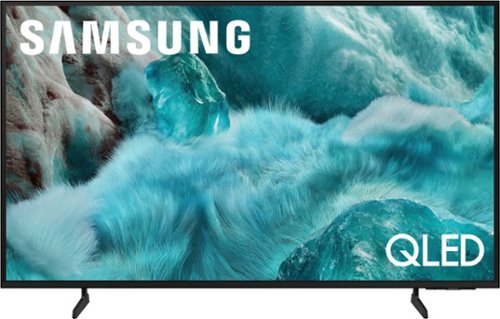
Discover a new level of visual and auditory brilliance with our next level smart TV. Powered by Pantone certified color accuracy, witness over one billion authentic hues burst forth in beautiful detail. Quantum HDR takes things further, elevating contrast for lifelike imagery. Add to that our advanced 3D audio system syncing flawlessly with on screen motion, all intelligently powered by Samsung Vision AI. And rest assured, Knox keeps your private info safe and secure.
What the total watt output of the tv.
Hi Jordan - So that we can better understand and assist with this, please reach out to Samsung Support at: 1-800-SAMSUNG (8AM – 9PM EST Mon – Fri, 8AM – 6PM Sat – Sun) or Chat with us on Samsung.com: https://www.samsung.com/us/support/contact/
~ Samsung Specialist
~ Samsung Specialist
2 months, 3 weeks ago
by
Posted by:
Samsung