Samsung
Samsung's Stats
Reviews
- Review Count0
- Helpfulness Votes0
- First ReviewNone
- Last ReviewNone
- Featured Reviews0
- Average Rating0
Reviews Comments
- Review Comment Count0
- Helpfulness Votes0
- First Review CommentNone
- Last Review CommentNone
- Featured Review Comments0
Questions
- Question Count0
- Helpfulness Votes0
- First QuestionNone
- Last QuestionNone
- Featured Questions0
- Answer Count72820
- Helpfulness Votes37,815
- First AnswerApril 24, 2013
- Last AnswerJuly 2, 2026
- Featured Answers0
- Best Answers3929
Samsung's Reviews
Samsung has not submitted any reviews.
Samsung's Questions
Samsung has not submitted any questions.
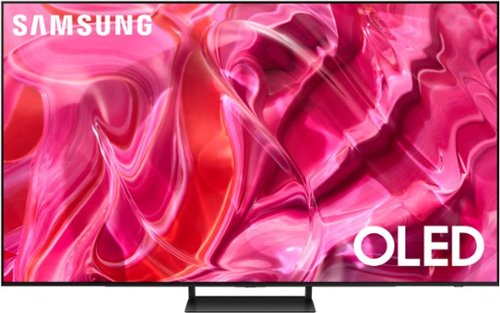
Samsung - 55" Class S90C OLED 4K UHD Smart Tizen TV (2023)
Prepare to be captivated. Whether you prefer dramatic thrillers or fantasy football, lose yourself in the viewing adventure w ith a contrast rich picture. Let your picture do the talking with the sleek and thin LaserSlim design. You~ll see pure blacks, bright whites and dramatic color, while the audio pulls you into the action thanks to Dolby Atmos built in and Object Tracking Sound Lite. The Samsung OLED experience doesn~t stop there shifting adventures is a breeze with access to the latest Smart TV apps and Samsung Gaming Hub. ~ ~High speed internet connection, additional gaming service subscriptions and compatible controller required.
i am considering Samsung s95c or s90c. Are these anti-glare. This is very important! Thanks!
maverick - Both OLED models feature Anti-Glare.
~ Samsung Specialist
~ Samsung Specialist
2 years, 4 months ago
by
Posted by:
Samsung
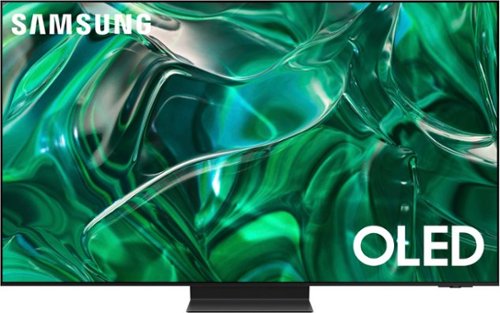
Samsung - 55" Class S95C OLED 4K UHD Smart Tizen TV (2023)
Steal the show with the bold contrast, dramatic sound, and vibrant colors of Samsung OLED. Samsung~s Infinity One Design is sleek, slim and impossibly thin. Imagination becomes reality with the infinite amount of dramatic detail made possible by self-illuminating pixels. Sit back and be mesmerized as your content is transformed to 4K. Priority Order
Samsung - 55" Class S90C OLED 4K UHD Smart Tizen TV (2023)
Prepare to be captivated. Whether you prefer dramatic thrillers or fantasy football, lose yourself in the viewing adventure w ith a contrast rich picture. Let your picture do the talking with the sleek and thin LaserSlim design. You~ll see pure blacks, bright whites and dramatic color, while the audio pulls you into the action thanks to Dolby Atmos built in and Object Tracking Sound Lite. The Samsung OLED experience doesn~t stop there shifting adventures is a breeze with access to the latest Smart TV apps and Samsung Gaming Hub. ~ ~High speed internet connection, additional gaming service subscriptions and compatible controller required.
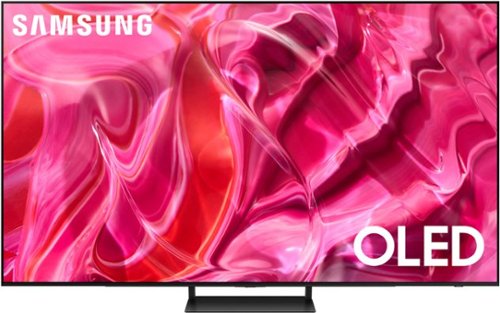
Samsung - 65" Class S90C OLED 4K UHD Smart Tizen TV (2023)
Prepare to be captivated. Whether you prefer dramatic thrillers or fantasy football, lose yourself in the viewing adventure w ith a contrast rich picture. Let your picture do the talking with the sleek and thin Laser Slim design. You~ll see pure blacks, bright whites and dramatic color, while the audio pulls you into the action thanks to Dolby Atmos built in and Object Tracking Sound Lite. The Samsung OLED experience doesn~t stop there shifting adventures is a breeze with access to the latest Smart TV apps and Samsung Gaming Hub. ~ ~ High speed internet connection, additional gaming service subscriptions and compatible controller required.
What does it weigh

Samsung - 77 Class S89C OLED 4K UHD Smart Tizen TV
Prepare to be captivated. Whether you prefer dramatic thrillers or fantasy football, lose yourself in the viewing adventure with a contrast rich picture. Let your picture do the talking with the sleek and thin Laser Slim design. You~ll see pure blacks, bright whites and dramatic color, while the audio pulls you into the action thanks to Dolby Atmos built in and Object Tracking Sound Lite. The Samsung OLED experience doesn~t stop there shifting adventures is a breeze with access to the latest Smart TV apps and Samsung Gaming Hub.
Is this tv energystar rated for an irs deduction
Samsung - 77 Class S89C OLED 4K UHD Smart Tizen TV
Prepare to be captivated. Whether you prefer dramatic thrillers or fantasy football, lose yourself in the viewing adventure with a contrast rich picture. Let your picture do the talking with the sleek and thin Laser Slim design. You~ll see pure blacks, bright whites and dramatic color, while the audio pulls you into the action thanks to Dolby Atmos built in and Object Tracking Sound Lite. The Samsung OLED experience doesn~t stop there shifting adventures is a breeze with access to the latest Smart TV apps and Samsung Gaming Hub.
what stations does it get
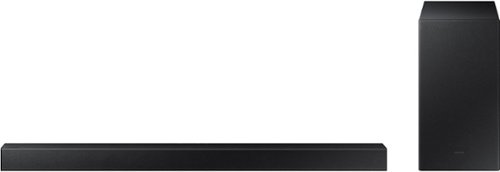
Samsung - 2.1-Channel Soundbar with Wireless Subwoofer and DOLBY AUDIO / DTS 2.0 - Black
Elevate your audio experience with high-quality optimized sound. The power of Samsung sound bar HW-A430/ZA makes surround soundbar comes to life with speakers that fire all around you.
The soundbar will not pair with the woofer. The blue light continues blink.
Hi daniels7857! When powered on for the first time, the subwoofer should automatically connect to the soundbar wirelessly. If the auto-connection process fails, you can try manually connecting the sub to the soundbar.
Before performing the manual connection procedure, check whether the power cables for the Soundbar and subwoofer are connected properly and make sure that the Soundbar is turned off.
Press and hold ID SET on the rear of the subwoofer for at least 5 seconds. The red indicator on the rear of the subwoofer turns off and the blue indicator blinks. Press and hold the Up button on the remote control for at least 5 seconds. The ID SET message appears on the display of the Soundbar for a moment, and then it disappears. The Soundbar will automatically power on when ID SET is complete. The LINK LED indicator stops blinking and glows a solid blue when a connection is established between the Soundbar and the Wireless Subwoofer.
If you would like additional assistance with the setup of your rear speakers, please contact Samsung Customer Support at 1-800-SAMSUNG, 8AM - 12AM EST (Ask for Soundbars), 7 days a week. Our LiveChat agents are also available by clicking on the ‘Support’ link on our website.
~ Samsung Solutions
Before performing the manual connection procedure, check whether the power cables for the Soundbar and subwoofer are connected properly and make sure that the Soundbar is turned off.
Press and hold ID SET on the rear of the subwoofer for at least 5 seconds. The red indicator on the rear of the subwoofer turns off and the blue indicator blinks. Press and hold the Up button on the remote control for at least 5 seconds. The ID SET message appears on the display of the Soundbar for a moment, and then it disappears. The Soundbar will automatically power on when ID SET is complete. The LINK LED indicator stops blinking and glows a solid blue when a connection is established between the Soundbar and the Wireless Subwoofer.
If you would like additional assistance with the setup of your rear speakers, please contact Samsung Customer Support at 1-800-SAMSUNG, 8AM - 12AM EST (Ask for Soundbars), 7 days a week. Our LiveChat agents are also available by clicking on the ‘Support’ link on our website.
~ Samsung Solutions
2 years, 4 months ago
by
Posted by:
Samsung
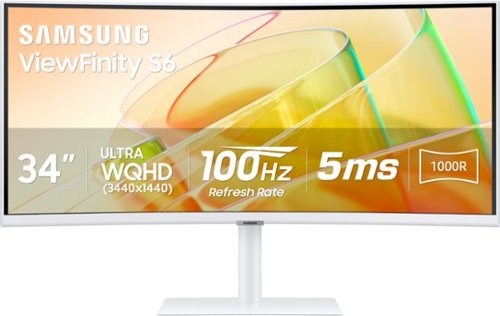
Samsung's Ultra-WQHD Monitor with a 34" 1000R curved display surrounds you with a 21:9 aspect ratio to maximize your screen's real estate. Featuring Thunderbolt 4 connectivity and multiple ports, you can power your devices while transmitting data. Experience 1 billion vivid colors with HDR10, providing near limitless hues, with darker darks and brighter brights. Built-in speakers minimize connections and free up desk space, while 100Hz refresh rate and AMD FreeSync keep the screen smooth across all applications and diminish screen stuttering and image tearing. With KVM Switch, Easy Setting Box, Picture-By-Picture, and Picture-In-Picture, you can play games while connecting with friends, watching movies, or working on projects. The ergonomically designed height-adjustable monitor creates a customized, comfortable environment in which to work and play, and T~V-certified technology reduces eye strain.
This monitor supports Thunderbolt 4, but it comes with a Thunderbolt 3 cable? Is that really correct? Super weird it doesn't include a TB4 cable.
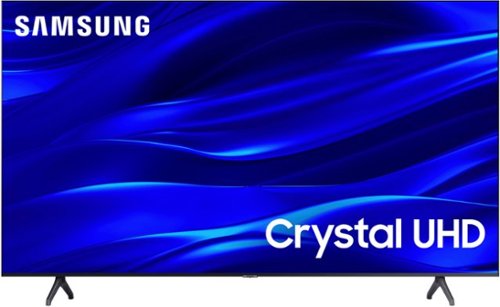
Samsung - 50" Class TU690T Series LED 4K UHD Smart Tizen TV (2023)
See how Crystal UHD with Smart TV elevates what you watch~at a value you~ll love. Go beyond HDTV to enjoy your content in 4K resolution, and in PurColor. And with Smart TV powered by Tizenbuilt in, it~s easy to find and stream the latest shows and movies in just a few clicks.
Have used this TV for 2 months and now the Samsung on-screen volume indicator has appeared on the left side of the screen and I cannot make it go away. How do you make it disappear? I have even reset the TV to factory defaults, all to no avail. Thanks!
Hi there,
Here are a few troubleshooting steps for you to try:
Navigate to and open Settings> All Settings >General & Privacy System> Manager Usage Mode> Home Mode. If required, enter PIN 0000 and Select Home Mode.
If that doesn't work, please ensure you are running the latest Firmware. Go to Settings> Support> Software Update.
Then, I recommend utilizing the self-diagnostic tool, which checks memory, frees unused cached memory, and closes background apps. Go to Settings > Support > Device Care > Start Device Care.
Finally, please try running a cold boot. To do so, hold down the Power button on the Samsung TV remote until the TV turns off and then on again. This should take about 5 seconds.
If you need more help, please get in touch with us at 1-800-SAMSUNG, 8 AM – 12 AM EST, seven days a week, or Chat with us on Samsung.com: https://www.samsung.com/us/support/contact/
~ Samsung Advisor
Here are a few troubleshooting steps for you to try:
Navigate to and open Settings> All Settings >General & Privacy System> Manager Usage Mode> Home Mode. If required, enter PIN 0000 and Select Home Mode.
If that doesn't work, please ensure you are running the latest Firmware. Go to Settings> Support> Software Update.
Then, I recommend utilizing the self-diagnostic tool, which checks memory, frees unused cached memory, and closes background apps. Go to Settings > Support > Device Care > Start Device Care.
Finally, please try running a cold boot. To do so, hold down the Power button on the Samsung TV remote until the TV turns off and then on again. This should take about 5 seconds.
If you need more help, please get in touch with us at 1-800-SAMSUNG, 8 AM – 12 AM EST, seven days a week, or Chat with us on Samsung.com: https://www.samsung.com/us/support/contact/
~ Samsung Advisor
2 years, 4 months ago
by
Posted by:
Samsung
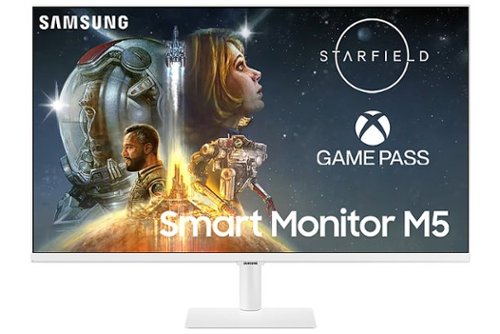
Samsung - M50C 32" Smart Tizen FHD Monitor with Streaming TV, HDR10, Built-in Speakers (HDMI, USB) - White
The M50C Smart Monitor with embedded TV apps enables you to experience smarter viewing and performance. It~s the ultimate hub for gaming, entertainment, and productivity all on one monitor. Effortlessly work on documents and access files from PCs wirelessly. Easily control all your in-home IoT devices from this one convenient monitor.
Does this monitor support picture in picture or picture by picture? I would like to use it to replace my current two monitor setup for WFH.
Thank you for your question! The M50C smart monitor doesn't support PIP or PBP. If you are looking for a monitor that supports these features, we recommend checking out any of our S-series high-resolution monitors or gaming monitor such as the Odyssey G7 or G9.
We also recommend visiting https://www.samsung.com/us/monitors/ to find your monitor match!
We also recommend visiting https://www.samsung.com/us/monitors/ to find your monitor match!
2 years, 4 months ago
by
Posted by:
Samsung