Samsung
Samsung's Stats
Reviews
- Review Count0
- Helpfulness Votes0
- First ReviewNone
- Last ReviewNone
- Featured Reviews0
- Average Rating0
Reviews Comments
- Review Comment Count0
- Helpfulness Votes0
- First Review CommentNone
- Last Review CommentNone
- Featured Review Comments0
Questions
- Question Count0
- Helpfulness Votes0
- First QuestionNone
- Last QuestionNone
- Featured Questions0
- Answer Count72822
- Helpfulness Votes37,820
- First AnswerApril 24, 2013
- Last AnswerJuly 2, 2026
- Featured Answers0
- Best Answers3930
Samsung's Reviews
Samsung has not submitted any reviews.
Samsung's Questions
Samsung has not submitted any questions.
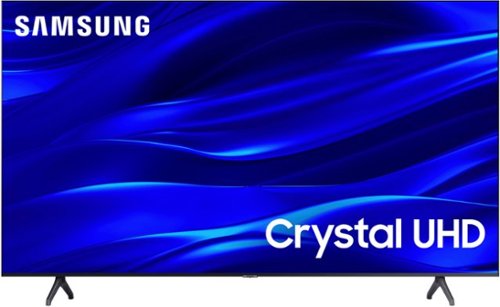
Samsung - 50" Class TU690T Series LED 4K UHD Smart Tizen TV (2023)
See how Crystal UHD with Smart TV elevates what you watch~at a value you~ll love. Go beyond HDTV to enjoy your content in 4K resolution, and in PurColor. And with Smart TV powered by Tizenbuilt in, it~s easy to find and stream the latest shows and movies in just a few clicks.
Have used this TV for 2 months and now the Samsung on-screen volume indicator has appeared on the left side of the screen and I cannot make it go away. How do you make it disappear? I have even reset the TV to factory defaults, all to no avail. Thanks!
Hi there,
Here are a few troubleshooting steps for you to try:
Navigate to and open Settings> All Settings >General & Privacy System> Manager Usage Mode> Home Mode. If required, enter PIN 0000 and Select Home Mode.
If that doesn't work, please ensure you are running the latest Firmware. Go to Settings> Support> Software Update.
Then, I recommend utilizing the self-diagnostic tool, which checks memory, frees unused cached memory, and closes background apps. Go to Settings > Support > Device Care > Start Device Care.
Finally, please try running a cold boot. To do so, hold down the Power button on the Samsung TV remote until the TV turns off and then on again. This should take about 5 seconds.
If you need more help, please get in touch with us at 1-800-SAMSUNG, 8 AM – 12 AM EST, seven days a week, or Chat with us on Samsung.com: https://www.samsung.com/us/support/contact/
~ Samsung Advisor
Here are a few troubleshooting steps for you to try:
Navigate to and open Settings> All Settings >General & Privacy System> Manager Usage Mode> Home Mode. If required, enter PIN 0000 and Select Home Mode.
If that doesn't work, please ensure you are running the latest Firmware. Go to Settings> Support> Software Update.
Then, I recommend utilizing the self-diagnostic tool, which checks memory, frees unused cached memory, and closes background apps. Go to Settings > Support > Device Care > Start Device Care.
Finally, please try running a cold boot. To do so, hold down the Power button on the Samsung TV remote until the TV turns off and then on again. This should take about 5 seconds.
If you need more help, please get in touch with us at 1-800-SAMSUNG, 8 AM – 12 AM EST, seven days a week, or Chat with us on Samsung.com: https://www.samsung.com/us/support/contact/
~ Samsung Advisor
2 years, 4 months ago
by
Posted by:
Samsung
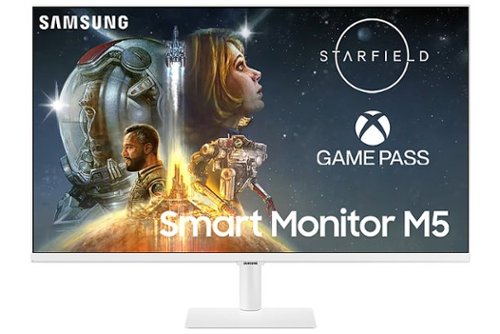
Samsung - M50C 32" Smart Tizen FHD Monitor with Streaming TV, HDR10, Built-in Speakers (HDMI, USB) - White
The M50C Smart Monitor with embedded TV apps enables you to experience smarter viewing and performance. It~s the ultimate hub for gaming, entertainment, and productivity all on one monitor. Effortlessly work on documents and access files from PCs wirelessly. Easily control all your in-home IoT devices from this one convenient monitor.
Does this monitor support picture in picture or picture by picture? I would like to use it to replace my current two monitor setup for WFH.
Thank you for your question! The M50C smart monitor doesn't support PIP or PBP. If you are looking for a monitor that supports these features, we recommend checking out any of our S-series high-resolution monitors or gaming monitor such as the Odyssey G7 or G9.
We also recommend visiting https://www.samsung.com/us/monitors/ to find your monitor match!
We also recommend visiting https://www.samsung.com/us/monitors/ to find your monitor match!
2 years, 4 months ago
by
Posted by:
Samsung
Samsung - M50C 32" Smart Tizen FHD Monitor with Streaming TV, HDR10, Built-in Speakers (HDMI, USB) - White
The M50C Smart Monitor with embedded TV apps enables you to experience smarter viewing and performance. It~s the ultimate hub for gaming, entertainment, and productivity all on one monitor. Effortlessly work on documents and access files from PCs wirelessly. Easily control all your in-home IoT devices from this one convenient monitor.
Is there any way to get audio out? I want to use with Sonos or other external speakers/audio.
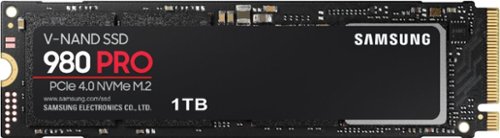
Samsung - 980 PRO 1TB Internal Gaming SSD PCIe Gen 4 x4 NVMe
Unleash the power of the Samsung 980 PRO PCIe 4.0 NVMe Gen4 SSD for next-level computing. 980 PRO delivers 2x the data transfer rate of PCIe 3.0, while maintaining compatibility with PCIe 3.0.~ ~The NVM Express~ design mark is a registered trademark of NVM Express, Inc.* Results are based on a comparison with Samsung PCIe 3.0 NVMe SSDs and SATA SSDs.PS5 compatible with heatsink as recommended by Sony; heatsink sold separately.
Does it come with a heatsink? If not, do I need to buy a heatsink along with it?
Random0guy:
Yes, the 980 PRO with heatsink does include a heatsink whereas the 980 PRO does not include a heatsink. The 980 PRO with Heatsink delivers an additional layer of thermal control for smart heat management to reduce heat. With the added heatsink, play confidently on PlayStation 5 gaming consoles and PC systems without worries of sudden performance drops from overheating.
- Samsung Memory
Yes, the 980 PRO with heatsink does include a heatsink whereas the 980 PRO does not include a heatsink. The 980 PRO with Heatsink delivers an additional layer of thermal control for smart heat management to reduce heat. With the added heatsink, play confidently on PlayStation 5 gaming consoles and PC systems without worries of sudden performance drops from overheating.
- Samsung Memory
2 years, 4 months ago
by
Posted by:
Samsung
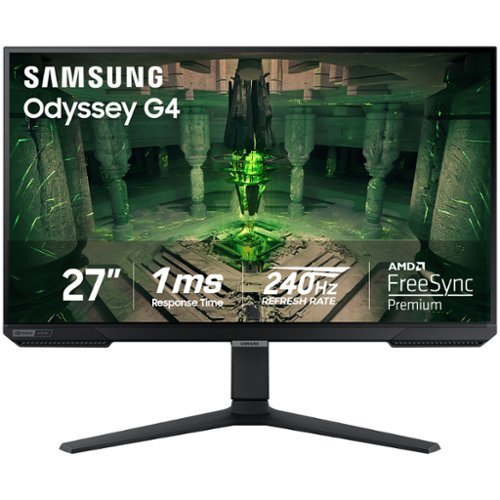
When it comes to gaming performance, the slightest disadvantage can be the difference between winning and losing a match. With a 240Hz refresh rate, lightning fast 1ms (GTG) response time and full adaptive G-Sync compatibility and FreeSync Premium support, you can be sure that the Odyssey G4 won~t let you down on the battlefield.
Thinking about purchasing this, if I don’t have a computer can I still hook up speakers to this monitor for gaming?
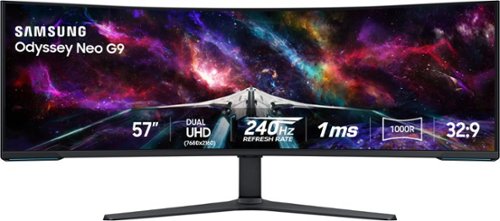
Elevate your game with the world's first Dual UHD Monitor ~ Samsung's 57" Neo G9 Curved Gaming Monitor. Features 57" screen size, 1000R curve with Quantum Matrix Technology powered by Quantum Mini LEDs for astounding levels of visual accuracy and unparalleled definition. 240Hz Refresh Rate, 1ms GTG response time and FreeSync Premium Pro, for stutter-free, hyper-fast action with all new DisplayPort 2.1. Display HDR 1000 with 1,000 nit peak brightness and 1,000,000:1 contrast ratio for enhanced color expression and depth. Cutting-edge design with CoreSync & Core Lighting+, ergonomic stand, and a multitude of convenient input options provide instant access to the game action.
Is there a remote and built in speaker like the OLED G9?
Thank you for your question! the 57" Neo G9 does not come with a remote or speakers. However, this monitor does feature the following audio and video ports: 1 displayport (DP 2.1) and 3 HDMI (2.1). If you are looking for a gaming monitor with speakers, be sure to check out Samsung's Odyssey OLED G8/G9, Ark, and Neo G7 models.
2 years, 4 months ago
by
Posted by:
Samsung
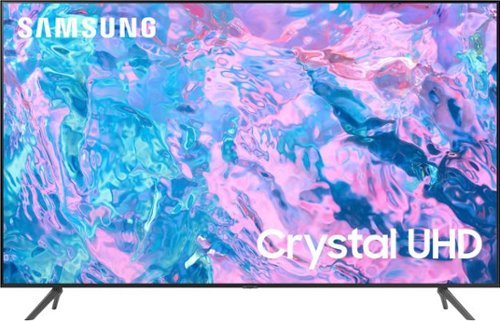
Samsung - 43 Class CU7000 Crystal UHD 4K Smart Tizen TV (2023)
True-to-life color. Effortless connectivity. Dazzling 4K value. Samsung Crystal UHD is worth a look (and more). Effortlessly access TV shows, movies and ambient content using the Samsung Smart Hub, or find a range of great games on the Samsung Gaming Hub.* Enjoy content even more clear than it was created as its upgraded to 4K resolution

Introducing the world's first 49" OLED monitor, the Odyssey OLED G95SC. The 49" curved monitor with Dual QHD resolution and 110 PPI delivers maximum space to take in all the pin-sharp details. Neo Quantum Processor brings brighter whites, deeper blacks and near infinite color contrast. Its curved screen wraps around your field of view for truly engrossing gameplay in up to 32:9 aspect ratio. With a hair-raising 0.03ms(GtG)* on the 240Hz refresh rate screen, you can react to your opponent~s every move quicker than ever before. DisplayHDR True Black 400 allows you to see true black and dark colors on screen without pixel light bleed for supreme color and depth expression in every game. G-Sync compatibility keeps the GPU and panel synced up to eliminate choppiness, screen-lag and image tears. Fast-action and complex game scenes are stable and stutter-free with AMD FreeSync Premium Pro for your competitive edge.
Am I correct in assuming that stupid rainbow ring light in the back can be turned off? Looked at the manual from Samsung, no mention of it. Not a very impressive manual.
Thank you for your question! To turn off the back panel light, hit the power button to bring up the <Settings>, go to <Game>, then <Core Lighting>. Here, you'll have the option to turn the lighting on/off and configure the colors.
2 years, 4 months ago
by
Posted by:
Samsung
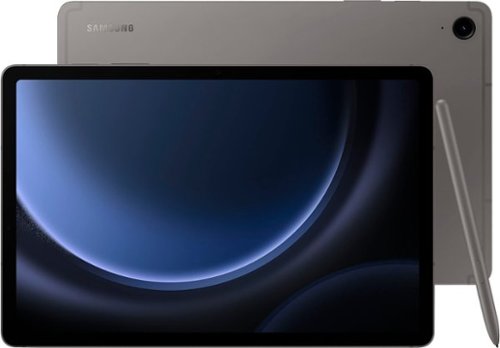
Samsung - Galaxy Tab S9 FE - 10.9" 128GB - Wi-Fi - with S-Pen - Gray
Begin your tablet journey with Galaxy Tab S9 FE Series. The perfect introductory tablets, Tab S9 FE Series gives you the just the right mix of innovative Galaxy features that you need for your lifestyle. Stay in touch with your world and on top of your day with powerful processors, high-quality video playback, great sound and reliable connectivity. Whether you~re wrapping up a work project or kicking back with your favorite entertainment, you~ll have plenty of room to do what you need on big, beautiful screens. Plus, these Tabs let you go for hours with powerful, fast-charging batteries that have your back. They~re built to last too, with water and dust resistance that make them some of the most durable tablets on the market. Discover the new standard of tablet essentials with Galaxy Tab S9 FE Series.
can you add a sim card?
Hi there InquiringMind, thanks for taking the time out of your hectic day to ask us your question about the Samsung Galaxy Tab S9 FE. The advertised Galaxy Tab S9 FE is a Wi-Fi enabled tablet that lacks cellular capabilities; it would require a steady Wi-Fi signal in order for it to be fully functional. You may be looking for an LTE/cellular version of this tablet if you are wanting to add a SIM card which would require a cellular carrier to provide mobile services to the tablet when you are not in the presence of a Wi-Fi connection. If you have any other questions for us, feel free to reach out to Samsung Support at your earliest convenience. Thank you for being a loyal Samsung customer. - Debra
2 years, 4 months ago
by
Posted by:
Samsung
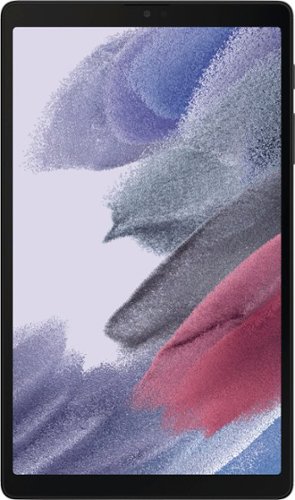
Samsung - Galaxy Tab A7 Lite 8.7" 32GB - Wi-Fi - Dark Gray
Meet the device your whole family will love: Samsung Galaxy Tab A7 Lite, the tablet that's made to be shared. With its compact 8.7" screen, Galaxy Tab A7 Lite is perfectly sized for entertainment on the go. Its sturdy metal frame is built to be brought along from the living room to your beach vacation, or wherever you want to take it. Galaxy Tab A7 Lite comes with access to hours of ad-free YouTube Premium and Samsung TV at no extra charge so you can keep the family happy without annoying interruptions. Plus, with a powerful processor for fast streaming and plenty of storage for your favorite files, Galaxy Tab A7 Lite simplifies entertainment needs for everyone under your roof.
How much does it weigh?
Howdy Vikki, thanks for taking the time out of your busy day to ask us your question about the Samsung Galaxy Tab A7 Lite. The Galaxy Tab A7 Lite weighs 12.96 oz./ 366g / 0.81 lb. Let us know if you have any other questions for us by contacting Samsung Support at your leisure. Thanks for being a valued Samsung customer. - Debra
2 years, 4 months ago
by
Posted by:
Samsung