Samsung
Samsung's Stats
Reviews
- Review Count0
- Helpfulness Votes0
- First ReviewNone
- Last ReviewNone
- Featured Reviews0
- Average Rating0
Reviews Comments
- Review Comment Count0
- Helpfulness Votes0
- First Review CommentNone
- Last Review CommentNone
- Featured Review Comments0
Questions
- Question Count0
- Helpfulness Votes0
- First QuestionNone
- Last QuestionNone
- Featured Questions0
- Answer Count72822
- Helpfulness Votes37,821
- First AnswerApril 24, 2013
- Last AnswerJuly 2, 2026
- Featured Answers0
- Best Answers3931
Samsung's Reviews
Samsung has not submitted any reviews.
Samsung's Questions
Samsung has not submitted any questions.
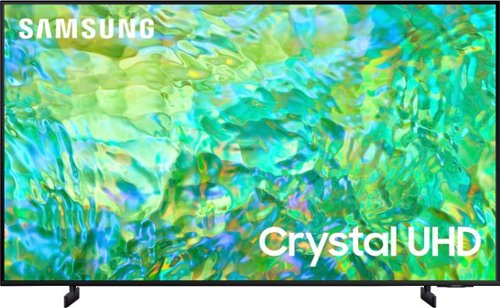
Samsung - 75" Class CU8000 Crystal UHD 4K Smart Tizen TV (2023)
One screen. All the things. With effortless performance, crowd-pleasing features and great value, you can bring home a winner~and feel like a million bucks. Watch your favorite movies and TV shows in captivating 4K resolution as the Crystal Processor automatically transforms every frame. Picture quality is improved as colors, contrast, and motion are analyzed and adjusted as you watch.
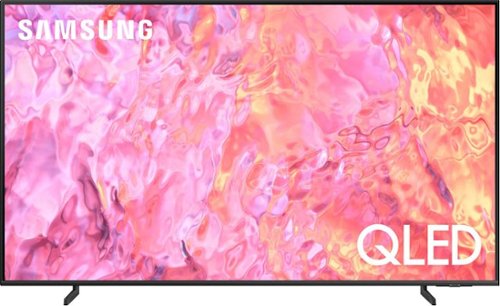
Samsung - 50" Class Q60C QLED 4K UHD Smart Tizen TV (2023)
This lean, mean 4K machine is primed for your leap into Quantum Dot technology~and a bold new world of color and contrast. Take your entire viewing experience to the next level with the elevated audio and astounding picture quality of Samsung QLED. Not only will you see your TV shows and movies instantly transformed into 4K, but you~ll also take in a billion shades of unwavering color. Beyond amazing visuals, you~ll be drawn in by 3D surround sound that moves with the action.
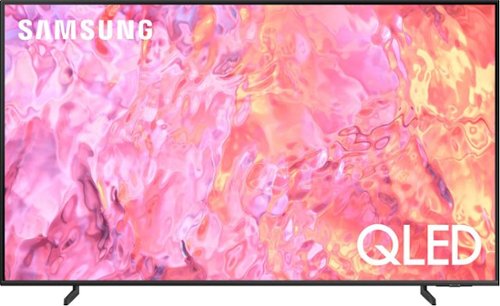
Samsung - 75" Class Q60C QLED 4K UHD Smart Tizen TV (2023)
This lean, mean 4K machine is primed for your leap into Quantum Dot technology~and a bold new world of color and contrast. Take your entire viewing experience to the next level with the elevated audio and astounding picture quality of Samsung QLED. Not only will you see your TV shows and movies instantly transformed into 4K, but you~ll also take in a billion shades of unwavering color. Beyond amazing visuals, you~ll be drawn in by 3D surround sound that moves with the action.
Is there any major differnce between the 60C and the 70C?
Hi Ben - The Q60C is the first model in our 4K QLED lineup and comes in the widest variety of sizes. When stepping up to the Q70C, you gain the advantage of our Quantum Processor 4K with Machine Learning AI. You step up the clarity and smoothness of your 4K picture with an ultra-fast processor that adapts to each and every scene, no matter what the source. You also gain the advantage of Motion Xcelerator Turbo+ which allows you to see action scenes, sports, and gaming with minimized motion blur. Motion Xcelerator Turbo+ supports advanced features like FreeSync Premium Pro for best game play available.
~ Samsung Specialist
~ Samsung Specialist
2 years, 4 months ago
by
Posted by:
Samsung
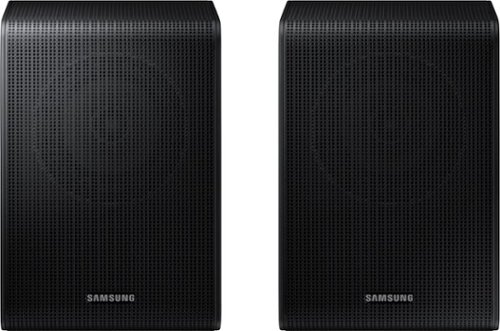
Samsung - SWA-9200S/ZA 2.0 Channel Wireless Rear Speaker Kit - Black
Connect easily and wirelessly to Samsung speakers for room-filling sound.
I have the HW-B650 sound bar that I got for Christmas. I purchased the SWA9200 Speakers kit for it. I was wondering I use the DTX sound source with them and the speakers really have a nice sound to them loud enough to hear with the soundbar. Is this ok!!
Hi Buck! You can adjust the volume of the rear speakers by using the remote included with the connected soundbar. Press the CH LEVEL button on the soundbar remote, then select REAR LEVEL and use the Up/Down buttons to adjust the volume within a -6 to +6 range.
If your Digital Output Audio Format is set to PCM then you will likely notice decreased performance with surround sound audio systems. Dolby options are designed for surround systems (like 3.1.2 or 7.1), whereas PCM provides great sound quality for stereo speakers.
On a Samsung TV this setting can be found at Home > Settings > Sound > Expert Settings. (It can also be found in the Quick Settings.)
Please also be sure you are using an HDMI cable for the connection between the TV and your HW-B650soundbar for the best audio experience and support for a wider range of surround sound formats. Additionally, you may want to update the firmware of the soundbar to the latest version featuring the latest features and improvements. You can update the firmware by using a USB device.
~ Samsung Solutions
If your Digital Output Audio Format is set to PCM then you will likely notice decreased performance with surround sound audio systems. Dolby options are designed for surround systems (like 3.1.2 or 7.1), whereas PCM provides great sound quality for stereo speakers.
On a Samsung TV this setting can be found at Home > Settings > Sound > Expert Settings. (It can also be found in the Quick Settings.)
Please also be sure you are using an HDMI cable for the connection between the TV and your HW-B650soundbar for the best audio experience and support for a wider range of surround sound formats. Additionally, you may want to update the firmware of the soundbar to the latest version featuring the latest features and improvements. You can update the firmware by using a USB device.
~ Samsung Solutions
2 years, 4 months ago
by
Posted by:
Samsung

Samsung - A series | 2.1.ch Dolby & DTS | Soundbar - Titan Black
Elevate your audio experience with high-quality optimized sound. *Requires a Bluetooth compatible TV.
Never had a problem with any type dvd with various Dolby audio types. Recently got a DVD with Dolby Atmos only audio. Sound kept dropping out intermittently. Problem with soundbar compatibility with Atmos playback? DVD player? TV?
Hi Skip! You may first want to check the cable connection of the soundbar to the TV or external device to ensure it is secure, and properly connected to the correct port.
In addition to checking the connections of the soundbar, please make sure your soundbar is using the latest firmware version. Updating the firmware on your soundbar gives you all the benefits of the latest improvements. You can update your firmware by using a USB device.
You may also want to initialize your soundbar by pressing the - and + (volume) buttons on the side of the soundbar at the same time for at least 5 seconds. “INIT OK” appears on the display and then the Soundbar is reset. Please know, this will reset all settings on the soundbar back to default; any sound adjustments will need to be performed again.
Should you continue to experience audio dropouts, and are connected wirelessly, please use the included cable to connect the soundbar to the TV. Using a wired connection instead of wireless often eliminates the issue entirely and improves the user experience.
If you need more help to troubleshoot, please reach out to Samsung Support at: 1-800-SAMSUNG, 8AM - 12AM EST, 7 days a week, or Chat with us on Samsung.com: https://www.samsung.com/us/support/contact/
~ Samsung Solutions
In addition to checking the connections of the soundbar, please make sure your soundbar is using the latest firmware version. Updating the firmware on your soundbar gives you all the benefits of the latest improvements. You can update your firmware by using a USB device.
You may also want to initialize your soundbar by pressing the - and + (volume) buttons on the side of the soundbar at the same time for at least 5 seconds. “INIT OK” appears on the display and then the Soundbar is reset. Please know, this will reset all settings on the soundbar back to default; any sound adjustments will need to be performed again.
Should you continue to experience audio dropouts, and are connected wirelessly, please use the included cable to connect the soundbar to the TV. Using a wired connection instead of wireless often eliminates the issue entirely and improves the user experience.
If you need more help to troubleshoot, please reach out to Samsung Support at: 1-800-SAMSUNG, 8AM - 12AM EST, 7 days a week, or Chat with us on Samsung.com: https://www.samsung.com/us/support/contact/
~ Samsung Solutions
2 years, 4 months ago
by
Posted by:
Samsung
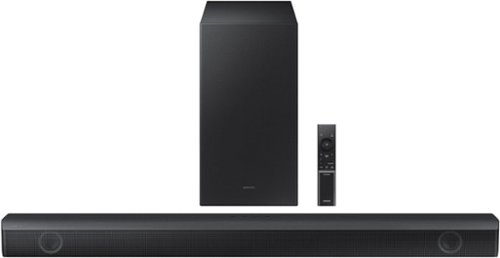
Samsung - HW-B550 2.1ch Soundbar with Dolby Audio / DTS Virtual:X - Black
Dolby Audio creates realistic 3D sound by projecting it from all around you, including from above, while DTS Virtual: X expands your listening experience without having to add extra speakers. Boost the bass with a touch of a button. Experience the intensity of action movies with the powerful bass coming from the included subwoofer. .Enjoy optimized audio with enhanced voice clarity on all your favorite video content.
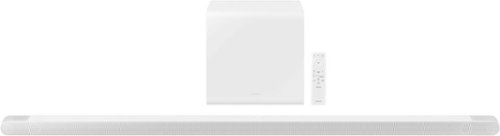
Samsung - HW-S801B 3.1.2ch Soundbar with Wireless Dolby Atmos / DTS:X - White
Unbelievably sleek, low-profile soundbar delivers high quality audio in a super slim package. Enjoy a surround sound experience with Dolby Atmos and skip the need for HDMI cables. Synchronized audio using every speaker in compatible Samsung TV and soundbars. Simply pair the soundbar with a compatible iPhone or other iOS device to play music.
What is the power source for the subwoofer? I would like to conceal it if possible. And will placing the sub inside a cabinet have a big impact on the sound experience?
Hi Garrett! The HW-S801B subwoofer is wireless to the soundbar but will still need to be plugged into an electrical outlet. Placing the subwoofer in a cabinet can restrict airflow that would cause it to lose the ability to generate the high-quality sound the sub is supposed to make, and in many cases cause rattling noises which will affect your listening experience and enjoyment. ~Samsung Solutions
2 years, 4 months ago
by
Posted by:
Samsung
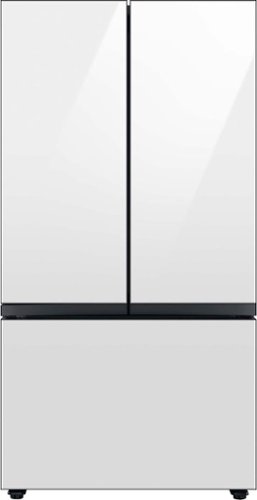
Extra-large capacity 3-Door French Door Refrigerator : a revolution in convenience and design, the concealed Beverage Center features both a water dispenser and AutoFill Water Pitcher. Plus a Dual Ice Maker with cubed ice and Ice Bites.
Is there an option to not get the “beverage center” or remove it?
Greetings!
Yes, there is an option to not get the Beverage Center. This Samsung refrigerator model comes in 3 main features (Family Hub, Beverage Center, AutoFill Water Pitcher).
To not get the Beverage Center, get the refrigerator unit with the AutoFill water Pitcher feature. I have shared the Samsung link for the model below.
https://www.samsung.com/us/home-appliances/refrigerators/bespoke/bespoke-3-door-french-door-refrigerator--30-cu--ft---with-autofill-water-pitcher-in-white-glass-rf30bb620012aa/?redir=RF30BB660012AA
Leo
Yes, there is an option to not get the Beverage Center. This Samsung refrigerator model comes in 3 main features (Family Hub, Beverage Center, AutoFill Water Pitcher).
To not get the Beverage Center, get the refrigerator unit with the AutoFill water Pitcher feature. I have shared the Samsung link for the model below.
https://www.samsung.com/us/home-appliances/refrigerators/bespoke/bespoke-3-door-french-door-refrigerator--30-cu--ft---with-autofill-water-pitcher-in-white-glass-rf30bb620012aa/?redir=RF30BB660012AA
Leo
2 years, 4 months ago
by
Posted by:
Samsung
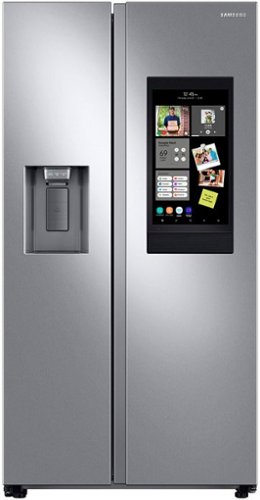
Samsung's Family Hub side-by-side large capacity refrigerator is beautifully designed with a minimal display dispenser, modern design that blends beautifully into your kitchen, and a finish that withstands everyday smudges.
What do I do if the screen freezes?
Greetings!
We are happy to provide an answer to your question.
I have shared a Samsung link below to help if the Family Hub on your Samsung refrigerator is not responsive. The link has an embedded video that we encourage you to watch in full.
The refrigerator panel or Family Hub screen is blank or not responding:
https://www.samsung.com/us/support/troubleshooting/TSG01202605/#refrigerator-panel-will-not-respond
Should you have additional questions, please feel free to get back to us via the following options:
1. Facebook Messenger: http://m.me/samsungsupport
2. Twitter: https://twitter.com/messages/compose?recipient_id=18768513
3. Samsung Community: https://us.community.samsung.com/t5/Samsung-Community/ct-p/us
When you message us, please provide us with this reference number 1146858443 to help our team pull up your information.
Leo
We are happy to provide an answer to your question.
I have shared a Samsung link below to help if the Family Hub on your Samsung refrigerator is not responsive. The link has an embedded video that we encourage you to watch in full.
The refrigerator panel or Family Hub screen is blank or not responding:
https://www.samsung.com/us/support/troubleshooting/TSG01202605/#refrigerator-panel-will-not-respond
Should you have additional questions, please feel free to get back to us via the following options:
1. Facebook Messenger: http://m.me/samsungsupport
2. Twitter: https://twitter.com/messages/compose?recipient_id=18768513
3. Samsung Community: https://us.community.samsung.com/t5/Samsung-Community/ct-p/us
When you message us, please provide us with this reference number 1146858443 to help our team pull up your information.
Leo
2 years, 4 months ago
by
Posted by:
Samsung
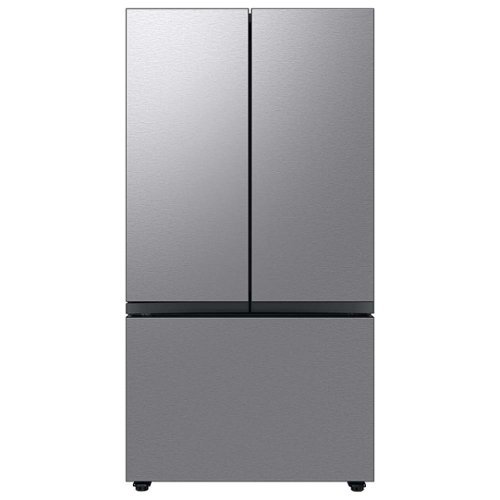
Extra-large capacity 3-Door French Door Refrigerator : a revolution in convenience and design, the concealed Beverage Center features both a water dispenser and AutoFill Water Pitcher. Plus a Dual Ice Maker with cubed ice and Ice Bites.
We would like to add panels that match our kitchen cabinets. is this refrigerator compatible for a custom cabinet panel?
Hi Rae,
No, this Samsung Bespoke refrigerator model is not a panel-ready appliance where custom cabinetry can be installed on the panels. However, you may create your panel design. Please visit the link I have shared below to see if this fits your needs with symmetry in your kitchen.
https://www.samsung.com/us/home-appliances/bespoke/refrigerators/mybespoke/custom-panels/
Should you have additional questions, please feel free to get back to us via the following options:
1. Facebook Messenger: http://m.me/samsungsupport
2. Twitter: https://twitter.com/messages/compose?recipient_id=18768513
3. Samsung Community: https://us.community.samsung.com/t5/Samsung-Community/ct-p/us
When you message us, please provide us with this reference number 1146858377 to help our team pull up your information.
Leo
No, this Samsung Bespoke refrigerator model is not a panel-ready appliance where custom cabinetry can be installed on the panels. However, you may create your panel design. Please visit the link I have shared below to see if this fits your needs with symmetry in your kitchen.
https://www.samsung.com/us/home-appliances/bespoke/refrigerators/mybespoke/custom-panels/
Should you have additional questions, please feel free to get back to us via the following options:
1. Facebook Messenger: http://m.me/samsungsupport
2. Twitter: https://twitter.com/messages/compose?recipient_id=18768513
3. Samsung Community: https://us.community.samsung.com/t5/Samsung-Community/ct-p/us
When you message us, please provide us with this reference number 1146858377 to help our team pull up your information.
Leo
2 years, 4 months ago
by
Posted by:
Samsung