Samsung
Samsung's Stats
Reviews
- Review Count0
- Helpfulness Votes0
- First ReviewNone
- Last ReviewNone
- Featured Reviews0
- Average Rating0
Reviews Comments
- Review Comment Count0
- Helpfulness Votes0
- First Review CommentNone
- Last Review CommentNone
- Featured Review Comments0
Questions
- Question Count0
- Helpfulness Votes0
- First QuestionNone
- Last QuestionNone
- Featured Questions0
- Answer Count72822
- Helpfulness Votes37,821
- First AnswerApril 24, 2013
- Last AnswerJuly 2, 2026
- Featured Answers0
- Best Answers3931
Samsung's Reviews
Samsung has not submitted any reviews.
Samsung's Questions
Samsung has not submitted any questions.
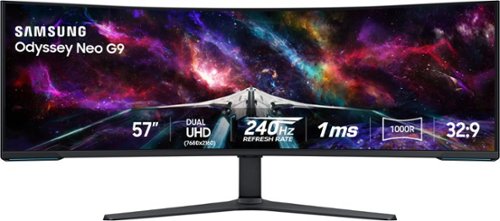
Elevate your game with the world's first Dual UHD Monitor ~ Samsung's 57" Neo G9 Curved Gaming Monitor. Features 57" screen size, 1000R curve with Quantum Matrix Technology powered by Quantum Mini LEDs for astounding levels of visual accuracy and unparalleled definition. 240Hz Refresh Rate, 1ms GTG response time and FreeSync Premium Pro, for stutter-free, hyper-fast action with all new DisplayPort 2.1. Display HDR 1000 with 1,000 nit peak brightness and 1,000,000:1 contrast ratio for enhanced color expression and depth. Cutting-edge design with CoreSync & Core Lighting+, ergonomic stand, and a multitude of convenient input options provide instant access to the game action.
How does the KVM switching work for instance if I'm use my work computer and my personal in PBP can I seamlessly drag my mouse from the work display to my personal computer display? Or do I need to use some sort of toggle to make the switch?
Thank you for your question! To achieve the functionality you are looking for, plub both PC's into the USB-B ports. Then, plug the keyboard and mouse into the USB-A ports on the monitor. From there, use the menu to do USB source setup. This tells the monitor which US is connected to which video port. Finally, use the menu to program custom a custom key to change USB source. This will allow you to press one button to switch back and forth from each PC. Hope this helps.
2 years, 4 months ago
by
Posted by:
Samsung
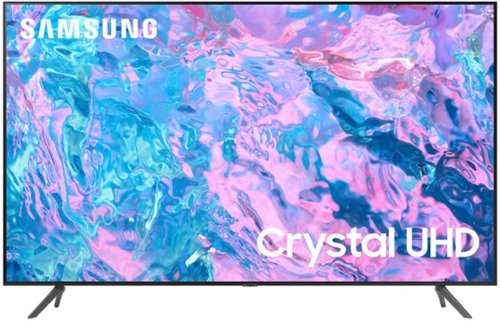
Samsung - 55 Class CU7000 Crystal UHD 4K Smart Tizen TV (2023)
True-to-life color. Effortless connectivity. Dazzling 4K value. Samsung Crystal UHD is worth a look (and more). Effortlessly access TV shows, movies and ambient content using the Samsung Smart Hub, or find a range of great games on the Samsung Gaming Hub.* Enjoy content even more clear than it was created as its upgraded to 4K resolution
Hi can I plug in a USB and have it continually loop the videos all day to display at a dealership and it will continue to loop on its own?
Samsung - 55 Class CU7000 Crystal UHD 4K Smart Tizen TV (2023)
True-to-life color. Effortless connectivity. Dazzling 4K value. Samsung Crystal UHD is worth a look (and more). Effortlessly access TV shows, movies and ambient content using the Samsung Smart Hub, or find a range of great games on the Samsung Gaming Hub.* Enjoy content even more clear than it was created as its upgraded to 4K resolution
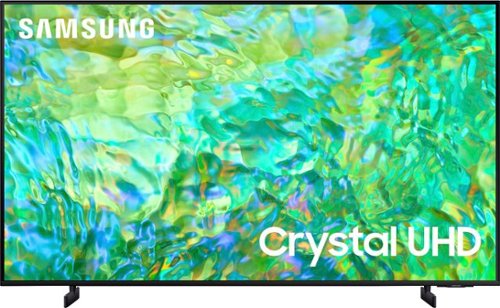
Samsung - 65" Class CU8000 Crystal UHD 4K Smart Tizen TV (2023)
One screen. All the things. With effortless performance, crowd-pleasing features and great value, you can bring home a winner~and feel like a million bucks. Watch your favorite movies and TV shows in captivating 4K resolution as the Crystal Processor automatically transforms every frame. Picture quality is improved as colors, contrast, and motion are analyzed and adjusted as you watch.
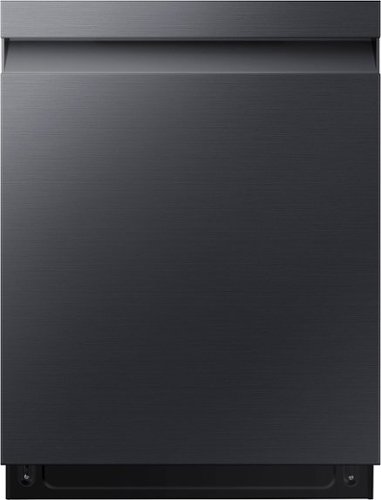
Powerful StormWash rotating jets let you skip the pre-rinse, delivering heavy duty cleaning from every angle. The AutoRelease Door delivers improved drying performance.
The machine states heat drying. It appears to be condensation drying
Yes, CeeLee, this dishwasher has a heated dry feature and a heater that uses 1200 watts. You can check the link below and see page 57 (Specifications) for reference.
User manual:
https://downloadcenter.samsung.com/content/UM/202308/20230809163709370/North_America_DW5000C_WEB_DW0003_English.pdf
Have a great day,
-Ernest-
User manual:
https://downloadcenter.samsung.com/content/UM/202308/20230809163709370/North_America_DW5000C_WEB_DW0003_English.pdf
Have a great day,
-Ernest-
2 years, 4 months ago
by
Posted by:
Samsung
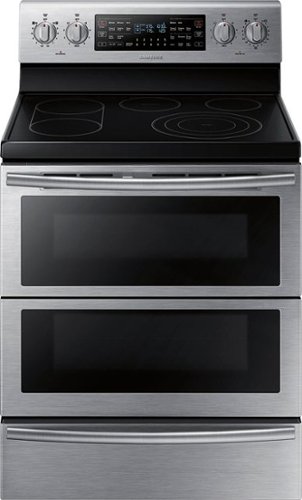
Samsung - Flex Duo 5.9 Cu. Ft. Self-Cleaning Freestanding Double Oven Electric Convection Range - Stainless Steel
Bring style and innovation to your kitchen. This Samsung electric range lets you cook two dishes at different temperatures simultaneously to speed up the cooking process. Plus, the steam clean system takes care of grease, oil, and stuck-on food.
can i use the oven without the convection fan while i am waiting for a part the fan comes on whenever the oven is heating and i was not sure if i could use it while im waiting for the part
Yes, Robb, you can use the oven for non-convection cooking. You can check the links below and see pages 32-34 to learn more about convection and what options you can use with the oven.
User manual:
https://downloadcenter.samsung.com/content/UM/202103/20210316115610650/NE59J7850WS_AA_DG68-00600A-09_EN-MES-CFR_WEB.pdf
Have a great day,
-Ernest-
User manual:
https://downloadcenter.samsung.com/content/UM/202103/20210316115610650/NE59J7850WS_AA_DG68-00600A-09_EN-MES-CFR_WEB.pdf
Have a great day,
-Ernest-
2 years, 4 months ago
by
Posted by:
Samsung
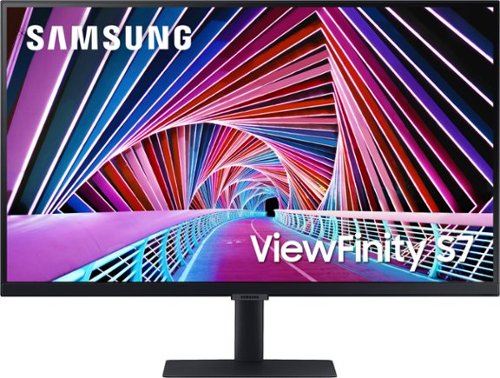
Samsung - 32" ViewFinity S7 4K UHD Monitor with HDR - Black
Immerse yourself in every detail with the Samsung A700 high resolution 4K UHD monitor. With HDR10 technology, colors will look vivid and lifelike while the TUV-certified eye comfort care will reduce eye fatigue and keep you productive. The minimalistic, virtually borderless design, clean cable management and slim, sleek stand gives you an optimized clutter-free workstation.
My desktop wobbles. How do I stop that?
Thank you for bringing this issue to our attention. We are very sorry to hear about the wobble issue you're experiencing with your desktop.
To find out more information and properly address your question, please contact Samsung Customer Support via:1-800-SAMSUNG, available 8AM - 12AM EST (Mon-Fri) / 9AM - 11PM EST (Sat-Sun)
To find out more information and properly address your question, please contact Samsung Customer Support via:1-800-SAMSUNG, available 8AM - 12AM EST (Mon-Fri) / 9AM - 11PM EST (Sat-Sun)
2 years, 4 months ago
by
Posted by:
Samsung
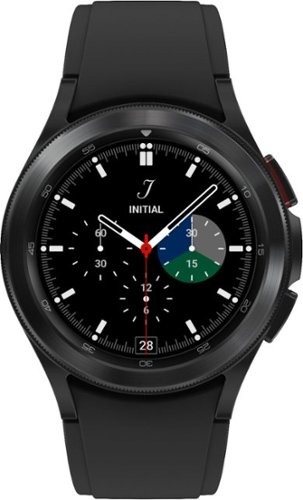
Your style. Your health. Look good and feel great with your smart, new companion, Samsung Galaxy Watch4 Classic. Make a stylish statement with an iconic silhouette and stainless-steel casing, while your watch keeps you in tune with your health and pushes you to go further. Make the most of every run with advanced coaching and oxygen-level monitoring~ that help you exercise smarter while increasing endurance. Leave your phone behind while staying connected ~ call, text and stream music,all from your wrist with LTE connectivity. Galaxy Watch4 Classic is health evolved. 1Accurate VO2 max reading requires running outdoors for at least 20 minutes with GPS on; consult user manual before use. ~The VO2 max software functions are not intended for use in the diagnosis of disease or other conditions, or in the cure, mitigation, treatment or prevention of disease.
Can I activate it to my phone carrier, metro PCs?
Greetings, thank you for finding the unobstructed time out of your day to ask us your question about the Samsung Galaxy Watch4 Classic. The advertised Galaxy Watch4 Classic is a Bluetooth version and not an LTE version of this watch so it would not require nor allow you to add the device to your wireless carrier's network. If you were wanting a Galaxy Watch that will allow you to add it to your wireless carrier's network, you will need to be on the lookout for an LTE version. Hope that helps! Let us know if you have any other questions for us by reaching out to Samsung Support. Thank you for being a dedicated Samsung customer. - Debra
2 years, 4 months ago
by
Posted by:
Samsung
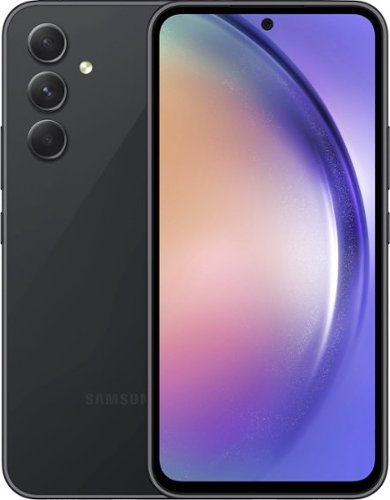
Samsung - Galaxy A54 5G 128GB (Unlocked) - Awesome Graphite
Whether you~re capturing videos while out with friends or reading online, Galaxy A54 5G helps you experience the most in life. Complete with a refined design, 5G performance and pro grade camera, our best Galaxy A Series phone makes enjoying your favorite movies and taking incredible pictures a breeze. Jump in and out of activities with a phone that is water and dust resistant, and confidently go throughout your day knowing your data is secured by Samsung Knox. Packed with awesome features, Galaxy A54 5G makes living your best life easier than ever before.
is this phone 4g compatible
Salutations Dc, thanks for taking the time out of your busy day to ask us your question about the Samsung Galaxy A54. That's a good question! Yes, the Galaxy A54 is compatible with 4G wireless networks. If you have any other questions for us, do not hesitate to contact Samsung Support at your leisure. Thank you for being a faithful Samsung customer. - Debra
2 years, 4 months ago
by
Posted by:
Samsung
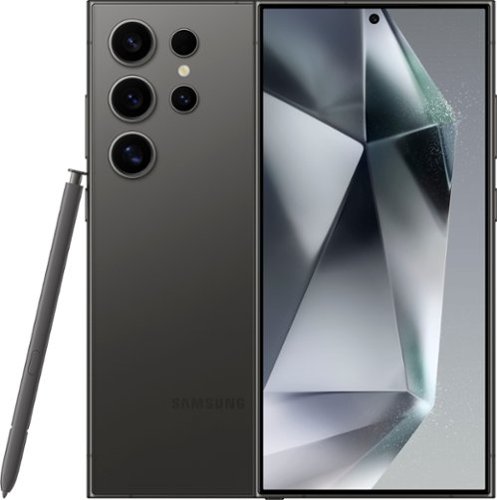
Samsung - Galaxy S24 Ultra 512GB (Unlocked) - Titanium Black
Do more with Galaxy AI on the epic Galaxy S24 Ultra. Wondering where the cool museum that your favorite influencer visited is located? Simply Circle to Search with Google and start planning your own trip to the Louvre. Then get ready to experience local flavors by calling ahead with Live Translate to make a reservation in French, even if all you know is ~Bonjour.~ Capture every detail of your candlelight meal with impressive Nightography and zoom in to see the live violinist playing across the room. Once you~re back in your hotel, elevate your pics from good to great right on your Galaxy S24 Ultra. You can even use your built in S Pen to add fun doodles before posting. Unleash new ways to create, connect and more with Galaxy AI on Galaxy S24 Ultra. Epic, just like that.
does this phone really on metropcs carrier?
Aloha Sleepy, thank you for finding the opportunity to ask us your question about the Samsung Galaxy S24 Ultra. The advertised unlocked Galaxy S24 Ultra is compatible with MetroPCS as well as AT&T, Boost Mobile, Cricket, H2O Wireless, Mint Mobile, Simple Mobile, Sprint, T-Mobile, Ultra Mobile, US Cellular, and Verizon. Let us know if you have any other questions for us by reaching out to Samsung Support. Thank you for being a staunch Samsung customer. - Debra
2 years, 4 months ago
by
Posted by:
Samsung