Samsung
Samsung's Stats
Reviews
- Review Count0
- Helpfulness Votes0
- First ReviewNone
- Last ReviewNone
- Featured Reviews0
- Average Rating0
Reviews Comments
- Review Comment Count0
- Helpfulness Votes0
- First Review CommentNone
- Last Review CommentNone
- Featured Review Comments0
Questions
- Question Count0
- Helpfulness Votes0
- First QuestionNone
- Last QuestionNone
- Featured Questions0
- Answer Count74215
- Helpfulness Votes37,974
- First AnswerApril 24, 2013
- Last AnswerSeptember 11, 2026
- Featured Answers0
- Best Answers3948
Samsung's Reviews
Samsung has not submitted any reviews.
Samsung's Questions
Samsung has not submitted any questions.
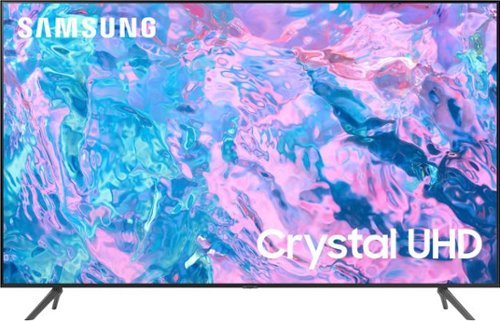
Samsung - 43 Class CU7000 Crystal UHD 4K Smart Tizen TV (2023)
True-to-life color. Effortless connectivity. Dazzling 4K value. Samsung Crystal UHD is worth a look (and more). Effortlessly access TV shows, movies and ambient content using the Samsung Smart Hub, or find a range of great games on the Samsung Gaming Hub.* Enjoy content even more clear than it was created as its upgraded to 4K resolution
Is come with you tube?

Hi there,
Yes, the YouTube app is available on the CU7000 TV.
~Samsung Advisor
Yes, the YouTube app is available on the CU7000 TV.
~Samsung Advisor
2 years, 5 months ago
by
Posted by:
Samsung
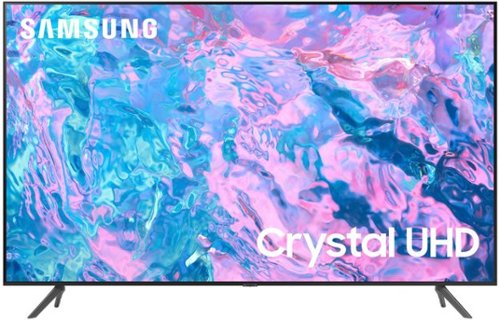
Samsung - 65 Class CU7000 Crystal UHD 4K Smart Tizen TV (2023)
True-to-life color. Effortless connectivity. Dazzling 4K value. Samsung Crystal UHD is worth a look (and more). Effortlessly access TV shows, movies and ambient content using the Samsung Smart Hub, or find a range of great games on the Samsung Gaming Hub.* Enjoy content even more clear than it was created as its upgraded to 4K resolution
Hello, I just purchased this TV and I'd like to know which models of TV mounts will work with it??? It's hard to tell on the website.
Hi newbIL0346,
The 65" CU7000 TV needs a mount compatible with a VESA Map of 400 x 300mm. Here is an example on Best Buy's website: https://www.bestbuy.com/site/best-buy-essentials-extended-tilt-tv-wall-mount-for-most-32-70-tvs-black/6452361.p?skuId=6452361
~Samsung Advisor
The 65" CU7000 TV needs a mount compatible with a VESA Map of 400 x 300mm. Here is an example on Best Buy's website: https://www.bestbuy.com/site/best-buy-essentials-extended-tilt-tv-wall-mount-for-most-32-70-tvs-black/6452361.p?skuId=6452361
~Samsung Advisor
2 years, 5 months ago
by
Posted by:
Samsung
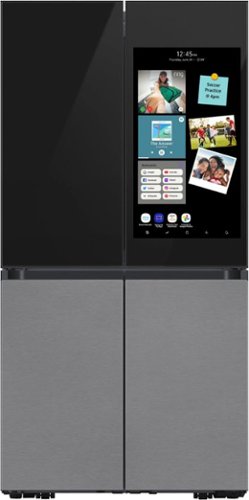
Samsung - BESPOKE 23 cu. ft. 4-Door Flex Counter Depth Smart Refrigerator with Family Hub+ - Charcoal Glass Top
Bespoke 4-Door Flex Counter Depth 23 cu. ft. Refrigerator with customizable and changeable door panels available in premium colors and finishes featuring the Family Hub+. The Family Hub+ features a screen that is 2x larger than current Family Hub models. Samsung~s Family Hub lets you share pictures, stream music and videos, access recipes, and much more, all from the fridge. The Beverage Center features a water dispenser and AutoFill Water Pitcher. Dual Auto Ice Maker makes two types of ice ~ cubed or Ice Bites.
In the pictures I don’t see anything on the top corners. Does this fridge have those black hinges on the top 2 corners that adds to the height?
Hi Beau,
Yes, this fridge model has top hinges.
Have a great day!
Chrystel
Yes, this fridge model has top hinges.
Have a great day!
Chrystel
2 years, 5 months ago
by
Posted by:
Samsung
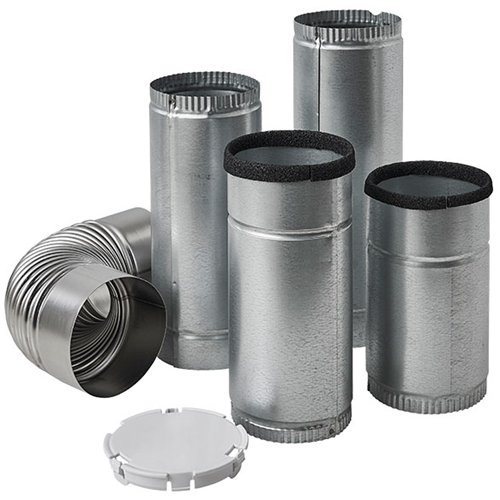
Provide the required venting your dryer needs with this Samsung side vent kit. The reversible design offers left- or right-sided installation, and the simple instructions make setup quick and easy. Compatible with both gas and electric dryers, this Samsung side venting kit provides convenient moisture removal for your laundry room.
what is the diameter of the dryer vent on the Samsung 4 cubic foot electric dryer?
Thank you for your inquiry, ikey. Let us help you.
For us to provide accurate details, we need the dryer model you are inquiring about so we can validate the information.
Please feel free to get back to us via the following options:
1. Facebook Messenger: http://m.me/samsungsupport
2. Twitter: https://twitter.com/messages/compose?recipient_id=18768513
3. Samsung Community: https://us.community.samsung.com/t5/Samsung-Community/ct-p/us
Please provide us with this reference number, 1147009023, to help our team pull up your information when you message us.
Have a great day.
-John
For us to provide accurate details, we need the dryer model you are inquiring about so we can validate the information.
Please feel free to get back to us via the following options:
1. Facebook Messenger: http://m.me/samsungsupport
2. Twitter: https://twitter.com/messages/compose?recipient_id=18768513
3. Samsung Community: https://us.community.samsung.com/t5/Samsung-Community/ct-p/us
Please provide us with this reference number, 1147009023, to help our team pull up your information when you message us.
Have a great day.
-John
2 years, 5 months ago
by
Posted by:
Samsung
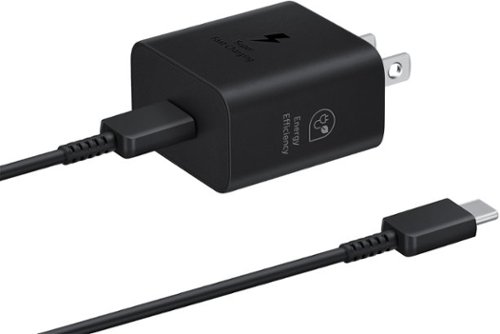
Make sure your mobile devices get the powerful and safe charging support they need with the 25W Power Adapter. Its compact design makes it more travel-friendly, all while delivering Super Fast Charging with a USB Type-C cable. Now you're free to charge ahead wherever your day takes you.
can it be used on my Galaxy S22+
Salutations Marika, thanks for taking the available time out of your busy day to ask us your question about the Samsung 25W Super-Fast Charging Wall Charger with USB-C Cable. Yes, the 25W Super-Fast Charging Wall Charger with USB-C Cable is compatible with your Galaxy S22+. If you have any other questions for us, let us know by contacting Samsung Support. Thank you for being a faithful Samsung customer. - Debra
2 years, 5 months ago
by
Posted by:
Samsung
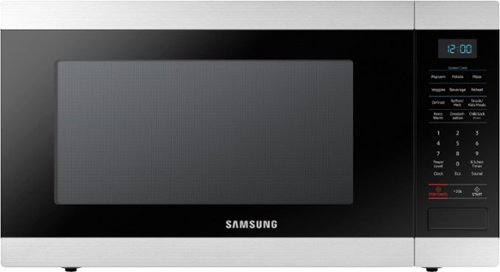
Samsung - 1.9 Cu. Ft. Countertop Microwave with Sensor Cook - Stainless Steel
The Samsung Countertop Microwave makes preparing multiple dishes effortless with the large 1.9 cu. ft. capacity, accommodating even your largest dishes. Sensor Cook technology allows you to automatically adjusts cooking time for optimal results. Additionally, the Ceramic Enamel Interior provides a durable, scratch resistant and easy to clean interior, making everyday maintenance simple.
Is any store has a technician fit this microwave?
Hello there,
Thank you for reaching out to us. We would love to know more details about your microwave and determine how we can best assist you.
Please feel free to get back to us via the following options:
1. Facebook Messenger: http://m.me/Samsungsupport
2. Twitter: https://twitter.com/messages/compose?recipient_id=18768513
3. Samsung Community: https://us.community.Samsung.com/t5/Samsung-Community/ct-p/us
Please provide us with this reference number 1147008459 to help our team pull up your information when you message us.
Have a great day.
^Aloe
Thank you for reaching out to us. We would love to know more details about your microwave and determine how we can best assist you.
Please feel free to get back to us via the following options:
1. Facebook Messenger: http://m.me/Samsungsupport
2. Twitter: https://twitter.com/messages/compose?recipient_id=18768513
3. Samsung Community: https://us.community.Samsung.com/t5/Samsung-Community/ct-p/us
Please provide us with this reference number 1147008459 to help our team pull up your information when you message us.
Have a great day.
^Aloe
2 years, 5 months ago
by
Posted by:
Samsung
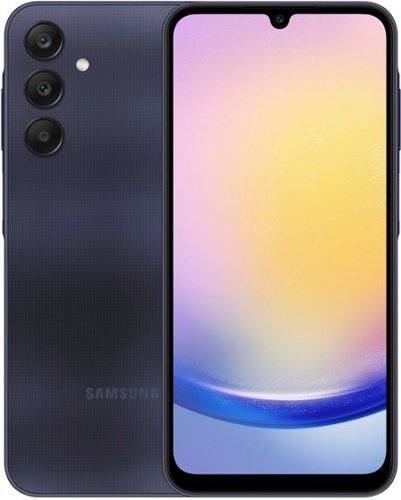
Samsung - Galaxy A25 5G 128GB (Unlocked) - Blue Black
Take beautiful pictures, watch content on a superfluid display and stream with virtually lag free 5G on Galaxy A25 5G. Packed with all the essentials you need, like Samsung Wallet and up to four years of software updates, this phone makes awesome features easily available to everyone. Capture from any angle with a triple lens camera, and enjoy free shows and movies for free on Samsung TV Plus, all on a clear, fluid screen. Blast your favorite tunes on stereo speakers, and live life with less worry as Knox Security helps protect your personal data. Getting all you need in a phone is now easier than ever with Galaxy A25 5G. Awesome experience. Awesome value.
Is the Fingerprint Reader located on the side of the phone or on the screen?
Aloha DBL26, thank you for finding the opportunity to ask us your question about the Samsung Galaxy A25. The Galaxy A25's fingerprint scanner is located on the Side button. Let us know if you have any additional questions for us by reaching out to Samsung Support at your earliest convenience. Thank you for being a staunch Samsung customer. - Debra
2 years, 5 months ago
by
Posted by:
Samsung
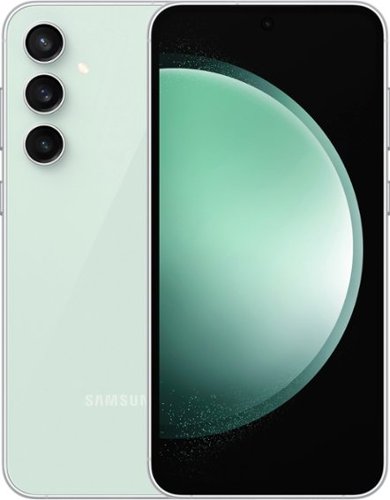
Samsung - Galaxy S23 FE 128GB (Unlocked) - Mint
Galaxy AI is here. Search like never before,~ get real-time interpretation on a call,~ format your notes into a clear summary,~ and effortlessly edit your photos~ - all from your smartphone, all with AI. Get more out of your passions with the phone that~s designed to elevate your everyday. Whether you~re binge-watching shows or capturing shots for social, Galaxy S23 FE is jam-packed with features that help you get more out of whatever you~re into including a long-lasting battery, a premium processor, a smooth and strong display, a triple-lens camera and more.
Is the Finger Print Reader located on the side of the phone or on the screen?
Hi there DBL26, thanks for taking the opportunity to ask us your question about the Samsung Galaxy S23 FE. The Galaxy S23 FE offers an in-display fingerprint reader. If you have any other questions for us, please do not hesitate to reach out to Samsung Support at your leisure. Thank you for being a loyal Samsung customer. - Debra
2 years, 5 months ago
by
Posted by:
Samsung
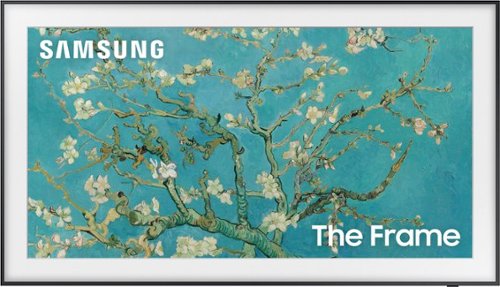
Samsung - 65" Class The Frame QLED 4K UHD Smart Tizen TV (2022)
Artwork, shows, movies and memories display what you love on The Frame, the picture frame like TV. See everything on the QLED 4K TV at 100% Color Volume with Quantum Dot that saturates your screen with a billion colors. Switch on Art Mode and transform your TV into your own personal art exhibit.~ ~QLED televisions can produce 100% Color Volume in the DCI P3 color space, the format for most cinema screens and HDR movies for television.
IS THIS Model:QN65LS03BAFXZA THE SAME AS The Frame QLED 4K LS03D is QN65LS03DAFXZA?
Hi LYNN - No, they are not the same. The LS03B is a 2022 Frame TV; the LS03D is a 2024 Frame TV.
~ Samsung Specialist
~ Samsung Specialist
2 years, 5 months ago
by
Posted by:
Samsung

Samsung - 77 Class S89C OLED 4K UHD Smart Tizen TV
Prepare to be captivated. Whether you prefer dramatic thrillers or fantasy football, lose yourself in the viewing adventure with a contrast rich picture. Let your picture do the talking with the sleek and thin Laser Slim design. You~ll see pure blacks, bright whites and dramatic color, while the audio pulls you into the action thanks to Dolby Atmos built in and Object Tracking Sound Lite. The Samsung OLED experience doesn~t stop there shifting adventures is a breeze with access to the latest Smart TV apps and Samsung Gaming Hub.
Is the stand supposed to make the tv slant up ever so slightly.
Please know that the S89C TV’s stand was solidly designed and extensively tested for stability, but there are a few things we’d like you to check:
1. Make sure the stand is correctly installed (all screws aligning, snug in place, etc.). Please also make sure you’ve installed the “R” labeled leg on the right, and “L” on the left. When the legs are inserted correctly, you’ll hear a slight “click” when they’re in place.
2. If you need more instruction, refer to the Quick Setup Guide for more help: [INSERT QSG]
3. Inspect the stand for any cracks, damage, or missing hardware.
If your stand is correctly installed and it still seems crooked/wobbly, please reach Samsung Support and an agent will be happy to help. You can call us at 1-800-SAMSUNG, 8AM - 12AM EST, 7 days a week, or Chat with us on Samsung.com: https://www.samsung.com/us/support/contact/
~ Samsung Specialist
1. Make sure the stand is correctly installed (all screws aligning, snug in place, etc.). Please also make sure you’ve installed the “R” labeled leg on the right, and “L” on the left. When the legs are inserted correctly, you’ll hear a slight “click” when they’re in place.
2. If you need more instruction, refer to the Quick Setup Guide for more help: [INSERT QSG]
3. Inspect the stand for any cracks, damage, or missing hardware.
If your stand is correctly installed and it still seems crooked/wobbly, please reach Samsung Support and an agent will be happy to help. You can call us at 1-800-SAMSUNG, 8AM - 12AM EST, 7 days a week, or Chat with us on Samsung.com: https://www.samsung.com/us/support/contact/
~ Samsung Specialist
2 years, 5 months ago
by
Posted by:
Samsung