Samsung
Samsung's Stats
Reviews
- Review Count0
- Helpfulness Votes0
- First ReviewNone
- Last ReviewNone
- Featured Reviews0
- Average Rating0
Reviews Comments
- Review Comment Count0
- Helpfulness Votes0
- First Review CommentNone
- Last Review CommentNone
- Featured Review Comments0
Questions
- Question Count0
- Helpfulness Votes0
- First QuestionNone
- Last QuestionNone
- Featured Questions0
- Answer Count74215
- Helpfulness Votes37,974
- First AnswerApril 24, 2013
- Last AnswerSeptember 11, 2026
- Featured Answers0
- Best Answers3948
Samsung's Reviews
Samsung has not submitted any reviews.
Samsung's Questions
Samsung has not submitted any questions.
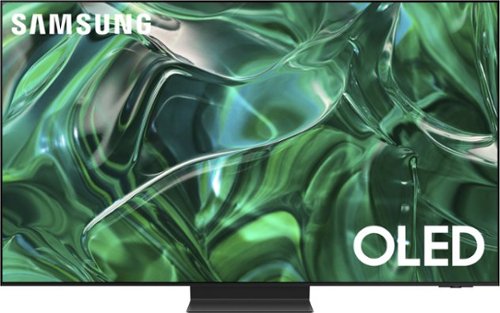
Samsung - 77" Class S95C OLED 4K UHD Smart Tizen TV (2023)
Steal the show with the bold contrast, dramatic sound, and vibrant colors of Samsung OLED. Samsung~s Infinity One Design is sleek, slim and impossibly thin. Imagination becomes reality with the infinite amount of dramatic detail made possible by self-illuminating pixels. Sit back and be mesmerized as your content is transformed to 4K.
Does this TV have wireless WiFi connectivity? Silly question but I cannot find this info anywhere so far.

EricG - Yes, the S95C is a Wi-Fi enabled Smart TV.
~ Samsung Specialist
~ Samsung Specialist
2 years, 5 months ago
by
Posted by:
Samsung

Samsung - 32 Class Q60D Series QLED 4K Smart Tizen TV (2024)
This advanced TV features a bright new world of color and contrast, with 4K upscaling and seamless motion for crisp, smooth content.
Does the Spectrum app come on this tv? If it does do I still need a cable box?
Hi abski - The Spectrum app is available and does not require a cable box.
~ Samsung Specialist
~ Samsung Specialist
2 years, 5 months ago
by
Posted by:
Samsung
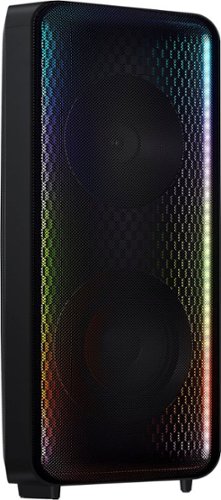
Go wall-to-wall with Samsung Sound Tower's unique Bi-directional design. Enjoy up to 18 hours of unplugged entertainment with our built-in battery. Rain or shine, enjoy year-round outdoor entertainment with this soundbar that is IPX5 rated for weather-resistant durability against water and dust.
Just received this sound tower and the quality is really good. However, it's super quiet! I mean my phone is almost as loud. What could be wrong? I'm I doing something wrong? Playing Bluetooth through Spotify and YouTube music. Thanks
Hello Jason! Please ensure that your Bluetooth connection is stable. Sometimes interference or distance can affect the sound quality. Make sure your phone is within a reasonable range of the Sound Tower. Also when playing music from your phone via Bluetooth, ensure that the volume on your phone is turned up as well. Sometimes the phone’s volume affects the overall output. Adjust the volume on both your phone and the Sound Tower to find the right balance.
~ Samsung Solutions
~ Samsung Solutions
2 years, 5 months ago
by
Posted by:
Samsung
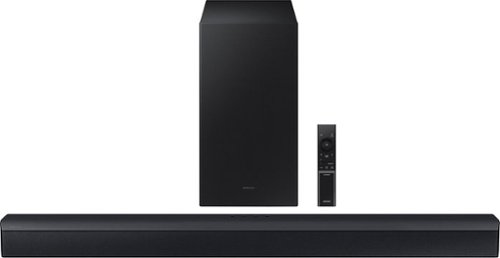
Samsung - HW-C450 2.1 Channel B-Series Soundbar with Wireless Subwoofer, DTS Virtual: X - Titan Black
Versatile and easy to use, this soundbar comes equipped with tech to enhance your listening, viewing and gaming experience~with DTS Virtual: X, an included subwoofer and bass you can boost with a tap
Is that an hdmi input on the soundbar? It does not seem to be an easy fit if it is. I did connect the digital optical wire though and paired it. It does work but the sound is choppy at times. Is that a soundbar issue or is that a WiFi issue??
Hi Johnny! The HW-C450 Soundbar does have have an HDMI port. If you are experiencing issues with the sound occasionally dropping from your soundbar. You may first want to check the cable connection of the soundbar to the TV or external device to ensure it is secure, and properly connected to the correct port.
In addition to checking the connections of the soundbar, please make sure your soundbar is using the latest firmware version. Updating the firmware on your soundbar gives you all the benefits of the latest improvements. You can update your firmware by using a USB device.
You may also want to initialize your soundbar by pressing the - and + (volume) buttons on the top of the soundbar at the same time for at least 5 seconds. “INIT OK” appears on the display and then the Soundbar is reset. Please know, this will reset all settings on the soundbar back to default; any sound adjustments will need to be performed again.
If you need more help, Samsung is here for you. Please call us at 1-800-SAMSUNG, 8AM - 12AM EST (Ask for Soundbars), 7 days a week. Our Live Chat agents are also available by clicking on the ‘Support’ link on our website.
~ Samsung Solutions
In addition to checking the connections of the soundbar, please make sure your soundbar is using the latest firmware version. Updating the firmware on your soundbar gives you all the benefits of the latest improvements. You can update your firmware by using a USB device.
You may also want to initialize your soundbar by pressing the - and + (volume) buttons on the top of the soundbar at the same time for at least 5 seconds. “INIT OK” appears on the display and then the Soundbar is reset. Please know, this will reset all settings on the soundbar back to default; any sound adjustments will need to be performed again.
If you need more help, Samsung is here for you. Please call us at 1-800-SAMSUNG, 8AM - 12AM EST (Ask for Soundbars), 7 days a week. Our Live Chat agents are also available by clicking on the ‘Support’ link on our website.
~ Samsung Solutions
2 years, 5 months ago
by
Posted by:
Samsung

Samsung - HW-B650/ZA 3.1 Channel Soundbar with Wireless Subwoofer, Dolby 5.1 / DTS Virtual:X - Black
Dolby Atmos creates realistic 3D sound by projecting it from all around you, including from above, while DTS Virtual: X expands your listening experience without having to add extra speakers. Boost the bass with a touch of a button. The built-in center speaker delivers enhanced dialogue so you won't miss a word. Experience the intensity of action movies with the powerful bass coming from the included subwoofer. Enjoy optimized audio with enhanced voice clarity on all your favorite video content.
How many watts is this sound bar
Hello Ben! The HW-B650 Soundbar has a total of 430 Watts of power. ~ Samsung Solutions
2 years, 5 months ago
by
Posted by:
Samsung
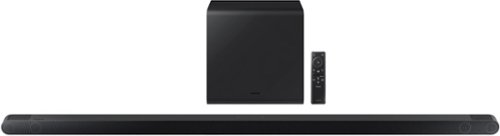
Samsung - HW-S800B 3.1.2ch Soundbar with Wireless Dolby Atmos / DTS:X - Black
Unbelievably sleek, low-profile soundbar delivers high quality audio in a super slim package. Enjoy a surround sound experience with Dolby Atmos and skip the need for HDMI cables. Synchronized audio using every speaker in compatible Samsung TV and soundbars. Simply pair the soundbar with a compatible iPhone or other iOS device to play music.
Are the speakers wireless?
Hi there! The Samsung HW-S800B soundbar is indeed wireless! It features both Bluetooth and Wi-Fi connectivity options, allowing you to enjoy your audio without the hassle of cables. ~ Samsung Solutions
2 years, 5 months ago
by
Posted by:
Samsung

Samsung - HW-S60B 5.0ch All in One Soundbar with Wireless Dolby Atmos - Black
Enjoy room filling sound in an all in one design. Hear Dolby Atmos sound from above and around without requiring HDMI cables. Perfectly synchronized TV and soundbar sound brings a new level of immersion. Don't miss a word, thanks to a built in center speaker. Plus, play your favorite songs with Alexa built in.
Is this compatible with all TV’s? I have a Hisense TV
Hi DC! The HW-S60B features four ways to connect to an external device: Wi-Fi, HDMI (eARC), digital optical audio, and Bluetooth wireless audio technology. If your TV is compatible with one of these four audio connections, you should have no issue connecting the soundbar to your TV. ~Samsung Solutions
2 years, 5 months ago
by
Posted by:
Samsung

Enjoy room filling sound in an all in one design. Experience captivating 3D audio with Dolby Digital 5.1 capable and DTS Virtual :X. Perfectly synchronized TV and soundbar sound brings a new level of immersion. Plus, don't miss a word, thanks to a built in center speaker.
Does the HWS50B work with an Apple TV remote?
Hello woodman!! Yes, If your soundbar is connected to your TV with either an optical cable or HDMI via ARC, you can control the volume and mute the soundbar using your TV's remote. The soundbar should also turn on and off with the TV.
1) Use the TV remote to navigate to Settings, select Sound, and then select Sound Output on your Samsung TV.
2) Select your Samsung soundbar, and then select Close. Now you can use your TV remote to adjust volume and mute the soundbar. The soundbar should also turn on and off with the TV.
Other manufacturer’s remotes may have to be enabled on your soundbar. First, turn Off the Soundbar. Once powered off, push up and hold the WOOFER button for 5 seconds. Each time you push the WOOFER button up and hold it for 5 seconds, the mode switches in the following order: “OFF-TV REMOTE” (Default mode), “SAMSUNG-TV REMOTE”, “ALL-TV REMOTE”. Please also make sure your speaker settings on the TV are set to External Speaker.
~ Samsung Solutions
1) Use the TV remote to navigate to Settings, select Sound, and then select Sound Output on your Samsung TV.
2) Select your Samsung soundbar, and then select Close. Now you can use your TV remote to adjust volume and mute the soundbar. The soundbar should also turn on and off with the TV.
Other manufacturer’s remotes may have to be enabled on your soundbar. First, turn Off the Soundbar. Once powered off, push up and hold the WOOFER button for 5 seconds. Each time you push the WOOFER button up and hold it for 5 seconds, the mode switches in the following order: “OFF-TV REMOTE” (Default mode), “SAMSUNG-TV REMOTE”, “ALL-TV REMOTE”. Please also make sure your speaker settings on the TV are set to External Speaker.
~ Samsung Solutions
2 years, 5 months ago
by
Posted by:
Samsung
Enjoy room filling sound in an all in one design. Experience captivating 3D audio with Dolby Digital 5.1 capable and DTS Virtual :X. Perfectly synchronized TV and soundbar sound brings a new level of immersion. Plus, don't miss a word, thanks to a built in center speaker.
does the HW55B work with the Samsung QN55? Is it difficult to program?
Hi woodman! The HW-S50B features three ways to connect to an external device: HDMI (ARC), digital optical audio, and Bluetooth wireless audio technology. You should have no issue connecting the soundbar to your TV. ~Samsung Solutions
2 years, 5 months ago
by
Posted by:
Samsung
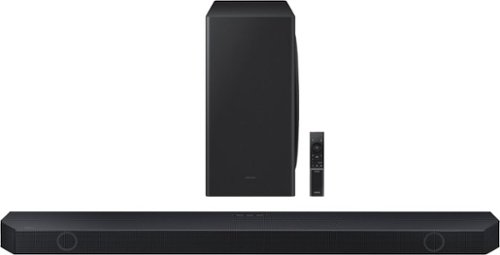
Samsung - Q-series 5.1.2 ch Wireless Dolby Atmos Soundbar w/ Q Symphony - Black
If you want your content to really come alive, this Samsung soundbar is the missing link. The Q800C produces life-like audio through 5.1.2 Ch. True Dolby Atmos Sound, while harmonizing with your Samsung TV to maximize the potential of both.
Will I be able to get Q symphony if I pair my 55 in s90c tv with a Q600C soundbar
Hi Bob! Yes, you will be able to utilize Q-Symphony when pairing the HW-Q600C with your 55S90C.
~ Samsung Solutions
~ Samsung Solutions
2 years, 5 months ago
by
Posted by:
Samsung