Samsung
Samsung's Stats
Reviews
- Review Count0
- Helpfulness Votes0
- First ReviewNone
- Last ReviewNone
- Featured Reviews0
- Average Rating0
Reviews Comments
- Review Comment Count0
- Helpfulness Votes0
- First Review CommentNone
- Last Review CommentNone
- Featured Review Comments0
Questions
- Question Count0
- Helpfulness Votes0
- First QuestionNone
- Last QuestionNone
- Featured Questions0
- Answer Count74220
- Helpfulness Votes37,974
- First AnswerApril 24, 2013
- Last AnswerSeptember 13, 2026
- Featured Answers0
- Best Answers3948
Samsung's Reviews
Samsung has not submitted any reviews.
Samsung's Questions
Samsung has not submitted any questions.
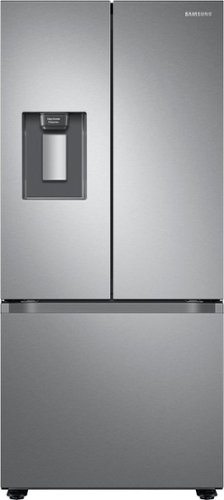
Samsung's 22 cu. ft. Smart 3-Door French Door refrigerator is beautifully designed with an external water dispenser and a modern look that blends seamlessly into your kitchen.
does this come in black?

Hi Bernie,
Yes, this model comes with fingerprint-resistant black stainless steel.
You can check it out at the link below.
https://www.samsung.com/us/home-appliances/refrigerators/3-door-french-door/22-cu-ft-smart-3-door-french-door-refrigerator-with-external-water-dispenser-in-fingerprint-resistant-black-stainless-steel-rf22a4221sg-aa/
Thank you for choosing Samsung and have a great day!
^Rainly
Yes, this model comes with fingerprint-resistant black stainless steel.
You can check it out at the link below.
https://www.samsung.com/us/home-appliances/refrigerators/3-door-french-door/22-cu-ft-smart-3-door-french-door-refrigerator-with-external-water-dispenser-in-fingerprint-resistant-black-stainless-steel-rf22a4221sg-aa/
Thank you for choosing Samsung and have a great day!
^Rainly
2 years, 5 months ago
by
Posted by:
Samsung
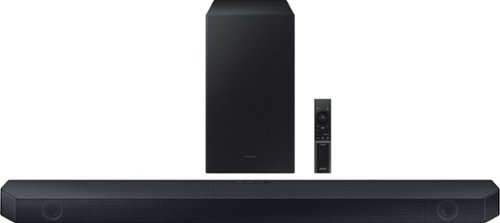
Samsung - HW-Q60C 3.1 Channel Q-Series Soundbar with Wireless Subwoofer, Dolby Atmos and Q-Symphony - Titan Black
Turn up the volume on your audio experience with the Q60C soundbar and enjoy realistic 3D sound that expands the possibilities of all your favorite content. With Q-Symphony and 3.1ch. Dolby Atmos Sound, you~ll experience dimensional audio that wraps all around you.
What size TVs is this bar recommend for? Is there a better option for a 75" TV. I'm looking for a 3.1 sound bar with no up firing speakers.
Hi MJlaj! The Samsung HW-Q60C is a great soundbar, regardless of your TV’s size. When connected to certain Samsung TVs, you can take advantage of Q-Symphony, which utilizes not only the soundbar speakers but also the TV’s speakers to enhance your audio experience!
~ Samsung Solutions
~ Samsung Solutions
2 years, 5 months ago
by
Posted by:
Samsung
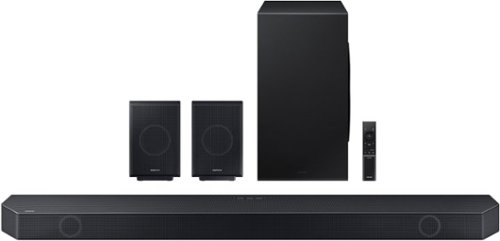
Samsung - Q-series 11.1.4 ch. Wireless Dolby Atmos Soundbar + Rear Speakers w/ Q-Symphony - Titan Black
All the sounds. All the feels. Experience our greatest of all time -level audio synchronized to your TV~s sound and customized to your living space~no wires attached
Center speaker laud all other speakers very low hard to hear
Hi there! You can manually optimize your audio experience by pressing the SOUND CONTROL button (which looks like a gear), you can set the audio function such as Auto EQ, Spacefit sound, AVA, Voice Enhance mode, Night mode, Sync, Surround speaker mode, Virtual. The desired item can be adjusted using the Up/Down buttons.
Alternatively, you can press and hold the SOUND CONTROL button for about 5 seconds to adjust the sound for each frequency band. 150Hz, 300Hz, 600Hz, 1.2kHz, 2.5kHz, 5kHz, and 10kHz are selectable using the Left/Right buttons and each can be adjusted to a setting between -6 to +6 using the Up/Down buttons.
You can try quickly optimizing the audio by pressing the SOUND MODE button on your remote, and then select the desired sound effect by choosing STANDARD, SURROUND SOUND, GAME, or ADAPTIVE SOUND.
To control the volume of each speaker, press the CH LEVEL button on the provided remote. Then select CENTER LEVEL, SIDE LEVEL, WIDE LEVEL, FRONT TOP LEVEL, REAR LEVEL, or REAR TOP LEVEL. Once you find the channel you are looking for, adjust the volume between -6 to +6 by using the Up/Down buttons.
There are multiple ways to control the bass levels for your new Soundbar.
1) Using the WOOFER button on the provided Soundbar remote. Use the woofer button by pushing forward or pulling backward on the button itself to adjust the bass levels between -12 or -6/+6. If you want to reset the bass to 0 then push the button in.
2) When you press the TONE CONTROL button, you can adjust the treble or bass levels between -6/+6.
Alternatively, you can adjust all of these same settings and more within the SmartThings app. Download the app for your iOS or Android device and then connect your Soundbar to Wi-Fi. From here, you will be able to adjust all of the same settings as the provided remote, but with the added benefit of being able to see the changes on your smart device.
~ Samsung Solutions
Alternatively, you can press and hold the SOUND CONTROL button for about 5 seconds to adjust the sound for each frequency band. 150Hz, 300Hz, 600Hz, 1.2kHz, 2.5kHz, 5kHz, and 10kHz are selectable using the Left/Right buttons and each can be adjusted to a setting between -6 to +6 using the Up/Down buttons.
You can try quickly optimizing the audio by pressing the SOUND MODE button on your remote, and then select the desired sound effect by choosing STANDARD, SURROUND SOUND, GAME, or ADAPTIVE SOUND.
To control the volume of each speaker, press the CH LEVEL button on the provided remote. Then select CENTER LEVEL, SIDE LEVEL, WIDE LEVEL, FRONT TOP LEVEL, REAR LEVEL, or REAR TOP LEVEL. Once you find the channel you are looking for, adjust the volume between -6 to +6 by using the Up/Down buttons.
There are multiple ways to control the bass levels for your new Soundbar.
1) Using the WOOFER button on the provided Soundbar remote. Use the woofer button by pushing forward or pulling backward on the button itself to adjust the bass levels between -12 or -6/+6. If you want to reset the bass to 0 then push the button in.
2) When you press the TONE CONTROL button, you can adjust the treble or bass levels between -6/+6.
Alternatively, you can adjust all of these same settings and more within the SmartThings app. Download the app for your iOS or Android device and then connect your Soundbar to Wi-Fi. From here, you will be able to adjust all of the same settings as the provided remote, but with the added benefit of being able to see the changes on your smart device.
~ Samsung Solutions
2 years, 5 months ago
by
Posted by:
Samsung
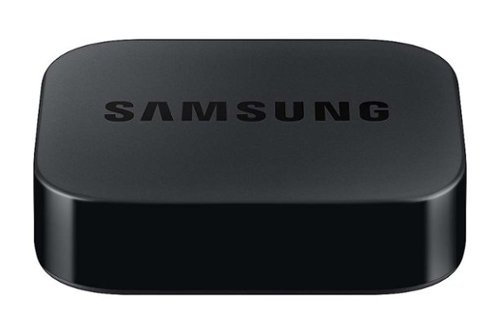
Samsung - SmarThings Hub Dongle VG-STDB10A/ZA - Black
Access SmarThings compatible devices with SmartThings Dongle
Can I use this box instead of my one connect box on my Samsung UH65KS8500 tv
Zman521 - The SmartThings Hub Dongle is not meant to replace your TV's One Connect Box; the One Connect Box is required, and the dongle simply allows easier SmartThings access.
~ Samsung Specialist
~ Samsung Specialist
2 years, 5 months ago
by
Posted by:
Samsung
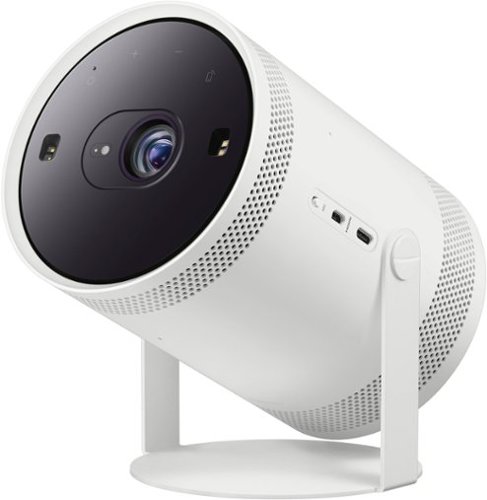
Be ready when the big screen beckons. Bring the action with The Freestyle Gen 2 with Gaming Hub, a smart theater you can take to-go. It brings you the best experience at any size, so you can make motion picture magic in minutes
Can you play PS5 through it?
Ncdmd - You can - you'll need a Micro HDMI cable/converter. You can also take advantage of our built-in Gaming Hub which doesn't require a console.
~ Samsung Specialist
~ Samsung Specialist
2 years, 5 months ago
by
Posted by:
Samsung

Samsung - 55" Class The Frame QLED 4K UHD Smart Tizen TV (2022)
Artwork, shows, movies and memories display what you love on The Frame, the picture frame like TV. See everything on the QLED 4K TV at 100% Color Volume with Quantum Dot that saturates your screen with a billion colors. Switch on Art Mode and transform your TV into your own personal art exhibit.~ ~QLED televisions can produce 100% Color Volume in the DCI P3 color space, the format for most cinema screens and HDR movies for television.
Will blue tooth feed to blue tooth speakers in stereo?
Hi Ebony3 - The Frame is a Bluetooth enabled Smart TV that'll pair with other Bluetooth devices.
~ Samsung Specialist
~ Samsung Specialist
2 years, 5 months ago
by
Posted by:
Samsung
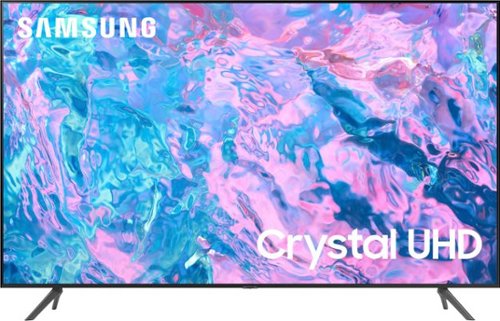
Samsung - 50 Class CU7000 Crystal UHD 4K Smart Tizen TV (2023)
True-to-life color. Effortless connectivity. Dazzling 4K value. Samsung Crystal UHD is worth a look (and more). Effortlessly access TV shows, movies and ambient content using the Samsung Smart Hub, or find a range of great games on the Samsung Gaming Hub.* Enjoy content even more clear than it was created as its upgraded to 4K resolution
Does the Samsung tv have the direct TV app?
Hi Gertrude,
Yes, the DIRECTV app is available on the CU7000 TV.
~Samsung Advisor
Yes, the DIRECTV app is available on the CU7000 TV.
~Samsung Advisor
2 years, 5 months ago
by
Posted by:
Samsung
Samsung - 50 Class CU7000 Crystal UHD 4K Smart Tizen TV (2023)
True-to-life color. Effortless connectivity. Dazzling 4K value. Samsung Crystal UHD is worth a look (and more). Effortlessly access TV shows, movies and ambient content using the Samsung Smart Hub, or find a range of great games on the Samsung Gaming Hub.* Enjoy content even more clear than it was created as its upgraded to 4K resolution
Am I able to plug in my Bose sound bar to this tv? The sound bar isn’t Bluetooth
Hi TVshopper80,
yes, you can connect your soundbar via optical or HDMI cable.
~Samsung Advisor
yes, you can connect your soundbar via optical or HDMI cable.
~Samsung Advisor
2 years, 5 months ago
by
Posted by:
Samsung
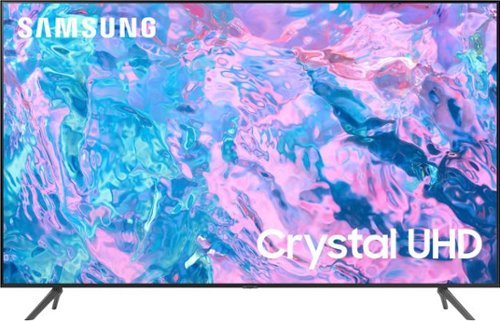
Samsung - 43 Class CU7000 Crystal UHD 4K Smart Tizen TV (2023)
True-to-life color. Effortless connectivity. Dazzling 4K value. Samsung Crystal UHD is worth a look (and more). Effortlessly access TV shows, movies and ambient content using the Samsung Smart Hub, or find a range of great games on the Samsung Gaming Hub.* Enjoy content even more clear than it was created as its upgraded to 4K resolution
How many free stations does this tv offer and how many app are available for purchase?
Hi Patty,
Samsung TV Plus has hundreds of channels available, and our built-in app store also has hundreds of apps for you to choose from to download!
~Samsung Advisor
Samsung TV Plus has hundreds of channels available, and our built-in app store also has hundreds of apps for you to choose from to download!
~Samsung Advisor
2 years, 5 months ago
by
Posted by:
Samsung
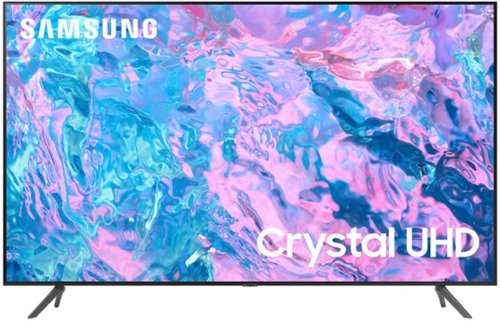
Samsung - 55 Class CU7000 Crystal UHD 4K Smart Tizen TV (2023)
True-to-life color. Effortless connectivity. Dazzling 4K value. Samsung Crystal UHD is worth a look (and more). Effortlessly access TV shows, movies and ambient content using the Samsung Smart Hub, or find a range of great games on the Samsung Gaming Hub.* Enjoy content even more clear than it was created as its upgraded to 4K resolution
How do you get local on tv
Hi there,
You will need to purchase an external antenna to connect to local channels. To set up your local channels, please follow these steps:
1) Make sure your Antenna or Cable box is set up, and then connect it to the TV vis the ANT IN.
2) Go to Source> TV
3) Press Setting> All Settings> Broadcasting> Auto Program
4) Start to begin Auto-Programming, and then select either Air, Cable, or Both
5) Your TV will begin to scan for channels. After it's done, select Close to finish
I hope this helps! If you need more help, please call us at 1-800-SAMSUNG, 8 AM - 12 AM EST, seven days a week. Our LiveChat agents are also available by clicking on the ‘Support’ link on our website.
~ Samsung Advisor
You will need to purchase an external antenna to connect to local channels. To set up your local channels, please follow these steps:
1) Make sure your Antenna or Cable box is set up, and then connect it to the TV vis the ANT IN.
2) Go to Source> TV
3) Press Setting> All Settings> Broadcasting> Auto Program
4) Start to begin Auto-Programming, and then select either Air, Cable, or Both
5) Your TV will begin to scan for channels. After it's done, select Close to finish
I hope this helps! If you need more help, please call us at 1-800-SAMSUNG, 8 AM - 12 AM EST, seven days a week. Our LiveChat agents are also available by clicking on the ‘Support’ link on our website.
~ Samsung Advisor
2 years, 5 months ago
by
Posted by:
Samsung