Samsung
Samsung's Stats
Reviews
- Review Count0
- Helpfulness Votes0
- First ReviewNone
- Last ReviewNone
- Featured Reviews0
- Average Rating0
Reviews Comments
- Review Comment Count0
- Helpfulness Votes0
- First Review CommentNone
- Last Review CommentNone
- Featured Review Comments0
Questions
- Question Count0
- Helpfulness Votes0
- First QuestionNone
- Last QuestionNone
- Featured Questions0
- Answer Count73699
- Helpfulness Votes37,932
- First AnswerApril 24, 2013
- Last AnswerAugust 18, 2026
- Featured Answers0
- Best Answers3943
Samsung's Reviews
Samsung has not submitted any reviews.
Samsung's Questions
Samsung has not submitted any questions.
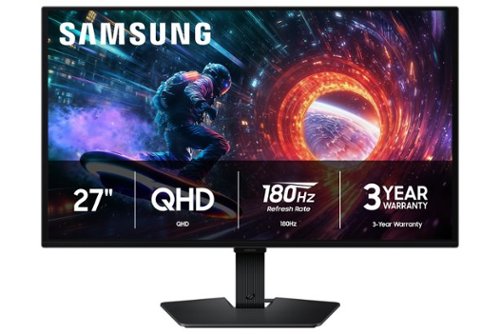
Samsung~s 27" Odyssey OLED G5 QHD Gaming Monitor delivers hyper-real visuals and lightning-fast action for exhilarating gameplay, and QD-OLED with QHD resolution provides unmatched picture quality and produces the highest levels of color accuracy and brightness. OLED Safeguard keeps the screen cool by actively helping to prevent burn-in with a Thermal Modulation System, Logo and Taskbar Detection, and Screen Saver while 3-year warranty protects the monitor for the long haul. Glare Free technology enables uninterrupted gaming as it keeps the screen clear of reflections from external light sources. The Pantone Validated screen accurately reproduces 2100+ colors for more immersive gameplay, while HDR10 provides brighter highlights and nuanced shadows for added depth. 180Hz Refresh Rate and 0.03ms (GtG) response time enables fast reactions for ultra-smooth gaming, plus G-Sync compatibility along with AMD FreeSync~ reduces choppiness, screen lag, and image tearing. Black Equalizer improves visibility in shadows, and Virtual Aim Point increases accuracy. Auto Source Switch+ allows instantaneous switching between connected devices.
Can this monitor be used to watch you tube?

RB:
Yes, the Samsung Odyssey OLED G5 (G50SF) monitor is excellent for watching YouTube. However, since it does not have a built-in smart TV interface or native apps, you will need to plug it into a device like a PC, laptop, or streaming stick (e.g., Roku or Chromecast).
- Samsung Monitors
Yes, the Samsung Odyssey OLED G5 (G50SF) monitor is excellent for watching YouTube. However, since it does not have a built-in smart TV interface or native apps, you will need to plug it into a device like a PC, laptop, or streaming stick (e.g., Roku or Chromecast).
- Samsung Monitors
3 months ago
by
Posted by:
Samsung
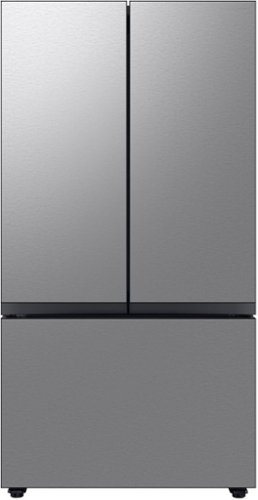
Counter Depth 3-Door French Door Refrigerator reinvents water and ice the way you want it with Samsung~s AutoFill Water Pitcher and Dual Ice Maker with cubed ice and Ice Bites
Can we defrost the freezer and how do we keep ice crystals from forming
Hi Suzi,
This model has delay defrost capability. You can configure the time, and this function will help save energy during the specified period. You may check page 44 of the user manual for more details:
https://downloadcenter.samsung.com/content/UM/202604/20260429144711418/DA68-04402K-01_FDR_RF8000B_EN_260422.pdf
Ice crystals usually form due to warm air getting inside or moisture being trapped. To help minimize this, please refer to the guide below:
https://www.samsung.com/us/support/troubleshoot/TSG10007222/
Hope this helps!
Jeffrey
Samsung Care
This model has delay defrost capability. You can configure the time, and this function will help save energy during the specified period. You may check page 44 of the user manual for more details:
https://downloadcenter.samsung.com/content/UM/202604/20260429144711418/DA68-04402K-01_FDR_RF8000B_EN_260422.pdf
Ice crystals usually form due to warm air getting inside or moisture being trapped. To help minimize this, please refer to the guide below:
https://www.samsung.com/us/support/troubleshoot/TSG10007222/
Hope this helps!
Jeffrey
Samsung Care
3 months ago
by
Posted by:
Samsung

Featuring a matte screen for a print like finish, Pantone Validated colors, and a slim customizable bezel that looks like a gallery frame, the TV for art lovers has access to curated works from top tier galleries and museums to blend into any style or d~cor. Samsung Vision AI powers superb picture, sound and personalized TV experiences.
It comes with the wood looking frame?
Rokey - Customizable Bezels are sold separately.
~ Samsung Specialist
~ Samsung Specialist
3 months ago
by
Posted by:
Samsung
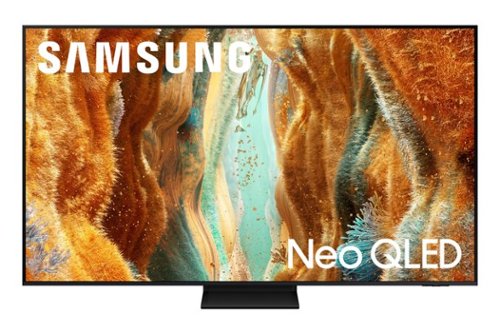
Take full advantage of Samsung Vision AI with enhanced picture and sound upscaled to 4K quality, plus experiences uniquely tailored to you - whether you're streaming your favorite show, gaming with friends, or watching live sports. And with access to free, premium channels, there's always some thing great to watch - in vivid detail brought to life by proprietary Mini LEDs.
What optical cable is needed to connect with my sound system? My sound system currently uses the type of optical cable shown in the photo. The tv seems to have a different connection port.
Hi Jim - So that we can better understand and assist with this, please reach out to Samsung Support at: 1-800-SAMSUNG (8AM – 9PM EST Mon – Fri, 8AM – 6PM Sat – Sun) or Chat with us on Samsung.com: https://www.samsung.com/us/support/contact/
~ Samsung Specialist
~ Samsung Specialist
3 months ago
by
Posted by:
Samsung
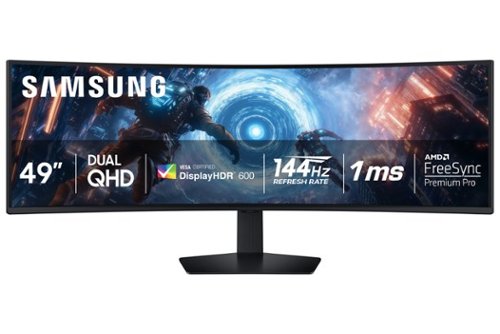
Samsung's 49" Odyssey G9 Curved Gaming Monitor with a 1000R curved display creates an immersive panoramic gaming experience. Curved Dual QHD features an ultra-wide 32:9 screen, equivalent to two side-by-side 16:9 monitors, providing a full view with unsurpassed details. VESA DisplayHDR 600 delivers more contrast with deeper blacks and brighter whites. 144Hz Refresh Rate and near-instant 1ms Response Time (GtG) captures all your moves with reduced lag for ultra-smooth gameplay. AMD FreeSync Premium Pro and VRR (variable refresh rate) reduce choppiness, screen lag, and image tears, even for the most intense fast-action gaming sessions. Picture-by-Picture enables a split screen that can be used to its maximum potential for side-by-side gameplay, while Picture-in-Picture allows seamless multitasking to manage all content on a single screen. Auto Source Switch+ instantly switches to a new source signal when connected devices are turned on, without having to use multiple inputs. The ergonomic stand makes it simple to tilt and adjust the monitor for total gaming comfort.
How many picture by picture can it do?
Alerus:
The Samsung Odyssey G9 G91F monitor allows you to display up to two different video sources simultaneously using its Picture-by-Picture (PBP) feature.
- Samsung Monitors
The Samsung Odyssey G9 G91F monitor allows you to display up to two different video sources simultaneously using its Picture-by-Picture (PBP) feature.
- Samsung Monitors
3 months ago
by
Posted by:
Samsung
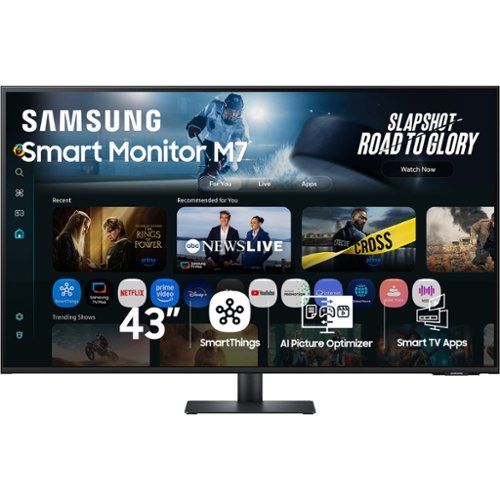
Samsung~s 43" M7 Smart Monitor brings AI-powered intelligence to your setup with smart features that adapt to how you work, play, and watch. Smart TV Apps provide instant access to your favorite content. The AI Picture Optimizer adapts the visuals for optimal quality whether working, gaming, or watching videos. SmartThings enables control of connected devices, turning the monitor into a central IoT hub. Knox Security protects your data and enhances the safety of your IoT connections through tightly controlled access. Click-to-Search offers content details. Gaming Hub enables access to the biggest games from top streaming partners, with no PC or console needed. The 4K UHD display brings content to life in vivid detail with incredible clarity. Active Voice Amplifier adapts to noisy environments and automatically adjusts volume. The ergonomically designed stand supports comfortable viewing with height adjustment, tilt, and pivot capabilities. Multiple ports, including USB-C, HDMI, and USB-A, make connectivity simple.
Dimensions of base length and width
Nori:
Set Dimension with Stand is 38 x 24.8 x 9.7 inch (WxHxD). The included stand has a total depth (front to back) of 9.7 inches (247.2 mm).
- Samsung Monitors
Set Dimension with Stand is 38 x 24.8 x 9.7 inch (WxHxD). The included stand has a total depth (front to back) of 9.7 inches (247.2 mm).
- Samsung Monitors
3 months ago
by
Posted by:
Samsung
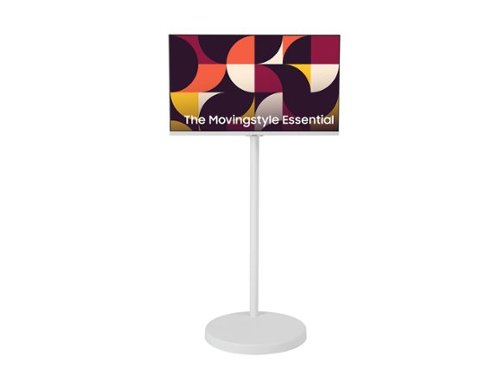
The Samsung AI Smart Monitor M7 moves with you thanks to its adjustable rolling stand, making it easy to roll your Smart Monitor from room to room for next-level entertainment and everyday use. The rolling stand features a sleek, rounded weighted base with hidden urethane wheels for effortless, stable and quiet movement. The 13-foot power cable attached to the back of the monitor extends down through the height-adjustable stand~s slim, oval column for a clean setup, while also giving you the flexibility to move around the room without needing to unplug.
Does this support direct Bluetooth connections for speakers like Bose L1 Pro8 which has wireless Bluetooth streaming capability.
DK:
Yes, the Samsung MovingStyle monitor supports direct Bluetooth connections to external wireless speakers, including the Bose L1 Pro8.
- Samsung Monitors
Yes, the Samsung MovingStyle monitor supports direct Bluetooth connections to external wireless speakers, including the Bose L1 Pro8.
- Samsung Monitors
3 months ago
by
Posted by:
Samsung
The Samsung AI Smart Monitor M7 moves with you thanks to its adjustable rolling stand, making it easy to roll your Smart Monitor from room to room for next-level entertainment and everyday use. The rolling stand features a sleek, rounded weighted base with hidden urethane wheels for effortless, stable and quiet movement. The 13-foot power cable attached to the back of the monitor extends down through the height-adjustable stand~s slim, oval column for a clean setup, while also giving you the flexibility to move around the room without needing to unplug.
Can you bring this outside?
HJ:
Yes, you can absolutely bring the Samsung MovingStyle portable screen outside. It is designed with mobility in mind and functions both indoors and outdoors.
- Samsung Monitors
Yes, you can absolutely bring the Samsung MovingStyle portable screen outside. It is designed with mobility in mind and functions both indoors and outdoors.
- Samsung Monitors
3 months ago
by
Posted by:
Samsung
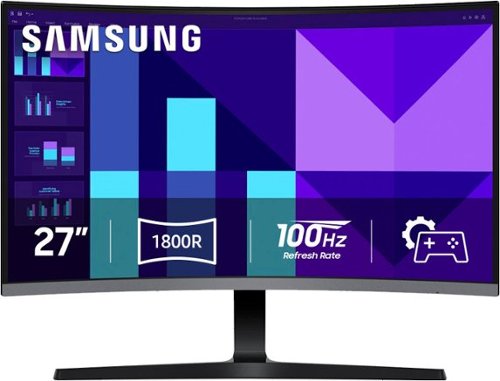
Samsung's 27" S3 FHD 100Hz Curved Monitor with Speakers provides an immersive viewing experience. The 1800R Curved Screen enhances depth perception and minimizes peripheral distractions, enabling greater focus. The 100Hz Refresh Rate reduces lag and motion blur when playing games, watching videos, or working on creative projects. Game Mode with optimizable settings allows color and image contrast to be instantly adjusted, filling the screen with every detail in view. Built-in Speakers free up desk space, minimize connections, and create a more efficient working environment for listening with ease. Eye Saver Mode with T~V-certified eye comfort technology reduces irritating screen flicker and minimizes excessive blue light, even during long sessions. Multiple Connectivity enables devices to be plugged straight into the monitor for a more convenient computing environment.
where is the power switch for the monitor, does it have a microphone, and is the audio volume easily adjusted
Frost007:
The Samsung S39GD monitor power switch is located on the back of the screen, underneath the bottom bezel. It acts as a multi-directional jog button/joystick.
Unfortunately no, this model does not have a built-in microphone. You will need to use a separate mic or a headset.
Yes, audio volume is easily adjustable. You can adjust the built-in speaker volume by clicking the directional stick inward to open the On-Screen Display (OSD), navigating to Sound > Volume, and adjusting the slider. Alternatively, you can control the volume directly from your computer's operating system (Windows/macOS).
- Samsung Monitors
The Samsung S39GD monitor power switch is located on the back of the screen, underneath the bottom bezel. It acts as a multi-directional jog button/joystick.
Unfortunately no, this model does not have a built-in microphone. You will need to use a separate mic or a headset.
Yes, audio volume is easily adjustable. You can adjust the built-in speaker volume by clicking the directional stick inward to open the On-Screen Display (OSD), navigating to Sound > Volume, and adjusting the slider. Alternatively, you can control the volume directly from your computer's operating system (Windows/macOS).
- Samsung Monitors
3 months ago
by
Posted by:
Samsung
Samsung's 27" S3 FHD 100Hz Curved Monitor with Speakers provides an immersive viewing experience. The 1800R Curved Screen enhances depth perception and minimizes peripheral distractions, enabling greater focus. The 100Hz Refresh Rate reduces lag and motion blur when playing games, watching videos, or working on creative projects. Game Mode with optimizable settings allows color and image contrast to be instantly adjusted, filling the screen with every detail in view. Built-in Speakers free up desk space, minimize connections, and create a more efficient working environment for listening with ease. Eye Saver Mode with T~V-certified eye comfort technology reduces irritating screen flicker and minimizes excessive blue light, even during long sessions. Multiple Connectivity enables devices to be plugged straight into the monitor for a more convenient computing environment.
how do I get a user manual? I did not get one in the box
Callis71:
To help you get the most from your Monitor, you can download the full e-Manual and more by visiting Samsung’s website then navigating to: Support > Manual & Software > Computing > Monitors From there, you can search for and select your S39GD Monitor model to view or download the available guides.
If you need additional help, please contact Samsung Support at 1-800-SAMSUNG between 8AM - 9PM EST Monday - Friday, and 8AM - 6PM Saturday and Sunday. LiveChat agents are also available through the ‘Support’ link on our website.
~ Samsung Monitors
To help you get the most from your Monitor, you can download the full e-Manual and more by visiting Samsung’s website then navigating to: Support > Manual & Software > Computing > Monitors From there, you can search for and select your S39GD Monitor model to view or download the available guides.
If you need additional help, please contact Samsung Support at 1-800-SAMSUNG between 8AM - 9PM EST Monday - Friday, and 8AM - 6PM Saturday and Sunday. LiveChat agents are also available through the ‘Support’ link on our website.
~ Samsung Monitors
3 months ago
by
Posted by:
Samsung