Samsung
Samsung's Stats
Reviews
- Review Count0
- Helpfulness Votes0
- First ReviewNone
- Last ReviewNone
- Featured Reviews0
- Average Rating0
Reviews Comments
- Review Comment Count0
- Helpfulness Votes0
- First Review CommentNone
- Last Review CommentNone
- Featured Review Comments0
Questions
- Question Count0
- Helpfulness Votes0
- First QuestionNone
- Last QuestionNone
- Featured Questions0
- Answer Count74315
- Helpfulness Votes37,976
- First AnswerApril 24, 2013
- Last AnswerSeptember 15, 2026
- Featured Answers0
- Best Answers3948
Samsung's Reviews
Samsung has not submitted any reviews.
Samsung's Questions
Samsung has not submitted any questions.
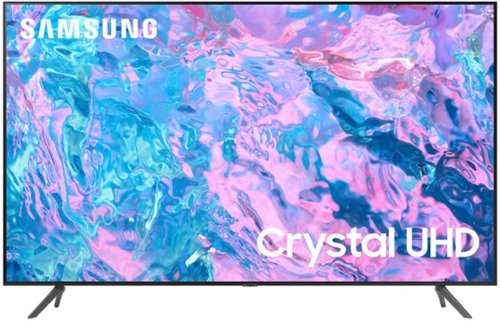
Samsung - 55 Class CU7000 Crystal UHD 4K Smart Tizen TV (2023)
True-to-life color. Effortless connectivity. Dazzling 4K value. Samsung Crystal UHD is worth a look (and more). Effortlessly access TV shows, movies and ambient content using the Samsung Smart Hub, or find a range of great games on the Samsung Gaming Hub.* Enjoy content even more clear than it was created as its upgraded to 4K resolution
I use Roku/ And Spectrum cable. Do I need any further items to use this TV? Can I hook up my computer to this tv, if so how>

Hi,
You will need HDMI cables to connect your Roku and Spectrum devices. You can also download the Spectrum app onto the TV and access your cable that way. To connect your computer, you will need an HDMI cable.
~Samsung Advisor
You will need HDMI cables to connect your Roku and Spectrum devices. You can also download the Spectrum app onto the TV and access your cable that way. To connect your computer, you will need an HDMI cable.
~Samsung Advisor
2 years, 7 months ago
by
Posted by:
Samsung
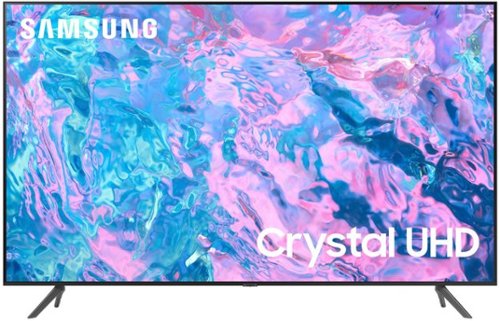
Samsung - 58 Class CU7000 Crystal UHD 4K Smart Tizen TV (2023)
True-to-life color. Effortless connectivity. Dazzling 4K value. Samsung Crystal UHD is worth a look (and more). Effortlessly access TV shows, movies and ambient content using the Samsung Smart Hub, or find a range of great games on the Samsung Gaming Hub.* Enjoy content even more clear than it was created as its upgraded to 4K resolution
Putting the legs into slot A would be too wide for my stand. The set up diagram shows the legs going in slot A or B, B being more narrow, but the legs don't fit. What legs will fit in slot B?
Hi DJDJ,
Please be sure that your TV's legs are on correctly "R" on the right. "L" on the left. The legs will slant outwards towards the edges of the TV. When the legs are inserted into the correct holes in the proper direction, you will hear a "click" when they are inserted in all the way. If you have concerns regarding your setup, please contact us at 1-800-SAMSUNG, 8 AM – 12 AM EST, 7 days a week, or Chat with us on Samsung.com: https://www.samsung.com/us/support/contact/
~ Samsung Advisor
Please be sure that your TV's legs are on correctly "R" on the right. "L" on the left. The legs will slant outwards towards the edges of the TV. When the legs are inserted into the correct holes in the proper direction, you will hear a "click" when they are inserted in all the way. If you have concerns regarding your setup, please contact us at 1-800-SAMSUNG, 8 AM – 12 AM EST, 7 days a week, or Chat with us on Samsung.com: https://www.samsung.com/us/support/contact/
~ Samsung Advisor
2 years, 7 months ago
by
Posted by:
Samsung
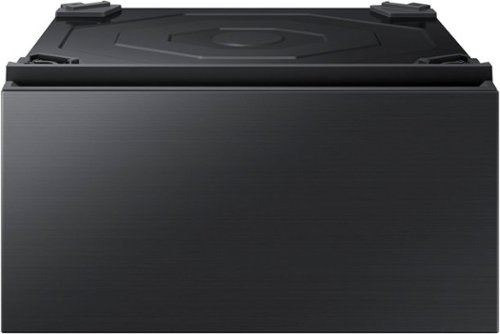
Designed to pair with Samsung Bespoke Front Load washers and dryers, this 27-in wide pedestal will allow you to lift your Bespoke washer or dryer by more than a foot for a more convenient height. It also provides an easily accessible built-in storage drawer, so you can tidy up your laundry space.
Does this fit dryer DVE60A9900V/A3 and washer
Hi Jenn,
No, this Samsung pedestal accessory will not fit the Samsung dryer model DVE60A9900V/A3. The recommended accessory to lift the dryer model DVE60A9900V/A3 is the Samsung riser WE272NV/A3.
I have shared a Samsung link below for your reference to the recommended accessory.
https://www.samsung.com/us/home-appliances/home-appliances-accessories/washers-dryers/27--riser-we272nv-a3/
Leo
No, this Samsung pedestal accessory will not fit the Samsung dryer model DVE60A9900V/A3. The recommended accessory to lift the dryer model DVE60A9900V/A3 is the Samsung riser WE272NV/A3.
I have shared a Samsung link below for your reference to the recommended accessory.
https://www.samsung.com/us/home-appliances/home-appliances-accessories/washers-dryers/27--riser-we272nv-a3/
Leo
2 years, 7 months ago
by
Posted by:
Samsung
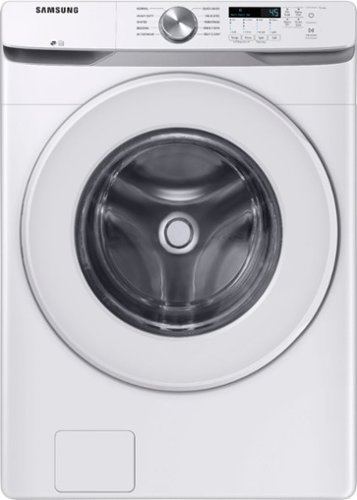
Samsung~s Energy Star Certified Front Load washer has 4.5 cu. ft. capacity to fit more in every load and cut down on laundry time. It is equipped with Vibration Reduction Technology+ to reduce noise for quiet washing and features Self Clean+ to eliminate 99% of bacteria that can form in the drum.1
How can I set it to cold? If I adjust the temp to the lowest setting (1 light) the clothes come out steaming hot
Hi Bryan,
We understand the predicament you are in with your Samsung washing machine model. We are here to help.
Setting the temperature to the lowest setting (level 1 / 1 light) will let the washer use cold water only which you already have done. I have shared a Samsung link below that can help with your experience. The Samsung link has an embedded video which we encourage you to watch in full.
Samsung washing machine water fill issues:
https://www.samsung.com/us/support/troubleshooting/TSG01203005/#washing-machine-fills-with-the-wrong-temperature-water
Should you need more assistance, please feel free to get back to us via the following options:
1. Facebook Messenger: http://m.me/samsungsupport
2. Twitter: https://twitter.com/messages/compose?recipient_id=18768513
3. Samsung Community: https://us.community.samsung.com/t5/Samsung-Community/ct-p/us
When you message us, please provide us with this reference number 1146804104 to help our team pull up your information.
Leo
We understand the predicament you are in with your Samsung washing machine model. We are here to help.
Setting the temperature to the lowest setting (level 1 / 1 light) will let the washer use cold water only which you already have done. I have shared a Samsung link below that can help with your experience. The Samsung link has an embedded video which we encourage you to watch in full.
Samsung washing machine water fill issues:
https://www.samsung.com/us/support/troubleshooting/TSG01203005/#washing-machine-fills-with-the-wrong-temperature-water
Should you need more assistance, please feel free to get back to us via the following options:
1. Facebook Messenger: http://m.me/samsungsupport
2. Twitter: https://twitter.com/messages/compose?recipient_id=18768513
3. Samsung Community: https://us.community.samsung.com/t5/Samsung-Community/ct-p/us
When you message us, please provide us with this reference number 1146804104 to help our team pull up your information.
Leo
2 years, 7 months ago
by
Posted by:
Samsung
Samsung - 75" Class Q60C QLED 4K UHD Smart Tizen TV (2023)
This lean, mean 4K machine is primed for your leap into Quantum Dot technology~and a bold new world of color and contrast. Take your entire viewing experience to the next level with the elevated audio and astounding picture quality of Samsung QLED. Not only will you see your TV shows and movies instantly transformed into 4K, but you~ll also take in a billion shades of unwavering color. Beyond amazing visuals, you~ll be drawn in by 3D surround sound that moves with the action.
Does this tv have Dolby Atmos or is it that every tv has it
Psca - While the Q60C will support Dolby Atmos pass-through via eARC when connected to an Atmos-enabled device, built-in Dolby Atmos is available with our Q80C Series and above.
~ Samsung Specialist
~ Samsung Specialist
2 years, 7 months ago
by
Posted by:
Samsung
Samsung - 55 Class Q80C QLED 4K UHD Smart Tizen TV (2023)
Don~t settle for basic. Punch up the contrast with super-precise LEDs and elevate the ordinary to something more impressive. Direct Full Array and Dolby Atmos technology headline Samsung QLED~s refined audio/visual experience
How much does this unit weigh?
You can find this information on this model’s product page – just click Show Full Specs and scroll down to Dimension: https://www.bestbuy.com/site/samsung-55-class-q80c-qled-4k-uhd-smart-tizen-tv/6537331.p?skuId=6537331
~ Samsung Specialist
~ Samsung Specialist
2 years, 7 months ago
by
Posted by:
Samsung
Samsung - 55" Class Q60C QLED 4K UHD Smart Tizen TV (2023)
This lean, mean 4K machine is primed for your leap into Quantum Dot technology~and a bold new world of color and contrast. Take your entire viewing experience to the next level with the elevated audio and astounding picture quality of Samsung QLED. Not only will you see your TV shows and movies instantly transformed into 4K, but you~ll also take in a billion shades of unwavering color. Beyond amazing visuals, you~ll be drawn in by 3D surround sound that moves with the action.
should protective film be removed from screen?
banner - If there is a protective film on your screen, it will be indicated with a large blue triangle in the upper left corner. The triangle will have an illustration showing how to remove the protective film.
If you do not have a blue triangle in the upper left corner, then that means there is no protective film on the screen, so please do not try to peel off anything. You will damage what is actually the screen.
~ Samsung Specialist
If you do not have a blue triangle in the upper left corner, then that means there is no protective film on the screen, so please do not try to peel off anything. You will damage what is actually the screen.
~ Samsung Specialist
2 years, 7 months ago
by
Posted by:
Samsung
Samsung - 75" Class QN800C Neo QLED 8K Smart Tizen TV (2023)
Binge better. Game harder. Marathon longer. With our unparalleled picture detail and all content elevated to stunning 8K, Samsung Neo QLED 8K is a TV lover~s dream. Prepare to be amazed as your content is upscaled to 8K, bringing to life those tiny details that pull you from your sofa right into the adventure, while built-in 3D audio surrounds you in sound.*
Is this TV compatible with Google Home/Assistant AI?
BkBroiler - Please give us the opportunity to better assist with this by reaching Samsung Support at: 1-800-SAMSUNG, 8AM - 12AM EST, 7 days a week, or Chat with us on Samsung.com: https://www.samsung.com/us/support/contact/
~ Samsung Specialist
~ Samsung Specialist
2 years, 7 months ago
by
Posted by:
Samsung
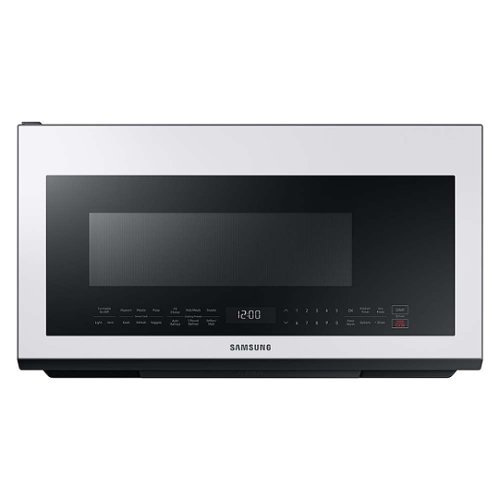
Samsung - BESPOKE 2.1 cu. ft. Over-the-Range Microwave with Sensor Cooking - White Glass
This Over-the-Range Microwave with Sensor Cooking conveniently provides optimal cooking results, while precise glass touch controls let you easily select cooking functions. BESPOKE kitchen appliances are now available in complementary colors to the BESPOKE 4-Door Flex Refrigerator. Create your kitchen space in your style in White Glass, Navy Steel, or Tuscan Steel.
Can this microwave be setup on SmartThings?
Hi Odai,
No, this Samsung microwave model doesn't have a Wi-Fi feature.
You can check out the features and specifications of this model at the link below.
https://image-us.samsung.com/SamsungUS/home/home-appliances/pdf/spec-sheet/ME21M706B_V4.pdf
Please look at one of our Samsung microwaves with Wi-Fi connectivity at the link below if you'd like a microwave that can connect to the SmartThing app.
https://www.samsung.com/us/home-appliances/microwaves/over-the-range/bespoke-smart-1-9-cu-ft-over-the-range-microwave-with-sensor-cook-in-white-glass-me19cb704112aa/#benefits
Thank you for choosing Samsung and have a great day!
^Rainly
No, this Samsung microwave model doesn't have a Wi-Fi feature.
You can check out the features and specifications of this model at the link below.
https://image-us.samsung.com/SamsungUS/home/home-appliances/pdf/spec-sheet/ME21M706B_V4.pdf
Please look at one of our Samsung microwaves with Wi-Fi connectivity at the link below if you'd like a microwave that can connect to the SmartThing app.
https://www.samsung.com/us/home-appliances/microwaves/over-the-range/bespoke-smart-1-9-cu-ft-over-the-range-microwave-with-sensor-cook-in-white-glass-me19cb704112aa/#benefits
Thank you for choosing Samsung and have a great day!
^Rainly
2 years, 7 months ago
by
Posted by:
Samsung
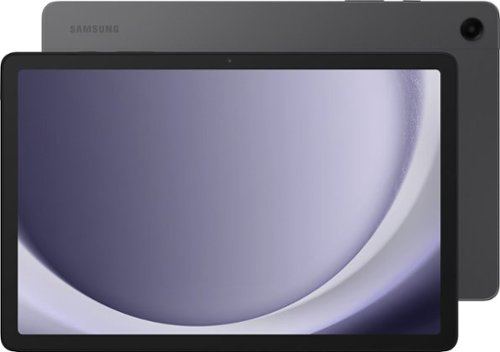
Samsung - Galaxy Tab A9+ 11" 64GB - Wi-Fi - Graphite
Meet your go to device for on-the-go family fun Galaxy Tab A9+. A bright, engaging 11" screen is perfect for every family member to do what they love. Whether they~re enjoying a show, unwinding with a game, or catching up on schoolwork or day to day tasks, an upgraded chipset makes every experience feel smooth and easy. You can even open multiple apps at the same time and get all your everyday tasks done quickly. Use it for hours without worrying about power and keep everything you love together with plenty of storage space. Plus, the preloaded Samsung Kids app provides a safe digital environment for your little ones to happily learn and play. Give your family a great all in one Tab that perfectly meets all their everyday needs without taking a bite out of your wallet Galaxy Tab A9+.
The 4 Gigabite RAM Memory (Sistem Memory) can be upgraded to run faster ?
Greetings Dnt636, thank you for finding the time out of your bustling day to ask us your question about the Samsung Galaxy Tab A9+. The Galaxy Tab A9+ is offered in two options: 64GB of total storage capacity with 4GB RAM and 128GB of total storage capacity with 8GB RAM. Plus, up to 1TB more when you add on a microSD card. Feel free to reach out to Samsung Support if you have any additional questions for us. Thank you for being a dedicated Samsung customer. - Debra
2 years, 7 months ago
by
Posted by:
Samsung