Samsung
Samsung's Stats
Reviews
- Review Count0
- Helpfulness Votes0
- First ReviewNone
- Last ReviewNone
- Featured Reviews0
- Average Rating0
Reviews Comments
- Review Comment Count0
- Helpfulness Votes0
- First Review CommentNone
- Last Review CommentNone
- Featured Review Comments0
Questions
- Question Count0
- Helpfulness Votes0
- First QuestionNone
- Last QuestionNone
- Featured Questions0
- Answer Count74315
- Helpfulness Votes37,976
- First AnswerApril 24, 2013
- Last AnswerSeptember 15, 2026
- Featured Answers0
- Best Answers3948
Samsung's Reviews
Samsung has not submitted any reviews.
Samsung's Questions
Samsung has not submitted any questions.
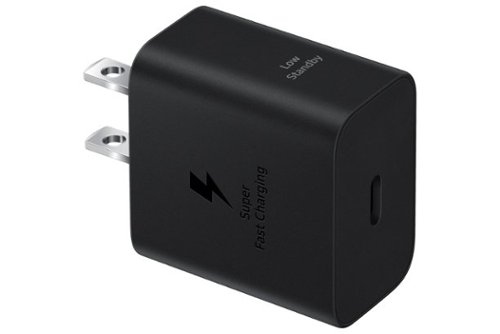
Make sure your mobile devices get the powerful and safe charging support they need with the 25W Power Adapter. Its compact design makes it more travel-friendly, all while delivering Super Fast Charging with a USB Type-C cable. Now you're free to charge ahead wherever your day takes you.
Is it compatible with the Galaxy S24 Ultra?

Hey there Ed, thank you for finding the free time out of your day to ask us your question about the Samsung 25W Super-Fast Charging Wall Charger. The Galaxy S24 Ultra utilizes a USB-C cable to charge the device so technically, yes, this wall charger is compatible. Take a look at, "Wall chargers and charging your Galaxy phone or tablet" for other options that you have available to you that may be better suited to charging the Galaxy S24 Ultra faster. Please feel free to contact Samsung Support if you would like any further assistance. Thank you for being a valued Samsung customer. - Debra
2 years, 7 months ago
by
Posted by:
Samsung
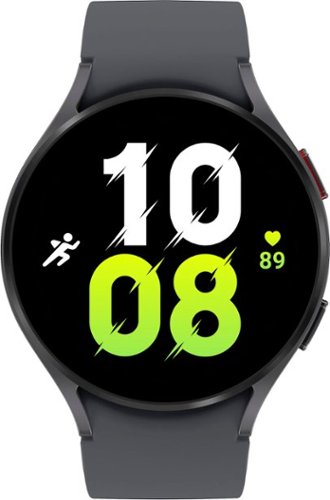
Samsung - Galaxy Watch5 Aluminum Smartwatch 44mm BT - Graphite - (2022)
Stay on track, on time, and in style with Galaxy Watch5~. Ready to get a better understanding of your wellness? Galaxy Watch5 features body composition analysis~, improved sensors that get an accurate read on your heart rate~ and Advanced Sleep Coaching~ that helps you get your zzzs . Whether you~re getting your steps in, jogging at lunchtime or crushing yoga class on the weekend, strut your fashion sense with Watch bands and faces that match your awesome outfit. Stay powered up on the go throughout even your busiest day with an improved battery that gives you time to do it all. Worry less and do more and with a Sapphire Crystal Glass that~s more durable than before and a water resistant design that can take a splash~ or two. Go ahead, unleash the best you with Galaxy Watch5.
Will this work on the new s24 ultra
Howdy Osu, thanks for taking the time out of your day to ask us your question about the Samsung Galaxy Watch5. Yes, absolutely, the Galaxy Watch5 is compatible with the Galaxy S24 Ultra. In fact, Phones with Android 8.0 and RAM 1.5 GB or higher are supported with the Galaxy Watch5. If you have any other questions for us, please do not hesitate to contact Samsung Support at your leisure. Thank you for being a devoted Samsung customer. - Debra
2 years, 7 months ago
by
Posted by:
Samsung
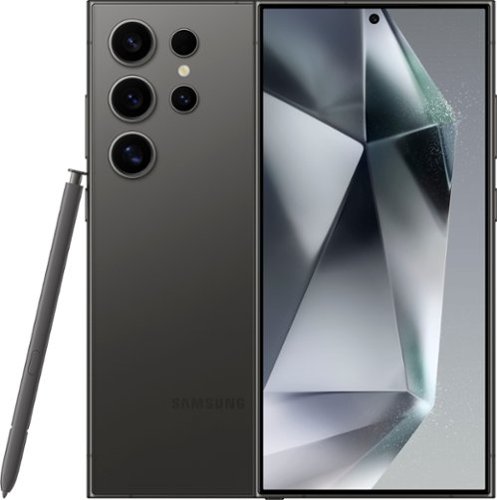
Samsung - Galaxy S24 Ultra 512GB (Unlocked) - Titanium Black
Do more with Galaxy AI on the epic Galaxy S24 Ultra. Wondering where the cool museum that your favorite influencer visited is located? Simply Circle to Search with Google and start planning your own trip to the Louvre. Then get ready to experience local flavors by calling ahead with Live Translate to make a reservation in French, even if all you know is ~Bonjour.~ Capture every detail of your candlelight meal with impressive Nightography and zoom in to see the live violinist playing across the room. Once you~re back in your hotel, elevate your pics from good to great right on your Galaxy S24 Ultra. You can even use your built in S Pen to add fun doodles before posting. Unleash new ways to create, connect and more with Galaxy AI on Galaxy S24 Ultra. Epic, just like that.
What charger and adapter block goes with this phone?
Salutations Grayishsiren5, thanks for taking the available time out of your busy day to ask us your question about the Samsung Galaxy S24 Ultra. The Galaxy S24 Ultra box includes the Galaxy S24 Ultra, USB-C Cable, and an Ejection Pin. As far as adapters are concerned, you have a plethora of options to choose from. The choice depends on how quickly you would like your device to be charged. Take a look at, "Wall chargers and charging your Galaxy phone or tablet" for more information on your charging options that are available for your Galaxy devices. Let us know if you have any questions afterwards. We're always happy to assist you further. Thank you for being a faithful Samsung customer. - Debra
2 years, 7 months ago
by
Posted by:
Samsung
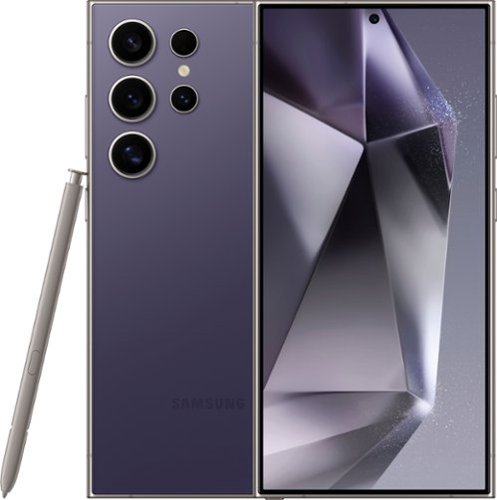
Samsung - Galaxy S24 Ultra 256GB (Unlocked) - Titanium Violet
Do more with Galaxy AI on the epic Galaxy S24 Ultra. Wondering where the cool museum that your favorite influencer visited is located? Simply Circle to Search with Google and start planning your own trip to the Louvre. Then get ready to experience local flavors by calling ahead with Live Translate to make a reservation in French, even if all you know is ~Bonjour.~ Capture every detail of your candlelight meal with impressive Nightography and zoom in to see the live violinist playing across the room. Once you~re back in your hotel, elevate your pics from good to great right on your Galaxy S24 Ultra. You can even use your built in S Pen to add fun doodles before posting. Unleash new ways to create, connect and more with Galaxy AI on Galaxy S24 Ultra. Epic, just like that.
Is this phone brand new
Greetings Mynda, thank you for finding the time out of your day to ask us your question about the Samsung Galaxy S24 Ultra. Yes, the advertised Galaxy S24 Ultra is a brand-new device. It's sleek, strong, stunning, and packed with a ton of features that you will fall in love with! Feel free to contact Samsung Support if you have any other questions for us. We're always more than happy to assist you in any way that we can! Thank you for being a dedicated Samsung customer. - Debra
2 years, 7 months ago
by
Posted by:
Samsung
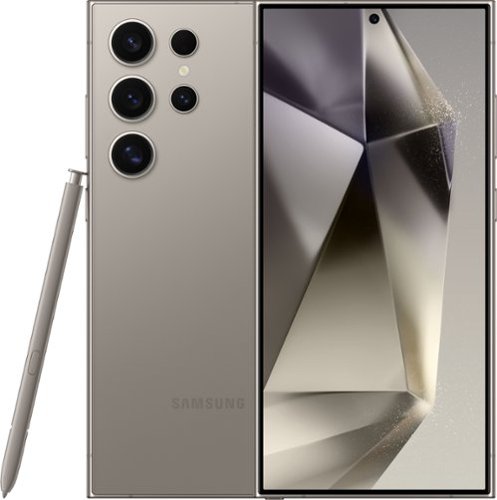
Samsung - Galaxy S24 Ultra 256GB - Titanium Gray (Verizon)
Do more with Galaxy AI on the epic Galaxy S24 Ultra. Wondering where the cool museum that your favorite influencer visited is located? Simply Circle to Search with Google and start planning your own trip to the Louvre. Then get ready to experience local flavors by calling ahead with Live Translate to make a reservation in French, even if all you know is ~Bonjour.~ Capture every detail of your candlelight meal with impressive Nightography and zoom in to see the live violinist playing across the room. Once you~re back in your hotel, elevate your pics from good to great right on your Galaxy S24 Ultra. You can even use your built in S Pen to add fun doodles before posting. Unleash new ways to create, connect and more with Galaxy AI on Galaxy S24 Ultra. Epic, just like that.
Is thia phone wayer proof lick samsung s23?
Hey there Spectator, thank you for finding the free time out of your busy day to ask us your question about the Samsung Galaxy S24 Ultra. The Galaxy S24 Ultra is water and dust resistant based on an IP68 rating, like the Galaxy S23 Ultra. It has better scratch resistance with Corning Gorilla Armor to protect your screen and keep your device looking beautiful. Reach out to Samsung Support if you have any other questions for us! Thanks for being a valued Samsung customer. - Debra
2 years, 7 months ago
by
Posted by:
Samsung
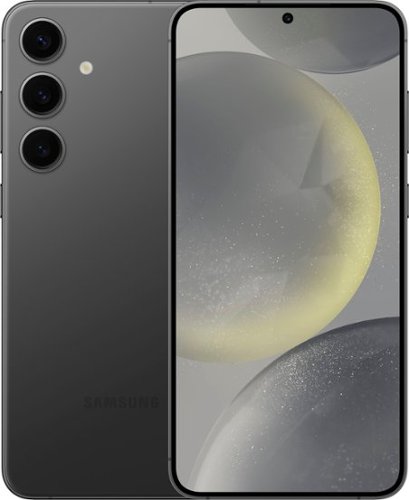
Samsung - Galaxy S24+ 256GB (Unlocked) - Onyx Black
Plus up your day with Galaxy AI on Galaxy S24+. Wonder where your favorite influencer got their shoes? Simply Circle to Search with Google to see where you can buy your own pair. Then, snap a photo to show off your new kicks and elevate your pic from good to great on the Galaxy S24+. Before you head out in style, call up that new authentic Japanese restaurant to make a reservation and impress the staff as you use Live Translate to speak their language in real time. And, with our powerful processor, you can smoothly switch between texting friends, taking photos of your food and searching for your next culinary adventure. Life just got a whole lot easier and a lot more fun. Epic, just like that.
Which one comes in these models Best Buy sells? Samsung’s website says Qualcomm snapdragon Gen 3.
Hello there Help, thank you for finding the available time out of your day to ask us your question about the Samsung Galaxy S24+. The Galaxy S24+ processor is the Qualcomm Snapdragon 8 Gen 3 for Galaxy. If you have any additional questions for us, feel free to contact Samsung Support at your earliest convenience. Thanks for always choosing Samsung! - Debra
2 years, 7 months ago
by
Posted by:
Samsung
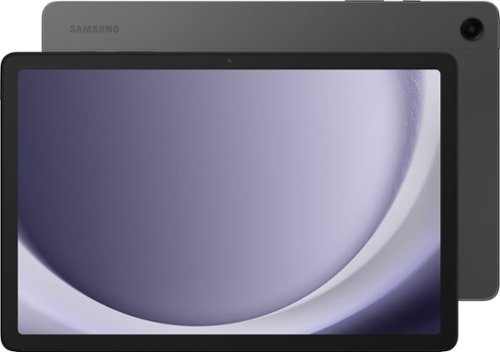
Samsung - Galaxy Tab A9+ 11" 128GB - Wi-Fi - Graphite
Meet your go to device for on-the-go family fun Galaxy Tab A9+. A bright, engaging 11" screen is perfect for every family member to do what they love. Whether they~re enjoying a show, unwinding with a game, or catching up on schoolwork or day to day tasks, an upgraded chipset makes every experience feel smooth and easy. You can even open multiple apps at the same time and get all your everyday tasks done quickly. Use it for hours without worrying about power and keep everything you love together with plenty of storage space. Plus, the preloaded Samsung Kids app provides a safe digital environment for your little ones to happily learn and play. Give your family a great all in one Tab that perfectly meets all their everyday needs without taking a bite out of your wallet Galaxy Tab A9+.
Will this tablet let me connect to a Samsung android phone and get Facebook, on the tablet with instant massaging
Salutations Jussayen, thanks for taking the opportunity to ask us your question about the Samsung Galaxy Tab A9+. You can easily pair the Galaxy Tab A9+ via Bluetooth to your Samsung smartphone and download your favorite apps from the Google Play store, like Facebook and/or Messenger. If you think of any other questions for us, feel free to contact Samsung Support at your leisure. Thank you for being a dedicated Samsung customer. - Debra
2 years, 7 months ago
by
Posted by:
Samsung
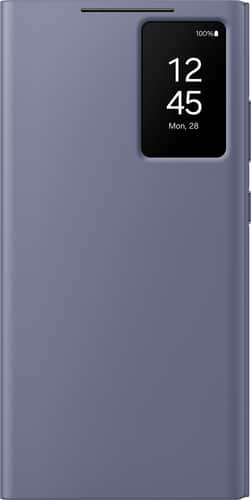
Samsung - Galaxy S24 Ultra Smart View Wallet Case - Violet
Embrace convenience and protection all in one, thanks to the Galaxy S24 Ultra S View Wallet Case. With the Small Screen View, you can control your music, see notifications and answer calls without even opening the cover. Plus, take your ID or credit card with you everywhere you go in the hidden pocket.
Can you charge the phone through this case?
Hiya AnnN, thank you for finding the opportunity to ask us your question about the Samsung Galaxy S24 Ultra Smart View Wallet Case. That's a fantastic question! Yes, indeed you can charge your phone wirelessly while using the case. This case also allows you to charge the device normally as well. If you have any additional questions for us, feel free to reach out to Samsung Support at your leisure. We'll be more than happy to answer your other questions, too! Thanks for choosing Samsung! - Debra
2 years, 7 months ago
by
Posted by:
Samsung
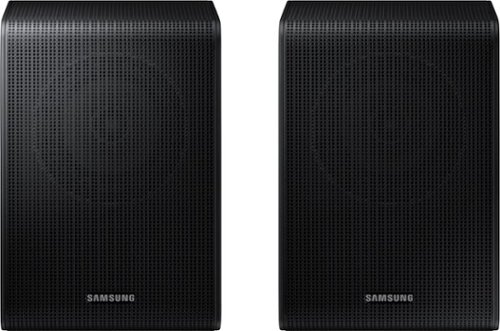
Samsung - SWA-9200S/ZA 2.0 Channel Wireless Rear Speaker Kit - Black
Connect easily and wirelessly to Samsung speakers for room-filling sound.
ARE THE SWA-9200S/ZA 2.0ch COMPATIBLE WITH SAMSUNG HW-C450 2.1ch Soundbar ?? I CAN'T MAKE THOSE CONNECT!! THANK YOU
Hi! When powered on for the first time, the rear speakers should automatically connect wirelessly. If the auto-connection process fails, you can try manually connecting the rears to the soundbar.
1. Connect the Surround speaker cables Use the speaker cables to connect the two surround sound speakers.
• When connecting the speaker cable, connect the core wire to the speaker.
• Insert the wire fully, taking care not to insert beyond the wire insulation
• When connecting the speaker cables to the surround speakers, follow these steps: insert the red and black colored ends of each speaker cable into the red and black jacks of the appropriate speaker. The labels are on the backs of the speakers.
2. Plug the Surround speakers’ power cord into an electrical outlet to turn on the Surround speakers. The LINK LED indicator (blue LED) on the rear of left surround speaker will blink quickly. If the LINK LED does not blink, please see step 6.
3. Turn off the Soundbar If the Soundbar is turned on, please turn off the Soundbar by pressing the (Power) button on the Soundbar or remote control.
4. Connect Soundbar and Surround Speakers Press the Up button on the remote control for more than 5 seconds until the “ID SET” message appears on the Soundbar’s display. The message will disappear shortly. (If your Soundbar does not have a display window and only LED indicators, please refer to the LED information below.)
• After the ID SET process is successful, the Soundbar will turn on automatically.
5. Check the connection complete The LINK LED stops blinking and changes to solid blue when the Soundbar and surround speakers are successfully linked. Please turn off the Soundbar and turn it back on. Confirm that the LINK LED is blue. (It may take a minute depending on the environment.)
6. LED Indicator’s status LINK (Blue) On: Connected with the Soundbar.
LINK (Blue) Blinking fast (at an interval of around 0.5 second) : Surround speakers are in ID SET mode.
• Check if the Soundbar is turned on and in ID SET mode.
• Repeat steps 3 through 5. LINK (Blue) Blinking slow (at an interval of around 1 second) : Previously connected to a Soundbar but cannot currently find it.
• Check if the Soundbar is turned on.
• If the LINK LED keeps blinking slowly even when the Soundbar is turned on,
1. Press the ID SET button on the rear of the left surround for more than 5 seconds until the LINK LED starts blinking fast in blue.
2. Repeat steps 3 through 5.
STANDBY (Red) On : When the Soundbar turns off or connection has failed.
• Follow the instructions for “Link (Blue) Blinking slow (at an interval of around 1 second)” above.
I hope these tips help resolve the issues you are experiencing. If you would like additional assistance with the setup of your rear speakers, please contact Samsung Customer Support at 1-800-SAMSUNG, 8AM - 12AM EST (Ask for Soundbars), 7 days a week. Our LiveChat agents are also available by clicking on the ‘Support’ link on our website.
~Samsung Solutions
1. Connect the Surround speaker cables Use the speaker cables to connect the two surround sound speakers.
• When connecting the speaker cable, connect the core wire to the speaker.
• Insert the wire fully, taking care not to insert beyond the wire insulation
• When connecting the speaker cables to the surround speakers, follow these steps: insert the red and black colored ends of each speaker cable into the red and black jacks of the appropriate speaker. The labels are on the backs of the speakers.
2. Plug the Surround speakers’ power cord into an electrical outlet to turn on the Surround speakers. The LINK LED indicator (blue LED) on the rear of left surround speaker will blink quickly. If the LINK LED does not blink, please see step 6.
3. Turn off the Soundbar If the Soundbar is turned on, please turn off the Soundbar by pressing the (Power) button on the Soundbar or remote control.
4. Connect Soundbar and Surround Speakers Press the Up button on the remote control for more than 5 seconds until the “ID SET” message appears on the Soundbar’s display. The message will disappear shortly. (If your Soundbar does not have a display window and only LED indicators, please refer to the LED information below.)
• After the ID SET process is successful, the Soundbar will turn on automatically.
5. Check the connection complete The LINK LED stops blinking and changes to solid blue when the Soundbar and surround speakers are successfully linked. Please turn off the Soundbar and turn it back on. Confirm that the LINK LED is blue. (It may take a minute depending on the environment.)
6. LED Indicator’s status LINK (Blue) On: Connected with the Soundbar.
LINK (Blue) Blinking fast (at an interval of around 0.5 second) : Surround speakers are in ID SET mode.
• Check if the Soundbar is turned on and in ID SET mode.
• Repeat steps 3 through 5. LINK (Blue) Blinking slow (at an interval of around 1 second) : Previously connected to a Soundbar but cannot currently find it.
• Check if the Soundbar is turned on.
• If the LINK LED keeps blinking slowly even when the Soundbar is turned on,
1. Press the ID SET button on the rear of the left surround for more than 5 seconds until the LINK LED starts blinking fast in blue.
2. Repeat steps 3 through 5.
STANDBY (Red) On : When the Soundbar turns off or connection has failed.
• Follow the instructions for “Link (Blue) Blinking slow (at an interval of around 1 second)” above.
I hope these tips help resolve the issues you are experiencing. If you would like additional assistance with the setup of your rear speakers, please contact Samsung Customer Support at 1-800-SAMSUNG, 8AM - 12AM EST (Ask for Soundbars), 7 days a week. Our LiveChat agents are also available by clicking on the ‘Support’ link on our website.
~Samsung Solutions
2 years, 7 months ago
by
Posted by:
Samsung
Samsung - SWA-9200S/ZA 2.0 Channel Wireless Rear Speaker Kit - Black
Connect easily and wirelessly to Samsung speakers for room-filling sound.
are the SWA-9200S/ZA 2.0ch Compatible with SAMSUNG HW-C450 2.1ch Soundbar?? It is not connecting! Thank you Javier
Hi! When powered on for the first time, the rear speakers should automatically connect wirelessly. If the auto-connection process fails, you can try manually connecting the rears to the soundbar.
1. Connect the Surround speaker cables Use the speaker cables to connect the two surround sound speakers.
• When connecting the speaker cable, connect the core wire to the speaker.
• Insert the wire fully, taking care not to insert beyond the wire insulation
• When connecting the speaker cables to the surround speakers, follow these steps: insert the red and black colored ends of each speaker cable into the red and black jacks of the appropriate speaker. The labels are on the backs of the speakers.
2. Plug the Surround speakers’ power cord into an electrical outlet to turn on the Surround speakers. The LINK LED indicator (blue LED) on the rear of left surround speaker will blink quickly. If the LINK LED does not blink, please see step 6.
3. Turn off the Soundbar If the Soundbar is turned on, please turn off the Soundbar by pressing the (Power) button on the Soundbar or remote control.
4. Connect Soundbar and Surround Speakers Press the Up button on the remote control for more than 5 seconds until the “ID SET” message appears on the Soundbar’s display. The message will disappear shortly. (If your Soundbar does not have a display window and only LED indicators, please refer to the LED information below.)
• After the ID SET process is successful, the Soundbar will turn on automatically.
5. Check the connection complete The LINK LED stops blinking and changes to solid blue when the Soundbar and surround speakers are successfully linked. Please turn off the Soundbar and turn it back on. Confirm that the LINK LED is blue. (It may take a minute depending on the environment.)
6. LED Indicator’s status LINK (Blue) On: Connected with the Soundbar.
LINK (Blue) Blinking fast (at an interval of around 0.5 second) : Surround speakers are in ID SET mode.
• Check if the Soundbar is turned on and in ID SET mode.
• Repeat steps 3 through 5. LINK (Blue) Blinking slow (at an interval of around 1 second) : Previously connected to a Soundbar but cannot currently find it.
• Check if the Soundbar is turned on.
• If the LINK LED keeps blinking slowly even when the Soundbar is turned on,
1. Press the ID SET button on the rear of the left surround for more than 5 seconds until the LINK LED starts blinking fast in blue.
2. Repeat steps 3 through 5.
STANDBY (Red) On : When the Soundbar turns off or connection has failed.
• Follow the instructions for “Link (Blue) Blinking slow (at an interval of around 1 second)” above.
I hope these tips help resolve the issues you are experiencing. If you would like additional assistance with the setup of your rear speakers, please contact Samsung Customer Support at 1-800-SAMSUNG, 8AM - 12AM EST (Ask for Soundbars), 7 days a week. Our LiveChat agents are also available by clicking on the ‘Support’ link on our website.
~Samsung Solutions
1. Connect the Surround speaker cables Use the speaker cables to connect the two surround sound speakers.
• When connecting the speaker cable, connect the core wire to the speaker.
• Insert the wire fully, taking care not to insert beyond the wire insulation
• When connecting the speaker cables to the surround speakers, follow these steps: insert the red and black colored ends of each speaker cable into the red and black jacks of the appropriate speaker. The labels are on the backs of the speakers.
2. Plug the Surround speakers’ power cord into an electrical outlet to turn on the Surround speakers. The LINK LED indicator (blue LED) on the rear of left surround speaker will blink quickly. If the LINK LED does not blink, please see step 6.
3. Turn off the Soundbar If the Soundbar is turned on, please turn off the Soundbar by pressing the (Power) button on the Soundbar or remote control.
4. Connect Soundbar and Surround Speakers Press the Up button on the remote control for more than 5 seconds until the “ID SET” message appears on the Soundbar’s display. The message will disappear shortly. (If your Soundbar does not have a display window and only LED indicators, please refer to the LED information below.)
• After the ID SET process is successful, the Soundbar will turn on automatically.
5. Check the connection complete The LINK LED stops blinking and changes to solid blue when the Soundbar and surround speakers are successfully linked. Please turn off the Soundbar and turn it back on. Confirm that the LINK LED is blue. (It may take a minute depending on the environment.)
6. LED Indicator’s status LINK (Blue) On: Connected with the Soundbar.
LINK (Blue) Blinking fast (at an interval of around 0.5 second) : Surround speakers are in ID SET mode.
• Check if the Soundbar is turned on and in ID SET mode.
• Repeat steps 3 through 5. LINK (Blue) Blinking slow (at an interval of around 1 second) : Previously connected to a Soundbar but cannot currently find it.
• Check if the Soundbar is turned on.
• If the LINK LED keeps blinking slowly even when the Soundbar is turned on,
1. Press the ID SET button on the rear of the left surround for more than 5 seconds until the LINK LED starts blinking fast in blue.
2. Repeat steps 3 through 5.
STANDBY (Red) On : When the Soundbar turns off or connection has failed.
• Follow the instructions for “Link (Blue) Blinking slow (at an interval of around 1 second)” above.
I hope these tips help resolve the issues you are experiencing. If you would like additional assistance with the setup of your rear speakers, please contact Samsung Customer Support at 1-800-SAMSUNG, 8AM - 12AM EST (Ask for Soundbars), 7 days a week. Our LiveChat agents are also available by clicking on the ‘Support’ link on our website.
~Samsung Solutions
2 years, 7 months ago
by
Posted by:
Samsung