Samsung
Samsung's Stats
Reviews
- Review Count0
- Helpfulness Votes0
- First ReviewNone
- Last ReviewNone
- Featured Reviews0
- Average Rating0
Reviews Comments
- Review Comment Count0
- Helpfulness Votes0
- First Review CommentNone
- Last Review CommentNone
- Featured Review Comments0
Questions
- Question Count0
- Helpfulness Votes0
- First QuestionNone
- Last QuestionNone
- Featured Questions0
- Answer Count73720
- Helpfulness Votes37,934
- First AnswerApril 24, 2013
- Last AnswerAugust 19, 2026
- Featured Answers0
- Best Answers3943
Samsung's Reviews
Samsung has not submitted any reviews.
Samsung's Questions
Samsung has not submitted any questions.
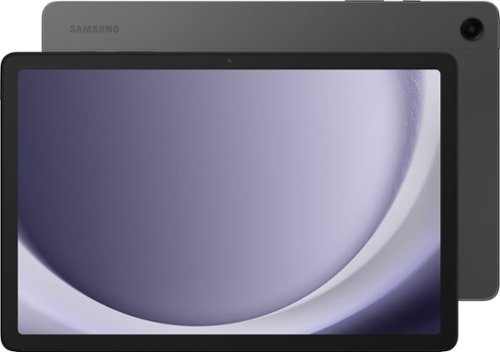
Samsung - Galaxy Tab A9+ 11" 128GB - Wi-Fi - Graphite
Meet your go to device for on-the-go family fun Galaxy Tab A9+. A bright, engaging 11" screen is perfect for every family member to do what they love. Whether they~re enjoying a show, unwinding with a game, or catching up on schoolwork or day to day tasks, an upgraded chipset makes every experience feel smooth and easy. You can even open multiple apps at the same time and get all your everyday tasks done quickly. Use it for hours without worrying about power and keep everything you love together with plenty of storage space. Plus, the preloaded Samsung Kids app provides a safe digital environment for your little ones to happily learn and play. Give your family a great all in one Tab that perfectly meets all their everyday needs without taking a bite out of your wallet Galaxy Tab A9+.
what are the keyboard options

Greetings Cher, thank you for taking the time to ask us your question about the Samsung Galaxy Tab A9+. For the Galaxy Tab A9+, the best keyboard option available is the official Samsung Book Cover Keyboard Slim. If you have any other questions, please do not hesitate to contact Support. Thank you for being a valued Samsung customer. - Debra
3 months ago
by
Posted by:
Samsung
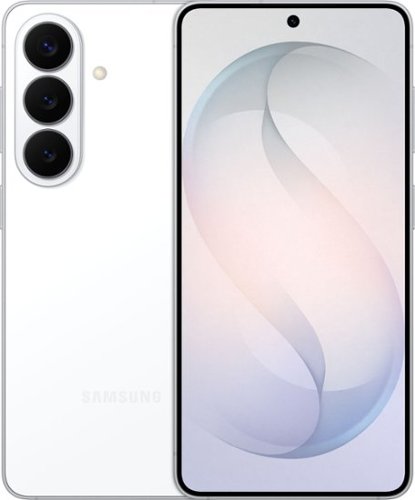
Samsung Galaxy S26 keeps things moving effortlessly. From quick replies to creative moments, everything feels smooth and responsive as you move between texting, scrolling, creating and sharing with Galaxy AI. Even better, this seamless experience comes alive on a larger, vibrant display that automatically enriches color to make photos feel more expressive and videos more engaging. When inspiration strikes, it~s easy to act on it. Photo Assist with Galaxy AI helps you clean up a photo by removing distractions while restoring details or exploring artistic styles like painting, black and white or playful illustrations to give your photos an entirely new look. And when you want to do more, Creative Studio makes it simple to create custom stickers, personalize profile pictures or generate new images from a quick prompt. No extra apps. No technical skills. Just effortless tools that help turn ideas into something uniquely yours. Samsung Galaxy S26 brings performance, immersion and creativity together ~ designed to keep everything you do feeling fast, vivid and inspired.
Is there a place for MicroSD for storage expansion
Howdy Account, thank you for taking the time to ask us your question about the Samsung Galaxy S26. No, the Galaxy S26 Series does not support expandable storage. Check out, "Manage storage on your Samsung Galaxy phone" to see the options available to keep you content safe from prying eyes! Let us know if you have additional questions by contacting Support. Thank you for being an integral part of the Samsung community! - Debra
3 months ago
by
Posted by:
Samsung
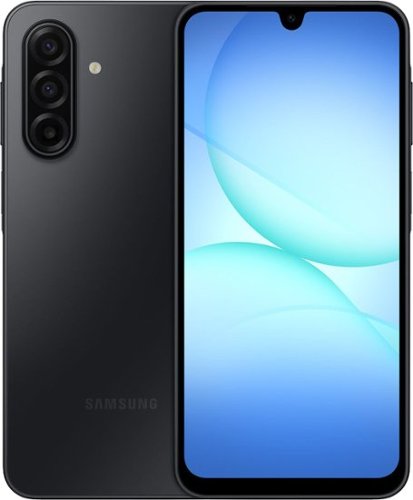
Galaxy A17 5G delivers everything you need at an awesome price for an awesome value. Capture precious memories in vivid colors and clarity with its enhanced triple lens camera. Stream your favorite movies and shows on its crystal clear 6.7" display. Now with the power of AI, Galaxy A17 5G makes web searches that much easier to seamlessly plan events, make dinner reservations, find the perfect gifts for loved ones and more with the help of Gemini. Power through your day with a reliable Super Fast Charging battery, up to 2TB of expandable storage and ultra fast 5G to stay connected with loved ones. As a Galaxy owner, you'll have access to amazing perks like Samsung Wallet, Samsung TV Plus and more. And with OS and security updates, Galaxy A17 5G keeps you protected and up to date So bring home a phone that delivers incredible value and makes every day a little more awesome.
Is Samsung A17 wi-fi calling capable?
Salutations Bobby, thank you for asking us your question about the Samsung Galaxy A17 5G. Yes, the Samsung Galaxy A17 5G is Wi-Fi calling capable, allowing you to make calls and send texts over a Wi-Fi connection when cellular service is weak or unavailable. The feature is supported by major carriers and can be enabled through the connection settings on the device. If you have any other questions for us or if you would like further assistance, please feel free to reach out to Support. Thanks for being a cherished Samsung customer. - Debra
3 months ago
by
Posted by:
Samsung
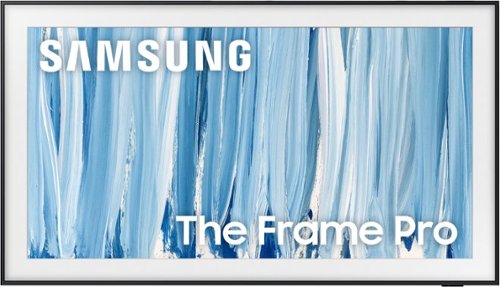
Our most advanced Art TV blurs the lines between showpiece and entertainment for art and movie lovers alike. The modern, slim-bezel frame, matte screen and wireless connection allow you to create a clutter-free gallery experience at home, featuring a selection of world-renowned artwork. Whether you're beholding a masterpiece or curling up to watch your favorite movie, enjoy spectacular, 4K Neo QLED picture and sound quality, along with personalized TV experiences powered by Samsung Vision AI.
Since the new 2026 model One Connect is wireless, what does the power cord for the tv itself look like now? Is it still small like the previous version only carrying power? My tv is hung on brick, there's no room for an outlet behind it.
Hi Randal - The Frame Pro uses two cables – one connects to the Wireless One Connect Box, and one directly powers the TV. Both must be plugged in for power. The Wireless One Connect uses a USB-C to USB-C cable with a power adapter and should be placed in the same room as the TV (10m range). The TV uses a 2-pin, non-polarized power cord, like most Samsung TVs.
If your outlet is directly behind the TV, consider using a recessed outlet box, as the Slim Fit Wall Mount is designed to sit flush. Please note that the included cables are not in-wall rated, so they should not be routed through the wall. If your outlet is located elsewhere, you can plug in the TV like any standard setup.
You may also want to check out the Installation Guide, which walks through setup and mounting tips: https://downloadcenter.samsung.com/content/EM/202604/20260411034740001/BN68-25158C-01_IG_LS03HW%20Round%20Feet%2055-65inch_ZA%20ZC_L02_260309.0.pdf
If you have any other questions, Samsung Support is happy to help. You can reach us at 1-800-SAMSUNG (8AM – 9PM EST Mon – Fri, 8AM – 6PM Sat – Sun) or Chat with us on Samsung.com: https://www.samsung.com/us/support/contact/
~ Samsung Specialist
If your outlet is directly behind the TV, consider using a recessed outlet box, as the Slim Fit Wall Mount is designed to sit flush. Please note that the included cables are not in-wall rated, so they should not be routed through the wall. If your outlet is located elsewhere, you can plug in the TV like any standard setup.
You may also want to check out the Installation Guide, which walks through setup and mounting tips: https://downloadcenter.samsung.com/content/EM/202604/20260411034740001/BN68-25158C-01_IG_LS03HW%20Round%20Feet%2055-65inch_ZA%20ZC_L02_260309.0.pdf
If you have any other questions, Samsung Support is happy to help. You can reach us at 1-800-SAMSUNG (8AM – 9PM EST Mon – Fri, 8AM – 6PM Sat – Sun) or Chat with us on Samsung.com: https://www.samsung.com/us/support/contact/
~ Samsung Specialist
3 months ago
by
Posted by:
Samsung
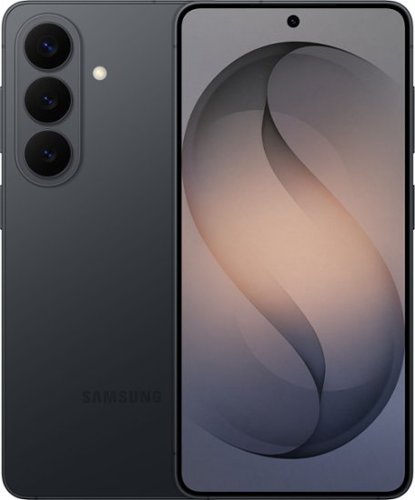
Samsung Galaxy S26 keeps things moving effortlessly. From quick replies to creative moments, everything feels smooth and responsive as you move between texting, scrolling, creating and sharing with Galaxy AI. Even better, this seamless experience comes alive on a larger, vibrant display that automatically enriches color to make photos feel more expressive and videos more engaging. When inspiration strikes, it~s easy to act on it. Photo Assist with Galaxy AI helps you clean up a photo by removing distractions while restoring details or exploring artistic styles like painting, black and white or playful illustrations to give your photos an entirely new look. And when you want to do more, Creative Studio makes it simple to create custom stickers, personalize profile pictures or generate new images from a quick prompt. No extra apps. No technical skills. Just effortless tools that help turn ideas into something uniquely yours. Samsung Galaxy S26 brings performance, immersion and creativity together ~ designed to keep everything you do feeling fast, vivid and inspired.
Can I use this phone on xfinity mobile?
Howdy Greg, thank you for asking us your question about the Samsung Galaxy S26. The advertised unlocked Galaxy S26 is compatible with AT&T, Boost Mobile, Cricket, Google Fi, H2O Wireless, Mint Mobile, Sprint, T-Mobile, Ultra Mobile, US Cellular, Verizon, and Visible. If you have additional questions for us or if you would like further assistance, please feel free to reach out to Support. Thank you for choosing Samsung! - Debra
3 months ago
by
Posted by:
Samsung
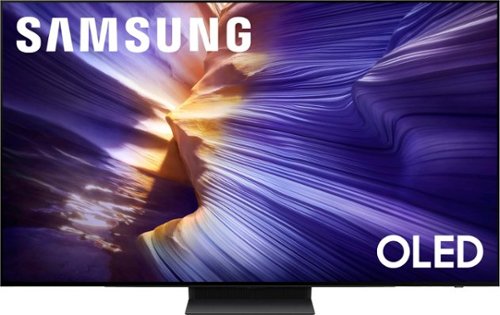
Our fastest 4K processor powers Samsung Vision AI to upscale your favorite content and put you at the center of the action. Powerful OLED HDR+ contrast and Pantone Validated color let you appreciate every detail. Dynamic motion enhancement technology delivers ultra smooth action for crisp visuals at blazing fast speeds whether you're streaming or gaming.
Even after software update, tv still will not support HDR and only supports SDR! Why isn’t HDR working!!
Please give us the opportunity to better assist with this by reaching Samsung Support at: 1-800-SAMSUNG (8AM – 9PM EST Mon – Fri, 8AM – 6PM Sat – Sun) or Chat with us on Samsung.com: https://www.samsung.com/us/support/contact/
~ Samsung Specialist
~ Samsung Specialist
3 months ago
by
Posted by:
Samsung
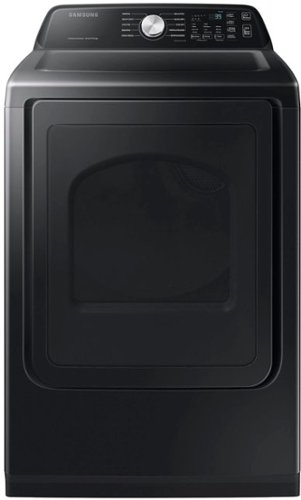
Samsung~s new Smart Dryer has integrated Wi-Fi that allows you to remotely start or stop your cycle, schedule laundry on your time, receive end-of-cycle alerts and more, right from your smartphone. Sensor Dry automatically optimizes the time and temperature of your drying cycle to help prevent overdrying.
Hello, is there an access panel in the back of the dryer to replace/repair parts or do you have to remove everything starting from the front of the dryer.
Hi RepairGirl, for this model, the dryer is designed so that most servicing is done from the front and top panels rather than through a rear access panel. The rear panel is primarily part of the cabinet structure and venting layout and is not intended for regular component access.
The user manual includes a visual layout of the dryer (see page 23), highlighting the front-facing design and user-access areas without showing a dedicated rear service panel.
https://downloadcenter.samsung.com/content/UM/202601/20260124024422269/OID64646_IB_DV3500C_EN_260112.pdf
For the best fit and a smooth setup, working with a professional installer can really help make sure everything is done properly.
We hope this helps clarify things.
Khristine
Samsung Care
The user manual includes a visual layout of the dryer (see page 23), highlighting the front-facing design and user-access areas without showing a dedicated rear service panel.
https://downloadcenter.samsung.com/content/UM/202601/20260124024422269/OID64646_IB_DV3500C_EN_260112.pdf
For the best fit and a smooth setup, working with a professional installer can really help make sure everything is done properly.
We hope this helps clarify things.
Khristine
Samsung Care
3 months ago
by
Posted by:
Samsung
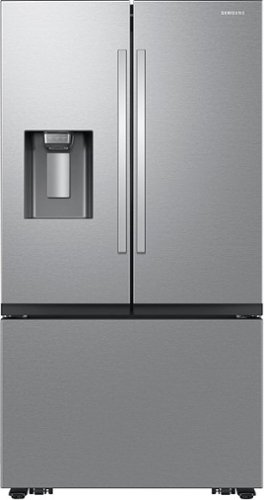
Samsung's Bespoke AI 26 cu. ft. Mega Capacity Counter Depth 3-Door French Door refrigerator has a modern design to blend seamlessly into your kitchen. Get extra space to store more groceries, including big and bulky items. Plus, get easy access to chilled, filtered water and curved or crushed ice with the External Water & Ice Dispenser.
I see handles on the refrigerator/top but not on the freezer/bottom. Does the freezer drawer just have a recessed space to put your hand in and you pull, or is there a button you squeeze that pushes on the door slightly that assists to open the freezer?
Hi SPOOL, on this model, the bottom freezer section is designed as a pull-out drawer that opens by gripping the built-in handle on the drawer itself. It does not use a push-button or assisted opening mechanism. instead, it opens by pulling the drawer outward using the integrated handle.
We’re glad to shed some light on this.
Khristine
Samsung Care
We’re glad to shed some light on this.
Khristine
Samsung Care
3 months ago
by
Posted by:
Samsung
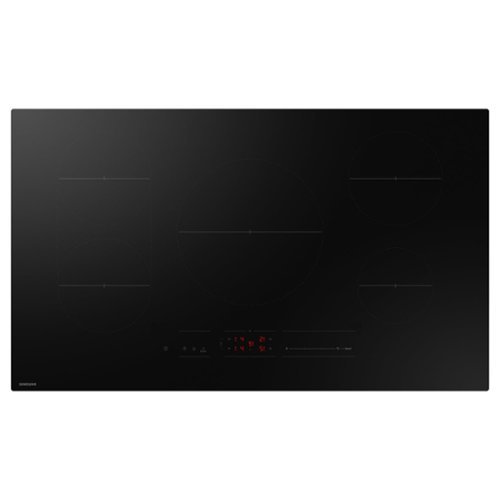
This powerful, smart, energy-efficient 36" induction cooktop in black with precise temperature control and 5 burners, offers fast performance and innovative technology. This glass induction cooktop is also ADA compliant.
What is the standard warranty?
Hi Nick,
This unit comes with a standard warranty of 1 year for parts and labor. You may refer to the link below for more details.
https://www.samsung.com/us/support/legal/LGL10000309/?modelCode=CC70F36S2DAA#standard-limited-warranty
Hope this helps!
Jeffrey
Samsung Care
This unit comes with a standard warranty of 1 year for parts and labor. You may refer to the link below for more details.
https://www.samsung.com/us/support/legal/LGL10000309/?modelCode=CC70F36S2DAA#standard-limited-warranty
Hope this helps!
Jeffrey
Samsung Care
3 months ago
by
Posted by:
Samsung
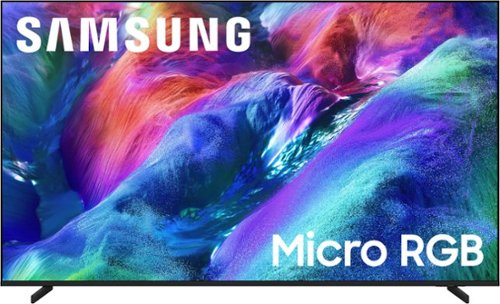
Discover expanded color like you've never seen before with 100% BT.2020 color area. The AI engine finely controls thousands of micro sized red, green and blue LEDs for ultra wide spectrum color with stunning brightness, precise contrast and true depth for a lifelike vie wing experience.
What is the measured response times of this TV, and how does it compare to an OLED?
HuddyTheBuddy - OLED delivers excellent blacks and excellent contrast with self-lit pixels, making it great for darker environments. Micro RGB emphasizes higher brightness and precise color control, helping images stay vivid and detailed even in brighter spaces and on larger displays.
~ Samsung Specialist
~ Samsung Specialist
3 months ago
by
Posted by:
Samsung