Samsung
Samsung's Stats
Reviews
- Review Count0
- Helpfulness Votes0
- First ReviewNone
- Last ReviewNone
- Featured Reviews0
- Average Rating0
Reviews Comments
- Review Comment Count0
- Helpfulness Votes0
- First Review CommentNone
- Last Review CommentNone
- Featured Review Comments0
Questions
- Question Count0
- Helpfulness Votes0
- First QuestionNone
- Last QuestionNone
- Featured Questions0
- Answer Count74386
- Helpfulness Votes37,977
- First AnswerApril 24, 2013
- Last AnswerSeptember 17, 2026
- Featured Answers0
- Best Answers3947
Samsung's Reviews
Samsung has not submitted any reviews.
Samsung's Questions
Samsung has not submitted any questions.
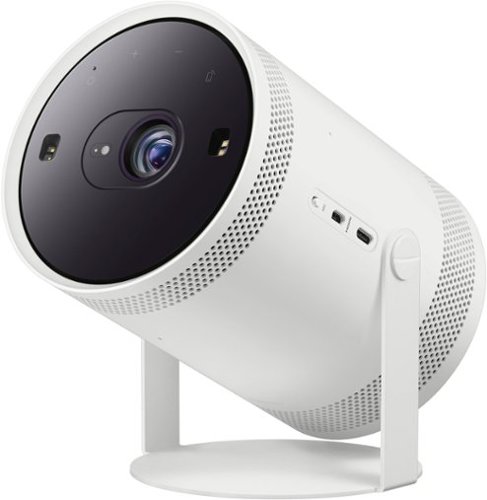
Be ready when the big screen beckons. Bring the action with The Freestyle Gen 2 with Gaming Hub, a smart theater you can take to-go. It brings you the best experience at any size, so you can make motion picture magic in minutes
Does this work for rear projection?

Whynot - Please give us the opportunity to better assist with this by reaching Samsung Support at: 1-800-SAMSUNG, 8AM - 12AM EST, 7 days a week, or Chat with us on Samsung.com: https://www.samsung.com/us/support/contact/
~ Samsung Specialist
~ Samsung Specialist
2 years, 8 months ago
by
Posted by:
Samsung
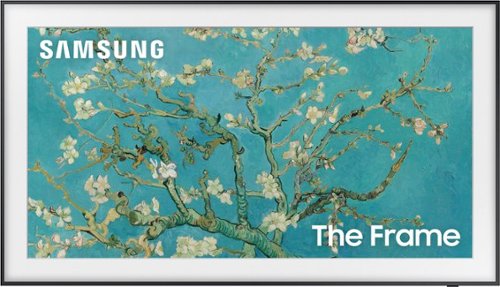
Samsung - 65" Class The Frame QLED 4K UHD Smart Tizen TV (2022)
Artwork, shows, movies and memories display what you love on The Frame, the picture frame like TV. See everything on the QLED 4K TV at 100% Color Volume with Quantum Dot that saturates your screen with a billion colors. Switch on Art Mode and transform your TV into your own personal art exhibit.~ ~QLED televisions can produce 100% Color Volume in the DCI P3 color space, the format for most cinema screens and HDR movies for television.
How much does this TV weigh?
Kathy - You can find this information on this model’s product page – just click Show Full Specs and scroll down to Dimension: https://www.bestbuy.com/site/samsung-65-class-the-frame-qled-4k-uhd-smart-tizen-tv/6503087.p?skuId=6503087
~ Samsung Specialist
~ Samsung Specialist
2 years, 8 months ago
by
Posted by:
Samsung
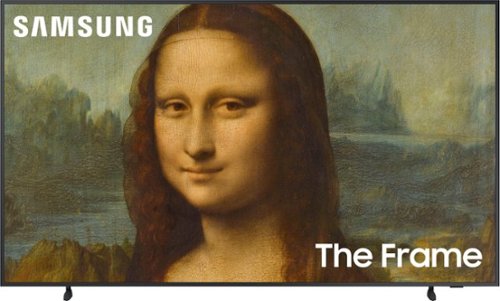
Samsung - 43" Class The Frame QLED 4K UHD Smart Tizen TV (2022)
Artwork, shows, movies and memories display what you love on The Frame, the picture frame like TV. See everything on the QLED 4K TV at 100% Color Volume with Quantum Dot that saturates your screen with a billion colors. Switch on Art Mode and transform your TV into your own personal art exhibit.~ ~QLED televisions can produce 100% Color Volume in the DCI P3 color space, the format for most cinema screens and HDR movies for television.
Does the The Frame TV have a mirror feature rather than displaying artwork? If not, is there another wall mount TV with a mirror feature?
Boston - There are no Samsung TVs with a "mirror" feature.
~ Samsung Specialist
~ Samsung Specialist
2 years, 8 months ago
by
Posted by:
Samsung
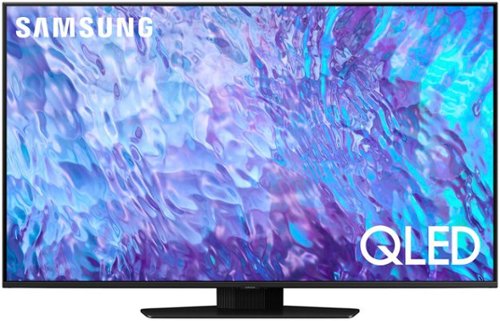
Samsung - 50 Class Q80C QLED 4K UHD Smart Tizen TV (2023)
Don~t settle for basic. Punch up the contrast with super-precise LEDs and elevate the ordinary to something more impressive. Direct Full Array and Dolby Atmos technology headline Samsung QLED~s refined audio/visual experience
Does this 50" Samsung Q80C tv have an antiglare feature?
LuLu - The Q80C offers Wide Viewing Angle, as well as Adaptive Picture technology to optimize your picture with a lighting system that automatically senses, reacts, and adjusts to the brightness of the space you're in. Starting with our 55” QN90C TV, you’ll gain Ultra Viewing Angle with Anti-Glare technology to provide you with wider viewing angles, enhanced color, and minimized glare to help you enjoy shows without distractions.
~ Samsung Specialist
~ Samsung Specialist
2 years, 8 months ago
by
Posted by:
Samsung
Samsung - 85" Class Q70C QLED 4K UHD Smart Tizen TV (2023)
Life can be beautiful. Don~t wait for life to show you a view worth remembering. Make your escape with 4K upscaling, impressive color volume and a mind-blowing, slim design. Enjoy content in ultra-high definition as everything is transformed into 4K resolution by the Quantum Processor. But the experience goes beyond delivering vivid contrast and 100% color volume*.
Hello, Clouding on tv, what can be done? I see another customer had the same problem. I just had the tv delivered on Jan. 3rd and this is very disappointing.
Images for this Question
(click to see full-size image)

KWS - Please give us the opportunity to better assist with this by reaching Samsung Support at: 1-800-SAMSUNG, 8AM - 12AM EST, 7 days a week, or Chat with us on Samsung.com: https://www.samsung.com/us/support/contact/
~ Samsung Specialist
~ Samsung Specialist
2 years, 8 months ago
by
Posted by:
Samsung
Samsung - 75" Class Q60C QLED 4K UHD Smart Tizen TV (2023)
This lean, mean 4K machine is primed for your leap into Quantum Dot technology~and a bold new world of color and contrast. Take your entire viewing experience to the next level with the elevated audio and astounding picture quality of Samsung QLED. Not only will you see your TV shows and movies instantly transformed into 4K, but you~ll also take in a billion shades of unwavering color. Beyond amazing visuals, you~ll be drawn in by 3D surround sound that moves with the action.
Does this tv have RCA Speaker jacks
It does not. You'll need to utilize an RCA-to-HDMI adapter like this option at Best Buy: https://www.bestbuy.com/site/insignia-rca-to-hdmi-converter-black/6134312.p?skuId=6134312
~ Samsung Specialist
~ Samsung Specialist
2 years, 8 months ago
by
Posted by:
Samsung
Samsung - 75 Class Q80C QLED 4K UHD Smart Tizen TV (2023)
Don~t settle for basic. Punch up the contrast with super-precise LEDs and elevate the ordinary to something more impressive. Direct Full Array and Dolby Atmos technology headline Samsung QLED~s refined audio/visual experience
Does this TV have the capability to control background audio (music specifically) while preserving dialogue level?
Chris - So that we can better understand and assist with this, please reach out to Samsung Support at: 1-800-SAMSUNG, 8AM - 12AM EST, 7 days a week, or Chat with us on Samsung.com: https://www.samsung.com/us/support/contact/
~ Samsung Specialist
~ Samsung Specialist
2 years, 8 months ago
by
Posted by:
Samsung
Samsung - 32" Class Q60C QLED 4K UHD Smart Tizen TV (2023)
This lean, mean 4K machine is primed for your leap into Quantum Dot technology~and a bold new world of color and contrast. Take your entire viewing experience to the next level with the elevated audio and astounding picture quality of Samsung QLED. Not only will you see your TV shows and movies instantly transformed into 4K, but you~ll also take in a billion shades of unwavering color. Beyond amazing visuals, you~ll be drawn in by 3D surround sound that moves with the action.
Does it support Apple TV
Yes, the Apple TV app is available.
~ Samsung Specialist
~ Samsung Specialist
2 years, 8 months ago
by
Posted by:
Samsung
Samsung - 55" Class Q60C QLED 4K UHD Smart Tizen TV (2023)
This lean, mean 4K machine is primed for your leap into Quantum Dot technology~and a bold new world of color and contrast. Take your entire viewing experience to the next level with the elevated audio and astounding picture quality of Samsung QLED. Not only will you see your TV shows and movies instantly transformed into 4K, but you~ll also take in a billion shades of unwavering color. Beyond amazing visuals, you~ll be drawn in by 3D surround sound that moves with the action.
Does this TV have the Phillips hue app built in. The guys at best buy said no. But all online outlets say yes.
Mac - The Q60C both supports Philips Hue Sync as well as the app which can be installed from the built-in App store.
~ Samsung Specialist
~ Samsung Specialist
2 years, 8 months ago
by
Posted by:
Samsung
Samsung - 65" Class Q60C QLED 4K UHD Smart Tizen TV (2023)
This lean, mean 4K machine is primed for your leap into Quantum Dot technology~and a bold new world of color and contrast. Take your entire viewing experience to the next level with the elevated audio and astounding picture quality of Samsung QLED. Not only will you see your TV shows and movies instantly transformed into 4K, but you~ll also take in a billion shades of unwavering color. Beyond amazing visuals, you~ll be drawn in by 3D surround sound that moves with the action.
Does the Q60C have HDMI 2.1?
Matt - With HDMI 2.1 being such a complex topic, we feel it’s clearer to highlight the specific features supported by each TV model. The Q60C has 3 HDMI ports, all of which support HDR10+ and Auto Low Latency Mode (Auto Game Mode). The “HDMI In 2” port further supports eARC. If you’re looking for a TV capable of 4K@120Hz, please consider a step up to the Q70C TV, which supports this feature in all HDMI ports.
~ Samsung Specialist
~ Samsung Specialist
2 years, 8 months ago
by
Posted by:
Samsung