Samsung
Samsung's Stats
Reviews
- Review Count0
- Helpfulness Votes0
- First ReviewNone
- Last ReviewNone
- Featured Reviews0
- Average Rating0
Reviews Comments
- Review Comment Count0
- Helpfulness Votes0
- First Review CommentNone
- Last Review CommentNone
- Featured Review Comments0
Questions
- Question Count0
- Helpfulness Votes0
- First QuestionNone
- Last QuestionNone
- Featured Questions0
- Answer Count73722
- Helpfulness Votes37,937
- First AnswerApril 24, 2013
- Last AnswerAugust 19, 2026
- Featured Answers0
- Best Answers3943
Samsung's Reviews
Samsung has not submitted any reviews.
Samsung's Questions
Samsung has not submitted any questions.
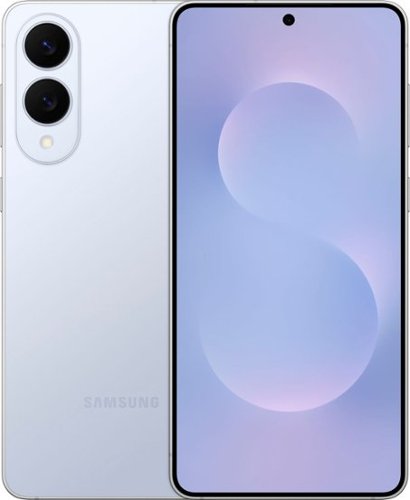
Introducing Galaxy S25 Edge, our ultra slim S Series phone yet that~s packed with features without weighing down your lifestyle ~ and especially not your fit. It combines our powerful 200MP camera and an industry-leading processor into the ultimate lightweight device that you~ve been waiting for. Be ready to capture extraordinary moments with a high-resolution camera that lets you snap crystal clear photos. At night, reveal the unseen with AI-powered Nightography for photos that shine bright. With S25 Edge, you~ll always look your best too. Portrait Selfie enhances skin tones for a polished, natural look. And Best Face captures everyone~s good side every time ~ it can even save the day when someone in your group shot accidentally blinks. Discover a true AI companion with a phone that does more for you. From daily briefings to knocking out multiple tasks with one ask, S25 Edge impressively handles your needs in seconds so you can spend more time doing other things you love. But don~t be fooled by its slim size. S25 Edge is made with a tough titanium frame and a durable Corning Gorilla Glass Ceramic 2 face that stands up to your day. It~s powerful too, with a processor that handles AI features flawlessly and an all-day battery built to keep up with all you do. Galaxy S25 Edge: Packed with features. Light on your fit.
Is this phone new or refurbished

Hello there Jen, thank you for asking us your question about the Samsung Galaxy S25 Edge. The advertised unlocked Galaxy S25 Edge is a new device with a 12-month manufacture warranty for defects in materials and workmanship. If you have additional questions for us or if you would like further assistance, please feel free to reach out to Support. Thank you for being a valued Samsung customer. - Debra
3 months, 1 week ago
by
Posted by:
Samsung
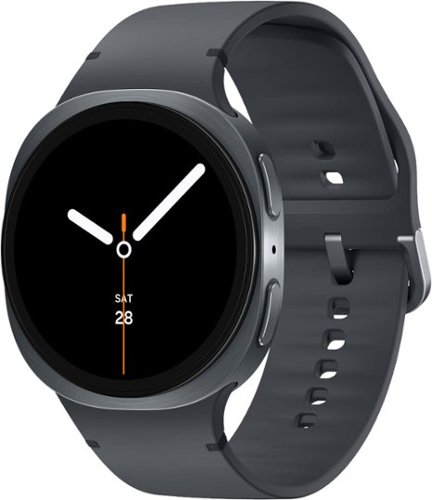
Galaxy Watch8 is built for those who never settle when it comes to self improvement. With a sporty yet sleek design, it packs a serious punch of enhanced performance, longer battery life and smart health tracking to keep you locked into your health and wellness goals, wherever they may take you. Your Watch8 works around the clock because a healthy lifestyle starts with healthy sleep. Advanced Sleep Tracking doesn~t just log hours, but it also takes a closer look at everything that happened while you snoozed. Wake up feeling lethargic? Get a full report on your sleep behavior, environment and disruptions, such as snoring. And when it~s time to get back on your feet for a new day and a new workout, you~re equipped with the insights you need to stay motivated with Energy Score. Need to multitask during your workout? Simply raise your wrist and speak naturally to send a text to meet up with a friend later, set a timer for your next mile or pull up your past run times. Watch8 is powerful and features an improved battery built to keep up with your longest bike rides without weighing you down. Thanks to a thinner, lighter body and dynamic strap system that molds to your wrist, you~ll almost forget your Watch is there as it tracks even the most intense workouts. Plus, the bright screen is visible even when you have to hit the trail in full sun. Galaxy Watch8 is more than a watch it~s a health coach and tracker that fits your wrist and your lifestyle.
Samsug phones are android? Is the watch suitable for iPhone features ?
Hello JLaufman, thank you for taking the time to ask us your question about the Samsung Galaxy Watch8. No, the advertised Galaxy Watch8 is not compatible with iPhones. Samsung requires an Android phone (running Android 10 or later) with Google Mobile Services to set up, activate, and use the Galaxy Watch8, as it relies on Wear OS and the Galaxy Wearable app, which is not available on iOS. If you have any other questions for us or if you would like further assistance, please feel free to reach out to Support. Thanks for choosing Samsung! - Debra
3 months, 1 week ago
by
Posted by:
Samsung
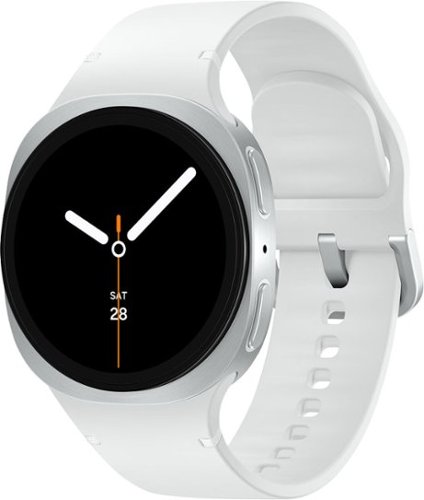
Galaxy Watch8 is built for those who never settle when it comes to self improvement. With a sporty yet sleek design, it packs a serious punch of enhanced performance, longer battery life and smart health tracking to keep you locked into your health and wellness goals, wherever they may take you. Your Watch8 works around the clock because a healthy lifestyle starts with healthy sleep. Advanced Sleep Tracking doesn~t just log hours, but it also takes a closer look at everything that happened while you snoozed. Wake up feeling lethargic? Get a full report on your sleep behavior, environment and disruptions, such as snoring. And when it~s time to get back on your feet for a new day and a new workout, you~re equipped with the insights you need to stay motivated with Energy Score. Need to multitask during your workout? Simply raise your wrist and speak naturally to send a text to meet up with a friend later, set a timer for your next mile or pull up your past run times. Watch8 is powerful and features an improved battery built to keep up with your longest bike rides without weighing you down. Thanks to a thinner, lighter body and dynamic strap system that molds to your wrist, you~ll almost forget your Watch is there as it tracks even the most intense workouts. Plus, the bright screen is visible even when you have to hit the trail in full sun. Galaxy Watch8 is more than a watch it~s a health coach and tracker that fits your wrist and your lifestyle.
If I want this watch to track my swimming or gym workouts do I have to carry the phone into the pool area or gym or will the watch store the info to be synced with the app on the phone later on?
Aloha MJinOakton, thanks for taking the opportunity to ask us your question about the Samsung Galaxy Watch8. No, you do not need to carry your phone into the pool area or gym to track your workouts with the Samsung Galaxy Watch8 (SM-L320NZSAXAA).The watch will store your swimming or gym workout data locally and automatically sync it with the Samsung Health app on your phone later once they are connected again. If you have any other questions, please feel free to contact Support. Thanks for being a faithful Samsung customer. - Debra
3 months, 1 week ago
by
Posted by:
Samsung
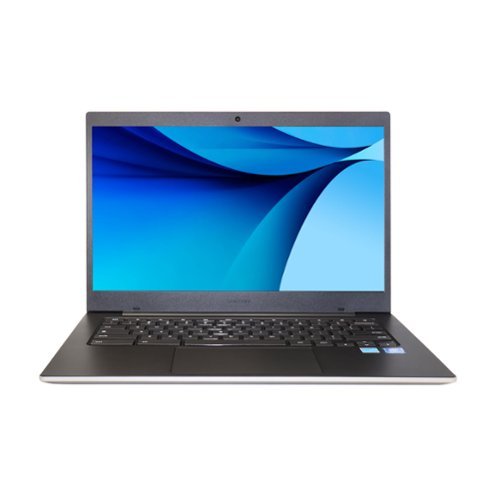
Samsung - Galaxy Chromebook Go 14" LED Laptop - Intel Celeron N4500, 4GB RAM, 64GB Storage, ChromeOS - Silver
SAMSUNG GALAXY CHROMEBOOK GO 14" LED LAPTOP - INTEL CELERON N4500, 4GB RAM, 64GB STORAGE, CHROMEOS (SILVER) Samsung Galaxy Chromebook Go 14" LED laptop is designed for students and everyday productivity, combining value, portability, and reliable performance. It features an Intel Celeron N4500 processor, 4GB RAM, 64GB storage, and ChromeOS in a slim lightweight design ideal for life on the go. Built with premium craftsmanship and military-tough durability, it is designed to withstand occasional drops and everyday wear. The long-lasting battery provides up to 12 hours of use for all-day productivity without frequent charging. Fast Wi-Fi delivers speeds up to three times faster than the previous generation for smooth browsing, assignments, and streaming. Phone and Chromebook integration allows easy file transfer and control of your phone directly from the laptop. UPC: 887276544793 MPN: XE340XDA-KA2US
When does it expire it says the year it was release was in 2025 it should last until 2030 or 2035 at best
Hey Rashadls, thanks for asking us your question about the Samsung Galaxy Chromebook Go. As of January 2024, we have extended our security update support for Samsung Galaxy devices by up to 7 years, to help our users enjoy the latest Galaxy experiences longer and securely. Monthly, quarterly and biannual firmware security updates will include patches for Android OS related security issues released by Google, as well as, patches for Samsung-specific security issues. Samsung also releases security updates for personal computers including laptops as needed. Per Google: The minimum expiration for software updates for the Galaxy Chromebook Go is June 2029. All Chromebooks released in 2021 or later, including the Chromebook Go, receive a minimum of 10 years of automatic updates from the platform's initial release date. If you have any other questions, feel free to contact Support. Thanks for being a loyal Samsung customer. -Debra
3 months, 1 week ago
by
Posted by:
Samsung
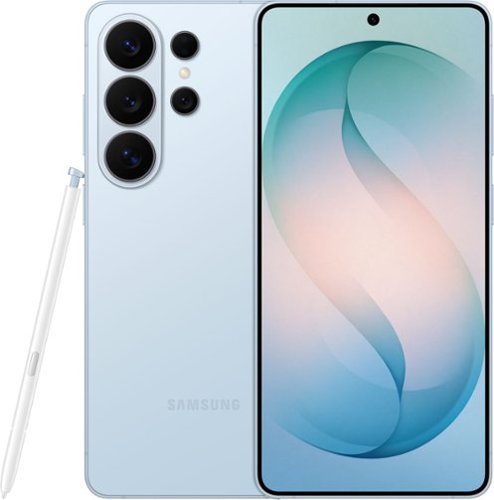
When everything just works, you stay in the moment. Samsung Galaxy S26 Ultra anticipates what you need next, empowers your creativity, delivers powerful performance with stunning, ultra-vivid viewing and even gives you the freedom to keep your screen private~whenever you choose. Out with friends and capturing the night? Nightography brings every scene to life, revealing rich detail even in low light. Snap photos or record video confidently as the night goes on, and then use Photo Assist with Galaxy AI to refine your shots in seconds ~cleaning up distractions, enhancing details and helping every memory look the way it felt. No extra apps. No slowing down. Creativity doesn~t stop once the moment is captured. Creative Studio with Galaxy AI on Galaxy S26 Ultra turns inspiration into creation, just like that. Transform photos into custom stickers, design invitations or generate entirely new images using a simple prompt ~all without switching apps or learning new tools. Whether you~re refining a memory or imagining something brand new, Galaxy AI helps bring ideas to life effortlessly, so creativity feels intuitive, not technical. When it~s time to turn ideas into plans, Galaxy S26 Ultra makes it simple. Now Nudge with Galaxy AI helps you stay on top of conversations by suggesting quick actions like adding an event, sharing a photo or finding a location ~all without slowing things down. All of this happens with privacy in mind. With the world~s first privacy display built into a phone, you can keep personal moments for your eyes only. Whether you~re creating, checking emails or just catching up, everything feels effortless and on your terms. Samsung Galaxy S26 Ultra is more than a smartphone ~it~s your companion.
This Phone is brand new?
Hello, thanks you for reaching out with your question about the Samsung Galaxy S26 Ultra. Yes, the advertised Galaxy S26 Ultra is a new device with a 12-month manufacture warranty for defects in materials and workmanship. Let us know if you have any other questions for us by contacting Support at your leisure. Thank you for being a steadfast Samsung customer. - Debra
3 months, 1 week ago
by
Posted by:
Samsung

Your favorite new health and wellness companion is here ~ Galaxy Watch7. Enhanced with Galaxy AI,~ this Watch has everything you need to keep you moving toward your health goals. Wake up on the right side of the bed every morning with an Energy Score1 that helps you understand your well-being better. Hit your morning workout while staying in touch with your world ~ make calls from your Watch and quickly respond to texts on the go with Suggested Replies.~ Then hone in on your heart health during your workout with improved Heart Rate Tracking,~ and improve each day with personalized Wellness Tips~ viewable right on your Galaxy smartphone.~ Plus, stay in the zone by streaming your favorite playlist or podcast from your Watch to your Galaxy Buds.~ Your ultimate fitness partner is now on your wrist ~ Galaxy Watch7.
Does it measure Heart Rate and Blood Pressure
Salutations Plug, thanks for your question about the Samsung Galaxy Watch7. Yes, the advertised Galaxy Watch7 measures both heart rate and blood pressure, along with ECG functionality. Blood pressure tracking requires initial and monthly re-calibration (every 28 days) using a traditional cuff-style monitor and the Samsung Health Monitor app to ensure accuracy, which is designed for general wellness rather than medical diagnosis. If you have any other questions for us or if you would like further assistance, please do not hesitate to contact Support. Thank you for being a treasured Samsung customer. - Debra
3 months, 1 week ago
by
Posted by:
Samsung
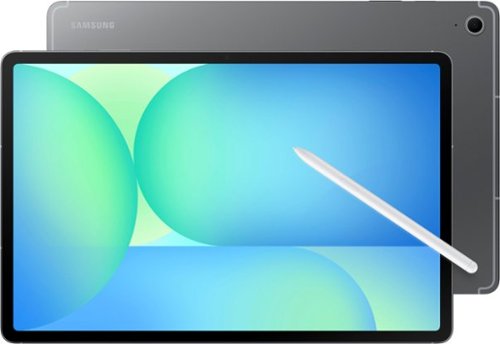
Step up your tablet game with Galaxy Tab S10 FE+. The expansive 13.1" screen brings your favorite content to life with stunning detail, whether you~re catching up on a new series, diving into your next creative project or staying on top of your to-do list. Need to look something up? Circle to Search with Google makes it easy. Whether you see a stylish jacket in a music video or a mouthwatering dish on your feed, just circle it and let the answers come to you. Its durable IP68-rated design is ready for wherever the day takes you, while the included S Pen lets you write, draw and sketch with a natural, pen-on-paper feel. And with a long-lasting, fast-charging battery, you can stream, create and explore for hours without slowing down. Discover a tablet that fits your world with Galaxy Tab S10 FE+.
Does it have an anti-reflective screen
Greetings Jeff, thank you for taking the time to ask us your question about the Samsung Galaxy Tab S10 FE+. No, the advertised Galaxy Tab S10 FE+ does not come with a built-in anti-reflective screen coating on the display itself. However, the screen is fully laminated to improve visibility. If you have additional questions for us or if you would like further assistance, please feel free to reach out to Support. Thank you for being a loyal Samsung customer. - Debra
3 months, 1 week ago
by
Posted by:
Samsung
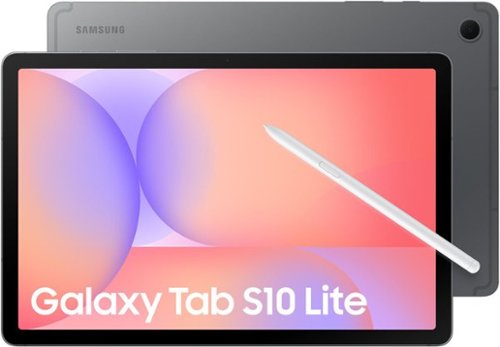
Make the most of your fun with the stylish Galaxy Tab S10 Lite. Streaming, scrolling and reading are captivating on the vivid 10.9" display. If you want to unleash your creativity, you can draw, sketch and color with natural feeling precision thanks to the responsive design of S Pen. The Exynos 1380 processor makes multitasking easier, and the 256GB internal storage allows you to download and keep more of your favorite videos, apps and photos. Tab S10 Lite is more than just fun; it has intelligent features that make getting things done easy. Clean up your notes, solve trigonometric equations and search in a snap. Have your AI assistant at your fingertips with the AI Hot Key on your keyboard. You can even control all connected smart devices in your home right from your Tab S10 Lite without leaving the couch. Tab S10 Lite is built for your everyday. It is durable enough to stand up to the occasional splash, yet still light and stylish enough to be your perfect accessory. Do all the things you love to do with Galaxy Tab S10 Lite.
Does this tablet support data transfer?
Hi there Biggare29, thanks for your question about the Samsung Galaxy Tab S10 Lite. Yes, the advertised Galaxy Tab S10 Lite supports data transfer through several methods, including Smart Switch for migrating data from old devices, Quick Share for wireless transfers, and wired USB-C connections. It allows for easy file, photo, and app transfers from Android, iOS, and PCs. Feel free to check out, "Get ready to start using your new Galaxy phone or tablet" to learn more! If you have additional questions or if you would like further assistance, please feel free to reach out to Support. Thank you for being a staunch Samsung customer. - Debra
3 months, 1 week ago
by
Posted by:
Samsung
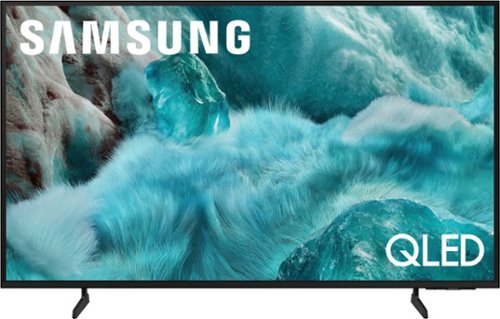
Discover a new level of visual and auditory brilliance with our next level smart TV. Powered by Pantone certified color accuracy, witness over one billion authentic hues burst forth in beautiful detail. Quantum HDR takes things further, elevating contrast for lifelike imagery. Add to that our advanced 3D audio system syncing flawlessly with on screen motion, all intelligently powered by Samsung Vision AI. And rest assured, Knox keeps your private info safe and secure.
What internet browser does this tbh use
Mayy - Samsung TVs utilize their own Internet Browsing app.
~ Samsung Specialist
~ Samsung Specialist
3 months, 1 week ago
by
Posted by:
Samsung
Discover a new level of visual and auditory brilliance with our next level smart TV. Powered by Pantone certified color accuracy, witness over one billion authentic hues burst forth in beautiful detail. Quantum HDR takes things further, elevating contrast for lifelike imagery. Add to that our advanced 3D audio system syncing flawlessly with on screen motion, all intelligently powered by Samsung Vision AI. And rest assured, Knox keeps your private info safe and secure.
What is the speed of the tv Ethernet port? is it 100 MB or 1GB?
All Samsung TVs support 100/10 Mbps LAN connectivity.
~ Samsung Specialist
~ Samsung Specialist
3 months, 1 week ago
by
Posted by:
Samsung