Samsung
Samsung's Stats
Reviews
- Review Count0
- Helpfulness Votes0
- First ReviewNone
- Last ReviewNone
- Featured Reviews0
- Average Rating0
Reviews Comments
- Review Comment Count0
- Helpfulness Votes0
- First Review CommentNone
- Last Review CommentNone
- Featured Review Comments0
Questions
- Question Count0
- Helpfulness Votes0
- First QuestionNone
- Last QuestionNone
- Featured Questions0
- Answer Count74482
- Helpfulness Votes37,985
- First AnswerApril 24, 2013
- Last AnswerSeptember 22, 2026
- Featured Answers0
- Best Answers3949
Samsung's Reviews
Samsung has not submitted any reviews.
Samsung's Questions
Samsung has not submitted any questions.
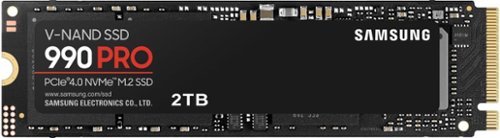
Designed for tech enthusiasts, hardcore gamers and heavy-workload professionals who want blazing fast speed. Sequential read/write speeds up to 7,450/6,900 MB/s
Is this backwards compatible with gen 3?

Agis995:
Yes, the 990 PRO is backward compatible with PCIe 3.0.
- Samsung Memory
Yes, the 990 PRO is backward compatible with PCIe 3.0.
- Samsung Memory
2 years, 10 months ago
by
Posted by:
Samsung
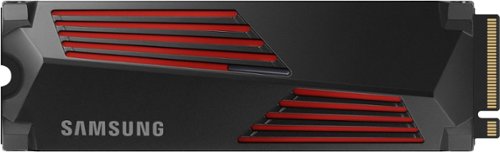
Designed for tech enthusiasts, hardcore gamers and heavy-workload professionals who want blazing fast speed. The integrated heatsink disperses heat to maintain speed, power, efficiency and thermal control, preventing downtime overheating on consoles and PCs. For console gaming, compatible only with PlayStation 5. Sequential read/write speeds up to 7,450/6,900 MB/s
Will this work/fit with a ASUS ally with Rog Ally Handheld Transfer Board 90 Degrees M2 Transfercard?
Anthony:
Specs indicate there is support for a M.2 NVMe drive, making the 990 PRO with heatsink SSD compatible.
Should you have additional questions or concerns, please contact Samsung Support.
Call: 1-800-SAMSUNG (ask for Memory or press #, then 6 for Memory products)
Available 9AM – 9PM EST (Mon-Fri)
- Samsung Memory
Specs indicate there is support for a M.2 NVMe drive, making the 990 PRO with heatsink SSD compatible.
Should you have additional questions or concerns, please contact Samsung Support.
Call: 1-800-SAMSUNG (ask for Memory or press #, then 6 for Memory products)
Available 9AM – 9PM EST (Mon-Fri)
- Samsung Memory
2 years, 10 months ago
by
Posted by:
Samsung
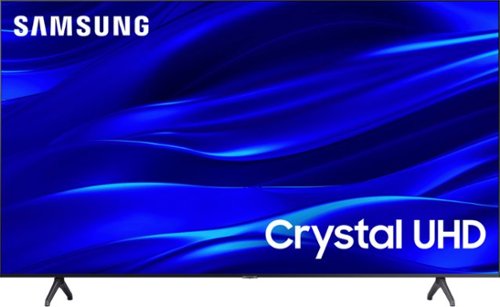
Samsung - 75" Class TU690T Crystal UHD 4K Smart Tizen TV (2023)
See how Crystal UHD with Smart TV elevates what you watch~at a value you~ll love. Go beyond HDTV to enjoy your content in 4K resolution, and in PurColor. And with Smart TV powered by Tizenbuilt in, it~s easy to find and stream the latest shows and movies in just a few clicks.
How can I easily change the resolution
Hi Resolution,
To change the picture size on your TU690T, go to Home > Settings > Picture > Picture Size Settings > Picture Size.
~Samsung Advisor
To change the picture size on your TU690T, go to Home > Settings > Picture > Picture Size Settings > Picture Size.
~Samsung Advisor
2 years, 10 months ago
by
Posted by:
Samsung
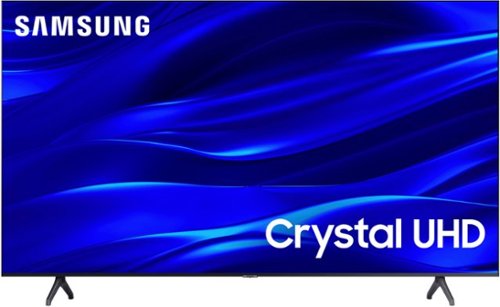
Samsung - 50" Class TU690T Series LED 4K UHD Smart Tizen TV (2023)
See how Crystal UHD with Smart TV elevates what you watch~at a value you~ll love. Go beyond HDTV to enjoy your content in 4K resolution, and in PurColor. And with Smart TV powered by Tizenbuilt in, it~s easy to find and stream the latest shows and movies in just a few clicks.
is it 5G compatible?
Hi LuisV,
The TU690T features built-in 802.11ac Wi-Fi, allowing you to connect to both 2.5GHz and 5GHz Wi-Fi band.
~Samsung Advisor
The TU690T features built-in 802.11ac Wi-Fi, allowing you to connect to both 2.5GHz and 5GHz Wi-Fi band.
~Samsung Advisor
2 years, 10 months ago
by
Posted by:
Samsung
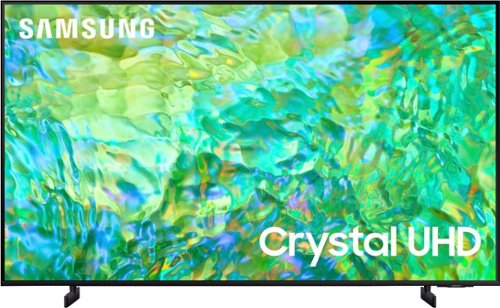
Samsung - 50" Class CU8000 Crystal UHD 4K Smart Tizen TV (2023)
One screen. All the things. With effortless performance, crowd-pleasing features and great value, you can bring home a winner~and feel like a million bucks. Watch your favorite movies and TV shows in captivating 4K resolution as the Crystal Processor automatically transforms every frame. Picture quality is improved as colors, contrast, and motion are analyzed and adjusted as you watch.
When/if I connect wired ear buds: Will it cut the regular audio mode? I'm asking this because the Samsung I'm replacing will allow me to use wired ear buds. However, another television I have will only let me use one or the other. I hope this makes sense.
Hi Hobie,
Yes, you can use both TV and Bluetooth device audio simultaneously using the Multi-Output Audio feature on the CU8000.
~Samsung Advisor
Yes, you can use both TV and Bluetooth device audio simultaneously using the Multi-Output Audio feature on the CU8000.
~Samsung Advisor
2 years, 10 months ago
by
Posted by:
Samsung
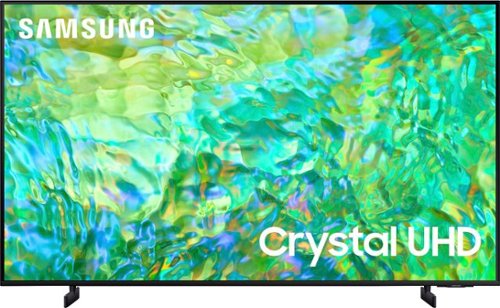
Samsung - 65" Class CU8000 Crystal UHD 4K Smart Tizen TV (2023)
One screen. All the things. With effortless performance, crowd-pleasing features and great value, you can bring home a winner~and feel like a million bucks. Watch your favorite movies and TV shows in captivating 4K resolution as the Crystal Processor automatically transforms every frame. Picture quality is improved as colors, contrast, and motion are analyzed and adjusted as you watch.
Does the CU8000 have the mulitilink option?
Hi there,
Yes, split-screen capability to view two different content side-by-side is available starting from our CU8000 Series and up using our Multi View feature. For example, you can view media from different sources, such as an app, Blu-ray player, or game console, on the main left screen while also mirroring your phone to the smaller screen. Multi-View provides you with endless possibilities for splitting screens and viewing several types of content at the same time.
~Samsung Advisor
Yes, split-screen capability to view two different content side-by-side is available starting from our CU8000 Series and up using our Multi View feature. For example, you can view media from different sources, such as an app, Blu-ray player, or game console, on the main left screen while also mirroring your phone to the smaller screen. Multi-View provides you with endless possibilities for splitting screens and viewing several types of content at the same time.
~Samsung Advisor
2 years, 10 months ago
by
Posted by:
Samsung

Samsung - Pro Plus + Adapter 128GB microSDXC Memory Card, Up-to 180MB/s, UHS-l, C10,U3,V30,A2.
Your new go-to card + adapter combo, the Micro SD PRO Plus + Adapter makes capturing seamless 4K video on compatible phones or drones a breeze. Plus, the expanded storage provides you the freedom to play more high-performance and intensive games on your tablet or gaming device. It~s all the extra space you need from a brand you can count on.
Is this SD card compatible with a Samsung tablet E. 8.0? I want to use it to expand internal storage.
Hello,
Yes, the PRO Plus is compatible with the Samsung Galaxy Tab E 8.0.
~Samsung Pro
Yes, the PRO Plus is compatible with the Samsung Galaxy Tab E 8.0.
~Samsung Pro
2 years, 10 months ago
by
Posted by:
Samsung
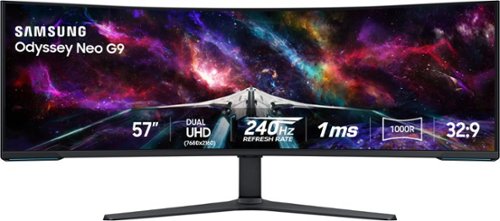
Elevate your game with the world's first Dual UHD Monitor ~ Samsung's 57" Neo G9 Curved Gaming Monitor. Features 57" screen size, 1000R curve with Quantum Matrix Technology powered by Quantum Mini LEDs for astounding levels of visual accuracy and unparalleled definition. 240Hz Refresh Rate, 1ms GTG response time and FreeSync Premium Pro, for stutter-free, hyper-fast action with all new DisplayPort 2.1. Display HDR 1000 with 1,000 nit peak brightness and 1,000,000:1 contrast ratio for enhanced color expression and depth. Cutting-edge design with CoreSync & Core Lighting+, ergonomic stand, and a multitude of convenient input options provide instant access to the game action.
What’s the point of getting this monitor if it doesn’t support a 4090 card at 240hz? Will there be any updates from the monitor or card maker that allow this?
Thanks for reaching out inquiring about the blazing fast refresh rate and high resolution of the Odyssey Neo G9. To take advantage of the full specs of the monitor (7680 x 2160 @ 240hz), the graphics card being used must support Display Port 2.1 (UHBR 13.5) or HDMI 2.1 (FRL 12GBps). I suggest contacting the manufacturer of your graphics card for more information regarding the current or future support of this technology.
2 years, 10 months ago
by
Posted by:
Samsung
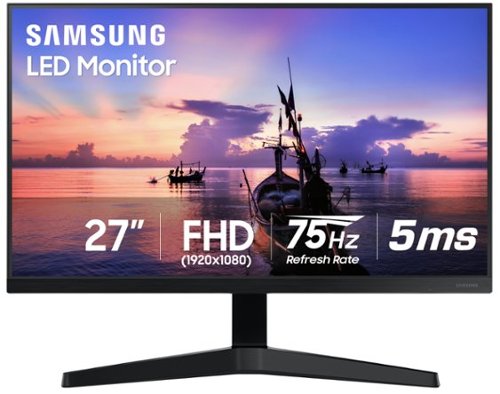
Samsung - 27" T350 Series IPS FHD, AMD FreeSync Monitor (VESA, HDMI, VGA) - Dark Blue Gray
Seamless screen with 3-sided border-less display stretches from edge to edge for immersive viewing and maximum concentration. With refined dark blue gray exterior, the screen brings more sleek and modern look.
Can a laptop computer transfer video (mirror) wirelessly to this monitor?
Thanks for reaching out regarding the mirroring support of the 27” T350. This monitor does not support wireless mirroring technology or the ability to connect wirelessly to a laptop computer.
2 years, 10 months ago
by
Posted by:
Samsung

Samsung - BESPOKE 6.3 cu. ft. Smart Slide-in Electric Range with Air Fry & Convection - White Glass
The Samsung Bespoke Front Control Slide-in Electric Range with Air Fry and Convection is fully Wi-Fi connected and voice enabled, making it easy to create delicious meals for your family fast. Create a kitchen that expresses your personal style with Bespoke appliances. This range is available in Bespoke White Glass to complement other Bespoke appliances.
Are the knobs made of metal or plastic?
Hello there,
The knobs are with stainless appearance.
You may also contact the Samsung Parts Team at (800) 627-4368, Mon - Fri 9:00 AM - 6:30 PM EST for further assistance.
Have a great day.
^Camille
The knobs are with stainless appearance.
You may also contact the Samsung Parts Team at (800) 627-4368, Mon - Fri 9:00 AM - 6:30 PM EST for further assistance.
Have a great day.
^Camille
2 years, 10 months ago
by
Posted by:
Samsung