Samsung
Samsung's Stats
Reviews
- Review Count0
- Helpfulness Votes0
- First ReviewNone
- Last ReviewNone
- Featured Reviews0
- Average Rating0
Reviews Comments
- Review Comment Count0
- Helpfulness Votes0
- First Review CommentNone
- Last Review CommentNone
- Featured Review Comments0
Questions
- Question Count0
- Helpfulness Votes0
- First QuestionNone
- Last QuestionNone
- Featured Questions0
- Answer Count74520
- Helpfulness Votes37,987
- First AnswerApril 24, 2013
- Last AnswerSeptember 24, 2026
- Featured Answers0
- Best Answers3950
Samsung's Reviews
Samsung has not submitted any reviews.
Samsung's Questions
Samsung has not submitted any questions.
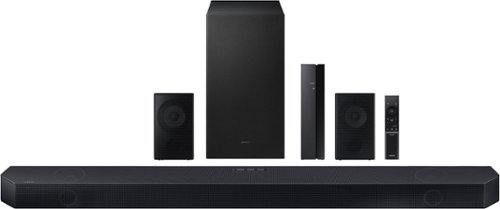
Samsung - Q series 5.1.2ch Wireless Dolby Atmos Soundbar w/ Q Symphony - Titan Black
Hear everything you see on a whole different level with this soundbar.
How do you adjust the volume of the sub and the rear speakers?

Hi SamsungUser,
By pressing on the CH LEVEL button you will be able to cycle through each channel that can be adjusted including the REAR LEVEL speakers.
For your subwoofer there are two different ways, either by pressing the TONE CONTROL button and adjusting the bass levels with the UP/DOWN buttons, or by pushing the WOOFER toggle forward or pulling it back.
~Samsung Solutions
By pressing on the CH LEVEL button you will be able to cycle through each channel that can be adjusted including the REAR LEVEL speakers.
For your subwoofer there are two different ways, either by pressing the TONE CONTROL button and adjusting the bass levels with the UP/DOWN buttons, or by pushing the WOOFER toggle forward or pulling it back.
~Samsung Solutions
3 years, 2 months ago
by
Posted by:
Samsung
Samsung - Q series 5.1.2ch Wireless Dolby Atmos Soundbar w/ Q Symphony - Titan Black
Hear everything you see on a whole different level with this soundbar.
Are the rear speakers wirelessly connected?
Hi L,
The included Wireless Rear Speaker Kit is wireless to the Soundbar itself. There is a wireless transmitter that needs to be plugged into each speaker and then they all need to be plugged in to the wall for power.
~Samsung Solutions
The included Wireless Rear Speaker Kit is wireless to the Soundbar itself. There is a wireless transmitter that needs to be plugged into each speaker and then they all need to be plugged in to the wall for power.
~Samsung Solutions
3 years, 2 months ago
by
Posted by:
Samsung
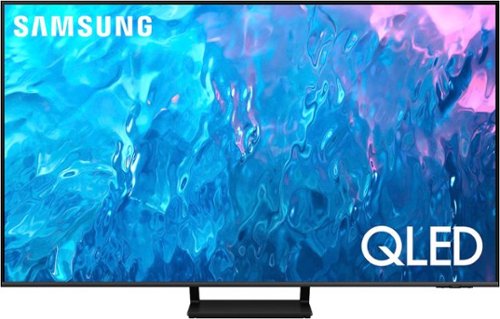
Samsung - 65" Class Q70C QLED 4K UHD Smart Tizen TV (2023)
Life can be beautiful. Don~t wait for life to show you a view worth remembering. Make your escape with 4K upscaling, impressive color volume and a mind-blowing, slim design. Enjoy content in ultra-high definition as everything is transformed into 4K resolution by the Quantum Processor. But the experience goes beyond delivering vivid contrast and 100% color volume*.
The Samsung 65" Q70C QLED 4K Smart TV only has a 1.0 ATSC (ATSC 1.0) __ Questions: - What is the actual/native refresh rate? - Can this TV support 4K with only 1.0 ATSC?
SelectiveSue - The Q70C features Motion Rate 240 (120Hz Refresh), as well as an ATSC 1.0 tuner which supports 4K resolution/content.
~ Samsung Specialist
~ Samsung Specialist
3 years, 2 months ago
by
Posted by:
Samsung
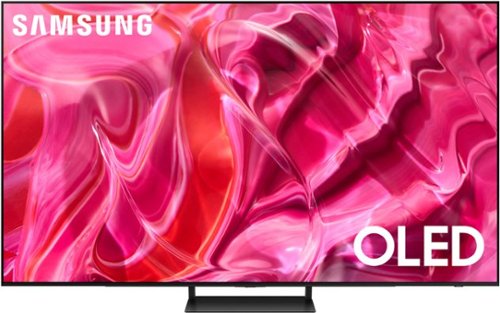
Samsung - 65" Class S90C OLED 4K UHD Smart Tizen TV (2023)
Prepare to be captivated. Whether you prefer dramatic thrillers or fantasy football, lose yourself in the viewing adventure w ith a contrast rich picture. Let your picture do the talking with the sleek and thin Laser Slim design. You~ll see pure blacks, bright whites and dramatic color, while the audio pulls you into the action thanks to Dolby Atmos built in and Object Tracking Sound Lite. The Samsung OLED experience doesn~t stop there shifting adventures is a breeze with access to the latest Smart TV apps and Samsung Gaming Hub. ~ ~ High speed internet connection, additional gaming service subscriptions and compatible controller required.
What is the difference between the S95B and this S90C??
Thanks for asking! Picture: Both the S95B and S90C feature Quantum HDR OLED which further expands the dynamic range, making it possible to go from deep black to crisp white all with a wider spectrum of cinematic colors. New in 2023, the S90C is color validated by industry leading experts at Pantone, providing you with on-screen images that look as incredible as they do in real life. Gaming: The S90C features Motion Xcelerator Turbo Pro, providing you with enhanced gaming capabilities by supporting up to 4K@144Hz for PCs on all HDMI ports. Additionally, Game Bar 3.0 adds MiniMap Sharing and Virtual Aim Point to elevate the experience for every type of gamer. Lastly, Features: The S90C adds Telemedicine for at-home care, and ConnecTime to make and receive video calls – directly from the TV itself.
~ Samsung Specialist
~ Samsung Specialist
3 years, 2 months ago
by
Posted by:
Samsung
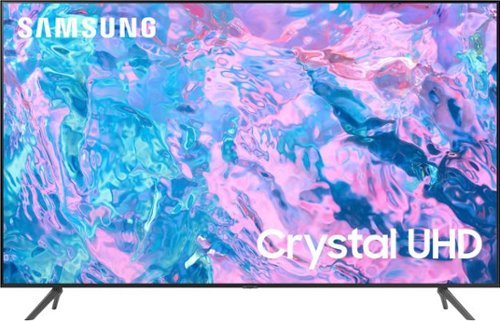
Samsung - 43 Class CU7000 Crystal UHD 4K Smart Tizen TV (2023)
True-to-life color. Effortless connectivity. Dazzling 4K value. Samsung Crystal UHD is worth a look (and more). Effortlessly access TV shows, movies and ambient content using the Samsung Smart Hub, or find a range of great games on the Samsung Gaming Hub.* Enjoy content even more clear than it was created as its upgraded to 4K resolution
Can you buy a Bezel frame to fit Model UN43CU7000EXZA?
Hi Steve316,
The Customizable Bezels are for the Samsung Frame TV.
~Samsung Advisor
The Customizable Bezels are for the Samsung Frame TV.
~Samsung Advisor
3 years, 2 months ago
by
Posted by:
Samsung
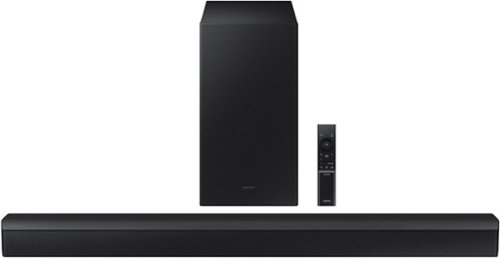
Samsung - HW-B450/ZA 2.1ch Soundbar with DOLBY AUDIO/ DTS 2.0 CHANNEL - Black
Take your audio setup to the next level with the B450. Bass tones come alive and create a more well rounded sound with the included subwoofer~. And if you want to crank it up even more, Bass Boost amplifies the deeper tones at the touch of a button. Whether you~re playing games or kicking back with your favorite show, Adaptive Sound Lite enhances and optimizes your entertainment. Plus, you can seamlessly pair mobile devices with Bluetooth~ TV Connection~. ~Applicable on Q series, B models and S8 series. ~Please check whether your TV is Bluetooth~ compatible.
Why does my suberwoofer occasionally cut out ? It didn’t do this when I first started using.
Hi Mike,
For any troubleshooting questions, please contact Samsung Customer Support directly at 1-800-SAMSUNG (ask for Soundbars), available 8 AM – 12 AM EST, 7 days a week.
LiveChat with an agent by clicking the ‘Support’ link on the Samsung website.
~Samsung Solutions
For any troubleshooting questions, please contact Samsung Customer Support directly at 1-800-SAMSUNG (ask for Soundbars), available 8 AM – 12 AM EST, 7 days a week.
LiveChat with an agent by clicking the ‘Support’ link on the Samsung website.
~Samsung Solutions
3 years, 2 months ago
by
Posted by:
Samsung
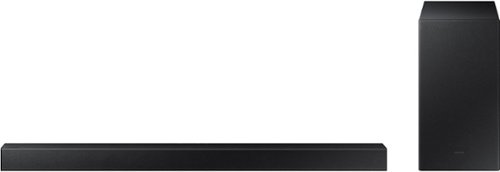
Samsung - 2.1-Channel Soundbar with Wireless Subwoofer and DOLBY AUDIO / DTS 2.0 - Black
Elevate your audio experience with high-quality optimized sound. The power of Samsung sound bar HW-A430/ZA makes surround soundbar comes to life with speakers that fire all around you.
Does this sound bar replace the TV speakers or work in addition to the TV speakers to enhance the sound? In other words, or can I use both together at the same time, or do I have to choose between sound bar or the TV speakers? Thank you.
Hi Helen,
If you are using the HW-A430 Soundbar with your TV then it will replace the TV speakers and cannot be used at the same time.
~Samsung Solutions
If you are using the HW-A430 Soundbar with your TV then it will replace the TV speakers and cannot be used at the same time.
~Samsung Solutions
3 years, 2 months ago
by
Posted by:
Samsung
Samsung - HW-B450/ZA 2.1ch Soundbar with DOLBY AUDIO/ DTS 2.0 CHANNEL - Black
Take your audio setup to the next level with the B450. Bass tones come alive and create a more well rounded sound with the included subwoofer~. And if you want to crank it up even more, Bass Boost amplifies the deeper tones at the touch of a button. Whether you~re playing games or kicking back with your favorite show, Adaptive Sound Lite enhances and optimizes your entertainment. Plus, you can seamlessly pair mobile devices with Bluetooth~ TV Connection~. ~Applicable on Q series, B models and S8 series. ~Please check whether your TV is Bluetooth~ compatible.
I bought this setup and love it but I want a little more bass is there another subwoofer I can buy to add to the bass
Hello Coleslaw,
The HW-B450 Soundbar is exclusively compatible with the provided Wireless Subwoofer.
You can try manually optimizing your settings by pressing the SOUND MODE button on your remote, and then select the desired sound effect by choosing SURROUND SOUND - GAME – ADAPTIVE LITE - BASS BOOST - STANDARD
Additionally, there are two additional adjustments that can be made for bass and subwoofer:
1) Using the WOOFER button on the remote, you can adjust the volume of the subwoofer between -6 to +6 by toggling the button up or down. To set the subwoofer volume level to 0, press the button down
2) Adjust the BASS or TREBLE by pressing the TONE CONTROL button on the remote control, then you will use the UP/DOWN buttons to adjust either between -6 to +6.
For precise audio adjustments, you can use the 7-band frequency equalizer to optimize the sound for your room acoustics by pressing and holding the SOUND CONTROL button for about 5 seconds, make sure you also set the SOUND MODE to STANDARD.
~Samsung Solutions
The HW-B450 Soundbar is exclusively compatible with the provided Wireless Subwoofer.
You can try manually optimizing your settings by pressing the SOUND MODE button on your remote, and then select the desired sound effect by choosing SURROUND SOUND - GAME – ADAPTIVE LITE - BASS BOOST - STANDARD
Additionally, there are two additional adjustments that can be made for bass and subwoofer:
1) Using the WOOFER button on the remote, you can adjust the volume of the subwoofer between -6 to +6 by toggling the button up or down. To set the subwoofer volume level to 0, press the button down
2) Adjust the BASS or TREBLE by pressing the TONE CONTROL button on the remote control, then you will use the UP/DOWN buttons to adjust either between -6 to +6.
For precise audio adjustments, you can use the 7-band frequency equalizer to optimize the sound for your room acoustics by pressing and holding the SOUND CONTROL button for about 5 seconds, make sure you also set the SOUND MODE to STANDARD.
~Samsung Solutions
3 years, 2 months ago
by
Posted by:
Samsung
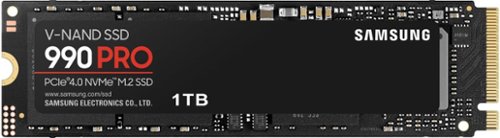
Designed for tech enthusiasts, hardcore gamers and heavy-workload professionals who want blazing fast speed. Sequential read/write speeds up to 7,450/6,900 MB/s
Will this fit LG Gram 14Z90RS? With or without a heatsink?
Query:
Both the 990 PRO and 990 PRO with heatsink should be able to fit in the LG Gram 14Z90RS. With its slim size, 990 PRO with Heatsink is a perfect fit for desktops and laptops that meet the PCI-SIG D8 standard.
- Samsung Memory
Both the 990 PRO and 990 PRO with heatsink should be able to fit in the LG Gram 14Z90RS. With its slim size, 990 PRO with Heatsink is a perfect fit for desktops and laptops that meet the PCI-SIG D8 standard.
- Samsung Memory
3 years, 2 months ago
by
Posted by:
Samsung
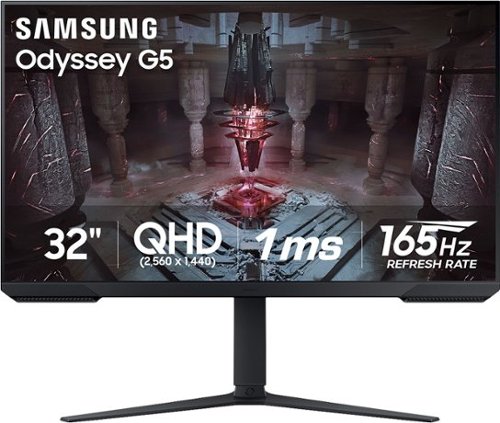
Samsung - Odyssey G51C 32" QHD FreeSync Premium Gaming Monitor with HDR10 (DisplayPort, HDMI) - Black
Explore Samsung~s 32" Odyssey G51C gaming monitor with 165Hz refresh rate and 1ms response time (MPRT). QHD resolution creates a gaming world more lifelike than ever before, with incredibly detailed, pin-sharp images. Experience vibrant, awe-inspiring graphics and find hidden details with HDR10. Featuring AMD FreeSync Premium and ergonomic design, the G51C is ideal for uninterrupted and beyond-comfortable gaming.
Is the hdmi that comes with the monitor capable of doing 165hz? Because my laptop only have a hdmi port not a dp port.
Thank you for your question! HDMI is unable to support 165hz. The maximum refresh rate for HDMI is 144hz, DP 165hz.
3 years, 2 months ago
by
Posted by:
Samsung