Samsung
Samsung's Stats
Reviews
- Review Count0
- Helpfulness Votes0
- First ReviewNone
- Last ReviewNone
- Featured Reviews0
- Average Rating0
Reviews Comments
- Review Comment Count0
- Helpfulness Votes0
- First Review CommentNone
- Last Review CommentNone
- Featured Review Comments0
Questions
- Question Count0
- Helpfulness Votes0
- First QuestionNone
- Last QuestionNone
- Featured Questions0
- Answer Count74536
- Helpfulness Votes37,987
- First AnswerApril 24, 2013
- Last AnswerSeptember 25, 2026
- Featured Answers0
- Best Answers3950
Samsung's Reviews
Samsung has not submitted any reviews.
Samsung's Questions
Samsung has not submitted any questions.

Samsung - HW-S60B 5.0ch All in One Soundbar with Wireless Dolby Atmos - Black
Enjoy room filling sound in an all in one design. Hear Dolby Atmos sound from above and around without requiring HDMI cables. Perfectly synchronized TV and soundbar sound brings a new level of immersion. Don't miss a word, thanks to a built in center speaker. Plus, play your favorite songs with Alexa built in.
I have a Samsung tv in my beach condo mounted on the wall. I want a wireless soundbar that works with it and the remote for sound without seeing a wire run up the wall to the tv

Hi Ed,
The HW-S60B Soundbar has the ability to connect using either Bluetooth or Wi-Fi, if your TV can connect using either of these then you will be all set.
~Samsung Solutions
The HW-S60B Soundbar has the ability to connect using either Bluetooth or Wi-Fi, if your TV can connect using either of these then you will be all set.
~Samsung Solutions
3 years, 5 months ago
by
Posted by:
Samsung
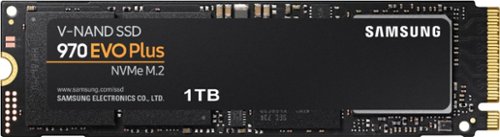
Samsung - 970 EVO Plus 1TB Internal SSD PCIe Gen 3 x4 NVMe
The ultimate in speed and performance Speed up your computer with this Samsung 970 Evo Plus 1TB internal SSD. It maximizes the potential of NVMe bandwidth for unbeatable computing The M.2 interface is capable of delivering read speeds up to 3,500MB/sec. and write speeds up to 3,300MB/sec., so you can finish work faster. Samsung's innovative technology empowers you with the capacity to do more and accomplish more. The 970 EVO Plus provides exceptional endurance powered by the latest V-NAND technology and Samsung's reputation for quality. This Samsung 970 Evo Plus 1TB internal SSD has Dynamic Thermal Guard technology for protection against overheating.
hello, i was wondering if this ssd had a tool that i can use to erase the whole ssd.
runo:
So that we can better troubleshoot towards a solution, please reach out to Samsung Support at:
1-800-SAMSUNG (ask for Memory or press #, then 6 for Memory products)
Available 9AM – 9PM EST (Mon-Fri)
- Samsung Memory
So that we can better troubleshoot towards a solution, please reach out to Samsung Support at:
1-800-SAMSUNG (ask for Memory or press #, then 6 for Memory products)
Available 9AM – 9PM EST (Mon-Fri)
- Samsung Memory
3 years, 5 months ago
by
Posted by:
Samsung
Samsung - 970 EVO Plus 1TB Internal SSD PCIe Gen 3 x4 NVMe
The ultimate in speed and performance Speed up your computer with this Samsung 970 Evo Plus 1TB internal SSD. It maximizes the potential of NVMe bandwidth for unbeatable computing The M.2 interface is capable of delivering read speeds up to 3,500MB/sec. and write speeds up to 3,300MB/sec., so you can finish work faster. Samsung's innovative technology empowers you with the capacity to do more and accomplish more. The 970 EVO Plus provides exceptional endurance powered by the latest V-NAND technology and Samsung's reputation for quality. This Samsung 970 Evo Plus 1TB internal SSD has Dynamic Thermal Guard technology for protection against overheating.
Can this be installed in an Xbox one s,and used at its full potential Making it run as fast as current gen runs?
Chewy:
No, the 970 EVO Plus is not compatible with the XBOX One S, you will need a SATA or Portable SS and not a M.2 SSD.
- Samsung Memory
No, the 970 EVO Plus is not compatible with the XBOX One S, you will need a SATA or Portable SS and not a M.2 SSD.
- Samsung Memory
3 years, 5 months ago
by
Posted by:
Samsung
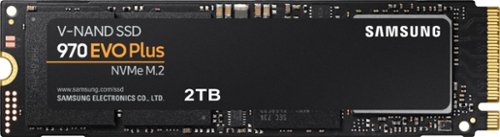
Samsung - 970 EVO Plus 2TB Internal SSD PCIe Gen 3 x4 NVMe
Upgrade your computer for high-end gaming or video editing with this Samsung 970 EVO Plus NVMe SSD. The 2TB capacity lets you store large-size media files and programs, and the Smart Magician software monitors drive health. This Samsung 970 EVO Plus NVMe SSD features sequential read speeds up to 3500MB/sec. for exceptional performance and prompt boot times.
Will this work on a lg gram 17z90p
PD17:
Yes, the 970 EVO Plus is compatible as indicated by LG gram specs.
- Samsung Memory
Yes, the 970 EVO Plus is compatible as indicated by LG gram specs.
- Samsung Memory
3 years, 5 months ago
by
Posted by:
Samsung
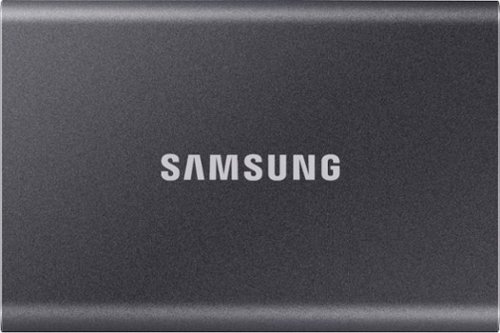
Secure and protect your data with this gray Samsung T7 2TB portable SSD. Large files transfer rapidly with USB 3.2 Gen 2 technology, and the durable thermal construction defends against impact and overheating. This Samsung T7 2TB portable SSD includes software and two cable types to simplify firmware updates and file management across multiple select platforms.
How do you get better write speeds out of this ssd? It advertises up to 1050 mb/s but I'm only getting under 1mb-7mb tops in backing up documents to the drive :( I'm connecting thru USB c to my laptop
Images for this Question
(click to see full-size image)

Kate:
The maximum transfer speed that can be achieved by the T7 is 1,050MB/s on a PC that supports USB 3.2 Gen2, UASP mode, but the speed may vary depending on your PC environment and the types of data being transferred. Please look to the details below for possible causes (and solutions) if you think your T7 is under performing.
Scenario 1 (PC Environment)
Your PC's USB Type C Port must support USB 3.2 Gen 2 (10Gbps) in order to fully utilize the speed of the T7. USB 3.0 Gen.1, USB 3.1 Gen 1. USB 3.2 Gen.1 are restricted to 5Gbs speeds any may be the bottleneck to the performance of your T7.
Scenario 2 (Cable)
Using other cables besides the enclosed cable that comes with the T7 may cause performance degradation. Due to the varying internal resistance and maximum allowable current of other the cable types that does not come officially with the T7.
Scenario 3 (Dynamic Thermal Guard, DTG)
The T7 is designed to activate the DTG (Dynamic Thermal Guard) when the product reaches a its threshold temperature due to prolonged data transfers and usage. The smartly activated DTG function prevents the product from overheating and automatically slows down providing it a cool off period. The DTG technology enhances safety and reliability by preventing the product from reaching an excessively high temperature.
As there are various factors that could affect speed, I would encourage you to call Samsung Customer Support if you need further assistance to troubleshoot your issue.
Call: 1-800-SAMSUNG (ask for Memory or press #, then 6 for Memory products)
Available 9AM – 9PM EST (Mon-Fri)
- Samsung Memory
The maximum transfer speed that can be achieved by the T7 is 1,050MB/s on a PC that supports USB 3.2 Gen2, UASP mode, but the speed may vary depending on your PC environment and the types of data being transferred. Please look to the details below for possible causes (and solutions) if you think your T7 is under performing.
Scenario 1 (PC Environment)
Your PC's USB Type C Port must support USB 3.2 Gen 2 (10Gbps) in order to fully utilize the speed of the T7. USB 3.0 Gen.1, USB 3.1 Gen 1. USB 3.2 Gen.1 are restricted to 5Gbs speeds any may be the bottleneck to the performance of your T7.
Scenario 2 (Cable)
Using other cables besides the enclosed cable that comes with the T7 may cause performance degradation. Due to the varying internal resistance and maximum allowable current of other the cable types that does not come officially with the T7.
Scenario 3 (Dynamic Thermal Guard, DTG)
The T7 is designed to activate the DTG (Dynamic Thermal Guard) when the product reaches a its threshold temperature due to prolonged data transfers and usage. The smartly activated DTG function prevents the product from overheating and automatically slows down providing it a cool off period. The DTG technology enhances safety and reliability by preventing the product from reaching an excessively high temperature.
As there are various factors that could affect speed, I would encourage you to call Samsung Customer Support if you need further assistance to troubleshoot your issue.
Call: 1-800-SAMSUNG (ask for Memory or press #, then 6 for Memory products)
Available 9AM – 9PM EST (Mon-Fri)
- Samsung Memory
3 years, 5 months ago
by
Posted by:
Samsung
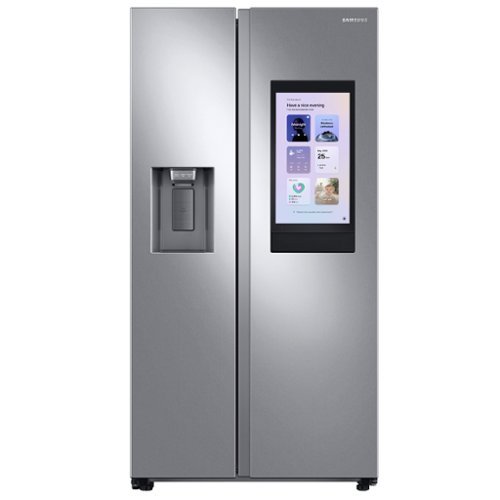
Samsung's Family Hub side-by-side large capacity refrigerator is beautifully designed with a minimal display dispenser, modern design that blends beautifully into your kitchen, and a finish that withstands everyday smudges.
Does this make craft ice
Greetings!
We appreciate your question about the ice created by this Samsung refrigerator model.
A normal ice cube from a Samsung fridge should be a cloudy white color and be shaped like an orange slice. Samsung ice makers use rapid freezing technology which traps small amounts of minerals, oxygen, and nitrogen inside the ice cube, giving it a cloudy appearance. Therefore, it's normal for the ice to be white and foggy. These ice made are not craft ice.
Leo
We appreciate your question about the ice created by this Samsung refrigerator model.
A normal ice cube from a Samsung fridge should be a cloudy white color and be shaped like an orange slice. Samsung ice makers use rapid freezing technology which traps small amounts of minerals, oxygen, and nitrogen inside the ice cube, giving it a cloudy appearance. Therefore, it's normal for the ice to be white and foggy. These ice made are not craft ice.
Leo
3 years, 5 months ago
by
Posted by:
Samsung
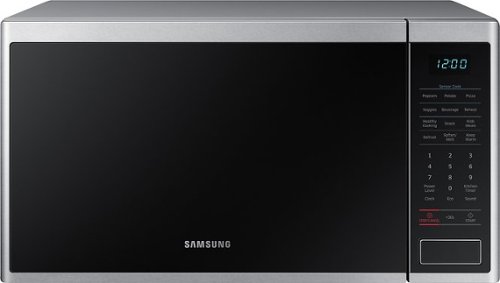
Samsung - 1.4 cu. ft. Countertop Microwave with Sensor Cook - Stainless Steel
The Samsung Countertop Microwave makes preparing multiple dishes effortless with 1.4 cu. ft. capacity. Designed with a scratch-resistant interior, this modern microwave features Sensor Cooking options which automatically provide optimal cooking results.
What is the length of the electrical cord and where does it exit the unit?
Greetings,
We appreciate your inquiry about the length of the power cord.
The power cord length is 39.37", and you can plug it at the back of the microwave.
Thank you for choosing Samsung and have a great day!
^Rainly
We appreciate your inquiry about the length of the power cord.
The power cord length is 39.37", and you can plug it at the back of the microwave.
Thank you for choosing Samsung and have a great day!
^Rainly
3 years, 5 months ago
by
Posted by:
Samsung
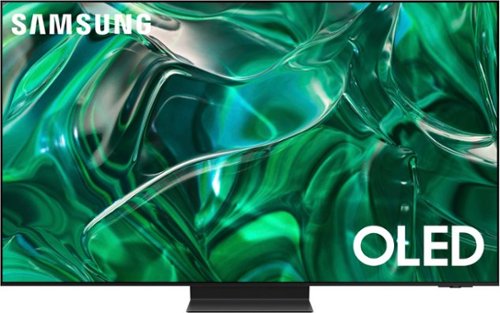
Samsung - 55" Class S95C OLED 4K UHD Smart Tizen TV (2023)
Steal the show with the bold contrast, dramatic sound, and vibrant colors of Samsung OLED. Samsung~s Infinity One Design is sleek, slim and impossibly thin. Imagination becomes reality with the infinite amount of dramatic detail made possible by self-illuminating pixels. Sit back and be mesmerized as your content is transformed to 4K. Priority Order
Does this TV have a One Connect Box, and if it does what are the dimensions?
Hi CoolBreeze - Yes, the S95C TV uses a One Connect Box. The dimensions of the One Connect Box are 14.2" x 1.3" x 13" (W x H x D).
~ Samsung Specialist
~ Samsung Specialist
3 years, 5 months ago
by
Posted by:
Samsung
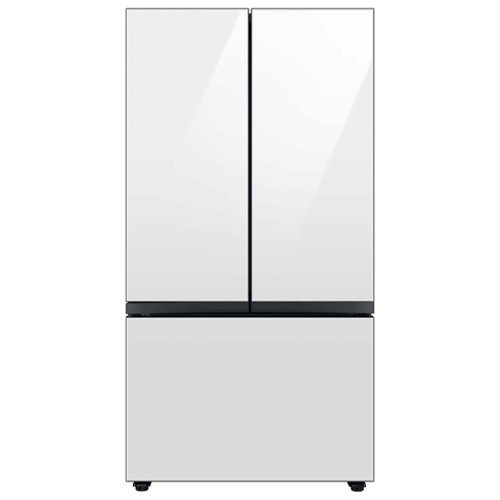
Samsung - BESPOKE 24 cu. ft. 3-Door French Door Counter Depth Smart Refrigerator with Beverage Center - White Glass
Counter Depth 3-Door French Door Refrigerator with customizable and changeable door panels available in a variety of colors and finishes. A revolution in convenience and design, the concealed Beverage Center features both a water dispenser and AutoFill Water Pitcher, plus a Dual Ice Maker with cubed ice and Ice Bites
Our refrigerator location has an exposed left side. Is there a way to get a white model and have the side(s) in white? I notice the GE Cafe will sell a white panel that slips over the side of the unit that is white. Does Samsung do the same?
Hi Shish,
We appreciate your question about a white panel that can cover the sides of this Samsung refrigerator model.
We understand the importance of having to cover the exposed side of the refrigerator and at this point, we do not have a panel that slips over the side of the unit.
I will be sure to pass on what you have suggested here about illumination for its ice and water dispenser to our product team for current and future product developments.
Leo
We appreciate your question about a white panel that can cover the sides of this Samsung refrigerator model.
We understand the importance of having to cover the exposed side of the refrigerator and at this point, we do not have a panel that slips over the side of the unit.
I will be sure to pass on what you have suggested here about illumination for its ice and water dispenser to our product team for current and future product developments.
Leo
3 years, 5 months ago
by
Posted by:
Samsung
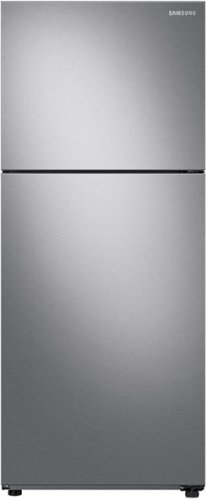
Samsung - 15.6 cu. ft. Top Freezer Refrigerator with All-Around Cooling - Stainless Steel
15.6 cu. ft. capacity Top Freezer Refrigerator with All-Around Cooling is beautifully designed with a modern look that blends seamlessly into your kitchen.
If there is only one temperature control in this refrigerator, how do you ensure the freezer keeps items frozen while the refrigerator portion doesn't freeze contents?
Hi Mel,
We appreciate your question about keeping the temperature in the fridge and the freezer separate.
Each compartment (Fridge and Freezer) has independent temperature sensors and fans. So it adjusts its performance to operate efficiently in a wide range of external temperatures, from 38℉ to 110℉.
Leo
We appreciate your question about keeping the temperature in the fridge and the freezer separate.
Each compartment (Fridge and Freezer) has independent temperature sensors and fans. So it adjusts its performance to operate efficiently in a wide range of external temperatures, from 38℉ to 110℉.
Leo
3 years, 5 months ago
by
Posted by:
Samsung