Samsung
Samsung's Stats
Reviews
- Review Count0
- Helpfulness Votes0
- First ReviewNone
- Last ReviewNone
- Featured Reviews0
- Average Rating0
Reviews Comments
- Review Comment Count0
- Helpfulness Votes0
- First Review CommentNone
- Last Review CommentNone
- Featured Review Comments0
Questions
- Question Count0
- Helpfulness Votes0
- First QuestionNone
- Last QuestionNone
- Featured Questions0
- Answer Count74536
- Helpfulness Votes37,988
- First AnswerApril 24, 2013
- Last AnswerSeptember 25, 2026
- Featured Answers0
- Best Answers3951
Samsung's Reviews
Samsung has not submitted any reviews.
Samsung's Questions
Samsung has not submitted any questions.
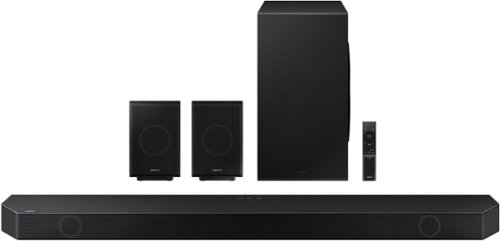
Samsung - HW-Q990B 11.1.4ch Soundbar with Wireless Dolby Atmos / DTS:X and Rear Speakers - Black
Keep your setup sleek and elegant without the clutter of wires. Enjoy enveloping sound with 11 channels, 1 subwoofer and 4 up-firing channels. Perfectly synchronized audio uses every speaker in compatible Samsung TV and soundbars. Get room filling sound designed specifically for your space.
Once I buy the Soundbar my A/V receiver would be obsolete. Can I connect the A/V receiver to the soundbar so I can listen to the FM Radio?

Hi there,
Check the user manual of your A/V receiver if it can be connected with external speakers. It will need to have an "output" that you can send the FM radio signal out from the receiver.
~Samsung Solutions
Check the user manual of your A/V receiver if it can be connected with external speakers. It will need to have an "output" that you can send the FM radio signal out from the receiver.
~Samsung Solutions
3 years, 5 months ago
by
Posted by:
Samsung
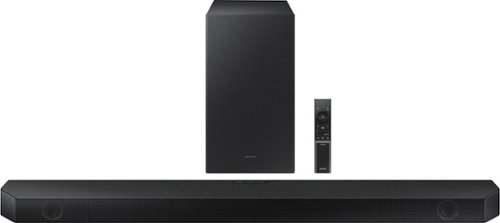
Samsung - HW-Q600B 3.1.2ch Soundbar with Dolby Atmos / DTS:X - Black
Step up your audio game with the Samsung Q600B soundbar, with realistic 3D audio thanks to Dolby Atmos DTS:X. Enjoy sound projecting all around you, including from above. With Adaptive Sound, enjoy your favorite video games and sporting events like never before. It~s the perfect way to level up your entertainment.
does it require a electrical outlet or is it powered through the hdmi port ?
Hi there,
The HW-Q600B Soundbar does require a power cord connecting to an electrical outlet.
~Samsung Solutions
The HW-Q600B Soundbar does require a power cord connecting to an electrical outlet.
~Samsung Solutions
3 years, 5 months ago
by
Posted by:
Samsung
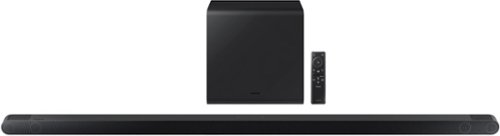
Samsung - HW-S800B 3.1.2ch Soundbar with Wireless Dolby Atmos / DTS:X - Black
Unbelievably sleek, low-profile soundbar delivers high quality audio in a super slim package. Enjoy a surround sound experience with Dolby Atmos and skip the need for HDMI cables. Synchronized audio using every speaker in compatible Samsung TV and soundbars. Simply pair the soundbar with a compatible iPhone or other iOS device to play music.
Subwoofer seems to be giving out very little output
Hello Kat1,
To optimize your audio experience, please try the various sound modes this model offers. Press the SOUND MODE button on your remote, and then select your desired sound effect: DTS VIRTUAL:X, STANDARD, MUSIC, or ADAPTIVE.
You can adjust TREBLE and BASS via the TONE CONTROL button using the UP/DOWN buttons on the remote between -6 to +6.
Press and hold the SOUND CONTROL button for about 5 seconds to adjust the sound for each frequency band. 150Hz, 300Hz, 600Hz, 1.2kHz, 2.5kHz, 5kHz, and 10kHz are selectable using the Left/Right buttons and each can be adjusted to a setting between -6 to +6 using the Up/Down buttons. (Make sure the Sound mode is set to "Standard".
~Samsung Solutions
To optimize your audio experience, please try the various sound modes this model offers. Press the SOUND MODE button on your remote, and then select your desired sound effect: DTS VIRTUAL:X, STANDARD, MUSIC, or ADAPTIVE.
You can adjust TREBLE and BASS via the TONE CONTROL button using the UP/DOWN buttons on the remote between -6 to +6.
Press and hold the SOUND CONTROL button for about 5 seconds to adjust the sound for each frequency band. 150Hz, 300Hz, 600Hz, 1.2kHz, 2.5kHz, 5kHz, and 10kHz are selectable using the Left/Right buttons and each can be adjusted to a setting between -6 to +6 using the Up/Down buttons. (Make sure the Sound mode is set to "Standard".
~Samsung Solutions
3 years, 5 months ago
by
Posted by:
Samsung

Samsung - HW-LST70T/ZA 3.0 Channel Terrace Series Soundbar, Dolby Digital 5.1, for outdoor use - Titan Black
Listen to your favorite music anywhere with this Samsung outdoor soundbar. The weather-resistant, water-resistant and dust-resistant design offers dependable durability, while the built-in woofer has a 210W output for powerful sound reproduction. This Samsung outdoor soundbar features Bluetooth and Wi-Fi connectivity for smooth audio streaming, and Alexa support enables easy hands-free operation.
Does the Soundbar come with a subwoofer like other sound bars do? Because I did not receive any with my sound bar that just arrived about thirty minutes ago.
Hi there.
The Terrace Soundbar does not come with a subwoofer.
~Samsung Solutions
The Terrace Soundbar does not come with a subwoofer.
~Samsung Solutions
3 years, 5 months ago
by
Posted by:
Samsung
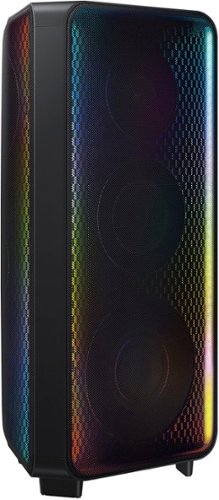
Get the party started with the Samsung MX-ST90B Sound Tower and fill the room with rich sound and LED party lighting.
Where are the 2 XLR inputs?
Hello John,
The Sound Towers will use 1/4" standard connections for karaoke microphones, not XLR inputs.
~Samsung Solutions
The Sound Towers will use 1/4" standard connections for karaoke microphones, not XLR inputs.
~Samsung Solutions
3 years, 5 months ago
by
Posted by:
Samsung

Samsung - HW-B650/ZA 3.1 Channel Soundbar with Wireless Subwoofer, Dolby 5.1 / DTS Virtual:X - Black
Dolby Atmos creates realistic 3D sound by projecting it from all around you, including from above, while DTS Virtual: X expands your listening experience without having to add extra speakers. Boost the bass with a touch of a button. The built-in center speaker delivers enhanced dialogue so you won't miss a word. Experience the intensity of action movies with the powerful bass coming from the included subwoofer. Enjoy optimized audio with enhanced voice clarity on all your favorite video content.
I have tried everything and my Apple TV 4K lip sync is way off. My Samsung tv and the sound bar works great but there are some apps I can’t get on the tv that I have to use Apple TV. Any help would be amazing!
Hi there,
If you are using a 2020, 2021, 2022, or 2023 Samsung TV, then you will have a feature called Audio Pass-Through. You can utilize this feature on your Samsung TV to correct your audio-sync issue.
On your TV go to: Settings > Audio > Expert Settings > Digital Audio Output Format > Pass-Through.
If you are still experiencing any audio delay issues, then contact Samsung Customer Support for more in-depth troubleshooting.
~Samsung Solutions
If you are using a 2020, 2021, 2022, or 2023 Samsung TV, then you will have a feature called Audio Pass-Through. You can utilize this feature on your Samsung TV to correct your audio-sync issue.
On your TV go to: Settings > Audio > Expert Settings > Digital Audio Output Format > Pass-Through.
If you are still experiencing any audio delay issues, then contact Samsung Customer Support for more in-depth troubleshooting.
~Samsung Solutions
3 years, 5 months ago
by
Posted by:
Samsung
Samsung - HW-B650/ZA 3.1 Channel Soundbar with Wireless Subwoofer, Dolby 5.1 / DTS Virtual:X - Black
Dolby Atmos creates realistic 3D sound by projecting it from all around you, including from above, while DTS Virtual: X expands your listening experience without having to add extra speakers. Boost the bass with a touch of a button. The built-in center speaker delivers enhanced dialogue so you won't miss a word. Experience the intensity of action movies with the powerful bass coming from the included subwoofer. Enjoy optimized audio with enhanced voice clarity on all your favorite video content.
how many watts is the whole system
Hi there,
The total wattage for the HW-B650 Soundbar is 430W.
~Samsung Solutions
The total wattage for the HW-B650 Soundbar is 430W.
~Samsung Solutions
3 years, 5 months ago
by
Posted by:
Samsung
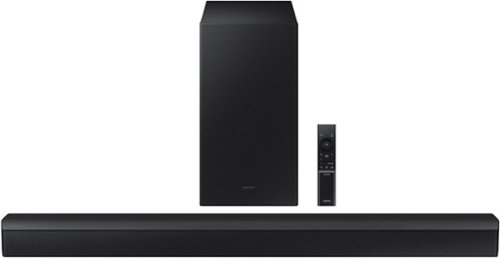
Samsung - HW-B450/ZA 2.1ch Soundbar with DOLBY AUDIO/ DTS 2.0 CHANNEL - Black
Take your audio setup to the next level with the B450. Bass tones come alive and create a more well rounded sound with the included subwoofer~. And if you want to crank it up even more, Bass Boost amplifies the deeper tones at the touch of a button. Whether you~re playing games or kicking back with your favorite show, Adaptive Sound Lite enhances and optimizes your entertainment. Plus, you can seamlessly pair mobile devices with Bluetooth~ TV Connection~. ~Applicable on Q series, B models and S8 series. ~Please check whether your TV is Bluetooth~ compatible.
Hi,when you guys say the soundbar is wireless what about the subwoofer does it also wireless or rechargeable?
Hi there,
The HW-B450 Soundbar has a wireless subwoofer, meaning that it doesn't use any cables to connect to the soundbar unit. The subwoofer does not have an internal battery, so it will need to be connected to the wall for power.
~Samsung Solutions
The HW-B450 Soundbar has a wireless subwoofer, meaning that it doesn't use any cables to connect to the soundbar unit. The subwoofer does not have an internal battery, so it will need to be connected to the wall for power.
~Samsung Solutions
3 years, 5 months ago
by
Posted by:
Samsung
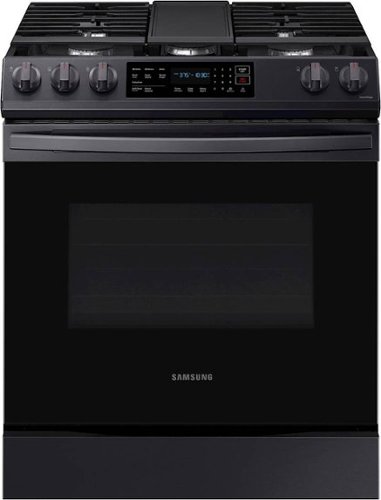
Samsung - 6.0 cu. ft. Front Control Slide-In Gas Range with Convection & Wi-Fi, Fingerprint Resistant - Black Stainless Steel
The Samsung Front Control Slide-In Gas Range with Convection is fully Wi-Fi connected and voice enabled, making it easy to create delicious meals for your family faster.
Does the LP conversion kit come with the range?
Good day, Smokinjoe.
Yes, an LP conversion kit is provided with the range.
Have a wonderful day!
—Vannesa
Yes, an LP conversion kit is provided with the range.
Have a wonderful day!
—Vannesa
3 years, 5 months ago
by
Posted by:
Samsung
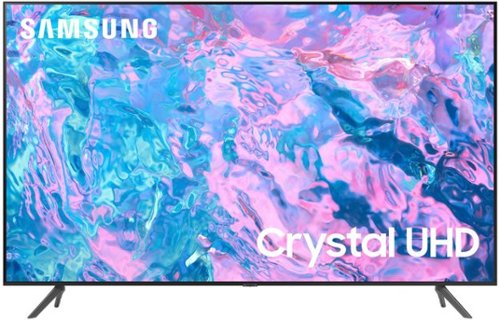
Samsung - 65 Class CU7000 Crystal UHD 4K Smart Tizen TV (2023)
True-to-life color. Effortless connectivity. Dazzling 4K value. Samsung Crystal UHD is worth a look (and more). Effortlessly access TV shows, movies and ambient content using the Samsung Smart Hub, or find a range of great games on the Samsung Gaming Hub.* Enjoy content even more clear than it was created as its upgraded to 4K resolution
what does "voice remote" mean?
Hi gips,
The voice remote, available on the CU8000 TV and above, has Bixby, Alexa, and Google Assistant built-in to control your TV with just your voice. Use built-in voice assistants to easily change the channel, play music, control smart home devices, and more.
~Samsung Advisor
The voice remote, available on the CU8000 TV and above, has Bixby, Alexa, and Google Assistant built-in to control your TV with just your voice. Use built-in voice assistants to easily change the channel, play music, control smart home devices, and more.
~Samsung Advisor
3 years, 5 months ago
by
Posted by:
Samsung