Samsung
Samsung's Stats
Reviews
- Review Count0
- Helpfulness Votes0
- First ReviewNone
- Last ReviewNone
- Featured Reviews0
- Average Rating0
Reviews Comments
- Review Comment Count0
- Helpfulness Votes0
- First Review CommentNone
- Last Review CommentNone
- Featured Review Comments0
Questions
- Question Count0
- Helpfulness Votes0
- First QuestionNone
- Last QuestionNone
- Featured Questions0
- Answer Count74536
- Helpfulness Votes37,988
- First AnswerApril 24, 2013
- Last AnswerSeptember 25, 2026
- Featured Answers0
- Best Answers3951
Samsung's Reviews
Samsung has not submitted any reviews.
Samsung's Questions
Samsung has not submitted any questions.
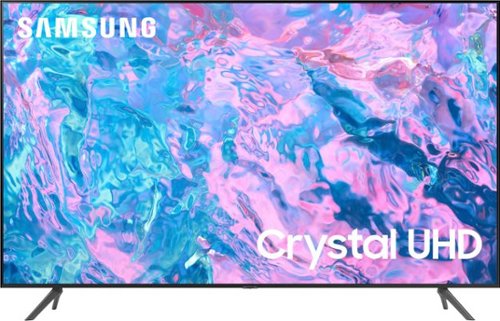
Samsung - 50 Class CU7000 Crystal UHD 4K Smart Tizen TV (2023)
True-to-life color. Effortless connectivity. Dazzling 4K value. Samsung Crystal UHD is worth a look (and more). Effortlessly access TV shows, movies and ambient content using the Samsung Smart Hub, or find a range of great games on the Samsung Gaming Hub.* Enjoy content even more clear than it was created as its upgraded to 4K resolution
How to I get this TV remote to interact with my Spectrum cable box. I cant change channels or bring up the Spectrum channel menu.

Hi JustRay,
If you want to control your cable box via your Samsung remote, you will need to connect your cable box via HDMI to the TV. To connect, please follow these directions.
To turn on Anynet+ (HDMI-CEC), go to Settings > General > External Device Manager > Anynet+ (HDMI-CEC). If your cable box does not support HDMI-CEC, you will not be able to use Anynet+.
Additionally, you can use the Universal Remote feature to program your connected devices using your TV remote by following these set-up steps:
1) Connect an external device to the TV's HDMI port, and then power on the external device. Your TV will automatically recognize the device when connected through HDMI and will switch the output. If it doesn't automatically detect it, then keep following the steps to set up Universal Remote.
2) Press the Home button on your TV remote to access the Home Screen. Using the directional pad on the remote, navigate to Source. When the selector is placed over Source, the Source menu will appear. Press UP on the directional pad to access Universal Remote.
3) Select Universal Remote on the Source screen. Next, you can select Start and make sure the device you want to connect is turned on. When your desired device displays, select it. You can follow the on-screen instructions to complete the setup and register the device. The instructions may vary depending on the chosen device type.
4) Your TV and the remote will memorize the external device and its connection port (HDMI 1, HDMI 2, etc.) to make controlling everything even easier.
If you need more help, please call us at 1-800-SAMSUNG, 8 AM - 12 AM EST, seven days a week.
~Samsung Advisor
If you want to control your cable box via your Samsung remote, you will need to connect your cable box via HDMI to the TV. To connect, please follow these directions.
To turn on Anynet+ (HDMI-CEC), go to Settings > General > External Device Manager > Anynet+ (HDMI-CEC). If your cable box does not support HDMI-CEC, you will not be able to use Anynet+.
Additionally, you can use the Universal Remote feature to program your connected devices using your TV remote by following these set-up steps:
1) Connect an external device to the TV's HDMI port, and then power on the external device. Your TV will automatically recognize the device when connected through HDMI and will switch the output. If it doesn't automatically detect it, then keep following the steps to set up Universal Remote.
2) Press the Home button on your TV remote to access the Home Screen. Using the directional pad on the remote, navigate to Source. When the selector is placed over Source, the Source menu will appear. Press UP on the directional pad to access Universal Remote.
3) Select Universal Remote on the Source screen. Next, you can select Start and make sure the device you want to connect is turned on. When your desired device displays, select it. You can follow the on-screen instructions to complete the setup and register the device. The instructions may vary depending on the chosen device type.
4) Your TV and the remote will memorize the external device and its connection port (HDMI 1, HDMI 2, etc.) to make controlling everything even easier.
If you need more help, please call us at 1-800-SAMSUNG, 8 AM - 12 AM EST, seven days a week.
~Samsung Advisor
3 years, 5 months ago
by
Posted by:
Samsung
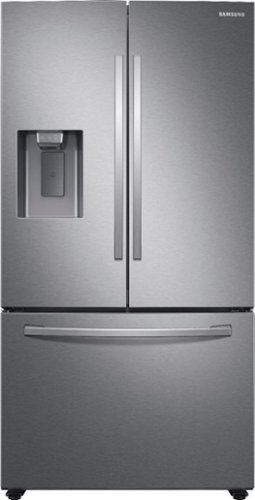
Samsung - 27 cu. ft. 3-Door French Door Refrigerator with External Water & Ice Dispenser - Stainless Steel
Samsung's 27 cu. ft. large capacity 3-door French door refrigerator is beautifully designed with a minimal dispenser, sleek-edge doors, and modern handles. The clean lines and modern form blend beautifully into your kitchen, while the fingerprint-resistant finish withstands everyday smudges.
Does this model have measured amount for the water dispenser
Hi Richard,
We appreciate your question about dispensing measured amounts of water on the water dispenser of this Samsung refrigerator model.
The water dispenser can fill a 5 3/4 oz. (170 cc) cup in about 10 seconds under normal conditions. The dispenser does not have 8/16/22 oz. measured amounts.
Leo
We appreciate your question about dispensing measured amounts of water on the water dispenser of this Samsung refrigerator model.
The water dispenser can fill a 5 3/4 oz. (170 cc) cup in about 10 seconds under normal conditions. The dispenser does not have 8/16/22 oz. measured amounts.
Leo
3 years, 5 months ago
by
Posted by:
Samsung
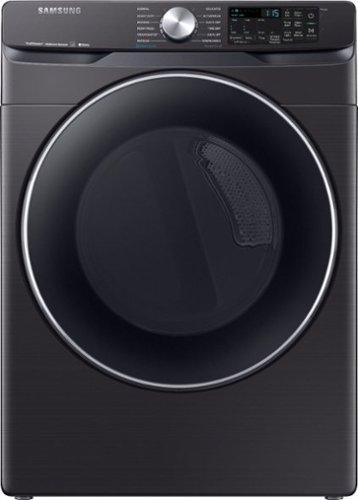
Samsung - 7.5 Cu. Ft. Stackable Smart Electric Dryer with Steam and Sensor Dry - Black Stainless Steel
With Bixby enabled Wi-Fi connectivity, Samsung's 7.5 cu. ft. front-load dryer allows you to remotely start or stop your cycle, schedule laundry on your time, receive end-of-cycle alerts, and more right from your smartphone. Steam Sanitize+ eliminates 99.9% of germs and bacteria, while the Multi-Steam technology relaxes and smooths away wrinkles from everyday wear. Sensor Dry optimizes cycle time and temperature to thoroughly dry without damaging your clothes. Bring inspiration to your laundry room with beautiful designer colors, including black stainless steel finish
Nearest available for pick up?
Dear Valued BestBuy Client,
We appreciate you asking, LFlick.
To better assist you with this concern, please contact the BestBuy customer service department at 888 237-8289. Call us any time 24 hours a day.
They can either answer your question or transfer you to your local store to answer your specific questions.
^Rainly
We appreciate you asking, LFlick.
To better assist you with this concern, please contact the BestBuy customer service department at 888 237-8289. Call us any time 24 hours a day.
They can either answer your question or transfer you to your local store to answer your specific questions.
^Rainly
3 years, 5 months ago
by
Posted by:
Samsung
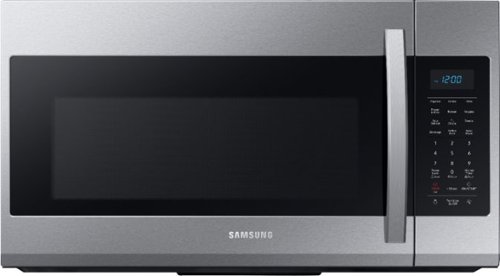
Samsung - 1.9 Cu. Ft. Over-the-Range Microwave with Sensor Cook - Stainless Steel
Samsung 1.9 Cu. Ft. Over-the-Range Microwave: This Samsung over-the-range microwave makes preparing multiple dishes effortless with a large 1.9 cu. ft. capacity, accommodating even your big dishes. The Sensor Cook technology automatically adjusts your cooking time for optimal results. Additionally, the fingerprint-resistant finish helps reduce smudges and minimizes cleaning.
There is not a button if you want to time/cook, only types of food, like popcorn. Also I can’t get it to heat anything. When I put something in and hit start the display just says sensor??
Greetings,
We are here to help you with your question.
Use the Kitchen Timer for timing up to 99 minutes and 99 seconds.
You can check the steps on the model's user manual link below on page 10. Also, this model has a Sensor Cook feature which takes microwave technology one step further by detecting when your food is done cooking on page 11.
https://downloadcenter.samsung.com/content/UM/201911/20191122104255594/ME4000R_ME19R7041FS_AA_EN-MES-CFR.pdf
You can also check the Samsung link below about how to cook with your Samsung microwave.
https://www.samsung.com/us/support/answer/ANS00049159/
If you have inquiries and need further assistance in the future, you may contact us via the following options:
1. Facebook Messenger: http://m.me/samsungsupport
2. Twitter: https://twitter.com/messages/compose?recipient_id=18768513
3. Samsung Community: https://us.community.samsung.com/t5/Samsung-Community/ct-p/us
When you message us, please provide us with this reference number 1145631097, which will help our team pull up your information.
^Rainly
We are here to help you with your question.
Use the Kitchen Timer for timing up to 99 minutes and 99 seconds.
You can check the steps on the model's user manual link below on page 10. Also, this model has a Sensor Cook feature which takes microwave technology one step further by detecting when your food is done cooking on page 11.
https://downloadcenter.samsung.com/content/UM/201911/20191122104255594/ME4000R_ME19R7041FS_AA_EN-MES-CFR.pdf
You can also check the Samsung link below about how to cook with your Samsung microwave.
https://www.samsung.com/us/support/answer/ANS00049159/
If you have inquiries and need further assistance in the future, you may contact us via the following options:
1. Facebook Messenger: http://m.me/samsungsupport
2. Twitter: https://twitter.com/messages/compose?recipient_id=18768513
3. Samsung Community: https://us.community.samsung.com/t5/Samsung-Community/ct-p/us
When you message us, please provide us with this reference number 1145631097, which will help our team pull up your information.
^Rainly
3 years, 5 months ago
by
Posted by:
Samsung
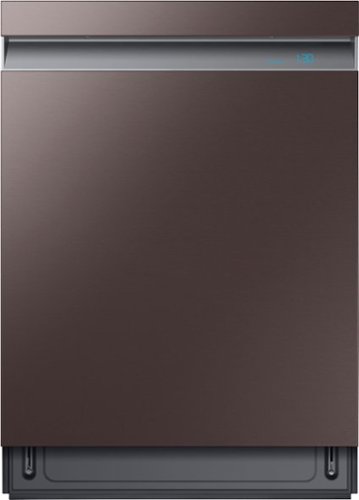
Samsung - Linear Wash 24" Top Control Built-In Dishwasher with AutoRelease Dry, 39 dBA - Tuscan Stainless Steel
The whisper-quiet 39dBA Samsung dishwasher with linear wash technology has a one-of-its-kind sliding spray bar that moves in linear motion to provide corner-to-corner coverage for complete cleaning. Whisper-quiet wash cycles allow you to run the dishwasher any time of the day. The AutoRelease door opens automatically to circulate air and help improve drying performance.
Can I order a new plate for dishwasher
Good day, Charlie.
We are glad that you reached out to us.
If you need a new kick plate for your dishwasher, please contact SamsungParts customer service at 800-627-4368, Mon-Fri, 9 a.m.–6 p.m. EST.
If you require further assistance, please do not hesitate to reach us through the channels listed below:
1. Facebook Messenger: http://m.me/samsungsupport
2. Twitter: https://twitter.com/messages/compose?recipient_id=18768513
3. Samsung Community: https://us.community.samsung.com/t5/Samsung-Community/ct-p/us
Please provide us with this reference number (1145630899) to help our team pull up your information when you message us.
Have a wonderful day!
—Vannesa
We are glad that you reached out to us.
If you need a new kick plate for your dishwasher, please contact SamsungParts customer service at 800-627-4368, Mon-Fri, 9 a.m.–6 p.m. EST.
If you require further assistance, please do not hesitate to reach us through the channels listed below:
1. Facebook Messenger: http://m.me/samsungsupport
2. Twitter: https://twitter.com/messages/compose?recipient_id=18768513
3. Samsung Community: https://us.community.samsung.com/t5/Samsung-Community/ct-p/us
Please provide us with this reference number (1145630899) to help our team pull up your information when you message us.
Have a wonderful day!
—Vannesa
3 years, 5 months ago
by
Posted by:
Samsung
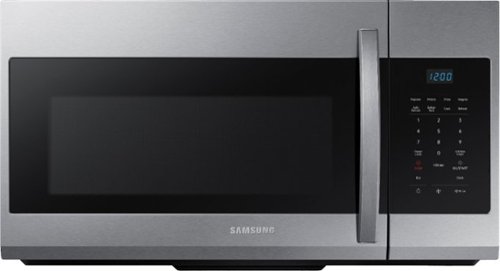
A stylish design for a seamless and modern look, this over-the-range microwave features large 1.7 cu. ft. capacity and a fingerprint-resistant finish.
What does the auto cook feature do? Is that the same as express cooking?
Excellent question about the auto cook feature, Rogervw.
Auto cook is a feature where you tell your microwave what you're cooking (and how much) and it's already preprogrammed for what settings to use.
You can check the cooking presets buttons on the model's user manual link below on pages 11-12.
https://downloadcenter.samsung.com/content/UM/202103/20210323120615716/ME17R7021E_AA_MD3_EN-MES-CFR.pdf
Also, you can check the Samsung link below about how to cook with your Samsung microwave.
https://www.samsung.com/us/support/answer/ANS00049159/
If you have inquiries and need further assistance in the future, you may contact us via the following options:
1. Facebook Messenger: http://m.me/samsungsupport
2. Twitter: https://twitter.com/messages/compose?recipient_id=18768513
3. Samsung Community: https://us.community.samsung.com/t5/Samsung-Community/ct-p/us
When you message us, please provide us with this reference number 1145630928, which will help our team pull up your information.
^Rainly
Auto cook is a feature where you tell your microwave what you're cooking (and how much) and it's already preprogrammed for what settings to use.
You can check the cooking presets buttons on the model's user manual link below on pages 11-12.
https://downloadcenter.samsung.com/content/UM/202103/20210323120615716/ME17R7021E_AA_MD3_EN-MES-CFR.pdf
Also, you can check the Samsung link below about how to cook with your Samsung microwave.
https://www.samsung.com/us/support/answer/ANS00049159/
If you have inquiries and need further assistance in the future, you may contact us via the following options:
1. Facebook Messenger: http://m.me/samsungsupport
2. Twitter: https://twitter.com/messages/compose?recipient_id=18768513
3. Samsung Community: https://us.community.samsung.com/t5/Samsung-Community/ct-p/us
When you message us, please provide us with this reference number 1145630928, which will help our team pull up your information.
^Rainly
3 years, 5 months ago
by
Posted by:
Samsung
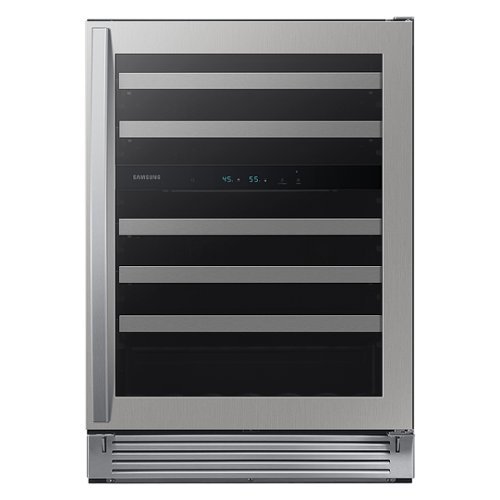
Samsung - 51-Bottle Capacity Wine Cooler - Stainless Steel
Samsung~s Wine Cooler is beautifully designed, with a 51-bottle storage capacity. So go ahead and get your favorite red, white or sparkling beverage, they~ll all be kept at the optimal temperature, ready for your next toast.
Is it OUTDOOR PROOF
Hi Joan,
We thank you for asking if this Samsung wine cooler model is suitable for outdoor installation.
It isn't recommended that the wine cooler is installed outdoors. Please note the site requirements for the wine cooler below.
a. Solid, level surface without carpeting or flooring that may obstruct ventilation
b. Away from direct sunlight
c. Adequate room for opening and closing the door
d. Away from a heat source
e. Room for maintenance and servicing
f. Temperature range: between 60 °F (16 °C ) and 90 °F (32 °C)
Leo
We thank you for asking if this Samsung wine cooler model is suitable for outdoor installation.
It isn't recommended that the wine cooler is installed outdoors. Please note the site requirements for the wine cooler below.
a. Solid, level surface without carpeting or flooring that may obstruct ventilation
b. Away from direct sunlight
c. Adequate room for opening and closing the door
d. Away from a heat source
e. Room for maintenance and servicing
f. Temperature range: between 60 °F (16 °C ) and 90 °F (32 °C)
Leo
3 years, 5 months ago
by
Posted by:
Samsung
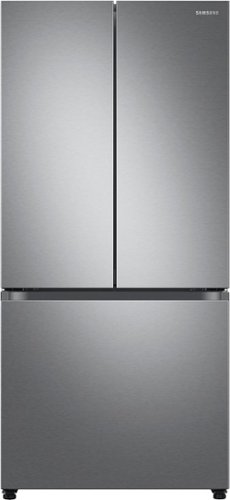
The Samsung 33" French Door refrigerator creates a stylish and modern kitchen with its compact design and recessed handles. The Beverage Center provides convenient access to refreshing cold, filtered water. With the Dual Auto Ice Maker, you can select from cubed ice or Ice Bites that chill your drink faster.
What is in the space under the two drawers in the refrigerator? Is that a pull out drawer, or just dead space? Thank you.
Hi Jeff,
We appreciate your question about the space underneath the crisper drawers on this Samsung refrigerator model.
The space is a pull-out drawer/pantry.
Leo
We appreciate your question about the space underneath the crisper drawers on this Samsung refrigerator model.
The space is a pull-out drawer/pantry.
Leo
3 years, 5 months ago
by
Posted by:
Samsung
Samsung - 27 cu. ft. 3-Door French Door Refrigerator with External Water & Ice Dispenser - Stainless Steel
Samsung's 27 cu. ft. large capacity 3-door French door refrigerator is beautifully designed with a minimal dispenser, sleek-edge doors, and modern handles. The clean lines and modern form blend beautifully into your kitchen, while the fingerprint-resistant finish withstands everyday smudges.
I have 36 inch total width. The one side will be up against a wall. Will this be enough room for the door to open to 90 degrees?
Hi Rachael,
We appreciate your question about whether 36 inches is enough to open the door 90 degrees when it is up against a wall.
36 inches is not enough space to open the door (90 degrees) which is right up against a wall. 3.625 additional inches of width space is to open the door at 90 degrees because of the door handle.
Leo
We appreciate your question about whether 36 inches is enough to open the door 90 degrees when it is up against a wall.
36 inches is not enough space to open the door (90 degrees) which is right up against a wall. 3.625 additional inches of width space is to open the door at 90 degrees because of the door handle.
Leo
3 years, 5 months ago
by
Posted by:
Samsung
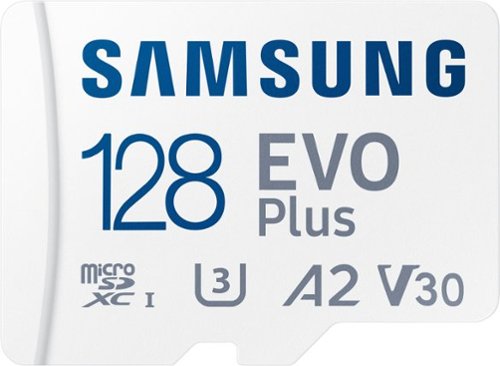
Samsung - EVO Plus 128GB microSDXC UHS-I Memory Card with Adapter
The Micro SD Memory Card EVO Plus + Adapter gives you the freedom to do more. Store huge files, load games, and download the latest apps at lightning-fast speeds. Plus, it~s designed to be incredibly durable, resistant to water, high temperatures, magnets & more. All with the performance and reliability you expect from the world~s #1 flash memory brand.
Can this be used with a Nook 7?
Hi there,
The Nook 7 supports microSD cards up to 128GB, so the 128GB EVO Plus is compatible.
~Samsung Pro
The Nook 7 supports microSD cards up to 128GB, so the 128GB EVO Plus is compatible.
~Samsung Pro
3 years, 5 months ago
by
Posted by:
Samsung