Samsung
Samsung's Stats
Reviews
- Review Count0
- Helpfulness Votes0
- First ReviewNone
- Last ReviewNone
- Featured Reviews0
- Average Rating0
Reviews Comments
- Review Comment Count0
- Helpfulness Votes0
- First Review CommentNone
- Last Review CommentNone
- Featured Review Comments0
Questions
- Question Count0
- Helpfulness Votes0
- First QuestionNone
- Last QuestionNone
- Featured Questions0
- Answer Count74536
- Helpfulness Votes37,988
- First AnswerApril 24, 2013
- Last AnswerSeptember 25, 2026
- Featured Answers0
- Best Answers3951
Samsung's Reviews
Samsung has not submitted any reviews.
Samsung's Questions
Samsung has not submitted any questions.
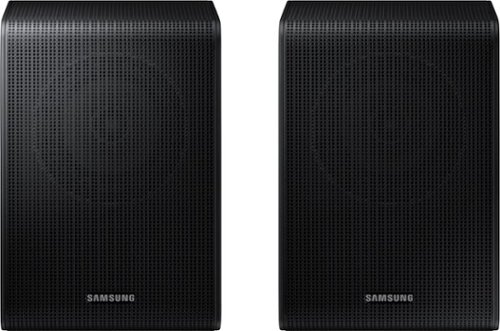
Samsung - SWA-9200S/ZA 2.0 Channel Wireless Rear Speaker Kit - Black
Connect easily and wirelessly to Samsung speakers for room-filling sound.
Are these speakers compatible with a JBL2.1 soundboard?

Hello Clemson731,
The SWA-9200S Wireless Rear Speakers are exclusively compatible with select Samsung Soundbars only. It will not work with non-Samsung Soundbars.
~Samsung Solutions
The SWA-9200S Wireless Rear Speakers are exclusively compatible with select Samsung Soundbars only. It will not work with non-Samsung Soundbars.
~Samsung Solutions
3 years, 5 months ago
by
Posted by:
Samsung
Samsung - SWA-9200S/ZA 2.0 Channel Wireless Rear Speaker Kit - Black
Connect easily and wirelessly to Samsung speakers for room-filling sound.
I have Samsung PS-WM20 soundbar can i connect this or any other dolby atmos speakers ?
Hi JaydenD,
That is the Subwoofer model number for the Soundbar HW-M360. This Soundbar does not have any compatible rear speakers.
~Samsung Solutions
That is the Subwoofer model number for the Soundbar HW-M360. This Soundbar does not have any compatible rear speakers.
~Samsung Solutions
3 years, 5 months ago
by
Posted by:
Samsung
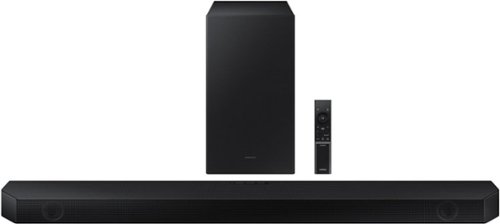
Samsung - HW-Q60B 3.1ch Soundbar with Dolby Audio / DTX Virtual:X - Black
Dolby Atmos creates realistic 3D sound by projecting it from all around you, including from above, while DTS Virtual: X expands your listening experience without having to add extra speakers. Enjoy a cinematic audio experience, with 3 channels, 1 subwoofer and 2 up-firing channels combined to put you at the center of the action.
Do i can karaoke with this soundbar?
Hi there,
The HW-Q60B Soundbar does not have a microphone input available. If you are wanting to karaoke, please take a look at the MX-ST50B or MX-ST90B Sound Towers.
~Samsung Solutions
The HW-Q60B Soundbar does not have a microphone input available. If you are wanting to karaoke, please take a look at the MX-ST50B or MX-ST90B Sound Towers.
~Samsung Solutions
3 years, 5 months ago
by
Posted by:
Samsung
Samsung - HW-Q60B 3.1ch Soundbar with Dolby Audio / DTX Virtual:X - Black
Dolby Atmos creates realistic 3D sound by projecting it from all around you, including from above, while DTS Virtual: X expands your listening experience without having to add extra speakers. Enjoy a cinematic audio experience, with 3 channels, 1 subwoofer and 2 up-firing channels combined to put you at the center of the action.
Does this come with power cords or does it run off batteries?
Hello Raul,
The HW-Q60B Soundbar comes with a power cord and does not have internal batteries. It is not a portable Bluetooth speaker.
~Samsung Solutions
The HW-Q60B Soundbar comes with a power cord and does not have internal batteries. It is not a portable Bluetooth speaker.
~Samsung Solutions
3 years, 5 months ago
by
Posted by:
Samsung

Samsung - HW-Q930B/ZA 9.1.4ch Soundbar with Wireless Dolby Atmos / DTS:X and Rear Speakers - Black
Enjoy an unparalleled audio experience with the Q930B, thanks to wireless Dolby Atmos. Sound floods your ears from every corn er of the room with 9 channels, 1 subwoofer and 4 up firing channels to make you feel like you~re right there at the big game, concert or action scene. With Q Symphony, the soundbar sound synchronizes with all of the internal speakers in your compatible Samsung TV to enrich the audio even further. Plus, the included up firing rear speakers project sound above and around you.
Do the rear speakers have to be located behind you to get the true affect of the sound system
Hello Mike,
The wireless rear speakers of the HW-Q930B are best to be used behind you, but you can position them to the front if you need to.
You will need to use the provided Soundbar remote and press the SOUND CONTROL until you see SURROUND SPEAKER. Press UP/DOWN to change between Front/Rear placement for the rears.
The speakers are labelled LEFT/RIGHT and will need to placed correctly if you change then to the front.
~Samsung Solutions
The wireless rear speakers of the HW-Q930B are best to be used behind you, but you can position them to the front if you need to.
You will need to use the provided Soundbar remote and press the SOUND CONTROL until you see SURROUND SPEAKER. Press UP/DOWN to change between Front/Rear placement for the rears.
The speakers are labelled LEFT/RIGHT and will need to placed correctly if you change then to the front.
~Samsung Solutions
3 years, 5 months ago
by
Posted by:
Samsung
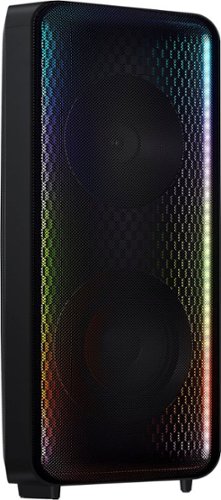
Go wall-to-wall with Samsung Sound Tower's unique Bi-directional design. Enjoy up to 18 hours of unplugged entertainment with our built-in battery. Rain or shine, enjoy year-round outdoor entertainment with this soundbar that is IPX5 rated for weather-resistant durability against water and dust.
Can I connect a device to this with a AUX cable and play music off it that way?
Hello Avenger54321,
The HW-S50B Soundbar does not have an AUX input. It can be connected using HDMI, Bluetooth or Digital Optical.
~Samsung Solutions
The HW-S50B Soundbar does not have an AUX input. It can be connected using HDMI, Bluetooth or Digital Optical.
~Samsung Solutions
3 years, 5 months ago
by
Posted by:
Samsung

Samsung - HW-B650/ZA 3.1 Channel Soundbar with Wireless Subwoofer, Dolby 5.1 / DTS Virtual:X - Black
Dolby Atmos creates realistic 3D sound by projecting it from all around you, including from above, while DTS Virtual: X expands your listening experience without having to add extra speakers. Boost the bass with a touch of a button. The built-in center speaker delivers enhanced dialogue so you won't miss a word. Experience the intensity of action movies with the powerful bass coming from the included subwoofer. Enjoy optimized audio with enhanced voice clarity on all your favorite video content.
I’m trying to unplug the power cord from the sound bar to the TV doesn’t seem to just pull out. Is there a trick or should I just pull harder?
Hi there,
If you are referring to a Digital Optical or HDMI cable, firmly grip the cable at the base closest to the Soundbar and slowly pull from there. Do not grab by the cable and pull from there as you could damage your Soundbar which would not be covered under Samsung's 1-year warranty.
~Samsung Solutions
If you are referring to a Digital Optical or HDMI cable, firmly grip the cable at the base closest to the Soundbar and slowly pull from there. Do not grab by the cable and pull from there as you could damage your Soundbar which would not be covered under Samsung's 1-year warranty.
~Samsung Solutions
3 years, 5 months ago
by
Posted by:
Samsung
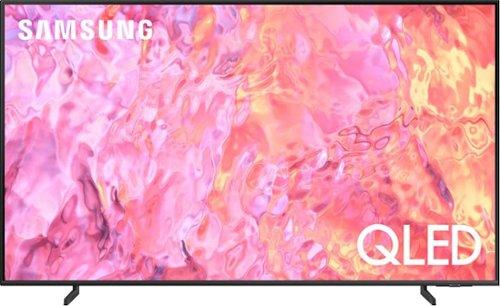
Samsung - 65" Class Q60C QLED 4K UHD Smart Tizen TV (2023)
This lean, mean 4K machine is primed for your leap into Quantum Dot technology~and a bold new world of color and contrast. Take your entire viewing experience to the next level with the elevated audio and astounding picture quality of Samsung QLED. Not only will you see your TV shows and movies instantly transformed into 4K, but you~ll also take in a billion shades of unwavering color. Beyond amazing visuals, you~ll be drawn in by 3D surround sound that moves with the action.
Does this TV have Dolby Atmos capability?
Hi Baird - While built-in Dolby Atmos audio starts with our Q80C TV, you can set the Q60C TV to allow Dolby Digital+ with Atmos streams that are input from external devices. Set to ON if the audio device connected via HDMI (eARC) supports Dolby Atmos. eARC will allow uncompressed Atmos. As long as your external device supports Atmos, you can pass-through Atmos via eARC without issue.
~ Samsung Specialist
~ Samsung Specialist
3 years, 5 months ago
by
Posted by:
Samsung
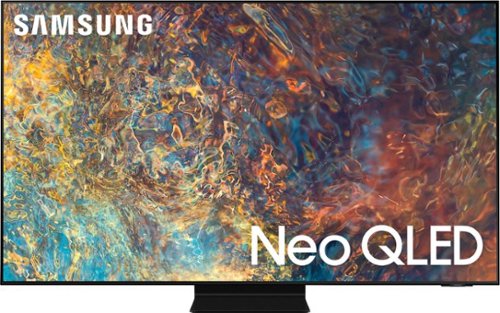
Samsung - 98" Class Neo QLED 4K UHD Smart Tizen TV (2021)
Our best 4K picture offers lush visuals and crisp detail that create an unmatched cinematic experience.
Is there a Samsung slim-fit wall mount available for this 98" TV? If not, what wall mount do you recommend?
Hi Brian - While the SlimFit Wall Mount only supports up to 85" TVs, the 98" QN90A TV can use any type of universal wall mount that supports a VESA pattern of 600mm x 400mm.
~ Samsung Specialist
~ Samsung Specialist
3 years, 5 months ago
by
Posted by:
Samsung
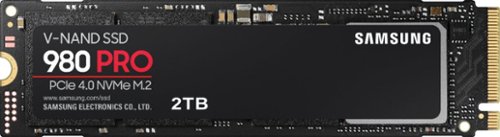
Samsung - 980 PRO 2TB Internal Gaming SSD PCIe Gen 4 x4 NVMe
Unleash the power of the Samsung 980 PRO PCIe 4.0 NVMe Gen4 SSD for next-level computing. 980 PRO delivers 2x the data transfer rate of PCIe 3.0, while maintaining compatibility with PCIe 3.0.~ ~The NVM Express~ design mark is a registered trademark of NVM Express, Inc.* Results are based on a comparison with Samsung PCIe 3.0 NVMe SSDs and SATA SSDs. PS5 compatible with heatsink as recommended by Sony; heatsink sold separately.
Will this work with my Lenovo Legion y530 15ich
Mike:
Your Lenovo Legion supports a NVMe slot, you should have no issue connecting the 980 PRO SSD to your laptop.
- Samsung Memory
Your Lenovo Legion supports a NVMe slot, you should have no issue connecting the 980 PRO SSD to your laptop.
- Samsung Memory
3 years, 5 months ago
by
Posted by:
Samsung