Samsung
Samsung's Stats
Reviews
- Review Count0
- Helpfulness Votes0
- First ReviewNone
- Last ReviewNone
- Featured Reviews0
- Average Rating0
Reviews Comments
- Review Comment Count0
- Helpfulness Votes0
- First Review CommentNone
- Last Review CommentNone
- Featured Review Comments0
Questions
- Question Count0
- Helpfulness Votes0
- First QuestionNone
- Last QuestionNone
- Featured Questions0
- Answer Count74536
- Helpfulness Votes37,988
- First AnswerApril 24, 2013
- Last AnswerSeptember 25, 2026
- Featured Answers0
- Best Answers3951
Samsung's Reviews
Samsung has not submitted any reviews.
Samsung's Questions
Samsung has not submitted any questions.

Samsung - HW-Q930B/ZA 9.1.4ch Soundbar with Wireless Dolby Atmos / DTS:X and Rear Speakers - Black
Enjoy an unparalleled audio experience with the Q930B, thanks to wireless Dolby Atmos. Sound floods your ears from every corn er of the room with 9 channels, 1 subwoofer and 4 up firing channels to make you feel like you~re right there at the big game, concert or action scene. With Q Symphony, the soundbar sound synchronizes with all of the internal speakers in your compatible Samsung TV to enrich the audio even further. Plus, the included up firing rear speakers project sound above and around you.
All the I formation says Dolby Atmos only available through earc. I have a 2018 Samsung 75NU6900 TV with only arc. Will I still get dolby atmos with just arc or do I need earc?

Hello Carl,
You will need to enable Dolby Digital+ within your TV for this to work. Navigate to Settings, and then select Sound. Select Expert Settings, and then select Digital Output Audio Format. Next, choose your desired audio format: Dolby Digital+.
If your TV is unable to change to this setting, then you will not be able to play Atmos content from your TV to your soundbar through streaming apps.
~Samsung Solutions
You will need to enable Dolby Digital+ within your TV for this to work. Navigate to Settings, and then select Sound. Select Expert Settings, and then select Digital Output Audio Format. Next, choose your desired audio format: Dolby Digital+.
If your TV is unable to change to this setting, then you will not be able to play Atmos content from your TV to your soundbar through streaming apps.
~Samsung Solutions
3 years, 7 months ago
by
Posted by:
Samsung
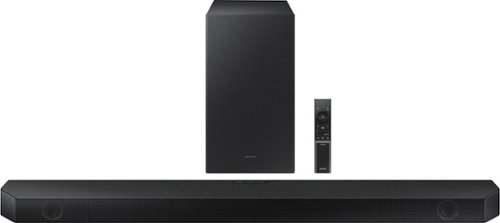
Samsung - HW-Q600B 3.1.2ch Soundbar with Dolby Atmos / DTS:X - Black
Step up your audio game with the Samsung Q600B soundbar, with realistic 3D audio thanks to Dolby Atmos DTS:X. Enjoy sound projecting all around you, including from above. With Adaptive Sound, enjoy your favorite video games and sporting events like never before. It~s the perfect way to level up your entertainment.
Do you know if this unit automatically works and filter ATMOS signals? What's the best connection for this bar to receive and reproduce all the different programs, including ATMOS,4K, etc.?
Hi,
The HW-Q600B Soundbar supports HDMI eARC, if you are wanting to receive 4K and Dolby Atmos you will be required to use a HDMI cable.
You will need to make sure that the content you are watching will also be in 4K and have Dolby Atmos audio format available. Depending on your TV you may have to enable different settings for Dolby Atmos to work, please refer to your TV user manual for more information.
~Samsung Solutions
The HW-Q600B Soundbar supports HDMI eARC, if you are wanting to receive 4K and Dolby Atmos you will be required to use a HDMI cable.
You will need to make sure that the content you are watching will also be in 4K and have Dolby Atmos audio format available. Depending on your TV you may have to enable different settings for Dolby Atmos to work, please refer to your TV user manual for more information.
~Samsung Solutions
3 years, 7 months ago
by
Posted by:
Samsung
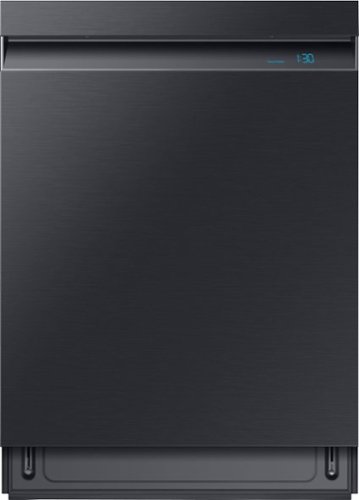
Samsung - 24" AutoRelease Dry Smart Built-In Stainless Steel Tub Dishwasher with 3rd Rack, Linear Wash, 39dBA - Black stainless steel
The whisper-quiet 39dBA Samsung dishwasher with linear wash technology has a one-of-its-kind sliding spray bar that moves in linear motion to provide corner-to-corner coverage for complete cleaning. Whisper-quiet wash cycles allow you to run the dishwasher any time of the day. The AutoRelease door opens automatically to circulate air and help improve drying performance.
Samsung Model:DW80R9950UG dishwasher just installed. The supplied drain line is shorter than the 6 1/2' Kenmore Elite that it replaced. It barely reaches the drain connection and installer were not able to put the loop at the drain connection.
Dear Valued Best Buy Client, Thank you for bringing this to our attention. We apologize for any inconvenience this may have caused you. The experience is not what we expect from our customers. To better assist you with this issue, please contact the Best Buy customer service department at P. (888) 237-8289 H.24 Hours a Day. They can either answer your question or transfer you to your local store to answer your specific concerns.
Have a great day.
^Camille
Have a great day.
^Camille
3 years, 7 months ago
by
Posted by:
Samsung
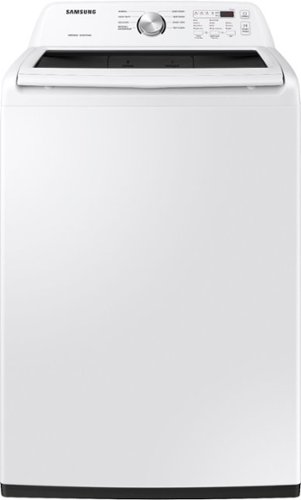
Samsung~s Large 4.5 cu. ft. Capacity Top Load washer fits more in every load and cuts down on laundry time. It is equipped with Vibration Reduction Technology+ to reduce noise for quiet washing and features Self Clean to eliminate bacteria from the drum.
Can I get these delivered? I'm three miles away, but I'm 63 and can't lift
Dear Valued Best Buy Client, To better assist you with this issue, don't hesitate to get in touch with our Best Buy customer service department at P. (888) 237-8289 H.24 Hours a Day. They can either answer your question or transfer you to your local store to answer your specific concerns.
Have a great day.
^Camille
Have a great day.
^Camille
3 years, 7 months ago
by
Posted by:
Samsung

Samsung - HW-S60B 5.0ch All in One Soundbar with Wireless Dolby Atmos - Black
Enjoy room filling sound in an all in one design. Hear Dolby Atmos sound from above and around without requiring HDMI cables. Perfectly synchronized TV and soundbar sound brings a new level of immersion. Don't miss a word, thanks to a built in center speaker. Plus, play your favorite songs with Alexa built in.
Does this sound bar support HDMI EARC?
Hello Masteborn,
The HW-S60B Soundbar does not feature eARC.
~Samsung Solutions
The HW-S60B Soundbar does not feature eARC.
~Samsung Solutions
3 years, 7 months ago
by
Posted by:
Samsung
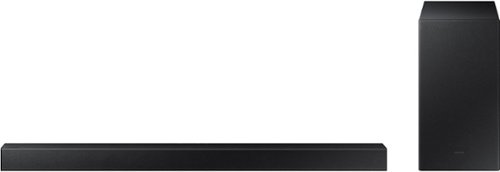
Samsung - 2.1-Channel Soundbar with Wireless Subwoofer and DOLBY AUDIO / DTS 2.0 - Black
Elevate your audio experience with high-quality optimized sound. The power of Samsung sound bar HW-A430/ZA makes surround soundbar comes to life with speakers that fire all around you.
Can you lower music to hear voices clearer
Hello Kevin,
The HW-A430 Soundbar does not have a center channel. This is where your dialogue will be played from, if you are wanting a soundbar that has this feature, you will want to look in to purchasing the HW-B650 Soundbar.
~Samsung Solutions
The HW-A430 Soundbar does not have a center channel. This is where your dialogue will be played from, if you are wanting a soundbar that has this feature, you will want to look in to purchasing the HW-B650 Soundbar.
~Samsung Solutions
3 years, 7 months ago
by
Posted by:
Samsung
Samsung - 2.1-Channel Soundbar with Wireless Subwoofer and DOLBY AUDIO / DTS 2.0 - Black
Elevate your audio experience with high-quality optimized sound. The power of Samsung sound bar HW-A430/ZA makes surround soundbar comes to life with speakers that fire all around you.
Will this work with my fire stick remote?
Hello Rsoreo,
You will need to enable the remote to work with the HW-A430 Soundbar, follow these instructions below.
First, turn Off the Soundbar. Once powered off, push up and hold the WOOFER button for 5 seconds. Each time you push the WOOFER button up and hold it for 5 seconds, the mode switches in the following order: “OFF-TV REMOTE” (Default mode), “SAMSUNG-TV REMOTE”, “ALL-TV REMOTE”. Please also make sure your speaker settings on the TV are set to External Speaker.
Not all remotes are capable of controlling the soundbar.
~Samsung Solutions
You will need to enable the remote to work with the HW-A430 Soundbar, follow these instructions below.
First, turn Off the Soundbar. Once powered off, push up and hold the WOOFER button for 5 seconds. Each time you push the WOOFER button up and hold it for 5 seconds, the mode switches in the following order: “OFF-TV REMOTE” (Default mode), “SAMSUNG-TV REMOTE”, “ALL-TV REMOTE”. Please also make sure your speaker settings on the TV are set to External Speaker.
Not all remotes are capable of controlling the soundbar.
~Samsung Solutions
3 years, 7 months ago
by
Posted by:
Samsung
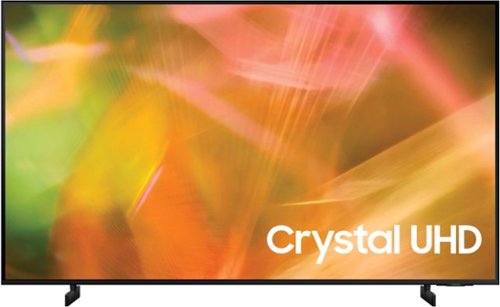
Samsung - 43" Class 8000 Series LED 4K UHD Smart Tizen TV (2021)
Step up to the world of Crystal UHD from Samsung. Elevated color and clarity offer you a picture that has to be seen to be believed. Add in smart features that make watching TV even easier, and you have a TV that is essential.
SIZE OF BOLT TO USE FOR MOUNT THAT FITS INTO BACK OF TV
Hi,
You will need 4 x M8 screws, 11-13 mm length, and 1.25mm pitch.
~Samsung Advisor
You will need 4 x M8 screws, 11-13 mm length, and 1.25mm pitch.
~Samsung Advisor
3 years, 7 months ago
by
Posted by:
Samsung
Samsung - 43" Class 8000 Series LED 4K UHD Smart Tizen TV (2021)
Step up to the world of Crystal UHD from Samsung. Elevated color and clarity offer you a picture that has to be seen to be believed. Add in smart features that make watching TV even easier, and you have a TV that is essential.
are you able to download app not listed on tv built in app menu?
Hi Larry,
We do not recommend downloading third-party apps to your Samsung TV.
~Samsung Advisor
We do not recommend downloading third-party apps to your Samsung TV.
~Samsung Advisor
3 years, 7 months ago
by
Posted by:
Samsung
Samsung - 43" Class 8000 Series LED 4K UHD Smart Tizen TV (2021)
Step up to the world of Crystal UHD from Samsung. Elevated color and clarity offer you a picture that has to be seen to be believed. Add in smart features that make watching TV even easier, and you have a TV that is essential.
The leg installation photos are confusing. Sure wish there was text to go along with it. No idea what to do.
Hi there,
To install the legs, please be sure that your TV's legs are on correctly "R" on the right. "L" on the left. The legs will slant outwards towards the edges of the TV. When the legs are inserted into the correct holes in the proper direction, you will hear a "click" when they are inserted all the way.
If you should need assistance or have further questions regarding setup, please contact Samsung Customer Support. Call us at 1-800-SAMSUNG, 8 AM - 12 AM EST, seven days a week. Our LiveChat agents are also available by clicking on the ‘Support’ link on our website.
~ Samsung Advisor
To install the legs, please be sure that your TV's legs are on correctly "R" on the right. "L" on the left. The legs will slant outwards towards the edges of the TV. When the legs are inserted into the correct holes in the proper direction, you will hear a "click" when they are inserted all the way.
If you should need assistance or have further questions regarding setup, please contact Samsung Customer Support. Call us at 1-800-SAMSUNG, 8 AM - 12 AM EST, seven days a week. Our LiveChat agents are also available by clicking on the ‘Support’ link on our website.
~ Samsung Advisor
3 years, 7 months ago
by
Posted by:
Samsung