Samsung
Samsung's Stats
Reviews
- Review Count0
- Helpfulness Votes0
- First ReviewNone
- Last ReviewNone
- Featured Reviews0
- Average Rating0
Reviews Comments
- Review Comment Count0
- Helpfulness Votes0
- First Review CommentNone
- Last Review CommentNone
- Featured Review Comments0
Questions
- Question Count0
- Helpfulness Votes0
- First QuestionNone
- Last QuestionNone
- Featured Questions0
- Answer Count74582
- Helpfulness Votes37,991
- First AnswerApril 24, 2013
- Last AnswerSeptember 28, 2026
- Featured Answers0
- Best Answers3951
Samsung's Reviews
Samsung has not submitted any reviews.
Samsung's Questions
Samsung has not submitted any questions.
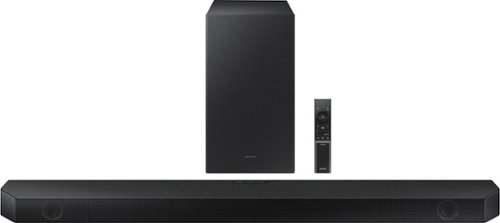
Samsung - HW-Q600B 3.1.2ch Soundbar with Dolby Atmos / DTS:X - Black
Step up your audio game with the Samsung Q600B soundbar, with realistic 3D audio thanks to Dolby Atmos DTS:X. Enjoy sound projecting all around you, including from above. With Adaptive Sound, enjoy your favorite video games and sporting events like never before. It~s the perfect way to level up your entertainment.
Is the Subwoofer wireless?

Hello Subwoofer,
The HW-Q600B Soundbar comes with a wireless subwoofer that only requires an outlet for power.
~Samsung Solutions
The HW-Q600B Soundbar comes with a wireless subwoofer that only requires an outlet for power.
~Samsung Solutions
3 years, 9 months ago
by
Posted by:
Samsung
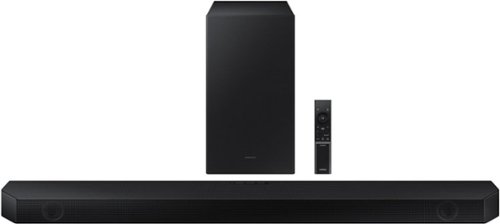
Samsung - HW-Q60B 3.1ch Soundbar with Dolby Audio / DTX Virtual:X - Black
Dolby Atmos creates realistic 3D sound by projecting it from all around you, including from above, while DTS Virtual: X expands your listening experience without having to add extra speakers. Enjoy a cinematic audio experience, with 3 channels, 1 subwoofer and 2 up-firing channels combined to put you at the center of the action.
How would I connect it to my FireTV? It keeps asking for a passkey when I try to connect through Bluetooth.
Hello Gandy,
Please refer to the full manual for your FireTV, there is not a required passkey from the HW-Q60B Soundbar.
~Samsung Solutions
Please refer to the full manual for your FireTV, there is not a required passkey from the HW-Q60B Soundbar.
~Samsung Solutions
3 years, 9 months ago
by
Posted by:
Samsung
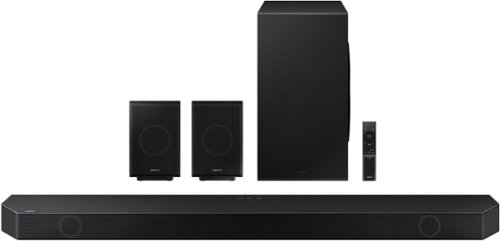
Samsung - HW-Q990B 11.1.4ch Soundbar with Wireless Dolby Atmos / DTS:X and Rear Speakers - Black
Keep your setup sleek and elegant without the clutter of wires. Enjoy enveloping sound with 11 channels, 1 subwoofer and 4 up-firing channels. Perfectly synchronized audio uses every speaker in compatible Samsung TV and soundbars. Get room filling sound designed specifically for your space.
I'm at the point of returning this system. reason being is because the real speaker will not sink with the sub. Don't understand why Samsung haven't fix this issue. Plus I'm not the only one that run across this problem, so what other chose do I have?
Hello MillsH,
Please contact Samsung Customer Service directly so that we may assist with finding a solution for your HW-Q990B Soundbar.
Call us at 1-800-SAMSUNG (ask for Soundbars), available 8 AM – 12 AM EST, 7 days a week.
LiveChat with an agent by clicking the ‘Support’ link on the Samsung website.
~Samsung Solutions
Please contact Samsung Customer Service directly so that we may assist with finding a solution for your HW-Q990B Soundbar.
Call us at 1-800-SAMSUNG (ask for Soundbars), available 8 AM – 12 AM EST, 7 days a week.
LiveChat with an agent by clicking the ‘Support’ link on the Samsung website.
~Samsung Solutions
3 years, 9 months ago
by
Posted by:
Samsung
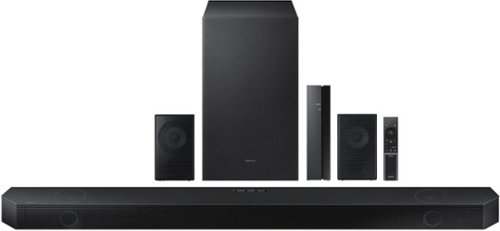
Samsung - HW-Q750B 5.1.2ch Soundbar with Wireless Dolby Atmos / DTS:X - Black
Take your audio to a higher level with the Q750B with Dolby Atmos sound without requiring HDMI cables. Enjoy a cinematic experience with 5 channels, 1 subwoofer and 2 up firing channels. With Q Symphony, the soundbar sound synchronizes with your compatible Samsung TV. Plus, control your soundbar hands free using Alexa voice controls.
Hi I have a Samsung Q90 R 75 inch TV (model QN75Q90RAFXZA) which I bought in 2019. How well will the Samsung HW-Q750B/ZA work with it. Can I use the Q symphony?
Hello,
The 75Q90R Samsung TV will not have the ability to use Q-Symphony as this was a feature introduced in 2020 and was not made available for previous model TVs.
~Samsung Solutions
The 75Q90R Samsung TV will not have the ability to use Q-Symphony as this was a feature introduced in 2020 and was not made available for previous model TVs.
~Samsung Solutions
3 years, 9 months ago
by
Posted by:
Samsung
Samsung - HW-Q750B 5.1.2ch Soundbar with Wireless Dolby Atmos / DTS:X - Black
Take your audio to a higher level with the Q750B with Dolby Atmos sound without requiring HDMI cables. Enjoy a cinematic experience with 5 channels, 1 subwoofer and 2 up firing channels. With Q Symphony, the soundbar sound synchronizes with your compatible Samsung TV. Plus, control your soundbar hands free using Alexa voice controls.
I am having problems getting the rear speakers to connect to the sound bar. I have followed the instructions many times. They connected for a short period of time, and now all I get is the flashing blue light. Any suggestions, or should I return it?
Hello there,
To be able to best assist you with step-by-step troubleshooting assistance, please contact Samsung Customer Service directly.
Call us at 1-800-SAMSUNG (ask for Soundbars), available 8 AM – 12 AM EST, 7 days a week.
LiveChat with an agent by clicking the ‘Support’ link on the Samsung website.
~Samsung Solutions
To be able to best assist you with step-by-step troubleshooting assistance, please contact Samsung Customer Service directly.
Call us at 1-800-SAMSUNG (ask for Soundbars), available 8 AM – 12 AM EST, 7 days a week.
LiveChat with an agent by clicking the ‘Support’ link on the Samsung website.
~Samsung Solutions
3 years, 9 months ago
by
Posted by:
Samsung
Samsung - HW-Q60B 3.1ch Soundbar with Dolby Audio / DTX Virtual:X - Black
Dolby Atmos creates realistic 3D sound by projecting it from all around you, including from above, while DTS Virtual: X expands your listening experience without having to add extra speakers. Enjoy a cinematic audio experience, with 3 channels, 1 subwoofer and 2 up-firing channels combined to put you at the center of the action.
Is this Sound Bar compatible with a Samsung Series 7 TV?
Hello Janice,
The HW-Q60B Soundbar can connect using Digital Optical, HDMI or Bluetooth. The Samsung 7 Series TV will have the ability to use any of the inputs, but we do recommend HDMI as this will offer the best audio and customer experience.
~Samsung Solutions
The HW-Q60B Soundbar can connect using Digital Optical, HDMI or Bluetooth. The Samsung 7 Series TV will have the ability to use any of the inputs, but we do recommend HDMI as this will offer the best audio and customer experience.
~Samsung Solutions
3 years, 9 months ago
by
Posted by:
Samsung
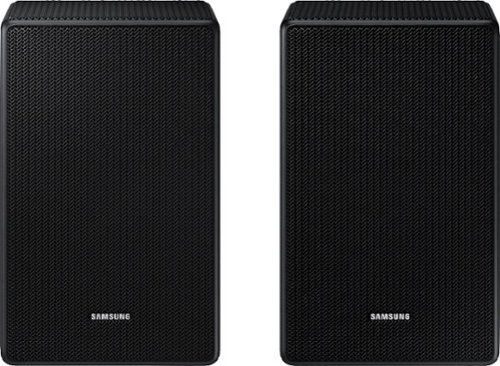
are they compatible with HW-Q600B
Hello tomo,
The SWA-9500S Wireless Rear Speaker Kit is not compatible with the HW-Q600B Soundbar.
You will need to purchase either the SWA-9100S or the SWA-9200S Wireless Rear Speaker Kit.
~Samsung Solutions
The SWA-9500S Wireless Rear Speaker Kit is not compatible with the HW-Q600B Soundbar.
You will need to purchase either the SWA-9100S or the SWA-9200S Wireless Rear Speaker Kit.
~Samsung Solutions
3 years, 9 months ago
by
Posted by:
Samsung
do these speakers link up to a sony HT-NT5 soundbar?
Hello z,
The SWA-9500S Wireless Rear Speakers are exclusively compatible with select Samsung Q-Series Soundbars.
~Samsung Solutions
The SWA-9500S Wireless Rear Speakers are exclusively compatible with select Samsung Q-Series Soundbars.
~Samsung Solutions
3 years, 9 months ago
by
Posted by:
Samsung
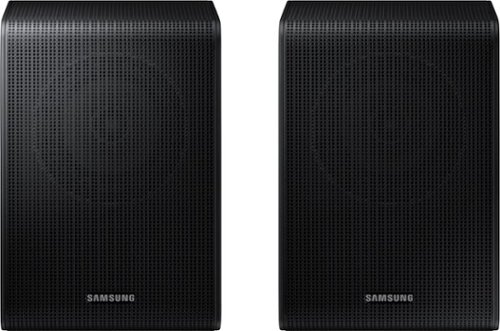
Samsung - SWA-9200S/ZA 2.0 Channel Wireless Rear Speaker Kit - Black
Connect easily and wirelessly to Samsung speakers for room-filling sound.
Are the speakers compatible with a Samsung HW-T650 soundbar?
Hello JR,
The SWA-9200S Wireless Rear Speakers are not compatible with the HW-T650 Soundbar.
For that model soundbar you'll need the SWA-8500S Wireless Rear Speaker Kit.
~Samsung Solutions
The SWA-9200S Wireless Rear Speakers are not compatible with the HW-T650 Soundbar.
For that model soundbar you'll need the SWA-8500S Wireless Rear Speaker Kit.
~Samsung Solutions
3 years, 9 months ago
by
Posted by:
Samsung
Samsung - SWA-9200S/ZA 2.0 Channel Wireless Rear Speaker Kit - Black
Connect easily and wirelessly to Samsung speakers for room-filling sound.
Is this compatible with the HW JM25/ZA soundbar?
Hello Eskid,
The SWA-9200S Wireless Rear Speaker Kit is not compatible with the HW-JM25 Soundbar.
Please refer to Samsung Customer Service for the correct rear speakers for this model soundbar.
~Samsung Solutions
The SWA-9200S Wireless Rear Speaker Kit is not compatible with the HW-JM25 Soundbar.
Please refer to Samsung Customer Service for the correct rear speakers for this model soundbar.
~Samsung Solutions
3 years, 9 months ago
by
Posted by:
Samsung