Samsung
Samsung's Stats
Reviews
- Review Count0
- Helpfulness Votes0
- First ReviewNone
- Last ReviewNone
- Featured Reviews0
- Average Rating0
Reviews Comments
- Review Comment Count0
- Helpfulness Votes0
- First Review CommentNone
- Last Review CommentNone
- Featured Review Comments0
Questions
- Question Count0
- Helpfulness Votes0
- First QuestionNone
- Last QuestionNone
- Featured Questions0
- Answer Count74595
- Helpfulness Votes37,991
- First AnswerApril 24, 2013
- Last AnswerSeptember 29, 2026
- Featured Answers0
- Best Answers3951
Samsung's Reviews
Samsung has not submitted any reviews.
Samsung's Questions
Samsung has not submitted any questions.
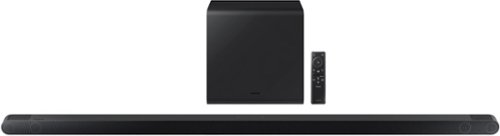
Samsung - HW-S800B 3.1.2ch Soundbar with Wireless Dolby Atmos / DTS:X - Black
Unbelievably sleek, low-profile soundbar delivers high quality audio in a super slim package. Enjoy a surround sound experience with Dolby Atmos and skip the need for HDMI cables. Synchronized audio using every speaker in compatible Samsung TV and soundbars. Simply pair the soundbar with a compatible iPhone or other iOS device to play music.
How long is the power cord?

Hi Pauly,
The total length of the power cord is 10 feet. There are two parts and each section is roughly 5 feet in length.
~Samsung Solutions
The total length of the power cord is 10 feet. There are two parts and each section is roughly 5 feet in length.
~Samsung Solutions
3 years, 9 months ago
by
Posted by:
Samsung
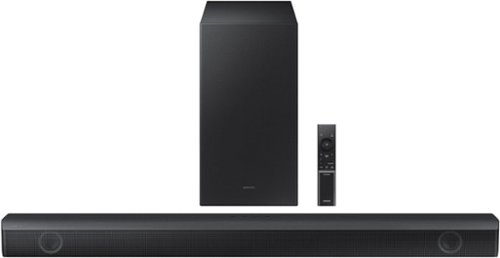
Samsung - HW-B550 2.1ch Soundbar with Dolby Audio / DTS Virtual:X - Black
Dolby Audio creates realistic 3D sound by projecting it from all around you, including from above, while DTS Virtual: X expands your listening experience without having to add extra speakers. Boost the bass with a touch of a button. Experience the intensity of action movies with the powerful bass coming from the included subwoofer. .Enjoy optimized audio with enhanced voice clarity on all your favorite video content.
How many watts this soundbar has?
Hi,
The total wattage of the HW-B550 Soundbar is 410W.
~Samsung Solutions
The total wattage of the HW-B550 Soundbar is 410W.
~Samsung Solutions
3 years, 9 months ago
by
Posted by:
Samsung
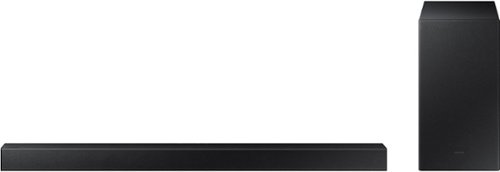
Samsung - 2.1-Channel Soundbar with Wireless Subwoofer and DOLBY AUDIO / DTS 2.0 - Black
Elevate your audio experience with high-quality optimized sound. The power of Samsung sound bar HW-A430/ZA makes surround soundbar comes to life with speakers that fire all around you.
Does this sound bar have a 3.5 inlet for audio input?
Hi mike,
The HW-A430 Soundbar does not include a 3.5mm input. It has the ability to connect using Digital Optical or Bluetooth.
~Samsung Solutions
The HW-A430 Soundbar does not include a 3.5mm input. It has the ability to connect using Digital Optical or Bluetooth.
~Samsung Solutions
3 years, 9 months ago
by
Posted by:
Samsung
Samsung - 2.1-Channel Soundbar with Wireless Subwoofer and DOLBY AUDIO / DTS 2.0 - Black
Elevate your audio experience with high-quality optimized sound. The power of Samsung sound bar HW-A430/ZA makes surround soundbar comes to life with speakers that fire all around you.
I have a Samsung Led tv, series 6, model # UN55J6201. I would like to know if the Samsung 2.1 Channel Soundbar will be compatible with this TV. Thank You.
Hello chills,
The HW-A430 Soundbar has the ability to connect using Bluetooth or Digital Optical. If your TV has either of these inputs then you're all set.
~Samsung Solutions
The HW-A430 Soundbar has the ability to connect using Bluetooth or Digital Optical. If your TV has either of these inputs then you're all set.
~Samsung Solutions
3 years, 9 months ago
by
Posted by:
Samsung
Samsung - 2.1-Channel Soundbar with Wireless Subwoofer and DOLBY AUDIO / DTS 2.0 - Black
Elevate your audio experience with high-quality optimized sound. The power of Samsung sound bar HW-A430/ZA makes surround soundbar comes to life with speakers that fire all around you.
Am I able to use Alexa or google assistant?
Hello Chicago,
The HW-A430 Soundbar is not compatible with any voice assistant.
~Samsung Solutions
The HW-A430 Soundbar is not compatible with any voice assistant.
~Samsung Solutions
3 years, 9 months ago
by
Posted by:
Samsung
Samsung - HW-B550 2.1ch Soundbar with Dolby Audio / DTS Virtual:X - Black
Dolby Audio creates realistic 3D sound by projecting it from all around you, including from above, while DTS Virtual: X expands your listening experience without having to add extra speakers. Boost the bass with a touch of a button. Experience the intensity of action movies with the powerful bass coming from the included subwoofer. .Enjoy optimized audio with enhanced voice clarity on all your favorite video content.
Does this device transmit audio via bluetooth to heaphones, etc. or just receive? If not do you know of one that does?
Hello Transmit,
The HW-B550 Soundbar will only connect to a device so it can receive audio such as a TV or a smart device. All Samsung soundbars are built in the same way.
~Samsung Solutions
The HW-B550 Soundbar will only connect to a device so it can receive audio such as a TV or a smart device. All Samsung soundbars are built in the same way.
~Samsung Solutions
3 years, 9 months ago
by
Posted by:
Samsung
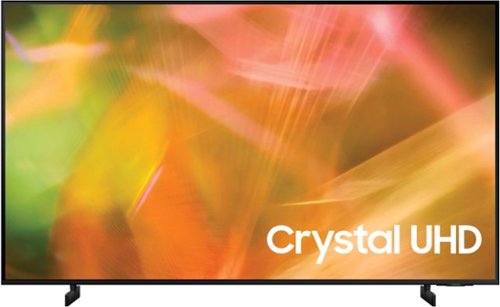
Samsung - 43" Class 8000 Series LED 4K UHD Smart Tizen TV (2021)
Step up to the world of Crystal UHD from Samsung. Elevated color and clarity offer you a picture that has to be seen to be believed. Add in smart features that make watching TV even easier, and you have a TV that is essential.
What are the measurements of this TV
Hi,
The measurements on the 43" AU8000 TV are 38" x 22" x 1" without the stand and 38" x 23.6" x 7.7" (WxHxD) with the stand.
~Samsung Advisor
The measurements on the 43" AU8000 TV are 38" x 22" x 1" without the stand and 38" x 23.6" x 7.7" (WxHxD) with the stand.
~Samsung Advisor
3 years, 9 months ago
by
Posted by:
Samsung
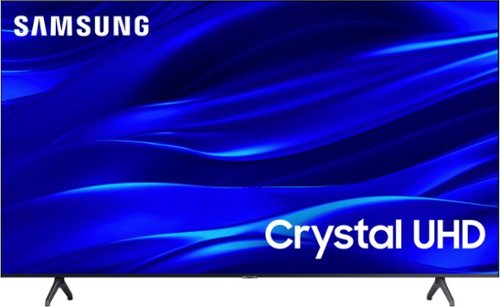
Samsung - 43" Class TU690T Crystal UHD 4K Smart Tizen TV (2022)
See how Crystal UHD with Smart TV elevates what you watch~at a value you~ll love. Go beyond HDTV to enjoy your content in 4K resolution, and in PurColor. And with Smart TV powered by Tizenbuilt in, it~s easy to find and stream the latest shows and movies in just a few clicks.
Will this work as a tv/ monitor
Hi Gene,
Yes, you can connect it via HDMI or Screen Mirroring to use as a monitor.
~Samsung Advisor
Yes, you can connect it via HDMI or Screen Mirroring to use as a monitor.
~Samsung Advisor
3 years, 9 months ago
by
Posted by:
Samsung
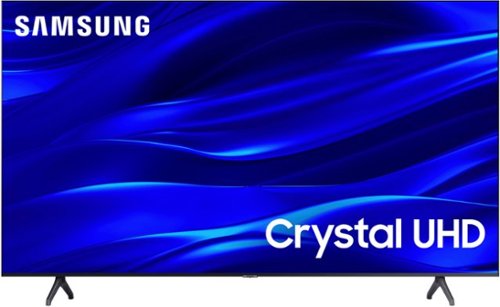
Samsung - 50" Class TU690T Series LED 4K UHD Smart Tizen TV (2023)
See how Crystal UHD with Smart TV elevates what you watch~at a value you~ll love. Go beyond HDTV to enjoy your content in 4K resolution, and in PurColor. And with Smart TV powered by Tizenbuilt in, it~s easy to find and stream the latest shows and movies in just a few clicks.
Is this a wireless TV?
Hi EllieRae,
The TU690T TV does have the ability to connect to the internet via Wi-fi. It, however will need to be connected to a power source with a cord.
~Samsung Advisor
The TU690T TV does have the ability to connect to the internet via Wi-fi. It, however will need to be connected to a power source with a cord.
~Samsung Advisor
3 years, 9 months ago
by
Posted by:
Samsung
Samsung - 43" Class TU690T Crystal UHD 4K Smart Tizen TV (2022)
See how Crystal UHD with Smart TV elevates what you watch~at a value you~ll love. Go beyond HDTV to enjoy your content in 4K resolution, and in PurColor. And with Smart TV powered by Tizenbuilt in, it~s easy to find and stream the latest shows and movies in just a few clicks.
CanI darkness on screen without turning off the room lights?
Hi H,
For darker scenes, I recommend Dynamic Picture Mode, which makes pictures brighter and clearer in bright viewing environments. Go to Settings > Picture > Picture Mode > Dynamic.
Or you can manually adjust the Brightness by pressing the HOME button on your remote, then navigating to Settings > Picture > Expert Settings.
I hope this helps!
~Samsung Advisor
For darker scenes, I recommend Dynamic Picture Mode, which makes pictures brighter and clearer in bright viewing environments. Go to Settings > Picture > Picture Mode > Dynamic.
Or you can manually adjust the Brightness by pressing the HOME button on your remote, then navigating to Settings > Picture > Expert Settings.
I hope this helps!
~Samsung Advisor
3 years, 9 months ago
by
Posted by:
Samsung