Samsung
Samsung's Stats
Reviews
- Review Count0
- Helpfulness Votes0
- First ReviewNone
- Last ReviewNone
- Featured Reviews0
- Average Rating0
Reviews Comments
- Review Comment Count0
- Helpfulness Votes0
- First Review CommentNone
- Last Review CommentNone
- Featured Review Comments0
Questions
- Question Count0
- Helpfulness Votes0
- First QuestionNone
- Last QuestionNone
- Featured Questions0
- Answer Count74634
- Helpfulness Votes37,978
- First AnswerApril 24, 2013
- Last AnswerOctober 1, 2026
- Featured Answers0
- Best Answers3952
Samsung's Reviews
Samsung has not submitted any reviews.
Samsung's Questions
Samsung has not submitted any questions.
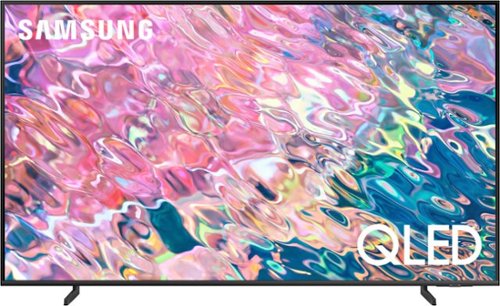
Samsung - 50 Class Q60B QLED 4K Smart Tizen TV (2022)
Leap into the world of bold contrast and vivid color with QLED 4K. Together, cool and warm Dual LEDs shine a billion shades of Quantum Dot color for a natural looking picture. Enjoy it all upscaled to glorious 4K, in details and colors that stay true even in bright scenes, thanks to 100% Color Volume.~ ~QLED televisions can produce 100% Color Volume in the DCI P3 color space, the format for most cinema screens and HDR movies for television.
Does it have the web browser app were you can go on the internet ?

Reeduc - Yes, the Q60B features a built-in Web Browser app.
~ Samsung Specialist
~ Samsung Specialist
4 years ago
by
Posted by:
Samsung
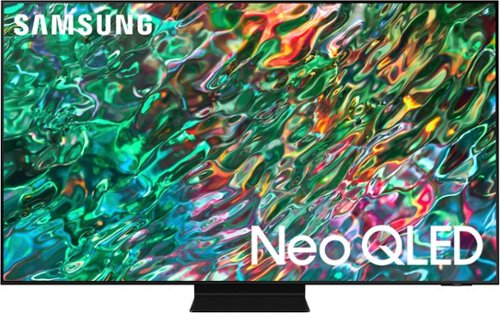
Samsung - 55 Class QN90B Neo QLED 4K Smart Tizen TV (2022)
Dive into our most brilliantly intense 4K experience, powered by Quantum Matrix Technology. By using precision Mini LEDs to create a wide range of color and contrast, rich details are revealed. Marvel at all that emerges from your darkest and brightest scenes thanks to 14 bit processing for deep blacks and over a billion shades of color. From daytime sports to movie night, your picture amazes in any light with AI processing that expertly upscales content to 4K and refines your Smart Hub and sound.
Does it have Airplay?
Hi Mark - Yes, the QN90B TV features built-in AirPlay.
~ Samsung Specialist
~ Samsung Specialist
4 years ago
by
Posted by:
Samsung
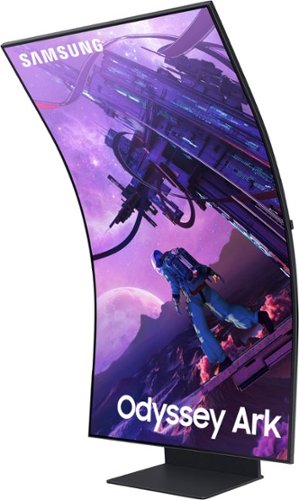
Samsung - Odyssey Ark 55 LED Curved 4K UHD Gaming Monitor - Black
Kickstart your immersive journey with the Samsung Odyssey Ark ~ a new frontier in gaming and so much more. Spanning a grand 55~ and curved to the shape of the human eye, the Ark screen can be rotated into landscape or Cockpit Mode for your optimal display setup. Your keys to victory over lag are a 165Hz refresh rate and 1ms (GTG) response time, while variable refresh rate with AMD FreeSync Premium Pro is the team-up you need to tear up the racetrack, not your screen. Whether you~re exploring new lands in your favorite dungeon crawler, tossing Bits at your favorite streamer, or watching your 10th episode on Netflix, our Quantum Mini-LED and Sound Dome technology with Dolby Atmos produce a perfect viewing experience with stellar picture quality and immersive surround sound. Enjoy multiple content sources all on one screen ~ it~s all possible with one touch on the model-exclusive Ark Dial.
When in vertical mode can you choose 3 windows tabs from your PC? Or does the two additional screens have to be apps from the monitor?
Samsung products are engineered to the highest standards of performance and quality and we back this model with a 1-year limited manufacturer's warranty, if purchased brand-new from an authorized dealer.
Multiview can support three views vertically and four views horizontally. Each view consists of one input (either embedded app or one HDMI Input). However, if you use your PC in full screen and depending on your PC’s capability, you can further divide the screen, but this will not be a function of multiview as your PC is driving the content.
For further assistance or to begin warranty service, please contact Samsung Customer Support via:
1-800-SAMSUNG, available 8AM - 12AM EST (Mon-Fri) / 9AM - 11PM EST (Sat-Sun)
Samsung is committed to providing the best possible product experience, quality, and value, and we are always here to help with any of your questions or concerns.
Multiview can support three views vertically and four views horizontally. Each view consists of one input (either embedded app or one HDMI Input). However, if you use your PC in full screen and depending on your PC’s capability, you can further divide the screen, but this will not be a function of multiview as your PC is driving the content.
For further assistance or to begin warranty service, please contact Samsung Customer Support via:
1-800-SAMSUNG, available 8AM - 12AM EST (Mon-Fri) / 9AM - 11PM EST (Sat-Sun)
Samsung is committed to providing the best possible product experience, quality, and value, and we are always here to help with any of your questions or concerns.
4 years ago
by
Posted by:
Samsung
Samsung - Odyssey Ark 55 LED Curved 4K UHD Gaming Monitor - Black
Kickstart your immersive journey with the Samsung Odyssey Ark ~ a new frontier in gaming and so much more. Spanning a grand 55~ and curved to the shape of the human eye, the Ark screen can be rotated into landscape or Cockpit Mode for your optimal display setup. Your keys to victory over lag are a 165Hz refresh rate and 1ms (GTG) response time, while variable refresh rate with AMD FreeSync Premium Pro is the team-up you need to tear up the racetrack, not your screen. Whether you~re exploring new lands in your favorite dungeon crawler, tossing Bits at your favorite streamer, or watching your 10th episode on Netflix, our Quantum Mini-LED and Sound Dome technology with Dolby Atmos produce a perfect viewing experience with stellar picture quality and immersive surround sound. Enjoy multiple content sources all on one screen ~ it~s all possible with one touch on the model-exclusive Ark Dial.
After finally coming to terms with the fact I can only use one HDMI at a time, I then learn that Streaming apps like Netflix and HBO Max cannot be viewed in MultiView. Can anyone confirm this. This is definitely a deal-breaker if true.
I am very sorry to see that you have encountered issues with the Samsung Odyssey Ark Monitor. I understand your disappointment and hope that you will give us a chance to assist with troubleshooting or warranty service.
Samsung products are engineered to the highest standards of performance and quality and we back this model with a 1-year limited manufacturer's warranty, if purchased brand-new from an authorized dealer.
Multiview can support three views vertically and four views horizontally. Each view consists of one input (either embedded app or one HDMI Input). Multiview is capable of running streaming apps.
For further assistance or to begin warranty service, please contact Samsung Customer Support via:
1-800-SAMSUNG, available 8AM - 12AM EST (Mon-Fri) / 9AM - 11PM EST (Sat-Sun)
Samsung is committed to providing the best possible product experience, quality, and value, and we are always here to help with any of your questions or concerns.
Samsung products are engineered to the highest standards of performance and quality and we back this model with a 1-year limited manufacturer's warranty, if purchased brand-new from an authorized dealer.
Multiview can support three views vertically and four views horizontally. Each view consists of one input (either embedded app or one HDMI Input). Multiview is capable of running streaming apps.
For further assistance or to begin warranty service, please contact Samsung Customer Support via:
1-800-SAMSUNG, available 8AM - 12AM EST (Mon-Fri) / 9AM - 11PM EST (Sat-Sun)
Samsung is committed to providing the best possible product experience, quality, and value, and we are always here to help with any of your questions or concerns.
4 years ago
by
Posted by:
Samsung
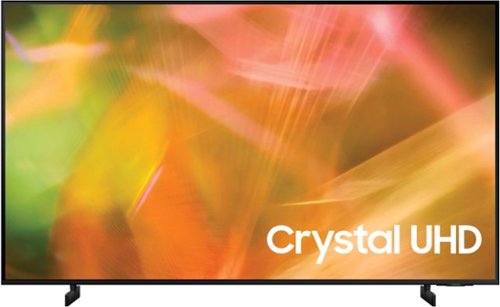
Samsung - 43" Class 8000 Series LED 4K UHD Smart Tizen TV (2021)
Step up to the world of Crystal UHD from Samsung. Elevated color and clarity offer you a picture that has to be seen to be believed. Add in smart features that make watching TV even easier, and you have a TV that is essential.
Does the "Professional Services" delivery and set up include hauling away old TV?
Hi Jack,
We recommend reaching out to Best Buy directly to better assist you with this question.
~Samsung Advisor
We recommend reaching out to Best Buy directly to better assist you with this question.
~Samsung Advisor
4 years ago
by
Posted by:
Samsung
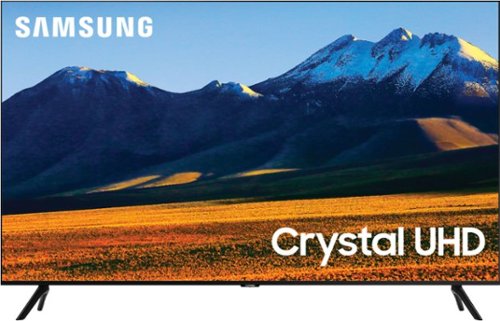
Samsung - 86 Class TU9010 LED 4K UHD Smart Tizen TV (2021)
Experience your favorite movies and shows on a vibrant, stunning 4K UHD screen, using the Universal Guide to surf smoothly and select content. Everything you watch is automatically upscaled into 4K for stunningly vivid color and detail.
Does this TV have ethernet / LAN input? Or is the only network option wi-fi ?
HI paladisiac,
Yes the TU9010 has an ethernet port and can also connect to your internet via Wi-Fi connection.
~Samsung Advisor
Yes the TU9010 has an ethernet port and can also connect to your internet via Wi-Fi connection.
~Samsung Advisor
4 years ago
by
Posted by:
Samsung
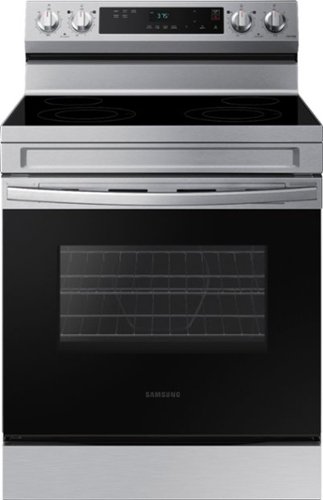
Elevate the look of your kitchen with Samsung~s Smart Freestanding Electric Range. Our Stainless Steel design elegantly wraps around cooktop sides and up through the slim control panel. Upgraded technology makes cooking on your stove simple and fun.
What are the bake and broil wattages?
Great question, CC42. Below are the wattages for each element:
1. Bake (2400W).
2. Broil (3400W).
Have a great day.
Melardo
1. Bake (2400W).
2. Broil (3400W).
Have a great day.
Melardo
4 years ago
by
Posted by:
Samsung
Samsung - 86 Class TU9010 LED 4K UHD Smart Tizen TV (2021)
Experience your favorite movies and shows on a vibrant, stunning 4K UHD screen, using the Universal Guide to surf smoothly and select content. Everything you watch is automatically upscaled into 4K for stunningly vivid color and detail.
Does this TV have chrome cast?
Hi there,
No, Chromecast is not built into the Samsung TU9010 TV.
~Samsung Advisor
No, Chromecast is not built into the Samsung TU9010 TV.
~Samsung Advisor
4 years ago
by
Posted by:
Samsung
Samsung - 43" Class 8000 Series LED 4K UHD Smart Tizen TV (2021)
Step up to the world of Crystal UHD from Samsung. Elevated color and clarity offer you a picture that has to be seen to be believed. Add in smart features that make watching TV even easier, and you have a TV that is essential.
how do we turn off the voice that tells us the volume level and other information. It just started doing this after two years of not having this unrequested voice feature?
Hi Paul,
You can turn off Voice Guide by going to Settings> General> Accessibility> Voice Guide Settings> Voice Guide.
~Samsung Advisor
You can turn off Voice Guide by going to Settings> General> Accessibility> Voice Guide Settings> Voice Guide.
~Samsung Advisor
4 years ago
by
Posted by:
Samsung
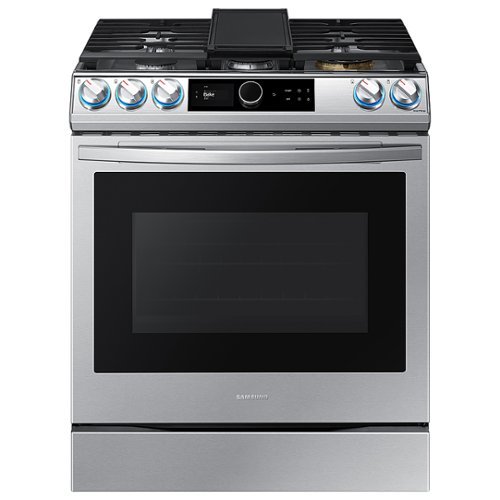
Samsung - 6.0 Cu. Ft. Front Control Slide-in Gas Range with Smart Dial, Air Fry & Wi-Fi, Fingerprint Resistant - Stainless Steel
The Samsung Front Control Slide-in Gas Range with Smart Dial and Air Fry is fully Wi-Fi connected and voice enabled, giving you the tools you need to simplify the cooking experience in the kitchen.
Does this have True Convection with a third heating element behind the fan or just a Convection with the fan?
Hi There. Glad that you asked about the heating elements the range has. It's a true convection with 3 heating elements all-in-all. I have shared the location below.
a. Top of the oven cavity: used for broiling
b. Below of the oven cavity: used for baking
c. Behind the convection fan: 3rd heating element for convection+
Have a great day.
Melardo
a. Top of the oven cavity: used for broiling
b. Below of the oven cavity: used for baking
c. Behind the convection fan: 3rd heating element for convection+
Have a great day.
Melardo
4 years ago
by
Posted by:
Samsung