Samsung
Samsung's Stats
Reviews
- Review Count0
- Helpfulness Votes0
- First ReviewNone
- Last ReviewNone
- Featured Reviews0
- Average Rating0
Reviews Comments
- Review Comment Count0
- Helpfulness Votes0
- First Review CommentNone
- Last Review CommentNone
- Featured Review Comments0
Questions
- Question Count0
- Helpfulness Votes0
- First QuestionNone
- Last QuestionNone
- Featured Questions0
- Answer Count74667
- Helpfulness Votes37,993
- First AnswerApril 24, 2013
- Last AnswerOctober 2, 2026
- Featured Answers0
- Best Answers3952
Samsung's Reviews
Samsung has not submitted any reviews.
Samsung's Questions
Samsung has not submitted any questions.
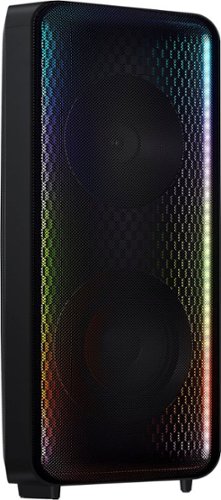
Go wall-to-wall with Samsung Sound Tower's unique Bi-directional design. Enjoy up to 18 hours of unplugged entertainment with our built-in battery. Rain or shine, enjoy year-round outdoor entertainment with this soundbar that is IPX5 rated for weather-resistant durability against water and dust.
This product ah e the feature of FM radio?

Hi Nando,
The MX-ST50B Sound Tower connects to other devices using Bluetooth, 3.5mm (AUX) or red/white audio cables.
~Samsung Solutions
The MX-ST50B Sound Tower connects to other devices using Bluetooth, 3.5mm (AUX) or red/white audio cables.
~Samsung Solutions
4 years ago
by
Posted by:
Samsung
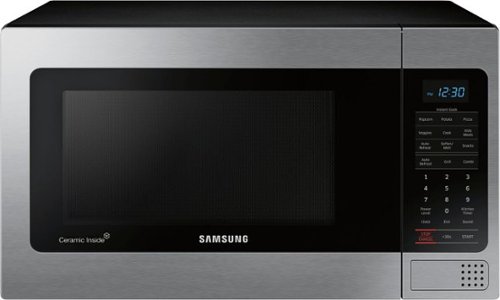
Samsung - 1.1 Cu. Ft. Countertop Microwave with Grilling Element - Stainless Steel
The Samsung Grill Cooking Countertop Microwave makes preparing multiple dishes effortless with 1.1 cu. Ft. capacity. The grilling element allows you to enjoy crispy food in minutes. Additionally, the Ceramic Enamel interior provides a durable, scratch resistant and easy to clean interior, making everyday maintenance simple
what are the physical dimensions of this product?
Hi There,
Great question! We appreciate your query regarding the fridge. The product dimensions are 20 3/8" W x 11 11/16" H x 15 13/16" D.
Have a great day.
^Chrystel
Great question! We appreciate your query regarding the fridge. The product dimensions are 20 3/8" W x 11 11/16" H x 15 13/16" D.
Have a great day.
^Chrystel
4 years ago
by
Posted by:
Samsung
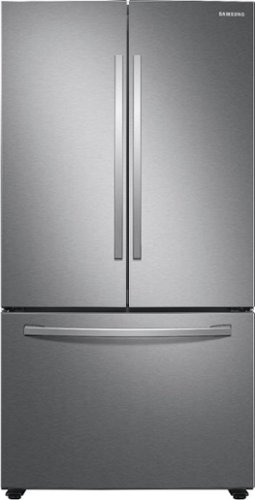
Samsung - 28 cu. ft. 3-Door French Door Refrigerator with Large Capacity - Stainless Steel
Samsung~s 28 cu. ft. large capacity 3-Door French Door refrigerator is beautifully designed, with sleek-edged doors, and EZ-Open Handle. The clean lines and modern form blend beautifully into your kitchen while the fingerprint resistant finish withstands everyday smudges.
Is there a feature to stop the doors at 90 degrees so they don’t hit the wall
Greetings!
We appreciate your question about the features the refrigerator offers.
The refrigerator does not have a feature that will stop the doors at 90 degrees when you open them; however, you can purchase a Samsung door accessory (door stopper).
Please visit our authorized distributor for parts and accessories website for a compatible door stopper I have shared below.
http://www.samsungparts.com/CustomerService.aspx
Should you need more assistance, please feel free to get back to us via the following options:
1. Facebook Messenger: http://m.me/samsungsupport
2. Twitter: https://twitter.com/messages/compose?recipient_id=18768513
3. Samsung Community: https://us.community.samsung.com/t5/Samsung-Community/ct-p/us
When you message us, provide them this number 1144889001 and it will help our team pull up your information.
Leo
We appreciate your question about the features the refrigerator offers.
The refrigerator does not have a feature that will stop the doors at 90 degrees when you open them; however, you can purchase a Samsung door accessory (door stopper).
Please visit our authorized distributor for parts and accessories website for a compatible door stopper I have shared below.
http://www.samsungparts.com/CustomerService.aspx
Should you need more assistance, please feel free to get back to us via the following options:
1. Facebook Messenger: http://m.me/samsungsupport
2. Twitter: https://twitter.com/messages/compose?recipient_id=18768513
3. Samsung Community: https://us.community.samsung.com/t5/Samsung-Community/ct-p/us
When you message us, provide them this number 1144889001 and it will help our team pull up your information.
Leo
4 years ago
by
Posted by:
Samsung
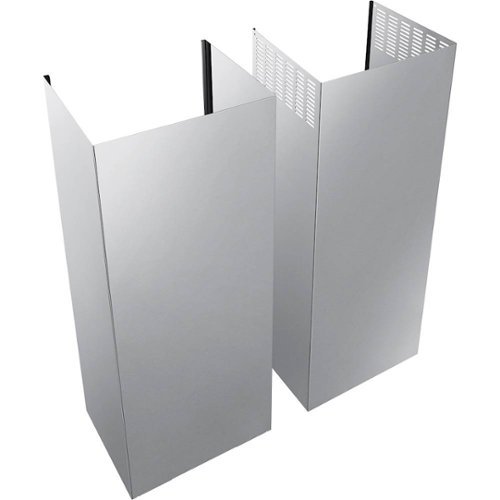
Samsung - Chimney Hood Extension Kit for Select 30" and 36" Range Hoods - Stainless Steel
Accommodate a tall kitchen ceiling with this Samsung chimney extension kit. It comes with everything you need to extend the height of your range hood.
Is this extension kit compatible with the Samsung 30" Range Hood - NK30R5000W? Thank you
Hi There.
Glad that you ask a compatible range hood for your chimney hood extension kit. This extension kit (NK-AE705PWS) is not compatible with your range hood.
Your range hood is compatible with the extension kit (NK-AE505PWS/AA).
Have a great day.
Melardo
Glad that you ask a compatible range hood for your chimney hood extension kit. This extension kit (NK-AE705PWS) is not compatible with your range hood.
Your range hood is compatible with the extension kit (NK-AE505PWS/AA).
Have a great day.
Melardo
4 years ago
by
Posted by:
Samsung
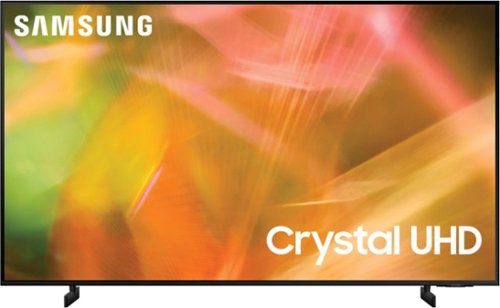
Samsung - 65" Class 8000 Series LED 4K UHD Smart Tizen TV (2021)
Step up to the world of Crystal UHD from Samsung. Elevated color and clarity offer you a picture that has to be seen to be believed. Add in smart features that make watching TV even easier, and you have a TV that is essential.
How can I shut off the voice control and Alexa functions?
Hi 1ParanoidBoomer,
Yes, you can disable the voice assistant feature by going to Settings > General > Voice > Alexa Settings > Voice Response > Off. Then open Voice Wake-Up Settings and set to OFF. You can also disable Bixby and Google Assistant.
~Samsung Advisor
Yes, you can disable the voice assistant feature by going to Settings > General > Voice > Alexa Settings > Voice Response > Off. Then open Voice Wake-Up Settings and set to OFF. You can also disable Bixby and Google Assistant.
~Samsung Advisor
4 years ago
by
Posted by:
Samsung
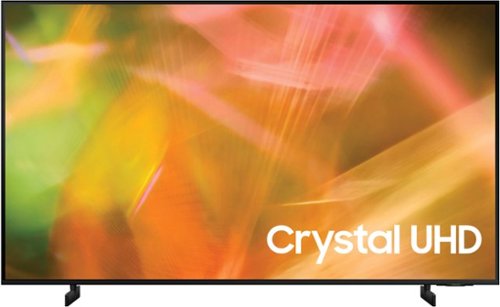
Samsung - 55" Class 8000 Series LED 4K UHD Smart Tizen TV (2021)
Step up to the world of Crystal UHD from Samsung. Elevated color and clarity offer you a picture that has to be seen to be believed. Add in smart features that make watching TV even easier, and you have a TV that is essential.
Is this tv good against glare?
Hi Chuck,
For optimal glare control, we recommend positioning the TV to minimize incident light falling on the screen or consulting a professional installer. Starting with our 55” QN90B model, Samsung TVs feature Anti-Reflection Technology reducing ambient light reflections on the TV screen.
~Samsung Advisor
For optimal glare control, we recommend positioning the TV to minimize incident light falling on the screen or consulting a professional installer. Starting with our 55” QN90B model, Samsung TVs feature Anti-Reflection Technology reducing ambient light reflections on the TV screen.
~Samsung Advisor
4 years ago
by
Posted by:
Samsung
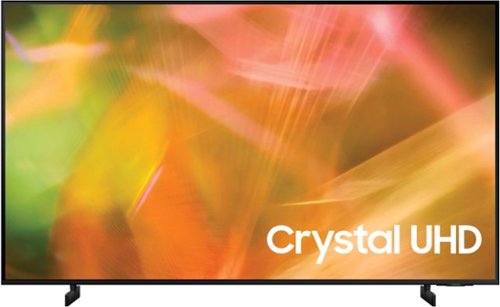
Samsung - 43" Class 8000 Series LED 4K UHD Smart Tizen TV (2021)
Step up to the world of Crystal UHD from Samsung. Elevated color and clarity offer you a picture that has to be seen to be believed. Add in smart features that make watching TV even easier, and you have a TV that is essential.
Does this unit have TV Plus?
Hi Marty,
Yes the AU8000, does come with Samsung TV Plus which provides hundreds of free channels!
~Samsung Advisor
Yes the AU8000, does come with Samsung TV Plus which provides hundreds of free channels!
~Samsung Advisor
4 years ago
by
Posted by:
Samsung
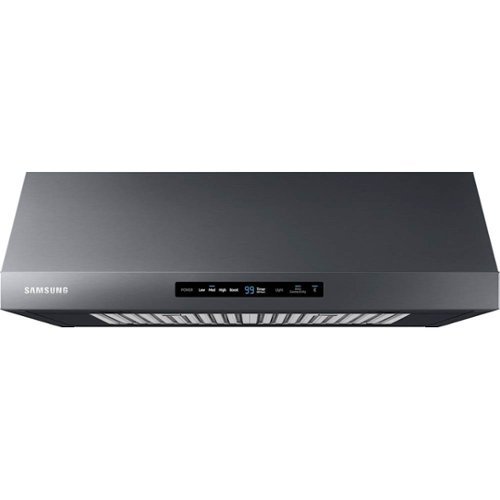
The Samsung range hood automatically turns on the fan and lights when the burners are on. The dishwasher-safe metal baffle filter keeps the air clean by filtering the grease and odor drawn up through the hood.
Which 30" gas cook tops are compatible with this? I want the light to turn on when I ignite the gas burner, like my old GE one used to.
Hi There.
Glad that you ask the compatible gas cooktop on your range hood. Per checking, your range hood is related/compatible with an induction cooktop (NK30N7000UG-AA).
Have a great day.
Melardo
Glad that you ask the compatible gas cooktop on your range hood. Per checking, your range hood is related/compatible with an induction cooktop (NK30N7000UG-AA).
Have a great day.
Melardo
4 years ago
by
Posted by:
Samsung

Samsung - Bespoke Dishwasher Panel - Navy Steel
Bespoke Dishwasher door panel in Navy Steel designed to express your personal lifestyle and complement your Bespoke kitchen appliances.
Is this a complete dishwasher with panel
Greetings,
Thank you for your interest in purchasing the Samsung dishwasher with a panel. No, this is only the panel.
If you want to purchase the Samsung Bespoke Smart 42dBA Dishwasher with StormWash+™ and Smart Dry in Fingerprint Resistant Navy Steel.
You can check this link: https://www.samsung.com/us/home-appliances/dishwashers/rotary/bespoke-smart-42dBA-dishwasher-with-stormwash-and-smart-dry-in-navy-steel-bndl-1657569948077/#benefits
If you have inquiries and need further assistance in the future, you may contact us via the following options:
1. Facebook Messenger: http://m.me/samsungsupport
2. Twitter: https://twitter.com/messages/compose?recipient_id=18768513
3. Samsung Community: https://us.community.samsung.com/t5/Samsung-Community/ct-p/us
Once you contact us, you can provide this reference number 1144888691.
Thank you for choosing Samsung!
^Rainly
Thank you for your interest in purchasing the Samsung dishwasher with a panel. No, this is only the panel.
If you want to purchase the Samsung Bespoke Smart 42dBA Dishwasher with StormWash+™ and Smart Dry in Fingerprint Resistant Navy Steel.
You can check this link: https://www.samsung.com/us/home-appliances/dishwashers/rotary/bespoke-smart-42dBA-dishwasher-with-stormwash-and-smart-dry-in-navy-steel-bndl-1657569948077/#benefits
If you have inquiries and need further assistance in the future, you may contact us via the following options:
1. Facebook Messenger: http://m.me/samsungsupport
2. Twitter: https://twitter.com/messages/compose?recipient_id=18768513
3. Samsung Community: https://us.community.samsung.com/t5/Samsung-Community/ct-p/us
Once you contact us, you can provide this reference number 1144888691.
Thank you for choosing Samsung!
^Rainly
4 years ago
by
Posted by:
Samsung
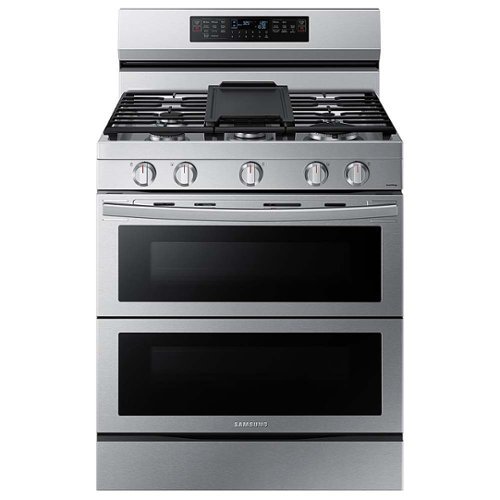
Cook two dishes at different temperatures with Samsung~s Flex Duo Freestanding Gas Range. Use the full oven for a large roast or split it into two smaller ovens that can cook at different temperatures. Our stainless steel design completely covers all cooktop and backguard surfaces. Upgraded technology makes cooking simple and fun.
How long has this model been manufactured? Or at the very least how long has Samsung been making Flex Duo ovens?
Hello there,
Thank you for your question we're glad you asked about our product the Samsung Range regarding how long was it manufactured or how long they have to make the Flex Duo ovens.
You may get in touch with the links provided for proper assistance.
Hello KBfromSB,
Thank you for your question we're glad you asked about our product the Samsung Range regarding how long was it manufactured or how long they have to make the Flex Duo ovens.
You may get in touch with the links provided for proper assistance.
1. Facebook Messenger: http://m.me/samsungsupport
2. Twitter: https://twitter.com/messages/compose?recipient_id=18768513
3. Samsung Community: https://us.community.samsung.com/t5/Samsung-Community/ct-p/us
When you message us, please provide them with this number (1144863720) to help our team pull up your information.
Thank you for choosing Samsung. Have a great day.
^^Ross
Thank you for your question we're glad you asked about our product the Samsung Range regarding how long was it manufactured or how long they have to make the Flex Duo ovens.
You may get in touch with the links provided for proper assistance.
Hello KBfromSB,
Thank you for your question we're glad you asked about our product the Samsung Range regarding how long was it manufactured or how long they have to make the Flex Duo ovens.
You may get in touch with the links provided for proper assistance.
1. Facebook Messenger: http://m.me/samsungsupport
2. Twitter: https://twitter.com/messages/compose?recipient_id=18768513
3. Samsung Community: https://us.community.samsung.com/t5/Samsung-Community/ct-p/us
When you message us, please provide them with this number (1144863720) to help our team pull up your information.
Thank you for choosing Samsung. Have a great day.
^^Ross
4 years ago
by
Posted by:
Samsung