Samsung
Samsung's Stats
Reviews
- Review Count0
- Helpfulness Votes0
- First ReviewNone
- Last ReviewNone
- Featured Reviews0
- Average Rating0
Reviews Comments
- Review Comment Count0
- Helpfulness Votes0
- First Review CommentNone
- Last Review CommentNone
- Featured Review Comments0
Questions
- Question Count0
- Helpfulness Votes0
- First QuestionNone
- Last QuestionNone
- Featured Questions0
- Answer Count74667
- Helpfulness Votes37,993
- First AnswerApril 24, 2013
- Last AnswerOctober 2, 2026
- Featured Answers0
- Best Answers3952
Samsung's Reviews
Samsung has not submitted any reviews.
Samsung's Questions
Samsung has not submitted any questions.
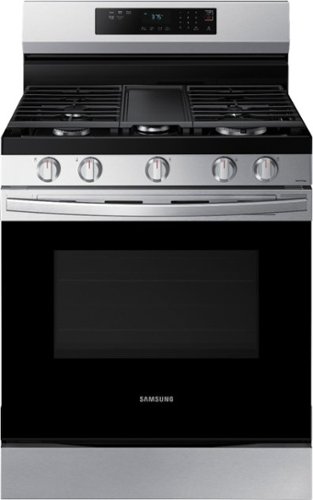
Elevate the look of your kitchen with Samsung~s Smart Freestanding Gas Range. Upgraded technology makes cooking simple and fun.
What are the power requirements

Hi Candi,
Glad you ask about the power requirements of the Samsung range. Use a dedicated 120-volt, 60-Hz, 20-amp AC electrical circuit with a time-delay fuse or circuit breaker for this range.
I highly suggest checking this user's manual link on pages 9-10.
Here's the user's manual link: https://downloadcenter.samsung.com/content/UM/202207/20220713101924684/NX60A6311SS_AA_DG68-01340A-03_EN_MES_CFR_220712.pdf
If you have inquiries and need further assistance in the future, you may contact us via the following options:
1. Facebook Messenger: http://m.me/samsungsupport
2. Twitter: https://twitter.com/messages/compose?recipient_id=18768513
3. Samsung Community: https://us.community.samsung.com/t5/Samsung-Community/ct-p/us
Once you contact us, you can provide this reference number 1144891090.
^Rainly
Glad you ask about the power requirements of the Samsung range. Use a dedicated 120-volt, 60-Hz, 20-amp AC electrical circuit with a time-delay fuse or circuit breaker for this range.
I highly suggest checking this user's manual link on pages 9-10.
Here's the user's manual link: https://downloadcenter.samsung.com/content/UM/202207/20220713101924684/NX60A6311SS_AA_DG68-01340A-03_EN_MES_CFR_220712.pdf
If you have inquiries and need further assistance in the future, you may contact us via the following options:
1. Facebook Messenger: http://m.me/samsungsupport
2. Twitter: https://twitter.com/messages/compose?recipient_id=18768513
3. Samsung Community: https://us.community.samsung.com/t5/Samsung-Community/ct-p/us
Once you contact us, you can provide this reference number 1144891090.
^Rainly
4 years ago
by
Posted by:
Samsung
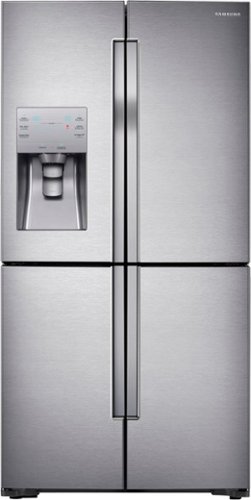
Samsung - 23 cu. ft. Counter Depth 4-Door with Cool Select Plus Fingerprint Resistant Refrigerator - Stainless Steel
This four-door counter depth refrigerator features a Triple Cooling System designed to maintain optimal conditions within the stainless steel refrigerator and help keep your perishable fruits and vegetables fresher longer. FlexZone provides the ability to switch between cooling and freezing to maximize fresh food storage space. Plus, Ice Master ice machine, high-efficiency LED lighting, and Power Freeze and Power Cool for dropping the temperature in a compartment within minutes for quick chilling.
Are you able to remove the rollers or feet from the bottom to allow extra height?
Greetings!
We appreciate your question about the leveling feet of the refrigerator.
It is recommended to not remove the leveling legs of the refrigerator for reasons that may affect the performance of your refrigerator and to avoid cooling issues. The refrigerator has to be level at all times for the doors to close properly and for optimum operation of the cooling system.
Should you need more assistance, please feel free to get back to us via the following options:
1. Facebook Messenger: http://m.me/samsungsupport
2. Twitter: https://twitter.com/messages/compose?recipient_id=18768513
3. Samsung Community: https://us.community.samsung.com/t5/Samsung-Community/ct-p/us
When you message us, provide them this number 1144891007 and it will help our team pull up your information.
Leo
We appreciate your question about the leveling feet of the refrigerator.
It is recommended to not remove the leveling legs of the refrigerator for reasons that may affect the performance of your refrigerator and to avoid cooling issues. The refrigerator has to be level at all times for the doors to close properly and for optimum operation of the cooling system.
Should you need more assistance, please feel free to get back to us via the following options:
1. Facebook Messenger: http://m.me/samsungsupport
2. Twitter: https://twitter.com/messages/compose?recipient_id=18768513
3. Samsung Community: https://us.community.samsung.com/t5/Samsung-Community/ct-p/us
When you message us, provide them this number 1144891007 and it will help our team pull up your information.
Leo
4 years ago
by
Posted by:
Samsung
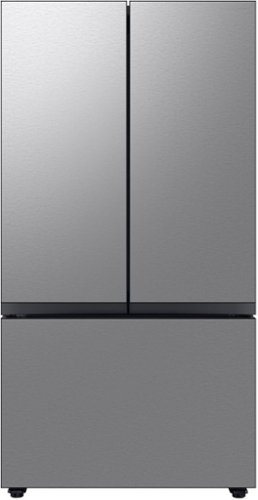
Counter Depth 3-Door French Door Refrigerator reinvents water and ice the way you want it with Samsung~s AutoFill Water Pitcher and Dual Ice Maker with cubed ice and Ice Bites
Can the storage bins be pulled out for cleaning with the doors open 90 degrees ( due to being installed against a wall on the right side. )
Hi BenTalla,
We appreciate your question about the bins being removed for cleaning.
The bins can be removed even with the doors of the refrigerator opened at 90 degrees. I have shared below a Samsung link that can guide you with this.
Samsung refrigerator shelf/drawer removal and cleaning guide:
https://www.samsung.com/us/support/answer/ANS00063107/
Should you need more assistance, please feel free to get back to us via the following options:
1. Facebook Messenger: http://m.me/samsungsupport
2. Twitter: https://twitter.com/messages/compose?recipient_id=18768513
3. Samsung Community: https://us.community.samsung.com/t5/Samsung-Community/ct-p/us
When you message us, provide them this number 1144890974 and it will help our team pull up your information.
Leo
We appreciate your question about the bins being removed for cleaning.
The bins can be removed even with the doors of the refrigerator opened at 90 degrees. I have shared below a Samsung link that can guide you with this.
Samsung refrigerator shelf/drawer removal and cleaning guide:
https://www.samsung.com/us/support/answer/ANS00063107/
Should you need more assistance, please feel free to get back to us via the following options:
1. Facebook Messenger: http://m.me/samsungsupport
2. Twitter: https://twitter.com/messages/compose?recipient_id=18768513
3. Samsung Community: https://us.community.samsung.com/t5/Samsung-Community/ct-p/us
When you message us, provide them this number 1144890974 and it will help our team pull up your information.
Leo
4 years ago
by
Posted by:
Samsung
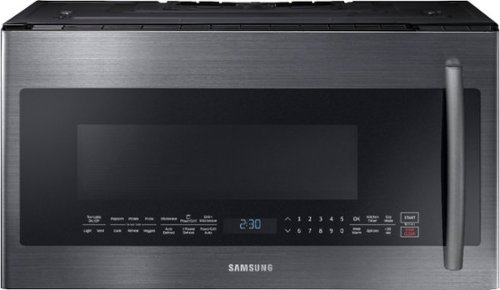
Samsung - 2.1 Cu. Ft. Over-the-Range Microwave with Sensor Cook - Black Stainless Steel
Samsung's 1000-Watt Over the Range Microwave gives you the convenience of traditional microwave cooking plus the added PowerGrill feature that allows you to grill up to 1500 watts, just like you would with your outdoor grill. Glass Touch Bottom Controls provide precise touch control with a premium look. Keep the microwave spotless and avoid scratches with Ceramic Enamel Interior. Plus, 2.1 cu. ft. of capacity provides big space for big results.
How do you set the clock?
Hi There,
Thanks for asking! We appreciate your question concerning setting the clock.
Kindly follow these links below for the step-by-step guidelines:
Set time on your Samsung microwave:
https://www.samsung.com/us/support/answer/ANS00087028/
How to set the microwave clock with the Options button:
https://www.youtube.com/watch?v=W-XHYxp-a70
Set the clock on your microwave with the Power Level button:
https://www.youtube.com/watch?v=hAnYU3m646k
Should you ever need assistance, please feel free to get back to us via the following options:
1. Facebook Messenger: http://m.me/samsungsupport
2. Twitter: https://twitter.com/messages/compose?recipient_id=18768513
3. Samsung Community: https://us.community.samsung.com/t5/Samsung-Community/ct-p/us
When you message us, please provide them with this number 1144890946 to help our team pull up your information.
Thank you for being a valued customer of Samsung. Have a great day.
^Chrystel
Thanks for asking! We appreciate your question concerning setting the clock.
Kindly follow these links below for the step-by-step guidelines:
Set time on your Samsung microwave:
https://www.samsung.com/us/support/answer/ANS00087028/
How to set the microwave clock with the Options button:
https://www.youtube.com/watch?v=W-XHYxp-a70
Set the clock on your microwave with the Power Level button:
https://www.youtube.com/watch?v=hAnYU3m646k
Should you ever need assistance, please feel free to get back to us via the following options:
1. Facebook Messenger: http://m.me/samsungsupport
2. Twitter: https://twitter.com/messages/compose?recipient_id=18768513
3. Samsung Community: https://us.community.samsung.com/t5/Samsung-Community/ct-p/us
When you message us, please provide them with this number 1144890946 to help our team pull up your information.
Thank you for being a valued customer of Samsung. Have a great day.
^Chrystel
4 years ago
by
Posted by:
Samsung
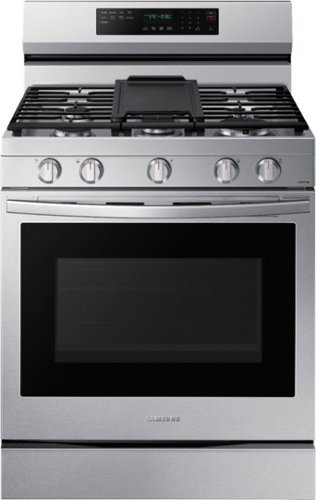
Elevate the look of your kitchen with Samsung~s Smart Freestanding Gas Range. Our stainless steel design completely covers all cooktop and backguard surfaces. Upgraded technology makes cooking with your oven simple and fun.
Is there a drawer below the oven door for storage?
Hi Caroh,
Glad you ask about the storage drawer. Yes, there's a storage drawer below the oven door.
I highly suggest checking this user's manual link on page 14.
Here's the user's manual link: https://downloadcenter.samsung.com/content/UM/202207/20220713103532468/NX60A6711SS_AA_DG68-01338A-03_EN_MES_CFR_220712.pdf
It shows the overview of the Samsung range.
If you have inquiries and need further assistance in the future, you may contact us via the following options:
1. Facebook Messenger: http://m.me/samsungsupport
2. Twitter: https://twitter.com/messages/compose?recipient_id=18768513
3. Samsung Community: https://us.community.samsung.com/t5/Samsung-Community/ct-p/us
Once you contact us, you can provide this reference number 1144890930.
^Rainly
Glad you ask about the storage drawer. Yes, there's a storage drawer below the oven door.
I highly suggest checking this user's manual link on page 14.
Here's the user's manual link: https://downloadcenter.samsung.com/content/UM/202207/20220713103532468/NX60A6711SS_AA_DG68-01338A-03_EN_MES_CFR_220712.pdf
It shows the overview of the Samsung range.
If you have inquiries and need further assistance in the future, you may contact us via the following options:
1. Facebook Messenger: http://m.me/samsungsupport
2. Twitter: https://twitter.com/messages/compose?recipient_id=18768513
3. Samsung Community: https://us.community.samsung.com/t5/Samsung-Community/ct-p/us
Once you contact us, you can provide this reference number 1144890930.
^Rainly
4 years ago
by
Posted by:
Samsung
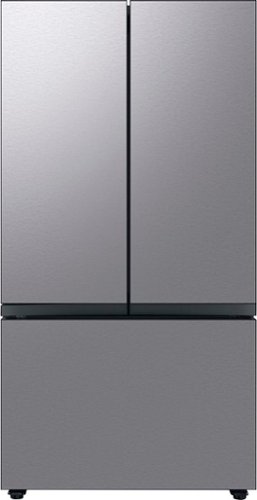
Extra-large capacity 3-Door French Door Refrigerator : a revolution in convenience and design, the concealed Beverage Center features both a water dispenser and AutoFill Water Pitcher. Plus a Dual Ice Maker with cubed ice and Ice Bites.
Does this refrigerator have wheels on the bottom so it can be moved without scratching the floor?
Hi Laura,
We appreciate your question about wheel casters on the refrigerator.
The refrigerator is not equipped with wheel casters for mobility but has leveling legs instead.
Should you need more assistance, please feel free to get back to us via the following options:
1. Facebook Messenger: http://m.me/samsungsupport
2. Twitter: https://twitter.com/messages/compose?recipient_id=18768513
3. Samsung Community: https://us.community.samsung.com/t5/Samsung-Community/ct-p/us
When you message us, provide them this number 1144890600 and it will help our team pull up your information.
Leo
We appreciate your question about wheel casters on the refrigerator.
The refrigerator is not equipped with wheel casters for mobility but has leveling legs instead.
Should you need more assistance, please feel free to get back to us via the following options:
1. Facebook Messenger: http://m.me/samsungsupport
2. Twitter: https://twitter.com/messages/compose?recipient_id=18768513
3. Samsung Community: https://us.community.samsung.com/t5/Samsung-Community/ct-p/us
When you message us, provide them this number 1144890600 and it will help our team pull up your information.
Leo
4 years ago
by
Posted by:
Samsung
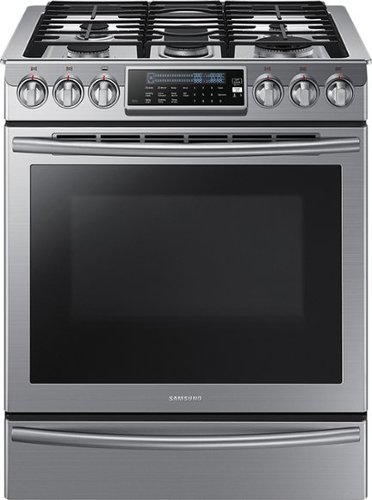
Samsung - 5.8 Cu. Ft. Self-Cleaning Slide-In Gas Convection Range - Stainless Steel
Create new recipes every day. This spacious Samsung range is equipped with all the tools you need to expand your culinary skills. The Guiding Light controls, reversible cast iron griddle, custom wok grate, and more, will help you bring variety to every mealtime.
Do the knobs get hot when using the front burners. I ask due to the angle of the knob in respect to the burner position.
Hello Tony,
Thank you for your question about our Samsung Range. Here at Samsung, we always try our best to make our products convenient for our customers and provide the best possible customer experience. To address your question knobs get hot when used.
No, it is not designed to get hot when used.
Please reach out with any further comments or suggestions you wish to share using the following options
1. Facebook Messenger: http://m.me/samsungsupport
2. Twitter: https://twitter.com/messages/compose?recipient_id=18768513
3. Samsung Community: https://us.community.samsung.com/t5/Samsung-Community/ct-p/us
When you message us, please provide them with this number (1144890580) to help our team pull up your information.
Thank you for choosing Samsung. Have a great day.
^^Ross
Thank you for your question about our Samsung Range. Here at Samsung, we always try our best to make our products convenient for our customers and provide the best possible customer experience. To address your question knobs get hot when used.
No, it is not designed to get hot when used.
Please reach out with any further comments or suggestions you wish to share using the following options
1. Facebook Messenger: http://m.me/samsungsupport
2. Twitter: https://twitter.com/messages/compose?recipient_id=18768513
3. Samsung Community: https://us.community.samsung.com/t5/Samsung-Community/ct-p/us
When you message us, please provide them with this number (1144890580) to help our team pull up your information.
Thank you for choosing Samsung. Have a great day.
^^Ross
4 years ago
by
Posted by:
Samsung
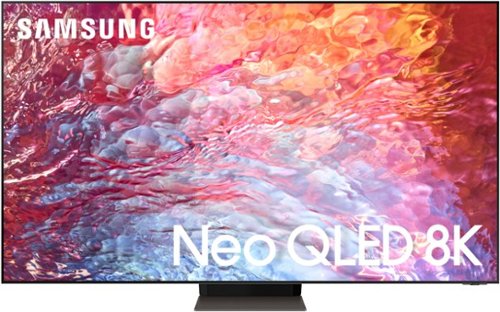
Samsung - 55" Class QN700B Neo QLED 8K Smart TV (2022)
Brilliant details shine even in daylight with Samsung~s ultra-precise Quantum Mini LEDs.For all you watch, experience AI-powered 8K, with 20 distinct neural networks.*Immerse yourself in a next level viewing experience with an impossibly slim profile.Every detail bursts to life with the realistic contrast and brilliance the director intended.
When will this 55" version be available?
Hi skuibreaker - Best Buy and Samsung are working together to make this product available as soon as possible. Please continue to check the website or contact your local Best Buy for more information.
~ Samsung Specialist
~ Samsung Specialist
4 years ago
by
Posted by:
Samsung
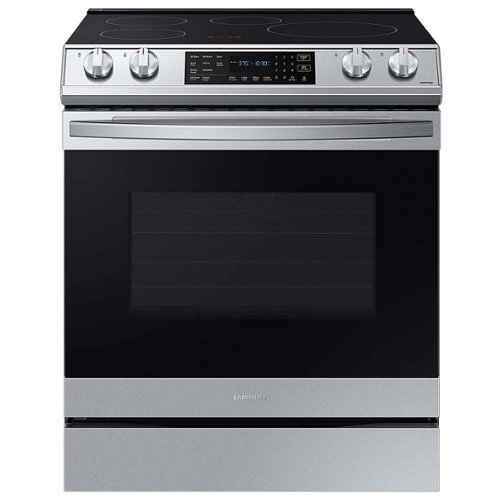
Samsung - 6.3 cu. ft. Smart Instant Heat Slide-in Induction Range with Air Fry & Convection+ - Stainless Steel
The Samsung Smart Instant Heat Slide-in Induction Range with Air Fry and Convection+ is powered by induction, making it hyperfast, which means less waiting and more cooking. Air Fry mode lets you enjoy healthier fried foods fast. Air Fry tray included.
Does this range have a power cord, or do I need to purchase separately?
Hello Jeff,
Thank you for showing interest in our Samsung Electric Range. We are glad you asked about it. To answer your question is the power cord included in the package? No, it's not you have to purchase it separately
you may purchase it here.
For parts needed, you may purchase them here:
https://www.samsungparts.com/Default.aspx
To better assist you with the installation feel free to reach out to us with any further questions regarding your Samsung products.
1. Facebook Messenger: http://m.me/samsungsupport
2. Twitter: https://twitter.com/messages/compose?recipient_id=18768513
3. Samsung Community: https://us.community.samsung.com/t5/Samsung-Community/ct-p/us
When you message us, please provide them with this number (1144889675) to help our team pull up your information.
Thank you for choosing Samsung. Have a great day.
^^Ross
Thank you for showing interest in our Samsung Electric Range. We are glad you asked about it. To answer your question is the power cord included in the package? No, it's not you have to purchase it separately
you may purchase it here.
For parts needed, you may purchase them here:
https://www.samsungparts.com/Default.aspx
To better assist you with the installation feel free to reach out to us with any further questions regarding your Samsung products.
1. Facebook Messenger: http://m.me/samsungsupport
2. Twitter: https://twitter.com/messages/compose?recipient_id=18768513
3. Samsung Community: https://us.community.samsung.com/t5/Samsung-Community/ct-p/us
When you message us, please provide them with this number (1144889675) to help our team pull up your information.
Thank you for choosing Samsung. Have a great day.
^^Ross
4 years ago
by
Posted by:
Samsung

Enjoy room filling sound in an all in one design. Experience captivating 3D audio with Dolby Digital 5.1 capable and DTS Virtual :X. Perfectly synchronized TV and soundbar sound brings a new level of immersion. Plus, don't miss a word, thanks to a built in center speaker.
Can you mount it on the wall
Hi Jake,
The HW-S50B Soundbar comes with a fixed wall mount in the box.
~Samsung Solutions
The HW-S50B Soundbar comes with a fixed wall mount in the box.
~Samsung Solutions
4 years ago
by
Posted by:
Samsung