Samsung
Samsung's Stats
Reviews
- Review Count0
- Helpfulness Votes0
- First ReviewNone
- Last ReviewNone
- Featured Reviews0
- Average Rating0
Reviews Comments
- Review Comment Count0
- Helpfulness Votes0
- First Review CommentNone
- Last Review CommentNone
- Featured Review Comments0
Questions
- Question Count0
- Helpfulness Votes0
- First QuestionNone
- Last QuestionNone
- Featured Questions0
- Answer Count74667
- Helpfulness Votes37,996
- First AnswerApril 24, 2013
- Last AnswerOctober 2, 2026
- Featured Answers0
- Best Answers3953
Samsung's Reviews
Samsung has not submitted any reviews.
Samsung's Questions
Samsung has not submitted any questions.

Samsung - 5.1.2-Channel Soundbar with Dolby Atmos/DTS:X
Explore realistic 3D audio with sound precisely projected from above, in front, behind and to the side of you with the latest acoustic technologies.
Will this system work with a Samsung - 75" Class 8000 Series LED 4K UHD Smart Tizen TV?

Hi DannyO,
The HW-Q850A features three ways to connect to an external device: HDMI (ARC), digital optical audio, and Bluetooth wireless audio technology. If your TV is compatible with one of these three audio connections, you should have no issue connecting the soundbar to your TV.
^Andrew
The HW-Q850A features three ways to connect to an external device: HDMI (ARC), digital optical audio, and Bluetooth wireless audio technology. If your TV is compatible with one of these three audio connections, you should have no issue connecting the soundbar to your TV.
^Andrew
4 years, 2 months ago
by
Posted by:
Samsung
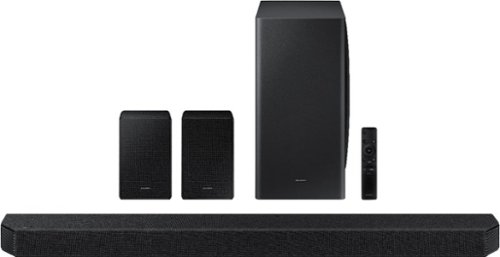
Samsung - HW-Q950A 11.1.4ch Sound bar with Dolby Atmos - Black
Breakthrough innovation with True 11.1.4ch sound.
I have a Samsung Crystal uhd will this work good with it and will it play the q sympathy?
Hi Brent!
The HW-Q950A features four ways to connect to an external device: HDMI (eARC), digital optical audio, Wi-Fi, and Bluetooth wireless audio technology. If your TV is compatible with one of these three audio connections, you should have no issue connecting the soundbar to your TV.
Q-Symphony works with Samsung TVs AU8000 and above, so as long as your TV is that model or higher you can take advantage of Q-Symphony!
^Andrew
The HW-Q950A features four ways to connect to an external device: HDMI (eARC), digital optical audio, Wi-Fi, and Bluetooth wireless audio technology. If your TV is compatible with one of these three audio connections, you should have no issue connecting the soundbar to your TV.
Q-Symphony works with Samsung TVs AU8000 and above, so as long as your TV is that model or higher you can take advantage of Q-Symphony!
^Andrew
4 years, 2 months ago
by
Posted by:
Samsung
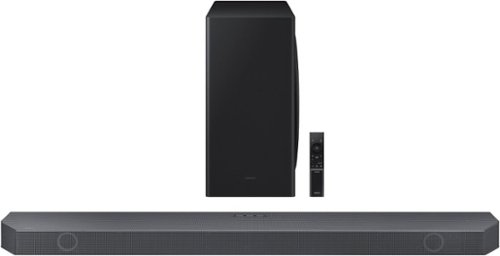
Samsung - 5.1.2 Ch Soundbar with Wireless Dolby Atmos/ DTS:X - Black
Enjoy a surround sound experience with Dolby Atmos and skip the need for HDMI cables. Totally immerse yourself in astonishing 3D sound with 5 channels, 1 subwoofer and 2 up-firing channels working together to create a captivating audio experience. Synchronized audio using every speaker in compatible Samsung TV and soundbars. Sound calibrated for your space to perfection.
Will this work with my OLED 65?
Hi!
The HW-Q800B features four ways to connect to an external device: HDMI (eARC), digital optical audio, Wi-Fi, and Bluetooth wireless audio technology. If your TV is compatible with one of these three audio connections, you should have no issue connecting the soundbar to your TV.
^Andrew
The HW-Q800B features four ways to connect to an external device: HDMI (eARC), digital optical audio, Wi-Fi, and Bluetooth wireless audio technology. If your TV is compatible with one of these three audio connections, you should have no issue connecting the soundbar to your TV.
^Andrew
4 years, 2 months ago
by
Posted by:
Samsung
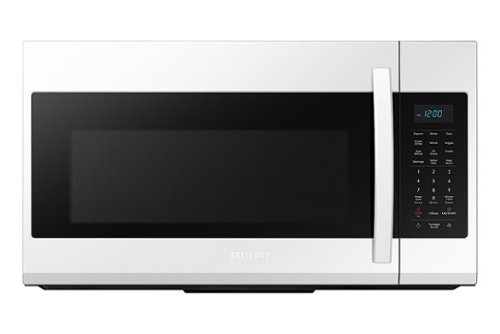
Samsung - 1.9 Cu. Ft. Over-the-Range Microwave with Sensor Cook - White
Samsung 1.9 Cu. Ft. Over-the-Range Microwave: This Samsung Over-the-Range Microwave makes preparing multiple dishes effortless with the large 1.9 cu. ft. capacity, accommodating even your biggest dishes. Sensor Cook technology automatically adjusts your cooking time for optimal results.
When was it 1st manufactured?
Hi Mac,
Thank you for reaching out, and we hope you are in good health. We appreciate your interest in Samsung home appliances, specifically with Samsung - 1.9 Cu. Ft. Over-the-Range Microwave with Sensor Cook - White.
To determine the age of your appliance, use your serial number (not the model number) to identify the date it was manufactured. Our serial numbers begin with two letters, followed by six numbers, with a letter at the end. The two letters at the beginning of the serial number tell you the month and year it was made.
The model and the serial number of the microwave can be located in the lower left-hand corner of the cavity after opening the door. The serial and model number can also be located at the back of the microwave.
Please feel free to communicate with us through the channels below if you have additional questions.
1. Facebook Messenger: http://m.me/samsungsupport
2. Twitter: https://twitter.com/messages/compose?recipient_id=18768513
3. Samsung Community: https://us.community.samsung.com/t5/Samsung-Community/ct-p/us
Your reference number: 1144665032
Leo
Thank you for reaching out, and we hope you are in good health. We appreciate your interest in Samsung home appliances, specifically with Samsung - 1.9 Cu. Ft. Over-the-Range Microwave with Sensor Cook - White.
To determine the age of your appliance, use your serial number (not the model number) to identify the date it was manufactured. Our serial numbers begin with two letters, followed by six numbers, with a letter at the end. The two letters at the beginning of the serial number tell you the month and year it was made.
The model and the serial number of the microwave can be located in the lower left-hand corner of the cavity after opening the door. The serial and model number can also be located at the back of the microwave.
Please feel free to communicate with us through the channels below if you have additional questions.
1. Facebook Messenger: http://m.me/samsungsupport
2. Twitter: https://twitter.com/messages/compose?recipient_id=18768513
3. Samsung Community: https://us.community.samsung.com/t5/Samsung-Community/ct-p/us
Your reference number: 1144665032
Leo
4 years, 2 months ago
by
Posted by:
Samsung
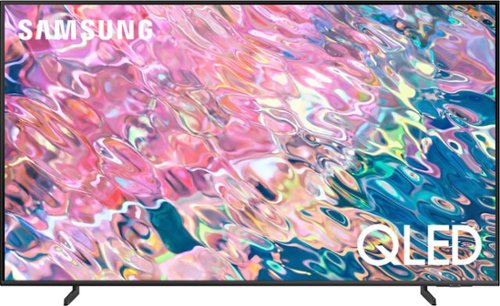
Samsung - 70 Class Q60B QLED 4K Smart Tizen TV (2022)
Leap into the world of bold contrast and vivid color with QLED 4K. Together, cool and warm Dual LEDs shine a billion shades of Quantum Dot color for a natural looking picture. Enjoy it all upscaled to glorious 4K, in details and colors that stay true even in bright scenes, thanks to 100% Color Volume.~ ~QLED televisions can produce 100% Color Volume in the DCI P3 color space, the format for most cinema screens and HDR movies for television.
Can this tv be used in well lit rooms(lots of lights/open blinds)?
Hi there,
If you're planning on placing your TV in a bright room, we do recommend taking a look at our QN90B Neo QLED 4K or Neo QLED 8K lineup.
^Brie
If you're planning on placing your TV in a bright room, we do recommend taking a look at our QN90B Neo QLED 4K or Neo QLED 8K lineup.
^Brie
4 years, 2 months ago
by
Posted by:
Samsung
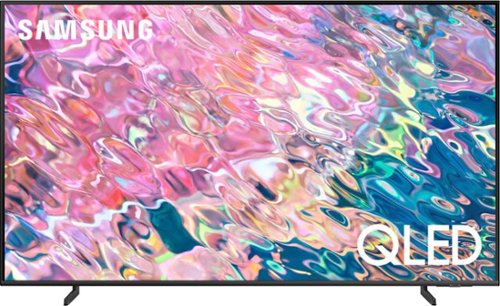
Samsung - 55 Class Q60B QLED 4K Smart Tizen TV (2022)
Leap into the world of bold contrast and vivid color with QLED 4K. Together, cool and warm Dual LEDs shine a billion shades of Quantum Dot color for a natural looking picture. Enjoy it all upscaled to glorious 4K, in details and colors that stay true even in bright scenes, thanks to 100% Color Volume.~ ~QLED televisions can produce 100% Color Volume in the DCI P3 color space, the format for most cinema screens and HDR movies for television.
Is the screen non-reflective?
Hi Dave,
Anti-Reflection technology is available on our 55" QN90B Neo QLED 4K TV and higher.
^Brie
Anti-Reflection technology is available on our 55" QN90B Neo QLED 4K TV and higher.
^Brie
4 years, 2 months ago
by
Posted by:
Samsung
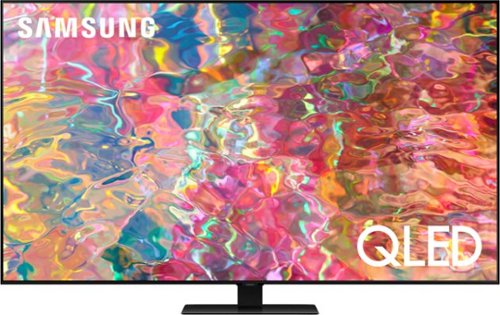
Samsung - 65 Class Q80B QLED 4K Smart Tizen TV (2022)
Delight in the dazzling details from bold contrast with this QLED 4K. Your picture comes to life with deep blacks and pure whites from the precise backlighting of Direct Full Array. Enjoy all you watch upscaled to 4K in a range of Quantum HDR 8X colors, along with 3D sound that follows the action.~ ~Utilizes AI-Based formulas to upscale to 4K Resolution. Resulting picture may vary based on source content.
I purchased this TV and I cannot update the new software. I reaches about 83% percent then it displays an error message. Any suggestions?
Hi JC,
Let's first make sure you are connected to the internet. To do so, go to Settings> Network> Network Status and confirm you are connected.
If that does not work you can always update your firmware manually. You can do this by downloading the update on a USB drive and manually updating your TV:
1. On Samsung's website (upper right corner), go to Support > Manuals & Software > Find your TV model.
2. Download the update and extract it to the root of a USB thumb drive. (Do not put it in any folders on the thumb drive.)
3. Connect the USB thumb drive to a USB port on your TV.
4. Navigate to Settings > Support > Software Update, select Update Now, and then select Yes.
5. Follow the on-screen instructions to install the updated software.
If you are still having issues please call us at 1-800-SAMSUNG, 8 AM - 12 AM EST, 7 days a week, or Chat with us on Samsung.com: https://www.samsung.com/us/support/contact/
^Brie
Let's first make sure you are connected to the internet. To do so, go to Settings> Network> Network Status and confirm you are connected.
If that does not work you can always update your firmware manually. You can do this by downloading the update on a USB drive and manually updating your TV:
1. On Samsung's website (upper right corner), go to Support > Manuals & Software > Find your TV model.
2. Download the update and extract it to the root of a USB thumb drive. (Do not put it in any folders on the thumb drive.)
3. Connect the USB thumb drive to a USB port on your TV.
4. Navigate to Settings > Support > Software Update, select Update Now, and then select Yes.
5. Follow the on-screen instructions to install the updated software.
If you are still having issues please call us at 1-800-SAMSUNG, 8 AM - 12 AM EST, 7 days a week, or Chat with us on Samsung.com: https://www.samsung.com/us/support/contact/
^Brie
4 years, 2 months ago
by
Posted by:
Samsung
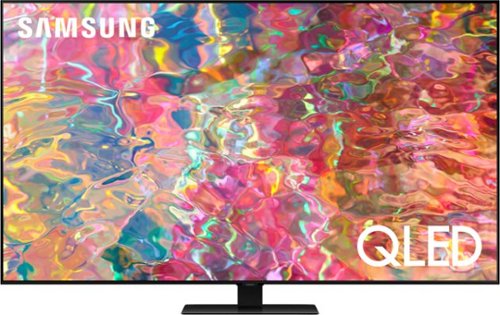
Samsung - 75 Class Q80B QLED 4K Smart Tizen TV (2022)
Delight in the dazzling details from bold contrast with this QLED 4K. Your picture comes to life with deep blacks and pure whites from the precise backlighting of Direct Full Array. Enjoy all you watch upscaled to 4K in a range of Quantum HDR 8X colors, along with 3D sound that follows the action.~ ~Utilizes AI-Based formulas to upscale to 4K Resolution. Resulting picture may vary based on source content.
It states this model has HDMI 2.1 on all four ports but it doesnt specify which ones have ARC? Is it only one port or how many?
Hi TVresearcher,
eArc is available on port 1 on the Samsung Q80B.
^Brie
eArc is available on port 1 on the Samsung Q80B.
^Brie
4 years, 2 months ago
by
Posted by:
Samsung
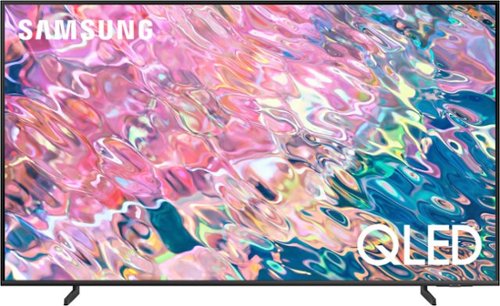
Samsung - 43 Class Q60B QLED 4K Smart Tizen TV (2022)
Leap into the world of bold contrast and vivid color with QLED 4K. Together, cool and warm Dual LEDs shine a billion shades of Quantum Dot color for a natural looking picture. Enjoy it all upscaled to glorious 4K, in details and colors that stay true even in bright scenes, thanks to 100% Color Volume.~ ~QLED televisions can produce 100% Color Volume in the DCI P3 color space, the format for most cinema screens and HDR movies for television.
Can I use my wireless buletooth speaker with this tv?
Hi Tony,
Yes, the Samsung Q60B TV is a Bluetooth-enabled TV. You can connect Bluetooth speakers and other Bluetooth devices like headphones, keyboards, mice, and gamepads
^Brie
Yes, the Samsung Q60B TV is a Bluetooth-enabled TV. You can connect Bluetooth speakers and other Bluetooth devices like headphones, keyboards, mice, and gamepads
^Brie
4 years, 2 months ago
by
Posted by:
Samsung
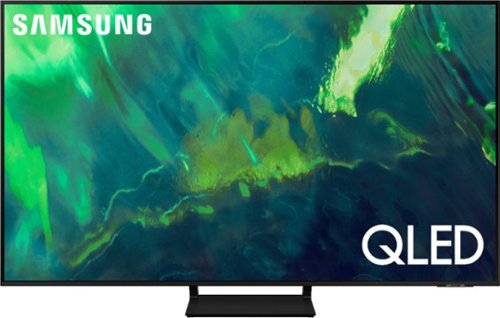
Samsung - 55" Class Q70A Series QLED 4K UHD Smart Tizen TV (2021)
As intelligent as it is beautiful. A Smart TV interface learns the content you like and makes suggestions based on what you watch.
Can I download the Direct TV streaming app? Would I still need my Apple TV box or does this replace the need
Hi KA,
The Q70A is a Smart TV that features a built-in App Store, allowing you to choose and download from hundreds of apps including DIRECTV STREAM - no external streaming device necessary.
^Brie
The Q70A is a Smart TV that features a built-in App Store, allowing you to choose and download from hundreds of apps including DIRECTV STREAM - no external streaming device necessary.
^Brie
4 years, 2 months ago
by
Posted by:
Samsung