Samsung
Samsung's Stats
Reviews
- Review Count0
- Helpfulness Votes0
- First ReviewNone
- Last ReviewNone
- Featured Reviews0
- Average Rating0
Reviews Comments
- Review Comment Count0
- Helpfulness Votes0
- First Review CommentNone
- Last Review CommentNone
- Featured Review Comments0
Questions
- Question Count0
- Helpfulness Votes0
- First QuestionNone
- Last QuestionNone
- Featured Questions0
- Answer Count74741
- Helpfulness Votes37,983
- First AnswerApril 24, 2013
- Last AnswerOctober 6, 2026
- Featured Answers0
- Best Answers3954
Samsung's Reviews
Samsung has not submitted any reviews.
Samsung's Questions
Samsung has not submitted any questions.
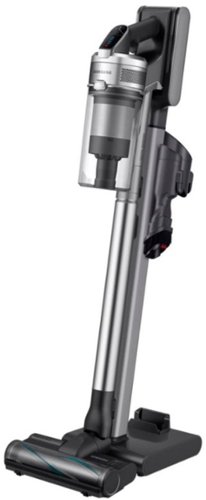
Samsung - Jet 90 Complete Cordless Stick Vacuum with Dual Charging Station - ChroMetal with Silver Filter
The Samsung Jet~ 90 Complete Cordless Stick Vacuum features a lightweight and maneuverable design plus a telescopic pipe for comfortable cleaning. The removable battery is easily swapped for a spare and has a cleaning time up to 60 minutes; the Dual Charging Station provides charging for two* batteries at once. Compatible with the Samsung Clean Station~ for automatic emptying of the hygienic dust bin. *Extra battery sold separately.
Will this auto adjust its suction power like the dyson does?

Hi Chevy0360.
Thank you for reaching out regarding your Samsung - Jet™ 90 Complete Cordless Stick Vacuum with Dual Charging Station if there is auto adjust on the suction power. Regarding your concern, this needs to be manually done.
Here are the steps:
You can control the suction power of the vacuum cleaner.
• + button: Increases suction power.
• - button: Decreases suction power.
The suction power control button does not
work in WET mode.
I suggest you check this link to your user manual for assistance Please go to page 20.
https://downloadcenter.samsung.com/content/UM/202202/20220209145144472/O_DJ68-00821K-05_VS9000_EN_CFR_MES_AA_210526.pdf
Should you need more assistance, please feel free to get back to us via the following options:
1. Facebook Messenger: http://m.me/samsungsupport
2. Twitter: https://twitter.com/messages/compose?recipient_id=18768513
3. Samsung Community: https://us.community.samsung.com/t5/Samsung-Community/ct-p/us
Thank you for being a valued customer of Samsung. Have a great day.
Reference Ticket Number: 1144509068
^Camille
Thank you for reaching out regarding your Samsung - Jet™ 90 Complete Cordless Stick Vacuum with Dual Charging Station if there is auto adjust on the suction power. Regarding your concern, this needs to be manually done.
Here are the steps:
You can control the suction power of the vacuum cleaner.
• + button: Increases suction power.
• - button: Decreases suction power.
The suction power control button does not
work in WET mode.
I suggest you check this link to your user manual for assistance Please go to page 20.
https://downloadcenter.samsung.com/content/UM/202202/20220209145144472/O_DJ68-00821K-05_VS9000_EN_CFR_MES_AA_210526.pdf
Should you need more assistance, please feel free to get back to us via the following options:
1. Facebook Messenger: http://m.me/samsungsupport
2. Twitter: https://twitter.com/messages/compose?recipient_id=18768513
3. Samsung Community: https://us.community.samsung.com/t5/Samsung-Community/ct-p/us
Thank you for being a valued customer of Samsung. Have a great day.
Reference Ticket Number: 1144509068
^Camille
4 years, 4 months ago
by
Posted by:
Samsung
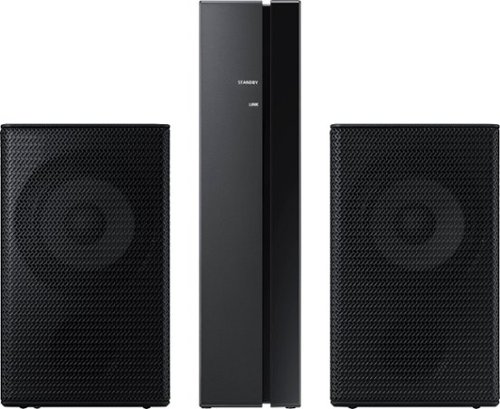
Samsung - 2.0-Channel Wireless Rear Speaker Kit with Surround Sound - Black
Connect easily and wirelessly to optional Samsung speakers for room-filling sound.
I have a Q600A/ZD, is this surround speakers model compatible?
Hi Alessandro! The SWA-9100S/ZA is designed to connect to select us based soundbars ending with the code /ZA. For support with the HW-Q600A/ZD and it's compatible accessories, please contact Samsung Customer Support for Brasil.
^Tim
^Tim
4 years, 4 months ago
by
Posted by:
Samsung
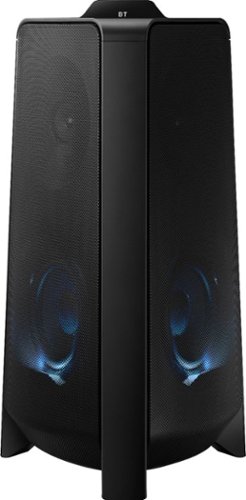
Samsung - MX-T50 Sound Tower 500W Wireless Speaker - Black
Enjoy balanced music and booming bass with this Samsung Giga party audio system. The two-dimensional sound and 500W of power broaden the music range to room-filling audio, while the built-in LED and DJ effects are adjustable from a smartphone so you're in control. This Samsung Giga party audio system has Bluetooth for wireless music streaming.
Is it Alexa compatible?
Hi Mykelfly! The MX-T50 does not feature built in Wi-Fi connectivity and is not compatible with the Alexa voice assistant.
^Tim
^Tim
4 years, 4 months ago
by
Posted by:
Samsung
Samsung - MX-T50 Sound Tower 500W Wireless Speaker - Black
Enjoy balanced music and booming bass with this Samsung Giga party audio system. The two-dimensional sound and 500W of power broaden the music range to room-filling audio, while the built-in LED and DJ effects are adjustable from a smartphone so you're in control. This Samsung Giga party audio system has Bluetooth for wireless music streaming.
Why must I use a SMART PHONE to connect these speakers via Bluetooth??? Why can't my 2 speakers just connect independently? This was a complete waste of money!!
Hi! You do not need to use a Smart Phone to connect multiple Sound Tower speakers together via Group Play. Press the GROUP PLAY button on the back of the host or main Sound Tower system. The “HOST” message appears on the display and the LED blinks on the GROUP PLAY button.
2. Press the GROUP PLAY button on the 2nd Sound Tower system (SUB 1). The “GROUP PLAY
CONNECTED” message appears on the display and the GROUP PLAY button on both systems
stops blinking.
3. Press the GROUP PLAY button on the 3rd Sound Tower system (SUB 2). The “GROUP PLAY
CONNECTED” message appears on the display and the GROUP PLAY button on the system stops
blinking.
4. If you want to add more Sound Tower systems, repeat step 3.
5. Play music on the HOST Sound Tower. Sound outputs from all the connected system.
^Tim
2. Press the GROUP PLAY button on the 2nd Sound Tower system (SUB 1). The “GROUP PLAY
CONNECTED” message appears on the display and the GROUP PLAY button on both systems
stops blinking.
3. Press the GROUP PLAY button on the 3rd Sound Tower system (SUB 2). The “GROUP PLAY
CONNECTED” message appears on the display and the GROUP PLAY button on the system stops
blinking.
4. If you want to add more Sound Tower systems, repeat step 3.
5. Play music on the HOST Sound Tower. Sound outputs from all the connected system.
^Tim
4 years, 4 months ago
by
Posted by:
Samsung

Samsung - HW-S60A 5.0ch Sound bar with Acoustic Beam and Alexa Built-in - Black
Designed to fill your space with sound from anywhere in the room.
Does this soundbar need to be plugged in for power when it is used, or does it utilize a battery that you can recharge? The pictures do not show it plugged into anything, and there does not appear to be a power cord in the “what is included” photo.
Hi Chuck! Samsung Soundbars, including the HW-S60A, are not battery powered and will require a power cable to be connected to a nearby outlet.
^Tim
^Tim
4 years, 4 months ago
by
Posted by:
Samsung

Samsung - HW-S50A 3.0ch Sound bar with Dolby Digital 5.1 - Deep Gray
Experience virtual 3D sound with the S Series, S50A all-in-one premium soundbar, a versatile soundbar that delivers sharp and realistic audio. Dialogue sounds crisp and super clean thanks to a built-in center speaker, so you won~t miss a word. Whether you~re playing games, watching sports, or kicking back with your favorite show, Adaptive Sound Lite enhances and optimizes your entertainment to a new level of audio. Plus, you can seamlessly pair mobile devices with Bluetooth~ TV Connection~. ~Please check whether your TV is Bluetooth~ compatible.
Will this sound bar work with a Visio tv?
Hi! The HW-S50A is not brand restricted and is compatible with any TV supporting HDMI/ARC, digital optical audio, or Bluetooth wireless audio technology.
^Tim
^Tim
4 years, 4 months ago
by
Posted by:
Samsung
Samsung - HW-S60A 5.0ch Sound bar with Acoustic Beam and Alexa Built-in - Black
Designed to fill your space with sound from anywhere in the room.
Can you disable the Alexa feature?
Hi JustJ! You can press the microphone off button on the top panel of the soundbar to disable the Alexa voice feature.
^Tim
^Tim
4 years, 4 months ago
by
Posted by:
Samsung
Samsung - HW-S50A 3.0ch Sound bar with Dolby Digital 5.1 - Deep Gray
Experience virtual 3D sound with the S Series, S50A all-in-one premium soundbar, a versatile soundbar that delivers sharp and realistic audio. Dialogue sounds crisp and super clean thanks to a built-in center speaker, so you won~t miss a word. Whether you~re playing games, watching sports, or kicking back with your favorite show, Adaptive Sound Lite enhances and optimizes your entertainment to a new level of audio. Plus, you can seamlessly pair mobile devices with Bluetooth~ TV Connection~. ~Please check whether your TV is Bluetooth~ compatible.
Can you control sound with a Roku device?
Hi there! You may be able to control the volume of the soundbar with a remote from a different manufacturer by adjusting the settings on the soundbar. Please know, this feature will only work with select IR remotes and is not designed to work with remotes that pair via Bluetooth. First, turn Off the Soundbar. Once powered off, push up and hold the WOOFER button for 5 seconds. Each time you push the WOOFER button up and hold it for 5 seconds, the mode switches in the following order: “OFF-TV REMOTE” (Default mode), “SAMSUNG-TV REMOTE”, “ALL-TV REMOTE”. Please also make sure your speaker settings on the TV are set to External Speaker.
^Tim
^Tim
4 years, 4 months ago
by
Posted by:
Samsung
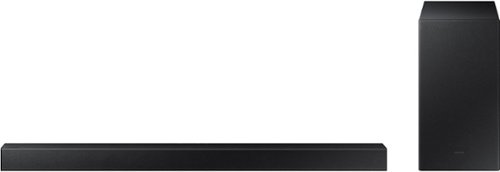
Samsung - 2.1-Channel Soundbar with Wireless Subwoofer and DOLBY AUDIO / DTS 2.0 - Black
Elevate your audio experience with high-quality optimized sound. The power of Samsung sound bar HW-A430/ZA makes surround soundbar comes to life with speakers that fire all around you.
Sound turns off when we are watching tv. Seems like it happens when we watching on Roku.
Hi Carkey! I am very sorry to hear about the issues you are experiencing. We would love the opportunity to gather additional information to provide the correct troubleshooting steps. Please call us at 1-800-SAMSUNG (ask for Soundbars), available 8AM - 12AM EST, 7 days a week.
^Tim
^Tim
4 years, 4 months ago
by
Posted by:
Samsung
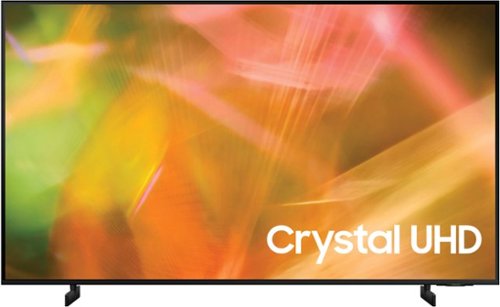
Samsung - 55" Class 8000 Series LED 4K UHD Smart Tizen TV (2021)
Step up to the world of Crystal UHD from Samsung. Elevated color and clarity offer you a picture that has to be seen to be believed. Add in smart features that make watching TV even easier, and you have a TV that is essential.
What are the dimensions of the mounting holes on the back of the TV ?
Hi Rob! The 55" AU8000 features a VESA mounting pattern of 200 x 200 for compatibility with a wide range of universal mounting solutions.
^Tim
^Tim
4 years, 4 months ago
by
Posted by:
Samsung