Samsung
Samsung's Stats
Reviews
- Review Count0
- Helpfulness Votes0
- First ReviewNone
- Last ReviewNone
- Featured Reviews0
- Average Rating0
Reviews Comments
- Review Comment Count0
- Helpfulness Votes0
- First Review CommentNone
- Last Review CommentNone
- Featured Review Comments0
Questions
- Question Count0
- Helpfulness Votes0
- First QuestionNone
- Last QuestionNone
- Featured Questions0
- Answer Count74700
- Helpfulness Votes37,932
- First AnswerApril 24, 2013
- Last AnswerOctober 7, 2026
- Featured Answers0
- Best Answers3941
Samsung's Reviews
Samsung has not submitted any reviews.
Samsung's Questions
Samsung has not submitted any questions.
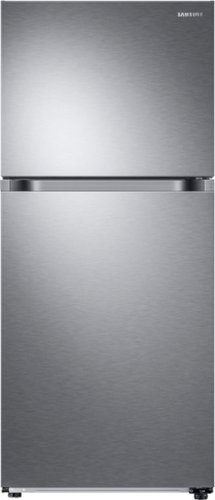
Samsung - 17.6 cu. ft. Top-Freezer Refrigerator with FlexZone - Stainless Steel
Top Freezer Refrigerator featuring the FlexZone with versatile freezer and fridge convertible zones and Twin Cooling, maintaining the humidity level of the refrigerator and keeping foods fresher longer.
I do not see any handles on the front of the door. Can the doors be open by the front or side?

Hello.
Thank you for reaching out regarding your Samsung - 17.6 Cu. Ft. Top-Freezer Refrigerator with FlexZone™ and Ice Maker on how can the doors be open. Regarding your concern, the door can be open on the left side.
Here is the link to the user manual to picture how the refrigerator looks when it is open. Please go to page 16.
https://downloadcenter.samsung.com/content/UM/202101/20210111110110655/DA68-03570A-14_EN_MES_CFR.pdf
Should you need more assistance, please feel free to get back to us via the following options:
1. Facebook Messenger: http://m.me/samsungsupport
2. Twitter: https://twitter.com/messages/compose?recipient_id=18768513
3. Samsung Community: https://us.community.samsung.com/t5/Samsung-Community/ct-p/us
Thank you for being a valued customer of Samsung. Have a great day.
Reference Ticket Number: 1144382977
^Camille
Thank you for reaching out regarding your Samsung - 17.6 Cu. Ft. Top-Freezer Refrigerator with FlexZone™ and Ice Maker on how can the doors be open. Regarding your concern, the door can be open on the left side.
Here is the link to the user manual to picture how the refrigerator looks when it is open. Please go to page 16.
https://downloadcenter.samsung.com/content/UM/202101/20210111110110655/DA68-03570A-14_EN_MES_CFR.pdf
Should you need more assistance, please feel free to get back to us via the following options:
1. Facebook Messenger: http://m.me/samsungsupport
2. Twitter: https://twitter.com/messages/compose?recipient_id=18768513
3. Samsung Community: https://us.community.samsung.com/t5/Samsung-Community/ct-p/us
Thank you for being a valued customer of Samsung. Have a great day.
Reference Ticket Number: 1144382977
^Camille
4 years, 5 months ago
by
Posted by:
Samsung
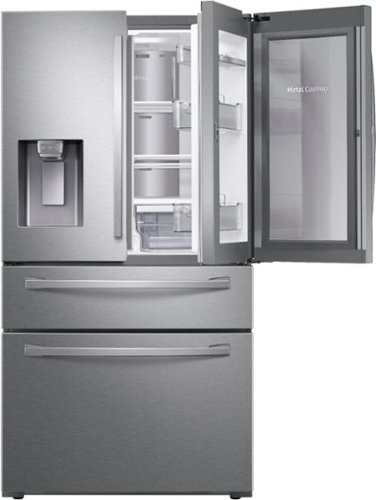
Samsung - 27.8 cu. ft. 4-Door French Door Smart Refrigerator with Food Showcase - Stainless Steel
A refrigerator that is beautifully designed, with an modern dispenser, polished door, and sleek handles. The Food Showcase Door provides quick access to on-the-go items.
digits on control panel keep blinking, How can I stop the blinking? I hear noise inside left door as if the motor for crush ice is always on. what can I do?
Hi Saleem,
Thank you for reaching out and we hope you are in good health. We are saddened to know that this has happened to you. This is not the experience we want for our customers.
I have shared links below that will help resolve your concern with the control panel of the refrigerator as well as a link that can help better understand the sounds that your refrigerator make.
https://www.samsung.com/us/support/troubleshooting/TSG01002092/
https://www.samsung.com/us/support/troubleshooting/TSG01202605/
https://www.samsung.com/us/support/troubleshooting/TSG01001032/
Please feel free to communicate with us through the channels below if you have additional questions.
1. Facebook Messenger: http://m.me/samsungsupport
2. Twitter: https://twitter.com/messages/compose?recipient_id=18768513
3. Samsung Community: https://us.community.samsung.com/t5/Samsung-Community/ct-p/us
Your reference number: 1144382800
Leo
Thank you for reaching out and we hope you are in good health. We are saddened to know that this has happened to you. This is not the experience we want for our customers.
I have shared links below that will help resolve your concern with the control panel of the refrigerator as well as a link that can help better understand the sounds that your refrigerator make.
https://www.samsung.com/us/support/troubleshooting/TSG01002092/
https://www.samsung.com/us/support/troubleshooting/TSG01202605/
https://www.samsung.com/us/support/troubleshooting/TSG01001032/
Please feel free to communicate with us through the channels below if you have additional questions.
1. Facebook Messenger: http://m.me/samsungsupport
2. Twitter: https://twitter.com/messages/compose?recipient_id=18768513
3. Samsung Community: https://us.community.samsung.com/t5/Samsung-Community/ct-p/us
Your reference number: 1144382800
Leo
4 years, 5 months ago
by
Posted by:
Samsung
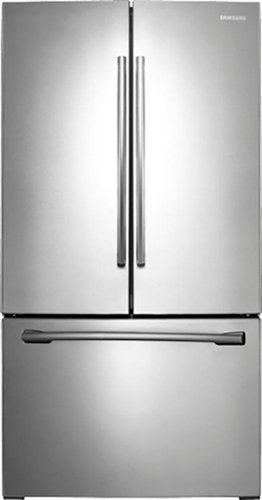
Samsung - 25.5 Cu. Ft. French Door Refrigerator with Filtered Ice Maker - Stainless Steel
Keep your groceries fresher by chilling or freezing them faster with this Samsung refrigerator. The Power Cool and Power Freeze options allow you to conveniently lower the temperature in the fridge or freezer within minutes.
We were moving this fridge and this piece broke off on the bottom. Can you tell me what it is and if it's important?
Hello.
Thank you for reaching out regarding your Samsung - 25.5 Cu. Ft. French Door Refrigerator with Filtered Ice Maker part is broken. I am sorry to learn about it. Regarding your concern, for us to be able to assist you further on the specific pieces that are broken, which is not stated. I suggest you check this picture of your refrigerator, and please do contact us so we can help you with the broken piece.
Here is the link to the user manual for the picture of this refrigerator. Please go to page 17.
https://downloadcenter.samsung.com/content/UM/201904/20190418150942025/DA68-02601B-14_181008.pdf
Should you need more assistance, please feel free to get back to us via the following options:
1. Facebook Messenger: http://m.me/samsungsupport
2. Twitter: https://twitter.com/messages/compose?recipient_id=18768513
3. Samsung Community: https://us.community.samsung.com/t5/Samsung-Community/ct-p/us
Thank you for being a valued customer of Samsung. Have a great day.
Reference Ticket Number: 1144382843
^Camille
Thank you for reaching out regarding your Samsung - 25.5 Cu. Ft. French Door Refrigerator with Filtered Ice Maker part is broken. I am sorry to learn about it. Regarding your concern, for us to be able to assist you further on the specific pieces that are broken, which is not stated. I suggest you check this picture of your refrigerator, and please do contact us so we can help you with the broken piece.
Here is the link to the user manual for the picture of this refrigerator. Please go to page 17.
https://downloadcenter.samsung.com/content/UM/201904/20190418150942025/DA68-02601B-14_181008.pdf
Should you need more assistance, please feel free to get back to us via the following options:
1. Facebook Messenger: http://m.me/samsungsupport
2. Twitter: https://twitter.com/messages/compose?recipient_id=18768513
3. Samsung Community: https://us.community.samsung.com/t5/Samsung-Community/ct-p/us
Thank you for being a valued customer of Samsung. Have a great day.
Reference Ticket Number: 1144382843
^Camille
4 years, 5 months ago
by
Posted by:
Samsung
Samsung - 27.8 cu. ft. 4-Door French Door Smart Refrigerator with Food Showcase - Stainless Steel
A refrigerator that is beautifully designed, with an modern dispenser, polished door, and sleek handles. The Food Showcase Door provides quick access to on-the-go items.
Which models come with the ice maker in the bottom Freezer?
Hi Winnie.
Thank you for reaching out regarding your Samsung - 27.8 cu. ft. 4-Door French Door Refrigerator with Food Showcase if this has a bottom ice maker. Regarding your concern, this does not have a bottom ice maker.
I suggest you check this link for further selections of the refrigerator with a dual ice maker.
https://www.samsung.com/us/home-appliances/refrigerators/all-refrigerators/?type=3+door+French+Door,4+door+French+Door&key_category_features=Dual+Ice+Maker
Also, I have included the link to the user manual for this refrigerator's picture. Please go to pages 15 to 16.
https://downloadcenter.samsung.com/content/UM/202105/20210525161422514/FDR_AW3-14_FL_DA68-03833A-05_EN_MES_CFR.pdf
Should you need more assistance, please feel free to get back to us via the following options:
1. Facebook Messenger: http://m.me/samsungsupport
2. Twitter: https://twitter.com/messages/compose?recipient_id=18768513
3. Samsung Community: https://us.community.samsung.com/t5/Samsung-Community/ct-p/us
Thank you for being a valued customer of Samsung. Have a great day.
Reference Ticket Number: 1144382764
^Camille
Thank you for reaching out regarding your Samsung - 27.8 cu. ft. 4-Door French Door Refrigerator with Food Showcase if this has a bottom ice maker. Regarding your concern, this does not have a bottom ice maker.
I suggest you check this link for further selections of the refrigerator with a dual ice maker.
https://www.samsung.com/us/home-appliances/refrigerators/all-refrigerators/?type=3+door+French+Door,4+door+French+Door&key_category_features=Dual+Ice+Maker
Also, I have included the link to the user manual for this refrigerator's picture. Please go to pages 15 to 16.
https://downloadcenter.samsung.com/content/UM/202105/20210525161422514/FDR_AW3-14_FL_DA68-03833A-05_EN_MES_CFR.pdf
Should you need more assistance, please feel free to get back to us via the following options:
1. Facebook Messenger: http://m.me/samsungsupport
2. Twitter: https://twitter.com/messages/compose?recipient_id=18768513
3. Samsung Community: https://us.community.samsung.com/t5/Samsung-Community/ct-p/us
Thank you for being a valued customer of Samsung. Have a great day.
Reference Ticket Number: 1144382764
^Camille
4 years, 5 months ago
by
Posted by:
Samsung
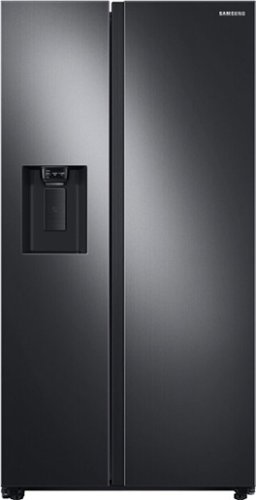
Samsung 27.4 cu. ft. large capacity Side-by-Side refrigerator that is beautifully designed with a minimal display dispenser, modern design that blends beautifully into your kitchen, and a finish that withstands everyday smudges.
my height measurement is 70". Is height requirement is same as front or back or is there any adjustment for height.
Hi Gary,
Thank you for reaching out and we hope you are in good health. We appreciate your interest in Samsung home appliances, specifically with Samsung - 27.4 Cu. Ft. Side-by-Side Refrigerator - Black stainless steel.
Below are the height dimensions of the refrigerator.
a. Height without door: 68 21/32 inches
b. Height with door: 70 3/32"
There is a very small change to the height when the leveling legs are moved during installation. However, the measurements above are taken when the leveling legs are at its lowest.
I have shared the user manual link below for your use. Please access the link and turn to page 16 for a comprehensive dimension of the refrigerator.
https://downloadcenter.samsung.com/content/UM/202002/20200209000842125/SBS_RS5300T_DA68-03958J-01_EN_MES_CFR.pdf
Please feel free to communicate with us through the channels below if you have additional questions.
1. Facebook Messenger: http://m.me/samsungsupport
2. Twitter: https://twitter.com/messages/compose?recipient_id=18768513
3. Samsung Community: https://us.community.samsung.com/t5/Samsung-Community/ct-p/us
Your reference number: 1144382515
Leo
Thank you for reaching out and we hope you are in good health. We appreciate your interest in Samsung home appliances, specifically with Samsung - 27.4 Cu. Ft. Side-by-Side Refrigerator - Black stainless steel.
Below are the height dimensions of the refrigerator.
a. Height without door: 68 21/32 inches
b. Height with door: 70 3/32"
There is a very small change to the height when the leveling legs are moved during installation. However, the measurements above are taken when the leveling legs are at its lowest.
I have shared the user manual link below for your use. Please access the link and turn to page 16 for a comprehensive dimension of the refrigerator.
https://downloadcenter.samsung.com/content/UM/202002/20200209000842125/SBS_RS5300T_DA68-03958J-01_EN_MES_CFR.pdf
Please feel free to communicate with us through the channels below if you have additional questions.
1. Facebook Messenger: http://m.me/samsungsupport
2. Twitter: https://twitter.com/messages/compose?recipient_id=18768513
3. Samsung Community: https://us.community.samsung.com/t5/Samsung-Community/ct-p/us
Your reference number: 1144382515
Leo
4 years, 5 months ago
by
Posted by:
Samsung
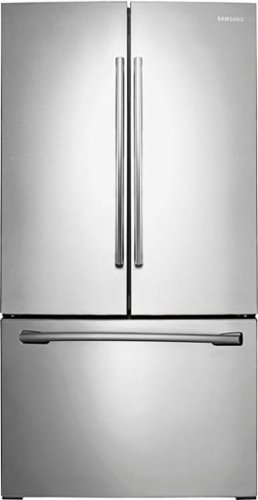
Samsung - 25.5 Cu. Ft. French Door Refrigerator with Internal Water Dispenser - Stainless Steel
Add this sleek and spacious Samsung 25.5 cu. ft. french door refrigerator to your busy household. Control the settings exactly how you want in order to freeze and chill food fast. Plus, you'll have plenty of ways to organize ingredients, making it easier for everyone to grab and go. Get great-tasting, filtered water directly from your refrigerator. Spend less time and money buying bottled water.
how long does it take for first batch of ice?
Hi MADA.
Thank you for reaching out regarding your Samsung - 25.5 Cu. Ft. French Door Refrigerator with Internal Water Dispenser how long does it take for the first batch of ice. Regarding your concern, although the ice maker can make 10 pounds of ice a day, it's only capable of holding 2 pounds of ice at a time. Once the ice bucket is full, the ice maker will stop.
I suggest you check this link for further assistance.
https://www.samsung.com/us/support/troubleshooting/TSG01001012/#ice-maker-is-making-some-ice-but-not-enough
Should you need more assistance, please feel free to get back to us via the following options:
1. Facebook Messenger: http://m.me/samsungsupport
2. Twitter: https://twitter.com/messages/compose?recipient_id=18768513
3. Samsung Community: https://us.community.samsung.com/t5/Samsung-Community/ct-p/us
Thank you for being a valued customer of Samsung. Have a great day.
Reference Ticket Number: 1144382537
^Camille
Thank you for reaching out regarding your Samsung - 25.5 Cu. Ft. French Door Refrigerator with Internal Water Dispenser how long does it take for the first batch of ice. Regarding your concern, although the ice maker can make 10 pounds of ice a day, it's only capable of holding 2 pounds of ice at a time. Once the ice bucket is full, the ice maker will stop.
I suggest you check this link for further assistance.
https://www.samsung.com/us/support/troubleshooting/TSG01001012/#ice-maker-is-making-some-ice-but-not-enough
Should you need more assistance, please feel free to get back to us via the following options:
1. Facebook Messenger: http://m.me/samsungsupport
2. Twitter: https://twitter.com/messages/compose?recipient_id=18768513
3. Samsung Community: https://us.community.samsung.com/t5/Samsung-Community/ct-p/us
Thank you for being a valued customer of Samsung. Have a great day.
Reference Ticket Number: 1144382537
^Camille
4 years, 5 months ago
by
Posted by:
Samsung
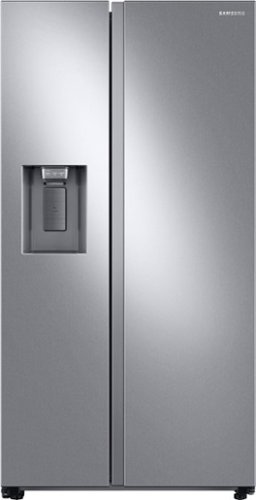
Samsung's 22 cu. ft. side-by-side counter-depth refrigerator is beautifully designed with a built-in look for a seamless fit. It offers smooth and streamlined exterior design with elegant flat doors, a minimal display dispenser, and easy-to-open recessed handles that blend perfectly into your cabinetry, adding function and style to your kitchen.
I just received my side by side refrigerator and noticed the water/ice dispenser does not have a drip tray. I was told it doesn't come with one. Is this true? Can I buy one separately so water doesn't fall onto the floor?
Hi Maria,
Thank you for reaching out and we hope you are in good health. We are happy to know that you have received your refrigerator and hope that it is up to your standards.
It is true that the refrigerator's ice and water dispenser does not come with a drip tray, nor can one be purchased as the refrigerator was designed to not have one.
I have shared the user manual link below for your use.
https://downloadcenter.samsung.com/content/UM/202002/20200209003056203/SBS_RS5300T_DA68-03958A-00_EN_MES_CFR.pdf
Please feel free to communicate with us through the channels below if you have additional questions.
1. Facebook Messenger: http://m.me/samsungsupport
2. Twitter: https://twitter.com/messages/compose?recipient_id=18768513
3. Samsung Community: https://us.community.samsung.com/t5/Samsung-Community/ct-p/us
Your reference number: 1144382379
Leo
Thank you for reaching out and we hope you are in good health. We are happy to know that you have received your refrigerator and hope that it is up to your standards.
It is true that the refrigerator's ice and water dispenser does not come with a drip tray, nor can one be purchased as the refrigerator was designed to not have one.
I have shared the user manual link below for your use.
https://downloadcenter.samsung.com/content/UM/202002/20200209003056203/SBS_RS5300T_DA68-03958A-00_EN_MES_CFR.pdf
Please feel free to communicate with us through the channels below if you have additional questions.
1. Facebook Messenger: http://m.me/samsungsupport
2. Twitter: https://twitter.com/messages/compose?recipient_id=18768513
3. Samsung Community: https://us.community.samsung.com/t5/Samsung-Community/ct-p/us
Your reference number: 1144382379
Leo
4 years, 5 months ago
by
Posted by:
Samsung
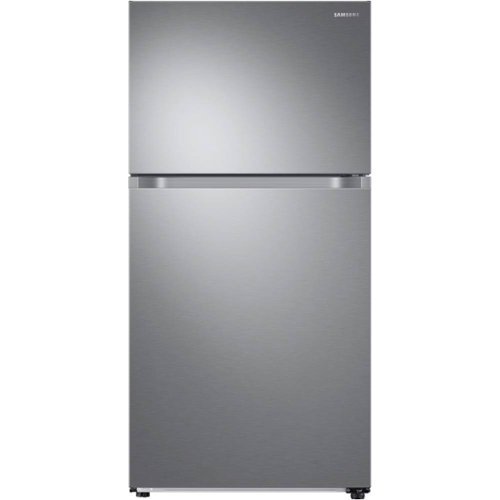
This Top-Freezer Refrigerator features FlexZone with versatile freezer and fridge convertible zones and Twin Cooling, maintaining the humidity level of the refrigerator and keeping foods fresher longer.
Is this dual cool zone or single 2 evaporator or single.?
Hi Friscoman20.
Thank you for reaching out regarding your Samsung - 21.1 Cu. Ft. Top-Freezer Refrigerator with FlexZone™ and Ice Maker if this is a dual cool zone or single or 2 evaporator. Regarding your concern, this is a flex zone refrigerator which means it can easily switch from the refrigerator to freezer temperatures
I suggest you check this link for the full specs, features, and dimensions.
https://www.samsung.com/us/home-appliances/refrigerators/top-freezer/21-cu--ft--capacity-top-freezer-refrigerator-with-flexzone--and-automatic-ice-maker-rt21m6215sr-aa/#specs
Should you need more assistance, please feel free to get back to us via the following options:
1. Facebook Messenger: http://m.me/samsungsupport
2. Twitter: https://twitter.com/messages/compose?recipient_id=18768513
3. Samsung Community: https://us.community.samsung.com/t5/Samsung-Community/ct-p/us
Thank you for being a valued customer of Samsung. Have a great day.
Reference Ticket Number: 1144382356
^Camille
Thank you for reaching out regarding your Samsung - 21.1 Cu. Ft. Top-Freezer Refrigerator with FlexZone™ and Ice Maker if this is a dual cool zone or single or 2 evaporator. Regarding your concern, this is a flex zone refrigerator which means it can easily switch from the refrigerator to freezer temperatures
I suggest you check this link for the full specs, features, and dimensions.
https://www.samsung.com/us/home-appliances/refrigerators/top-freezer/21-cu--ft--capacity-top-freezer-refrigerator-with-flexzone--and-automatic-ice-maker-rt21m6215sr-aa/#specs
Should you need more assistance, please feel free to get back to us via the following options:
1. Facebook Messenger: http://m.me/samsungsupport
2. Twitter: https://twitter.com/messages/compose?recipient_id=18768513
3. Samsung Community: https://us.community.samsung.com/t5/Samsung-Community/ct-p/us
Thank you for being a valued customer of Samsung. Have a great day.
Reference Ticket Number: 1144382356
^Camille
4 years, 5 months ago
by
Posted by:
Samsung
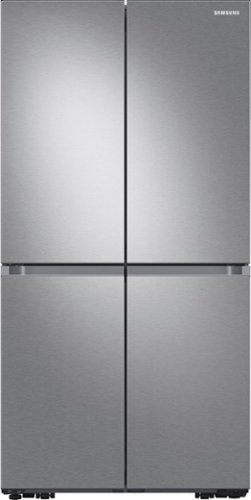
Samsung - 29 cu. ft. 4-Door Flex French Door Smart Refrigerator with Beverage Center - Stainless Steel
Extra-large capacity Smart 4-Door Flex refrigerator features the Beverage Center with both a water dispenser and AutoFill Water Pitcher, plus a Dual Ice Maker with Ice Bites.
Can the leveling legs be lowered a little to fit in my built in fridge cabinet? I see the height w/out hinges is 70 3/4 but my cabinet is a max of 70 1/2...
Hi chris,
Thank you for reaching out and we hope you are in good health. We appreciate your interest in Samsung home appliances, specifically with Samsung - 29 cu. ft. 4-Door Flex™ French Door Refrigerator with WiFi, Beverage Center and Dual Ice Maker - Stainless steel.
The height of the refrigerator without hinges is 70 3/4 inches. The height of the refrigerator with hinges is 71 7/8 inches. With the doors attached to the hinges, the overall height is 73 inches These measurements are with the leveling legs at their lowest.
I have shared the user manual link below. Please click on the link and turn to page 22.
https://downloadcenter.samsung.com/content/UM/202110/20211019093541599/DA68-04023H-03_MANUAL_USERS_EN_MES_CFR.pdf
Please feel free to communicate with us through the channels below if you have additional questions.
1. Facebook Messenger: http://m.me/samsungsupport
2. Twitter: https://twitter.com/messages/compose?recipient_id=18768513
3. Samsung Community: https://us.community.samsung.com/t5/Samsung-Community/ct-p/us
Your reference number: 1144382327
Leo
Thank you for reaching out and we hope you are in good health. We appreciate your interest in Samsung home appliances, specifically with Samsung - 29 cu. ft. 4-Door Flex™ French Door Refrigerator with WiFi, Beverage Center and Dual Ice Maker - Stainless steel.
The height of the refrigerator without hinges is 70 3/4 inches. The height of the refrigerator with hinges is 71 7/8 inches. With the doors attached to the hinges, the overall height is 73 inches These measurements are with the leveling legs at their lowest.
I have shared the user manual link below. Please click on the link and turn to page 22.
https://downloadcenter.samsung.com/content/UM/202110/20211019093541599/DA68-04023H-03_MANUAL_USERS_EN_MES_CFR.pdf
Please feel free to communicate with us through the channels below if you have additional questions.
1. Facebook Messenger: http://m.me/samsungsupport
2. Twitter: https://twitter.com/messages/compose?recipient_id=18768513
3. Samsung Community: https://us.community.samsung.com/t5/Samsung-Community/ct-p/us
Your reference number: 1144382327
Leo
4 years, 5 months ago
by
Posted by:
Samsung
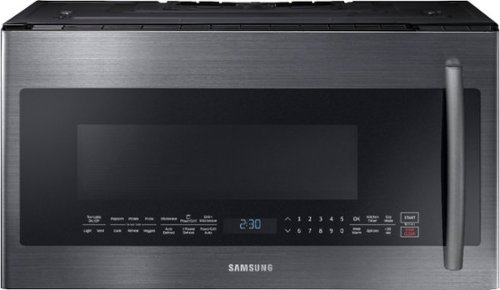
Samsung - 2.1 Cu. Ft. Over-the-Range Microwave with Sensor Cook - Black Stainless Steel
Samsung's 1000-Watt Over the Range Microwave gives you the convenience of traditional microwave cooking plus the added PowerGrill feature that allows you to grill up to 1500 watts, just like you would with your outdoor grill. Glass Touch Bottom Controls provide precise touch control with a premium look. Keep the microwave spotless and avoid scratches with Ceramic Enamel Interior. Plus, 2.1 cu. ft. of capacity provides big space for big results.
Must this be installed over a range, or can it be installed alone? If the former, is there a countertop model that's comparable? Thanks.
Hi Kate.
Thank you for reaching out regarding your Samsung - 2.1 Cu. Ft. Over-the-Range Microwave with Sensor Cook if this needs to be installed over the range or standalone. Regarding your concern, this needs to be installed over the range.
I suggest you check this link to your user manual for further assistance. Please go to page 7.
https://downloadcenter.samsung.com/content/EM/202202/20220223182321209/SMH1927_XAA_DE68-04108A-07_EN_220120.pdf
Should you need more assistance, please feel free to get back to us via the following options:
1. Facebook Messenger: http://m.me/samsungsupport
2. Twitter: https://twitter.com/messages/compose?recipient_id=18768513
3. Samsung Community: https://us.community.samsung.com/t5/Samsung-Community/ct-p/us
Thank you for being a valued customer of Samsung. Have a great day.
Reference Ticket Number: 1144382262
^Camille
Thank you for reaching out regarding your Samsung - 2.1 Cu. Ft. Over-the-Range Microwave with Sensor Cook if this needs to be installed over the range or standalone. Regarding your concern, this needs to be installed over the range.
I suggest you check this link to your user manual for further assistance. Please go to page 7.
https://downloadcenter.samsung.com/content/EM/202202/20220223182321209/SMH1927_XAA_DE68-04108A-07_EN_220120.pdf
Should you need more assistance, please feel free to get back to us via the following options:
1. Facebook Messenger: http://m.me/samsungsupport
2. Twitter: https://twitter.com/messages/compose?recipient_id=18768513
3. Samsung Community: https://us.community.samsung.com/t5/Samsung-Community/ct-p/us
Thank you for being a valued customer of Samsung. Have a great day.
Reference Ticket Number: 1144382262
^Camille
4 years, 5 months ago
by
Posted by:
Samsung