Samsung
Samsung's Stats
Reviews
- Review Count0
- Helpfulness Votes0
- First ReviewNone
- Last ReviewNone
- Featured Reviews0
- Average Rating0
Reviews Comments
- Review Comment Count0
- Helpfulness Votes0
- First Review CommentNone
- Last Review CommentNone
- Featured Review Comments0
Questions
- Question Count0
- Helpfulness Votes0
- First QuestionNone
- Last QuestionNone
- Featured Questions0
- Answer Count74725
- Helpfulness Votes37,935
- First AnswerApril 24, 2013
- Last AnswerOctober 9, 2026
- Featured Answers0
- Best Answers3941
Samsung's Reviews
Samsung has not submitted any reviews.
Samsung's Questions
Samsung has not submitted any questions.
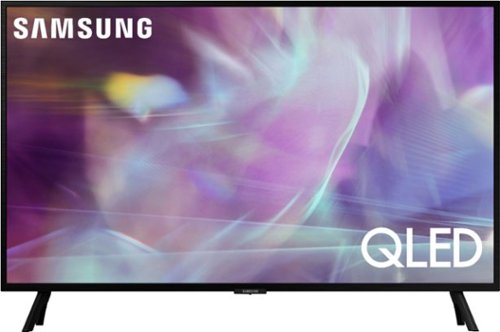
Samsung - 32" Class Q60A Series QLED 4K UHD Smart Tizen TV (2021)
Enjoy ultra-intense 4K vivid color and sharpened clarity with the Q60A / Q60AB. It combines Quantum Dot Technology with the power of 100% Color Volume to deliver a billion of shades for colorful, razor-sharp visuals. The ultra-smart Quantum Processor 4K Lite automatically upscales and transforms your content into 4K. Dual LED backlighting adjusts and coordinates with content in real time to enhance contrast and detail. Plus, with the rechargeable SolarCell Remote, you can easily access and control Smart TV and all your connected devices.
I had hoped to use an HDMI port as an input to my hi fi speakers, via a converter of course. But it appears that, if I do this, The TV speakers will still be on. There is no provision for an external speaker Is this correct? Is there a way around it?

Hi jns007 - You can connect an external audio device to the Q60A TV. Additionally, you can turn off the TV speakers by selecting the external audio source you wish to use instead of the built-in speakers. ^Gina
4 years, 6 months ago
by
Posted by:
Samsung
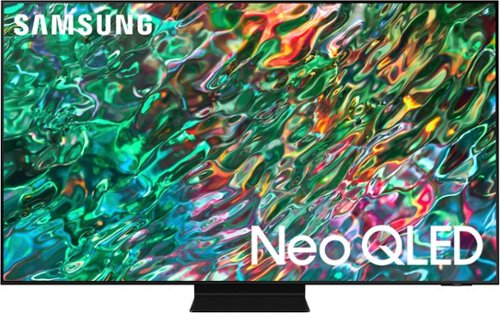
Samsung - 55 Class QN90B Neo QLED 4K Smart Tizen TV (2022)
Dive into our most brilliantly intense 4K experience, powered by Quantum Matrix Technology. By using precision Mini LEDs to create a wide range of color and contrast, rich details are revealed. Marvel at all that emerges from your darkest and brightest scenes thanks to 14 bit processing for deep blacks and over a billion shades of color. From daytime sports to movie night, your picture amazes in any light with AI processing that expertly upscales content to 4K and refines your Smart Hub and sound.
Does this tv have anti glare(reflection) and ultra wide viewing technology?
Hi mikemarva - Yes, the 55" QN90B features Anti-Reflection with Ultra Viewing Angle technology. ^Gina
4 years, 6 months ago
by
Posted by:
Samsung
Samsung - 32" Class Q60A Series QLED 4K UHD Smart Tizen TV (2021)
Enjoy ultra-intense 4K vivid color and sharpened clarity with the Q60A / Q60AB. It combines Quantum Dot Technology with the power of 100% Color Volume to deliver a billion of shades for colorful, razor-sharp visuals. The ultra-smart Quantum Processor 4K Lite automatically upscales and transforms your content into 4K. Dual LED backlighting adjusts and coordinates with content in real time to enhance contrast and detail. Plus, with the rechargeable SolarCell Remote, you can easily access and control Smart TV and all your connected devices.
how thick is the tv
al - The depth of the 32" Q60A TV is 1.2". ^Gina
4 years, 6 months ago
by
Posted by:
Samsung

Samsung - 55 Class S95B OLED 4K Smart Tizen TV (2022)
Samsung OLED TV changes the game again with 8.3 million self lit pixels and ultra powerful 4K AI Neural Processing, all for a picture so real, it~s surreal. Add on Dolby Atmos ~ sound built in, the latest Smart TV apps, and a LaserSlim design and get a viewing experience that~s intensely cinematic.
Release date?
Bigz233 - Best Buy and Samsung are working together to make the S95B TV available as soon as possible. Please continue to check the website or contact your local Best Buy for more information. ^Gina
4 years, 6 months ago
by
Posted by:
Samsung
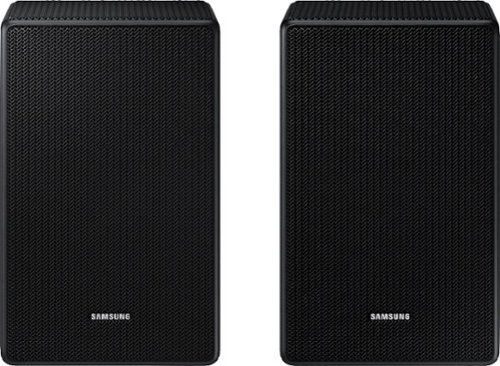
Can I pair two wireless speaker kits? 1 soundbar, + 1 wireless subwoofer + 2 swa-9100s rear speaker (4 wireless speakers).
Hi JerGimbal12! Samsung soundbars are designed to connect to one rear speaker kit at a time. Multiple pairs of rear speaker kits will not work with the same soundbar.
^Tim
^Tim
4 years, 6 months ago
by
Posted by:
Samsung

MX T40 2ch Sound Tower with High Power Audio
Give your sound a boost
Can you connect one mx-t40 through bluetooth to one connected via cables?
Hi Supert711! Sound Tower speakers can be connected together via Bluetooth or RCA cables using the Group Play feature. Once connected, you can play your audio through the 'Main' unit which will send the sound to the 'Sub' unit to hear your audio out of multiple speakers at the same time.
^Tim
^Tim
4 years, 6 months ago
by
Posted by:
Samsung

Samsung - HW-S50A 3.0ch Sound bar with Dolby Digital 5.1 - Deep Gray
Experience virtual 3D sound with the S Series, S50A all-in-one premium soundbar, a versatile soundbar that delivers sharp and realistic audio. Dialogue sounds crisp and super clean thanks to a built-in center speaker, so you won~t miss a word. Whether you~re playing games, watching sports, or kicking back with your favorite show, Adaptive Sound Lite enhances and optimizes your entertainment to a new level of audio. Plus, you can seamlessly pair mobile devices with Bluetooth~ TV Connection~. ~Please check whether your TV is Bluetooth~ compatible.
I just bought this sound bar a month ago and tonight it started not working and saying no usb connected. We have tried everything any suggestions on how to fix this issue
Hi Miket! I’m sorry to see that you are having difficulties with your new Samsung soundbar. You may want to try changing the source of the soundbar to the correct TV connection. You will experience the "No USB Connected" notification if the USB source is selected, and there is no USB device plugged in. If you continue to experience issues, please reach out to Samsung Support so that we can better troubleshoot towards a solution. You can reach us at: 1-800-SAMSUNG (ask for Soundbars), available 8AM - 12AM EST, 7 days a week, or Chat with us on Samsung.com: https://www.samsung.com/us/support/contact/
^Tim
^Tim
4 years, 6 months ago
by
Posted by:
Samsung
Samsung - HW-S50A 3.0ch Sound bar with Dolby Digital 5.1 - Deep Gray
Experience virtual 3D sound with the S Series, S50A all-in-one premium soundbar, a versatile soundbar that delivers sharp and realistic audio. Dialogue sounds crisp and super clean thanks to a built-in center speaker, so you won~t miss a word. Whether you~re playing games, watching sports, or kicking back with your favorite show, Adaptive Sound Lite enhances and optimizes your entertainment to a new level of audio. Plus, you can seamlessly pair mobile devices with Bluetooth~ TV Connection~. ~Please check whether your TV is Bluetooth~ compatible.
Any other sub besides the SWA-W500 work with this bar?? Thanks
Hi Jason! The SWA-W500 is the only subwoofer designed to connect to the HW-S50A.
^Tim
^Tim
4 years, 6 months ago
by
Posted by:
Samsung

Samsung - HW-S60A 5.0ch Sound bar with Acoustic Beam and Alexa Built-in - Black
Designed to fill your space with sound from anywhere in the room.
Does the sound bar have to be wall mounted or can I place it on a table?
Hi Matt! The HW-S60A does not need to be wall mounted and can be placed on a table. Both setup configurations will offer the same quality sound as long as the bar is placed in a central position below the TV.
^Tim
^Tim
4 years, 6 months ago
by
Posted by:
Samsung
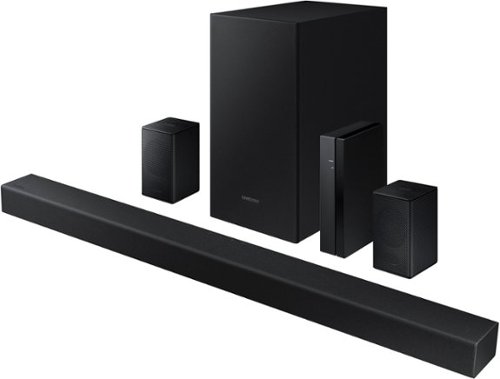
Samsung - 4.1-Channel Soundbar with Wireless Rear Speaker Kit and DOLBY AUDIO / DTS 2.0 - Black
Elevate your audio experience with high-quality optimized sound.
what do i need to get surround sound out of my samsaug sound bar. with samsang tv 7000 series. no stereo sound.
Hi rick! The HW-A470 includes a soundbar, subwoofer, and rear speaker kit for a 4.1ch surround sound experience. Follow the included quick start guide to setup the soundbar, then connect the soundbar to the Samsung TU7000 TV using the included digital optical cable. Once connected, you can start enjoying the surround sound experience from your new soundbar. For the best experience, we recommend using the SURROUND sound mode.
^Tim
^Tim
4 years, 6 months ago
by
Posted by:
Samsung