Samsung
Samsung's Stats
Reviews
- Review Count0
- Helpfulness Votes0
- First ReviewNone
- Last ReviewNone
- Featured Reviews0
- Average Rating0
Reviews Comments
- Review Comment Count0
- Helpfulness Votes0
- First Review CommentNone
- Last Review CommentNone
- Featured Review Comments0
Questions
- Question Count0
- Helpfulness Votes0
- First QuestionNone
- Last QuestionNone
- Featured Questions0
- Answer Count74735
- Helpfulness Votes37,935
- First AnswerApril 24, 2013
- Last AnswerOctober 9, 2026
- Featured Answers0
- Best Answers3941
Samsung's Reviews
Samsung has not submitted any reviews.
Samsung's Questions
Samsung has not submitted any questions.
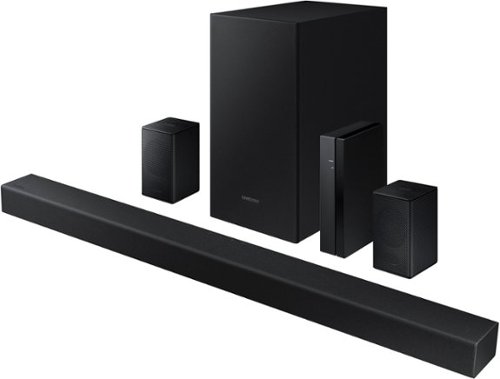
Samsung - 4.1-Channel Soundbar with Wireless Rear Speaker Kit and DOLBY AUDIO / DTS 2.0 - Black
Elevate your audio experience with high-quality optimized sound.
are all the speakers blue tooth

Hi rick! The soundbar features built in Bluetooth technology allowing you to wirelessly connect to compatible devices. The subwoofer included with the HW-A470 requires a power connection to a nearby outlet and will then wirelessly connect to the soundbar. Each rear speaker will require a speaker wire connection to the wireless transmitter module which will then plug into the outlet providing power and the wireless connection from the rear speakers to the soundbar.
^Tim
^Tim
4 years, 6 months ago
by
Posted by:
Samsung
Samsung - 4.1-Channel Soundbar with Wireless Rear Speaker Kit and DOLBY AUDIO / DTS 2.0 - Black
Elevate your audio experience with high-quality optimized sound.
If I have a vizio TV, will I be able to control this with the TV remote or will I have to use the included remote?
Hi Eric! You may be able to adjust the HW-A470 Soundbar volume using the TV’s remote control used for the TV by adjusting the settings within the soundbar. This function can be used with IR remote controls only. Bluetooth remote controls (remote controls that require pairing) are not supported. Set the TV speaker to External Speaker to use this function. 1) Turn Off the Soundbar. 2) Push up and hold the WOOFER button for 5 seconds. Each time you push the WOOFER button up and hold it for 5 seconds, the mode switches in the following order: “Samsung-TV Remote” (Default mode), “Off-TV Remote”, “All-TV Remote”. Should you need further assistance, please contact Samsung Support at 1-800-SAMSUNG. ^Tim
4 years, 6 months ago
by
Posted by:
Samsung
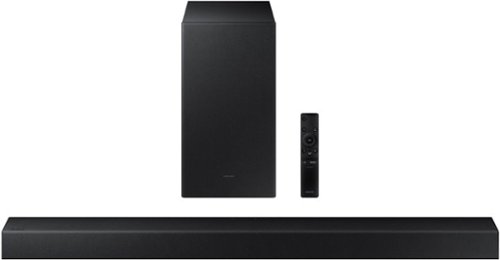
Samsung - HW-A450 Wireless 2.1ch Sound bar with Dolby Audio - Black
Elevate your sound experience with powerful bass.
How do you get back off on the remote? My hands are sore from trying ugh.
Hi Remote! To change the batteries of the remote, first flip the remote upside down. Locate the arrow on the bottom of the remote, then slide the back cover in the direction of the arrow until it is completely removed. I hope this helps!
^Tim
^Tim
4 years, 6 months ago
by
Posted by:
Samsung
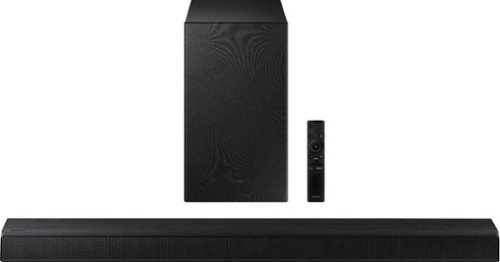
Samsung - HW-A550 2.1ch Sound bar with Dolby 5.1 - Black
Elevate your experience with virtual 3D surround sound.
Does this HDMI connection hook up to eARC or ARC?
Hi TeeJay! The HW-A550 features ARC technology. You can connect this to either ARC or eARC ports.
^Tim
^Tim
4 years, 6 months ago
by
Posted by:
Samsung
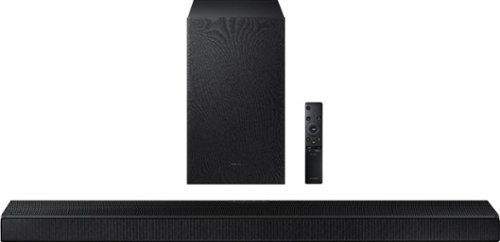
Samsung - HW-A650 3.1ch Sound bar - Black
Elevate your experience with 3D virtual surround sound and built-in center speaker.
I bought the Samsung A650, is there a way to turn up the subwoofer?
Hi! The remote features a Woofer button allowing you to adjust the level of the wireless subwoofer. Rock the button forward or backward to adjust the level up/down, or press it in to set the level to 0.
^Tim
^Tim
4 years, 6 months ago
by
Posted by:
Samsung
Samsung - HW-A650 3.1ch Sound bar - Black
Elevate your experience with 3D virtual surround sound and built-in center speaker.
Is this sound system compatible with other TV brands (Panasonic). Will individual remotes be needed?
Hi BB! The HW-A650 is not brand restricted and features three ways to connect to an external device: HDMI (ARC), digital optical audio, and Bluetooth wireless audio technology. If your TV is compatible with one of these three audio connections, you should have no issue connecting the soundbar to your TV. When using the HDMI connection, you will be able to control the volume of the soundbar using the TV's remote.
^Tim
^Tim
4 years, 6 months ago
by
Posted by:
Samsung
Samsung - 4.1-Channel Soundbar with Wireless Rear Speaker Kit and DOLBY AUDIO / DTS 2.0 - Black
Elevate your audio experience with high-quality optimized sound.
Could the rear speakers be put on opposite sides of the room and not have to have cables connecting them? We want to have two them on different sides of the room and only have them be put into an outlet.
Hi Brooke! The each of the rear speakers included with the HW-A470 will require a connection to the wireless transmitter module, which is then plugged in to the outlet for power. You can place the transmitter module in the middle using the included speaker wire to place each rear speaker off to the left or right side. Should you have additional questions about the setup of your rear speakers, please contact us at 1-800-Samsung
^Tim
^Tim
4 years, 6 months ago
by
Posted by:
Samsung
Samsung - HW-A650 3.1ch Sound bar - Black
Elevate your experience with 3D virtual surround sound and built-in center speaker.
Samsung support don't have the HW-A650 manual, only the HW-A450 manual???
Images for this Question
(click to see full-size image)

Hi Jack70! You can find the full user manual and firmware updates for the HW-A650 at the following Samsung Support link: https://www.samsung.com/us/support/downloads/?model=N0054643
^Tim
^Tim
4 years, 6 months ago
by
Posted by:
Samsung
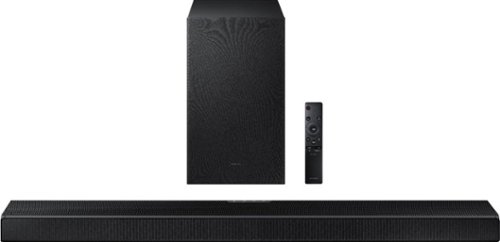
Samsung - HW-Q600A 3.1.2ch Sound bar with Dolby Atmos - Carbon Mid Silver
Elevate your entertaining experience with immersive 3D sound. The power of Samsung sound bar Q600A makes surround soundbar comes to life with speakers that fire from front, side and above.
does it works with 5.1 sound setings in netflix ?
Hi vg! Yes, the HW-Q600A soundbar will be compatible with Dolby Digital 5.1 and a wide variety of surround sound formats.
^Tim
^Tim
4 years, 6 months ago
by
Posted by:
Samsung
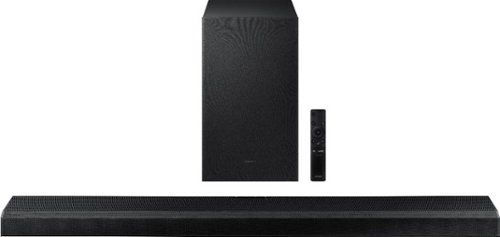
Samsung - 3.1.2-Channel Soundbar with Wireless Subwoofer, Dolby Atmos/DTS:X and Voice Assistant - Black
Powerful speaker deliver robust 3D surround sound that fire from front, side and above, for the most immersive sound for your home theatre experience.
Can this soundbar work with Google Assistant through the Google Home app?
Hi Joey! The HW-Q700A does not support the Google Home App; however, this model features built in Alexa allowing you to use the soundbar as an Alexa speaker, or use Alexa to control the soundbar.
^Tim
^Tim
4 years, 6 months ago
by
Posted by:
Samsung