Samsung
Samsung's Stats
Reviews
- Review Count0
- Helpfulness Votes0
- First ReviewNone
- Last ReviewNone
- Featured Reviews0
- Average Rating0
Reviews Comments
- Review Comment Count0
- Helpfulness Votes0
- First Review CommentNone
- Last Review CommentNone
- Featured Review Comments0
Questions
- Question Count0
- Helpfulness Votes0
- First QuestionNone
- Last QuestionNone
- Featured Questions0
- Answer Count74735
- Helpfulness Votes37,935
- First AnswerApril 24, 2013
- Last AnswerOctober 9, 2026
- Featured Answers0
- Best Answers3941
Samsung's Reviews
Samsung has not submitted any reviews.
Samsung's Questions
Samsung has not submitted any questions.
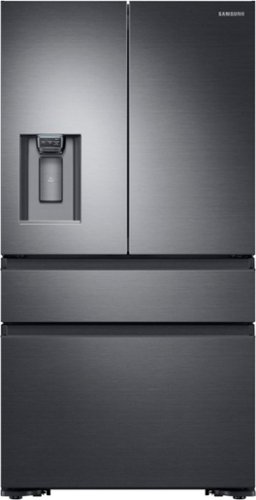
Samsung - 22.6 cu. ft. 4-Door Flex French Door Counter Depth Refrigerator with FlexZone Drawer - Black Stainless Steel
Sleek, built-in look, 22.6 cu. ft. large capacity refrigerator with FlexZone helps keep family's food organized.
I just had this installed today and it looks great. My only question is how long does it take for the ice maker to start making ice? It's been running for 5 hours now and I haven't seen a cube yet...

Hello Andrew,
Thank you for reaching out and letting us know your inquiry on how long the ice maker takes to make ice on this Samsung refrigerator. We understand that it is essential for you to know, and we're glad that you chose Samsung as the brand of your refrigerator. We're here to help.
Per checking, after you turn on the refrigerator, let the ice maker make ice for 1 to 2 days. Over that period, throw out the first 1 or 2 buckets of ice the ice maker makes to ensure all impurities have taken out from the waterline.
For reference, attached is a link to a helpful guide containing information on how to test your ice maker if it is functioning.
https://www.samsung.com/us/support/troubleshooting/TSG01207806/
You may also check the video link below for additional information on maintaining your ice maker and keeping it in tip-top condition.
https://www.youtube.com/watch?v=GF2v8gDcWRQ
For other concerns, do not hesitate to reach out via our Support Channels below:
1. Facebook Messenger: http://m.me/samsungsupport
2. Twitter: https://twitter.com/messages/compose?recipient_id=18768513
3. Samsung Community: https://us.commuity.samsung.com/t5/Samsung-Community/ct-p/us
Thank you, and stay safe!
Your Reference Ticket Number: 1144277629
-Angelica
Thank you for reaching out and letting us know your inquiry on how long the ice maker takes to make ice on this Samsung refrigerator. We understand that it is essential for you to know, and we're glad that you chose Samsung as the brand of your refrigerator. We're here to help.
Per checking, after you turn on the refrigerator, let the ice maker make ice for 1 to 2 days. Over that period, throw out the first 1 or 2 buckets of ice the ice maker makes to ensure all impurities have taken out from the waterline.
For reference, attached is a link to a helpful guide containing information on how to test your ice maker if it is functioning.
https://www.samsung.com/us/support/troubleshooting/TSG01207806/
You may also check the video link below for additional information on maintaining your ice maker and keeping it in tip-top condition.
https://www.youtube.com/watch?v=GF2v8gDcWRQ
For other concerns, do not hesitate to reach out via our Support Channels below:
1. Facebook Messenger: http://m.me/samsungsupport
2. Twitter: https://twitter.com/messages/compose?recipient_id=18768513
3. Samsung Community: https://us.commuity.samsung.com/t5/Samsung-Community/ct-p/us
Thank you, and stay safe!
Your Reference Ticket Number: 1144277629
-Angelica
4 years, 7 months ago
by
Posted by:
Samsung
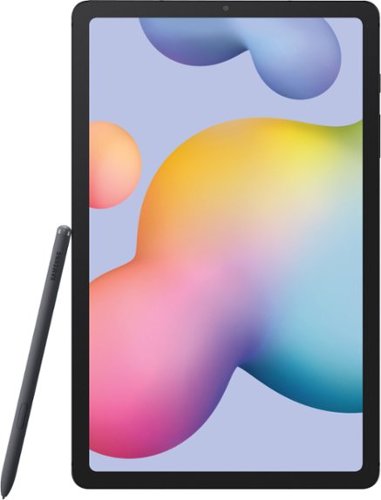
Samsung - Galaxy Tab S6 Lite - 10.4" - 64GB - Oxford Gray
Browse the Iternet and stay productive with this Samsung Galaxy Tab S6 Lite tablet. The Exynos processor and 4GB of RAM deliver fast performance for running multiple applications, while the rechargeable 7040 mAh battery offers hours of uptime on a single charge. This oxford gray Samsung Galaxy Tab S6 Lite tablet features a slim metal design to minimize bulk.
I saw this exact model on Amazon and it says it has Bluetooth, but this model shown at Best Buy doesn't say anything about Bluetooth. Does this have Bluetooth?
Hello There!
Thank you for your question and for taking an interest in whether the Galaxy Tab S6 Lite has a Bluetooth feature. In line with this, yes, the watch is Bluetooth Active. You can pair your device to other Bluetooth-enabled devices, like Bluetooth headphones or a Bluetooth-enabled vehicle infotainment system. Once a pairing is created, the devices remember each other and can exchange information without entering the passkey again.
Please see the user manual on Pages 22, 98, and 99 for more information:
https://downloadcenter.samsung.com/content/UM/202006/20200620063528230/WIF_SM-P610_Galaxy_Tab_S6_Lite_EN_UM_061020_FINAL_AC.pdf
Should you need more assistance, you may reach us via the following for immediate support:
1. Samsung Community: https://us.community.samsung.com/t5/Samsung-Community/ct-p/us
2. Facebook Messenger: http://m.me/samsungsupport
3. Twitter: https://twitter.com/messages/compose?recepient_ id=18768513
Reference Number: 1144277603
Thank you for choosing Samsung. Have a great day!
^Chrystel
Thank you for your question and for taking an interest in whether the Galaxy Tab S6 Lite has a Bluetooth feature. In line with this, yes, the watch is Bluetooth Active. You can pair your device to other Bluetooth-enabled devices, like Bluetooth headphones or a Bluetooth-enabled vehicle infotainment system. Once a pairing is created, the devices remember each other and can exchange information without entering the passkey again.
Please see the user manual on Pages 22, 98, and 99 for more information:
https://downloadcenter.samsung.com/content/UM/202006/20200620063528230/WIF_SM-P610_Galaxy_Tab_S6_Lite_EN_UM_061020_FINAL_AC.pdf
Should you need more assistance, you may reach us via the following for immediate support:
1. Samsung Community: https://us.community.samsung.com/t5/Samsung-Community/ct-p/us
2. Facebook Messenger: http://m.me/samsungsupport
3. Twitter: https://twitter.com/messages/compose?recepient_ id=18768513
Reference Number: 1144277603
Thank you for choosing Samsung. Have a great day!
^Chrystel
4 years, 7 months ago
by
Posted by:
Samsung
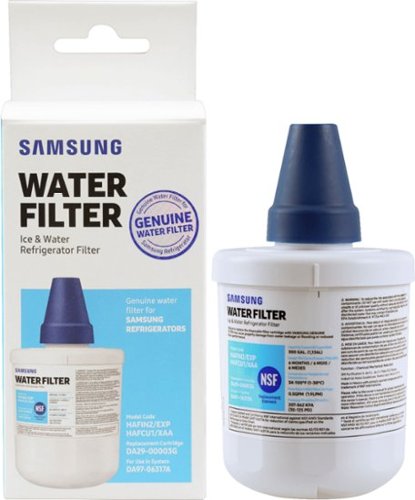
Give your family safe, fresh-testing water with Samsung genuine filters. Samsung water filters remove over 99% of numerous harmful contaminants, including lead. Each filter lasts for 6 months or 300 gallons.
Will the DA29-0003B filter work in my RFG298AABP refrigeratior
Specificationj calls for a DA29-0003G, however, that one is not available locally.
Hi Joe.
Thank you for reaching out regarding your Replacement Water Filter for Select Samsung Refrigerators if this is compatible with the refrigerator you have. Regarding your concern, yes, this is compatible.
Here is the link to where you can purchase the water filter.
http://www.samsungparts.com/Products/Parts_and_Accessories/PID-DA29-00003G.aspx
Also, I have included your user manual to assist you in changing your water filter. Please go to page 36.
https://downloadcenter.samsung.com/content/UM/201012/20101211161106275/DA68-01847A_EN.pdf
Should you need more assistance, please feel free to get back to us via the following options:
1. Facebook Messenger: http://m.me/samsungsupport
2. Twitter: https://twitter.com/messages/compose?recipient_id=18768513
3. Samsung Community: https://us.community.samsung.com/t5/Samsung-Community/ct-p/us
Thank you for being a valued customer of Samsung. Have a great day.
Reference Ticket Number: 1144277539
^Camille
Thank you for reaching out regarding your Replacement Water Filter for Select Samsung Refrigerators if this is compatible with the refrigerator you have. Regarding your concern, yes, this is compatible.
Here is the link to where you can purchase the water filter.
http://www.samsungparts.com/Products/Parts_and_Accessories/PID-DA29-00003G.aspx
Also, I have included your user manual to assist you in changing your water filter. Please go to page 36.
https://downloadcenter.samsung.com/content/UM/201012/20101211161106275/DA68-01847A_EN.pdf
Should you need more assistance, please feel free to get back to us via the following options:
1. Facebook Messenger: http://m.me/samsungsupport
2. Twitter: https://twitter.com/messages/compose?recipient_id=18768513
3. Samsung Community: https://us.community.samsung.com/t5/Samsung-Community/ct-p/us
Thank you for being a valued customer of Samsung. Have a great day.
Reference Ticket Number: 1144277539
^Camille
4 years, 7 months ago
by
Posted by:
Samsung
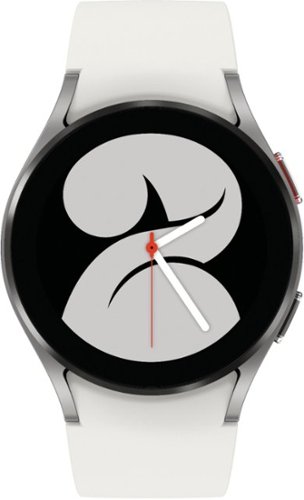
Samsung - Galaxy Watch4 Aluminum Smartwatch 40mm BT - Silver - (2021)
Crush workouts and all your health goals with Samsung Galaxy Watch4. Be your best with the watch that knows you best.
Is it waterproof?
Hi Jen,
Thank you for reaching out. I appreciate your inquiry regarding if the Galaxy Watch 4 is waterproof. In line with this, the watch is water-resistant, based on a 5ATM rating, which means submersion up to 50 meters per ISO standard 22810:2010 — not intended for scuba diving. Avoid excessive, sudden temperature changes and high-velocity activities.
For more information, please see the user manual on Pages 24, 74, and 75:
https://downloadcenter.samsung.com/content/UM/202109/20210929010214001/WEA_R89X_R88X_R87X_R86X_EN_UM_071621_FINAL_AC.pdf
Should you need more assistance, you may reach us via the following for immediate support:
1. Samsung Community: https://us.community.samsung.com/t5/Samsung-Community/ct-p/us
2. Facebook Messenger: http://m.me/samsungsupport
3. Twitter: https://twitter.com/messages/compose?recepient_ id=18768513
Reference Number: 1144277505
Thank you for choosing Samsung. Have a great day!
^Chrystel
Thank you for reaching out. I appreciate your inquiry regarding if the Galaxy Watch 4 is waterproof. In line with this, the watch is water-resistant, based on a 5ATM rating, which means submersion up to 50 meters per ISO standard 22810:2010 — not intended for scuba diving. Avoid excessive, sudden temperature changes and high-velocity activities.
For more information, please see the user manual on Pages 24, 74, and 75:
https://downloadcenter.samsung.com/content/UM/202109/20210929010214001/WEA_R89X_R88X_R87X_R86X_EN_UM_071621_FINAL_AC.pdf
Should you need more assistance, you may reach us via the following for immediate support:
1. Samsung Community: https://us.community.samsung.com/t5/Samsung-Community/ct-p/us
2. Facebook Messenger: http://m.me/samsungsupport
3. Twitter: https://twitter.com/messages/compose?recepient_ id=18768513
Reference Number: 1144277505
Thank you for choosing Samsung. Have a great day!
^Chrystel
4 years, 7 months ago
by
Posted by:
Samsung

Samsung - 85" Class QN800 Neo QLED 8K UHD Smart Tizen TV (2022)
Watch it all in gorgeous 8K with the ultra premium Samsung Neo QLED 8K. These ultra sharp 8K screens use innovative precision controlled Quantum Mini LEDs that bring you intense contrast for breathtaking detail in a wide spectrum of brilliant colors. At the same time, Neural Processing refines your Smart TV Hub controls, Dolby Atmos sound, and exquisite AI upscaling to display all you watch in jaw dropping 8K. It~s hard to imagine all these extraordinary powers are found in one impossibly slim TV.
Does the multi-view feature on the 2022 TVs support using simultaneous HDMI Inputs? (i.e. use an Xbox on one side and a PS5 on the other side)
Hi John - While only 1 HDMI source can be used at a time, you can watch up to 4 things at once, including what's on your mobile device. For example, you can set-up Multi View with an antenna to watch TV, HDMI to play video games, screen mirror your mobile device, and use a compatible app like YouTube to look at gaming videos. ^Gina
4 years, 7 months ago
by
Posted by:
Samsung
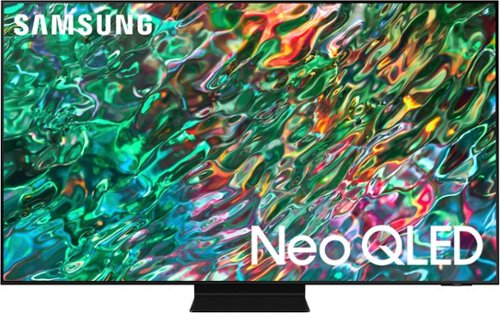
Samsung - 55 Class QN90B Neo QLED 4K Smart Tizen TV (2022)
Dive into our most brilliantly intense 4K experience, powered by Quantum Matrix Technology. By using precision Mini LEDs to create a wide range of color and contrast, rich details are revealed. Marvel at all that emerges from your darkest and brightest scenes thanks to 14 bit processing for deep blacks and over a billion shades of color. From daytime sports to movie night, your picture amazes in any light with AI processing that expertly upscales content to 4K and refines your Smart Hub and sound.
It’s 2022 now, So how many HDMI 2.1 are there on this tv???
Hi DES19881 - The 2022 55" QN90B TV has 4 HDMI ports, all of which support Auto Low Latency Mode (ALLM), Dynamic Metadata (HDR10+), Variable Refresh Rate (VRR), and High Frame Rate (HFR) 4K@120Hz. ^Gina
4 years, 7 months ago
by
Posted by:
Samsung
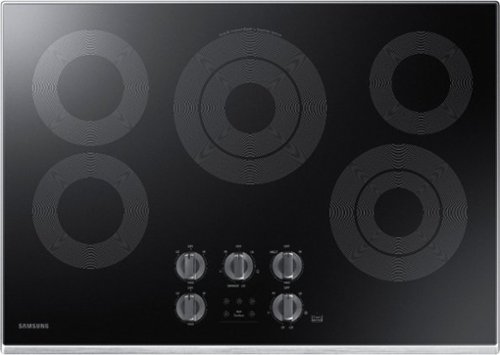
Samsung - 30" Electric Cooktop with WiFi - Stainless Steel
The Samsung Electric Cooktop offers fine tuned power to address a wide range of cooking needs. The Rapid Boil burner has precise control to make quick adjustments between boiling and a low even simmer. There's a burner for all of your needs, whether you're boiling water, melting chocolate or simmering sauce. Distinctive Blue LED Illuminated Knobs let you know if your cooktop is on, even from a distance.
what does the WiFi do? Don't understand. Thanks
Hi madasahatter.
Thank you for reaching out regarding your Samsung - 30" Electric Cooktop with WiFi and what does the WIFI does. Regarding your concern, The cooktop has a built-in WiFi module you can use to sync the cooktop with the SmartThings app. On the smartphone app, you can monitor the operating status of the cooktop. Functions that can be operated from the SmartThings app may not work smoothly if communication conditions are poor or the product is installed in a place with a weak WiFi signal.
Here is the link to the user manual for further assistance. Please go to page 20.
https://downloadcenter.samsung.com/content/UM/201904/20190417163432368/NZ30K6330R_DG68-00821A-05_EN-MES-CFR.pdf
Should you need more assistance, please feel free to get back to us via the following options:
1. Facebook Messenger: http://m.me/samsungsupport
2. Twitter: https://twitter.com/messages/compose?recipient_id=18768513
3. Samsung Community: https://us.community.samsung.com/t5/Samsung-Community/ct-p/us
Thank you for being a valued customer of Samsung. Have a great day.
Reference Ticket Number: 1144277375
^Camille
Thank you for reaching out regarding your Samsung - 30" Electric Cooktop with WiFi and what does the WIFI does. Regarding your concern, The cooktop has a built-in WiFi module you can use to sync the cooktop with the SmartThings app. On the smartphone app, you can monitor the operating status of the cooktop. Functions that can be operated from the SmartThings app may not work smoothly if communication conditions are poor or the product is installed in a place with a weak WiFi signal.
Here is the link to the user manual for further assistance. Please go to page 20.
https://downloadcenter.samsung.com/content/UM/201904/20190417163432368/NZ30K6330R_DG68-00821A-05_EN-MES-CFR.pdf
Should you need more assistance, please feel free to get back to us via the following options:
1. Facebook Messenger: http://m.me/samsungsupport
2. Twitter: https://twitter.com/messages/compose?recipient_id=18768513
3. Samsung Community: https://us.community.samsung.com/t5/Samsung-Community/ct-p/us
Thank you for being a valued customer of Samsung. Have a great day.
Reference Ticket Number: 1144277375
^Camille
4 years, 7 months ago
by
Posted by:
Samsung
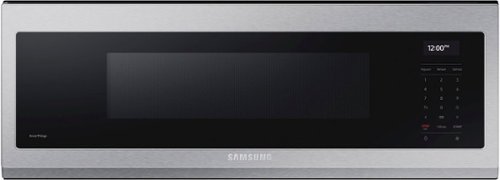
Free up space above your cooktop with the new beautifully designed Smart SLIM Microwave. This combination microwave with ventilation hood fits into the same space as an under-the-cabinet hood, but despite its slim size it has a sizeable 1.1 cu ft capacity. The SLIM Microwave packs in the powerful performance you need with all the technology that you love in a slim, space efficient size.
Ok does this also vent inside, I don't have access to outside vent as this is going into an apartment,. It is unclear in the info unless I missed it
Hi Hutch,
Thank you for reaching out and we hope you are in good health. We appreciate your interest in Samsung home appliances, specifically the Samsung - 1.1 cu. ft. Smart SLIM Over-the-Range Microwave with 550 CFM Hood Ventilation, Wi-Fi & Voice Control - Stainless steel.
This over-the-range microwave can recirculate (non-vented ductless). I have included the installation guide link below. Please click on the link and turn to page 12 for the ventilation types.
https://downloadcenter.samsung.com/content/EM/202202/20220223181502042/Install_ME11A7510DS_AA_DE68-04709A-01_EN-MES_220120.pdf
Please feel free to communicate with us through the channels below if you have additional questions.
1. Facebook Messenger: http://m.me/samsungsupport
2. Twitter: https://twitter.com/messages/compose?recipient_id=18768513
3. Samsung Community: https://us.community.samsung.com/t5/Samsung-Community/ct-p/us
Your reference number: 1144277287
Leo
Thank you for reaching out and we hope you are in good health. We appreciate your interest in Samsung home appliances, specifically the Samsung - 1.1 cu. ft. Smart SLIM Over-the-Range Microwave with 550 CFM Hood Ventilation, Wi-Fi & Voice Control - Stainless steel.
This over-the-range microwave can recirculate (non-vented ductless). I have included the installation guide link below. Please click on the link and turn to page 12 for the ventilation types.
https://downloadcenter.samsung.com/content/EM/202202/20220223181502042/Install_ME11A7510DS_AA_DE68-04709A-01_EN-MES_220120.pdf
Please feel free to communicate with us through the channels below if you have additional questions.
1. Facebook Messenger: http://m.me/samsungsupport
2. Twitter: https://twitter.com/messages/compose?recipient_id=18768513
3. Samsung Community: https://us.community.samsung.com/t5/Samsung-Community/ct-p/us
Your reference number: 1144277287
Leo
4 years, 7 months ago
by
Posted by:
Samsung
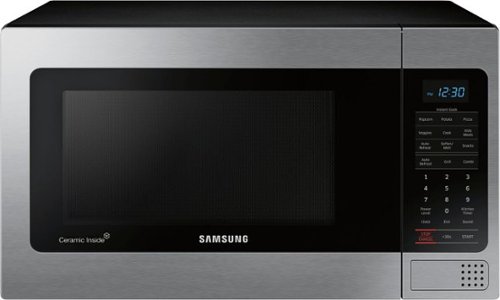
Samsung - 1.1 Cu. Ft. Countertop Microwave with Grilling Element - Stainless Steel
The Samsung Grill Cooking Countertop Microwave makes preparing multiple dishes effortless with 1.1 cu. Ft. capacity. The grilling element allows you to enjoy crispy food in minutes. Additionally, the Ceramic Enamel interior provides a durable, scratch resistant and easy to clean interior, making everyday maintenance simple
Why is it so noisy?
Hello dano,
Thank you for reaching out and for sharing your feedback about your Samsung microwave. I understand you're having an issue with your microwave being noisy. We do apologize for the inconvenience this has caused you. We are here to help.
To help you with this, I am providing this link https://www.samsung.com/us/support/troubleshooting/TSG01001968/ to guide you on the issue.
Another link you may find useful is this one https://www.samsung.com/us/support/search/?query=microwave&referrerPageUrl=https%3A%2F%2Fwww.samsung.com%2Fus%2Fsupport%2F as this has all the troubleshooting guides, links, videos, and other resources you might need for your Samsung microwave.
Should you need more assistance, please feel free to get back to us via the following options:
1. Facebook Messenger: http://m.me/samsungsupport
2. Twitter: https://twitter.com/messages/compose?recipient_id=18768513
3. Samsung Community: https://us.community.samsung.com/t5/Samsung-Community/ct-p/us
Your reference number is 1144276999.
-Noraina
Thank you for reaching out and for sharing your feedback about your Samsung microwave. I understand you're having an issue with your microwave being noisy. We do apologize for the inconvenience this has caused you. We are here to help.
To help you with this, I am providing this link https://www.samsung.com/us/support/troubleshooting/TSG01001968/ to guide you on the issue.
Another link you may find useful is this one https://www.samsung.com/us/support/search/?query=microwave&referrerPageUrl=https%3A%2F%2Fwww.samsung.com%2Fus%2Fsupport%2F as this has all the troubleshooting guides, links, videos, and other resources you might need for your Samsung microwave.
Should you need more assistance, please feel free to get back to us via the following options:
1. Facebook Messenger: http://m.me/samsungsupport
2. Twitter: https://twitter.com/messages/compose?recipient_id=18768513
3. Samsung Community: https://us.community.samsung.com/t5/Samsung-Community/ct-p/us
Your reference number is 1144276999.
-Noraina
4 years, 7 months ago
by
Posted by:
Samsung
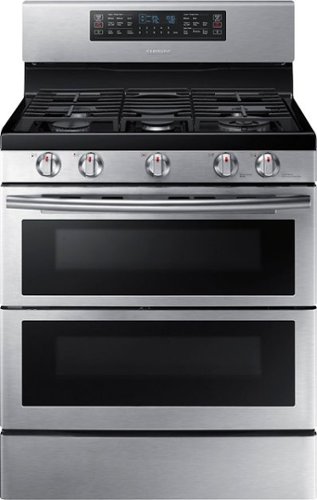
Samsung - Flex Duo 5.8 Cu. Ft. Self-Cleaning Freestanding Gas Convection Range - Stainless Steel
Add this versatile appliance to your kitchen and discover your inner chef. With a multitude of convenient features, like dual convection technology and an app for remote control, this freestanding Samsung range provides a high-performance cooking experience.
Can you open the bottom door by itself to do you have to open the entire door just to get to the bottom when using both
Hello,
Thank you for reaching out and letting us know your inquiry if you can open the bottom door by itself or if you have to open the entire door to get to the bottom when using both. We understand that it is essential for you to know where to get it since it didn't come with the open box microwave you purchased. We're here to help.
As per checking, this oven has a unique Dual Door™ that is hinged in the middle. If you have inserted the Smart Divider and divided the oven in two (in Twin Mode), you only need to open the top half to access the upper cavity. When using the Flex Duo™ capability, you can easily access the entire oven space with greater energy efficiency.
Attached is a link to the user manual containing additional information about the product. See page 14 for the Dual Door and how to use it.
https://downloadcenter.samsung.com/content/UM/202103/20210308173729692/NX58K7850SS_AA_AC_DG68-00787A-08_EN.pdf
For other concerns, do not hesitate to reach out via our Support Channels below:
1. Facebook Messenger: http://m.me/samsungsupport
2. Twitter: https://twitter.com/messages/compose?recipient_id=18768513
3. Samsung Community: https://us.commuity.samsung.com/t5/Samsung-Community/ct-p/us
Thank you, and stay safe!
Your Reference Ticket Number: 1144276976
-Angelica
Thank you for reaching out and letting us know your inquiry if you can open the bottom door by itself or if you have to open the entire door to get to the bottom when using both. We understand that it is essential for you to know where to get it since it didn't come with the open box microwave you purchased. We're here to help.
As per checking, this oven has a unique Dual Door™ that is hinged in the middle. If you have inserted the Smart Divider and divided the oven in two (in Twin Mode), you only need to open the top half to access the upper cavity. When using the Flex Duo™ capability, you can easily access the entire oven space with greater energy efficiency.
Attached is a link to the user manual containing additional information about the product. See page 14 for the Dual Door and how to use it.
https://downloadcenter.samsung.com/content/UM/202103/20210308173729692/NX58K7850SS_AA_AC_DG68-00787A-08_EN.pdf
For other concerns, do not hesitate to reach out via our Support Channels below:
1. Facebook Messenger: http://m.me/samsungsupport
2. Twitter: https://twitter.com/messages/compose?recipient_id=18768513
3. Samsung Community: https://us.commuity.samsung.com/t5/Samsung-Community/ct-p/us
Thank you, and stay safe!
Your Reference Ticket Number: 1144276976
-Angelica
4 years, 7 months ago
by
Posted by:
Samsung