Samsung
Samsung's Stats
Reviews
- Review Count0
- Helpfulness Votes0
- First ReviewNone
- Last ReviewNone
- Featured Reviews0
- Average Rating0
Reviews Comments
- Review Comment Count0
- Helpfulness Votes0
- First Review CommentNone
- Last Review CommentNone
- Featured Review Comments0
Questions
- Question Count0
- Helpfulness Votes0
- First QuestionNone
- Last QuestionNone
- Featured Questions0
- Answer Count74857
- Helpfulness Votes37,957
- First AnswerApril 24, 2013
- Last AnswerOctober 15, 2026
- Featured Answers0
- Best Answers3944
Samsung's Reviews
Samsung has not submitted any reviews.
Samsung's Questions
Samsung has not submitted any questions.
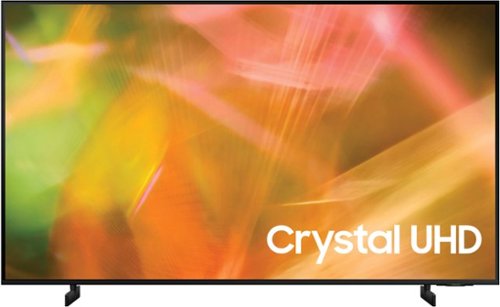
Samsung - 55" Class 8000 Series LED 4K UHD Smart Tizen TV (2021)
Step up to the world of Crystal UHD from Samsung. Elevated color and clarity offer you a picture that has to be seen to be believed. Add in smart features that make watching TV even easier, and you have a TV that is essential.
Does this TV have closed captioning option? It doesn't say anything about cc in the product spec. TIA

Hi Bobby! Yes, this model does support Closed Captions. You can turn Closed Captions on/off and change the settings such as separating it from the broadcast screen, font color, background color, size, position, language, etc. by going to: Settings > General > Accessibility > Caption Settings.
^Tim
^Tim
4 years, 8 months ago
by
Posted by:
Samsung

Samsung - 55" Class The Frame Series LED 4K UHD Smart Tizen TV (2021)
Artwork, television, movies, and memories -The Frame TV showcases it all on a beautiful QLED screen. Every piece of content is displayed in stunning 4K resolution and accented by a customizable, stylish bezel that seamlessly complements your home~s d~cor.
I USE ROKU FROM STREAMING. DO I HAVE TO RUN THAT THROUGH THE ONE CONNECT BOX?
Hi - The Frame TV's One Connect Box houses all input connections; any externally connected devices (such as your Roku device) will need to be connected to the HDMI ports on the One Connect Box. ^Gina
4 years, 8 months ago
by
Posted by:
Samsung
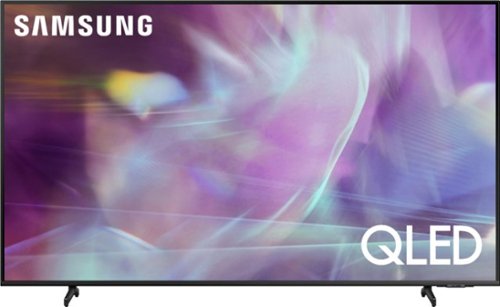
Samsung - 43" Class Q60A Series QLED 4K UHD Smart Tizen TV (2021)
Enter a world saturated with color and sharpened to refreshing clarity, all of it made possible through the power of Quantum Dot technology
How do you disable Wi Fi on this set?
Hi - You can disconnect Wi-Fi from your TV by going to: Home > Settings > General > Network > Disconnect. ^Gina
4 years, 8 months ago
by
Posted by:
Samsung
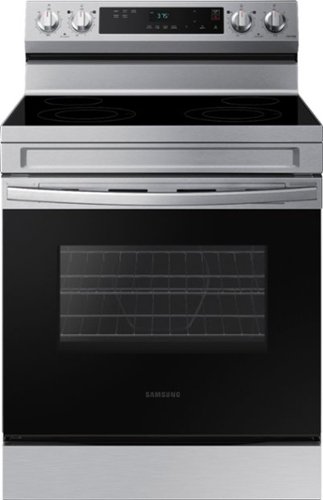
Elevate the look of your kitchen with Samsung~s Smart Freestanding Electric Range. Our Stainless Steel design elegantly wraps around cooktop sides and up through the slim control panel. Upgraded technology makes cooking on your stove simple and fun.
How do I shut the timer off? Seems the only way is to open the door
Hi SueC,
Thank you for reaching out and we hope you are in good health. There are several ways to turn off the timer and one of the ways is to open the door.
I have included a link that can help you with setting and clearing the timer for your oven and/or range.
https://www.samsung.com/us/support/answer/ANS00088062/
Please feel free to get in touch with us through the channels below if you have additional questions.
1. Facebook Messenger: http://m.me/samsungsupport
2. Twitter: https://twitter.com/messages/compose?recipient_id=18768513
3. Samsung Community
https://us.commuity.samsung.com/t5/Samsung-Community/ct-p/us
Your reference number: 1144159304
Leo
Thank you for reaching out and we hope you are in good health. There are several ways to turn off the timer and one of the ways is to open the door.
I have included a link that can help you with setting and clearing the timer for your oven and/or range.
https://www.samsung.com/us/support/answer/ANS00088062/
Please feel free to get in touch with us through the channels below if you have additional questions.
1. Facebook Messenger: http://m.me/samsungsupport
2. Twitter: https://twitter.com/messages/compose?recipient_id=18768513
3. Samsung Community
https://us.commuity.samsung.com/t5/Samsung-Community/ct-p/us
Your reference number: 1144159304
Leo
4 years, 8 months ago
by
Posted by:
Samsung
Samsung - 43" Class Q60A Series QLED 4K UHD Smart Tizen TV (2021)
Enter a world saturated with color and sharpened to refreshing clarity, all of it made possible through the power of Quantum Dot technology
Can I turn off the Wi Fi on this TV using the remote
Hi - Wi-Fi connectivity will need to be manually disabled in your TV's settings. ^Gina
4 years, 8 months ago
by
Posted by:
Samsung
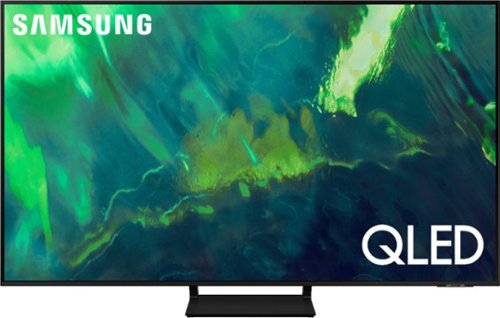
Samsung - 55" Class Q70A Series QLED 4K UHD Smart Tizen TV (2021)
As intelligent as it is beautiful. A Smart TV interface learns the content you like and makes suggestions based on what you watch.
I have a Yamaha ATS-1050 sound bar connected to my new 55” Q70A via the digital optical port. While the sound bar functions, I cannot not control the sound bar volume with the Samsung remote control. Can I pair this sound bar to the new remote?
BillE - So that we can best assist you with this question, please reach out to Samsung Support at: 1-800-SAMSUNG (ask for TVs), available 8AM - 12AM EST, 7 days a week, or Chat with us on Samsung.com: https://www.samsung.com/us/support/contact/ ^Gina
4 years, 8 months ago
by
Posted by:
Samsung
Samsung - 75" Class Q70A Series QLED 4K UHD Smart Tizen TV (2021)
As intelligent as it is beautiful. A Smart TV interface learns the content you like and makes suggestions based on what you watch.
What is the recommended WiFi download gigabytes per second?
Tompmcg - This will vastly depend on how far your router is from your TV and the data speeds offered from your provider. To best assist you with this, we recommend contacting your Internet provider for additional information. ^Gina
4 years, 8 months ago
by
Posted by:
Samsung
Samsung - 55" Class Q80A Series QLED 4K UHD Smart Tizen TV (2021)
Nothing will get by you with the precise visible details, even in the darkest scenes, and sound that moves around you.
Please provide the actual bolt size and length needed to attach this TV to a wall mount bracket. 9 months ago you said, "11-13 mm length, and 1.25mm pitch ... ^Val" and 10 Months ago you said 4 x M8 screws, 26-28 mm length, and 1.25mm pitch. ^Val
JennNOLA - To mount the 55" Q80A, you will need 4 M8 screws with 26-28mm length and 1.25mm pitch. ^Gina
4 years, 8 months ago
by
Posted by:
Samsung
Samsung - 85" Class QN90A Neo QLED 4K UHD Smart Tizen TV (2021)
Our best 4K picture offers lush visuals and crisp detail that create an unmatched cinematic experience.
Does this come with the base pre-installed?
Npatel - The QN90A TV stand will need to be assembled, as it does not come attached to the TV in its shipping box. ^Gina
4 years, 8 months ago
by
Posted by:
Samsung
Samsung - 85" Class QN90A Neo QLED 4K UHD Smart Tizen TV (2021)
Our best 4K picture offers lush visuals and crisp detail that create an unmatched cinematic experience.
Another eARC ?. I thought eARC was part of the HDMI 2.1 spec but it looks like this TV only has eARC on HDMI 3 and other 2.1 specs for 4K on HDMI 4. Does that mean I have to connect my PS5 to HDMI 4 and AVR to HDMI 3 ? This seems like a step back.
PSBILL - Thank you for considering this TV. Because HDMI 2.1 is a complicated spec, we hope that focusing on TV features will be more helpful to you when deciding on the best model for your usage scenario. The QN90A has 4 HDMI ports, all of which support Auto Low Latency Mode (ALLM), Dynamic Metadata (HDR10+), and Variable Refresh Rate (VRR). High Frame Rate (HFR) 4K@120Hz is supported in “HDMI In 4”. The “HDMI In 3” port further supports eARC. ^Gina
4 years, 8 months ago
by
Posted by:
Samsung