Samsung
Samsung's Stats
Reviews
- Review Count0
- Helpfulness Votes0
- First ReviewNone
- Last ReviewNone
- Featured Reviews0
- Average Rating0
Reviews Comments
- Review Comment Count0
- Helpfulness Votes0
- First Review CommentNone
- Last Review CommentNone
- Featured Review Comments0
Questions
- Question Count0
- Helpfulness Votes0
- First QuestionNone
- Last QuestionNone
- Featured Questions0
- Answer Count74857
- Helpfulness Votes37,957
- First AnswerApril 24, 2013
- Last AnswerOctober 15, 2026
- Featured Answers0
- Best Answers3944
Samsung's Reviews
Samsung has not submitted any reviews.
Samsung's Questions
Samsung has not submitted any questions.

Samsung - 75" Class QN90A Neo QLED 4K UHD Smart Tizen TV
Our best 4K picture offers lush visuals and crisp detail that create an unmatched cinematic experience.
The specifications on this Best Buy page states the QN90A has zero HDMI 2.1 inputs. Is this a mistake?
Images for this Question
(click to see full-size image)


Hi Play - Thank you for bringing this to our attention, we will work to get this corrected. The QN90A TV has 4 HDMI ports, all of which support Auto Low Latency Mode (ALLM), Dynamic Metadata (HDR10+), and Variable Refresh Rate (VRR). High Frame Rate (HFR) 4K@120Hz is supported in “HDMI In 4”. The “HDMI In 3” port further supports eARC. ^Gina
4 years, 8 months ago
by
Posted by:
Samsung
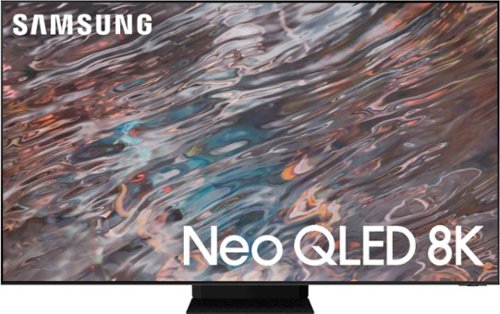
Samsung - 65" Class QN800A Series Neo QLED 8K UHD Smart Tizen TV (2021)
Upgrade to 8K resolution with the QN800A to see unimaginable picture details. The lightning-fast Neo Quantum Processor 8K uses AI based deep learning to analyze every scene and optimize the picture to display outstanding clarity and depth. With 1.5 times more lighting zones, Quantum Matrix Technology Pro is a step up over standard Quantum Matrix Technology models. This expansive array of Quantum Mini LEDs dim and brighten for rich deep darks and brilliant whites. The QN800A tracks sound to the onscreen action, powers a new generation of Apps, levels up gaming, and offers features that go beyond Smart TV. Plus, you can reduce cable clutter with Attachable Slim One Connect.
What is the distance from the bottom of the tv to the bottom bracket mount hole? Also from the top of the tv to the top bracket mount hole. Thanks In advance!
Hi CHSD! On the 65" QN800A, the distance from the top VESA mounting holes to the top of the TV is 8.6". The distance from the bottom VESA mounting holes to the bottom of the TV is 11.9". ^Gina
4 years, 8 months ago
by
Posted by:
Samsung
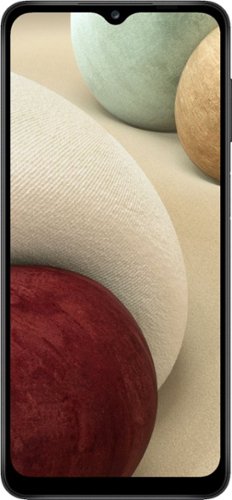
Samsung - Galaxy A12 32GB(Unlocked) - Black
Connecting with the people and things you love is essential. So is keeping those memories close at hand. Galaxy A12 gives you our sought after multi camera system at a fraction of the price, along with expandable storage to fit all your favorite memories. With a long lasting battery that charges up quick, a beautifully vivid display and a processor you can count on, Galaxy A12 is here to help you capture the awesome in your every day.
Will this phone work with Xfinity mobile?
Hello. Although this Galaxy A12 is unlocked, we would suggest contacting the carrier to ensure their services can be added. Thank you for asking this question. ^Kayla
4 years, 8 months ago
by
Posted by:
Samsung
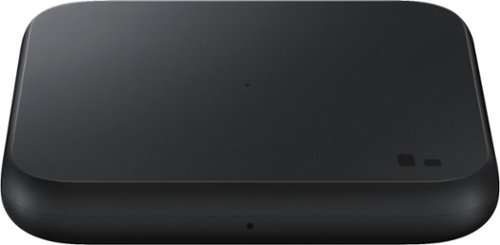
Samsung - Fast Charge Wireless pad - Black
Wirelessly charge your smartphones and earbuds. Fast Charge feature available for even faster charging speeds on select phone models
Will this work on a Samsung Galaxy 10 tablet ?
Hello, Joy. This wireless charger is not compatible with tablets. Thank you for asking this question. ^Kayla
4 years, 8 months ago
by
Posted by:
Samsung
Samsung - Fast Charge Wireless pad - Black
Wirelessly charge your smartphones and earbuds. Fast Charge feature available for even faster charging speeds on select phone models
Does this come with an adapter that plugs into the electrical outlet? Do you need a special adapter to "fast charge?"
Hi, Steph. This wireless charger does come with the appropriate adapter needed. Thank you for asking this question. ^Kayla
4 years, 8 months ago
by
Posted by:
Samsung
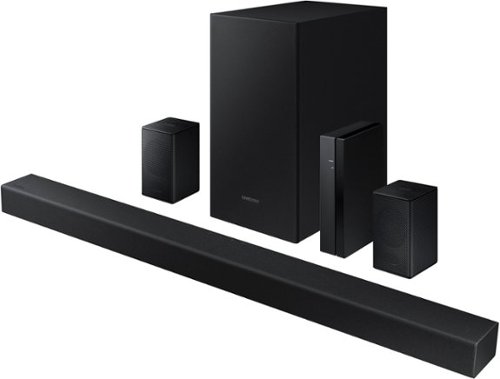
Samsung - 4.1-Channel Soundbar with Wireless Rear Speaker Kit and DOLBY AUDIO / DTS 2.0 - Black
Elevate your audio experience with high-quality optimized sound.
Do it work on multiple tvs or just one tv
Hi! The HW-A470 will only connect to one TV at a time. Should you wish to use it on multiple TVs you would need to swap the connection between the two.
^Tim
^Tim
4 years, 8 months ago
by
Posted by:
Samsung
Samsung - 4.1-Channel Soundbar with Wireless Rear Speaker Kit and DOLBY AUDIO / DTS 2.0 - Black
Elevate your audio experience with high-quality optimized sound.
Where can o get directions for this sound system
Hi Tara! You can find the full user manual and available firmware updates at the following link from the official Samsung Products Support Page: https://www.samsung.com/us/support/downloads/?model=N0054914
^Tim
^Tim
4 years, 8 months ago
by
Posted by:
Samsung
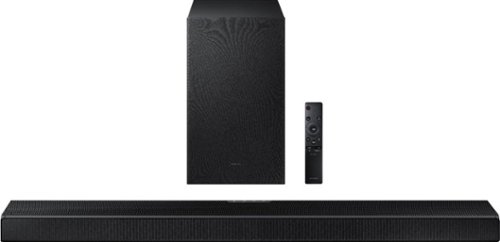
Samsung - HW-Q600A 3.1.2ch Sound bar with Dolby Atmos - Carbon Mid Silver
Elevate your entertaining experience with immersive 3D sound. The power of Samsung sound bar Q600A makes surround soundbar comes to life with speakers that fire from front, side and above.
Hi, Having issues with my TV recognizing the samsung q600a soundbar. Got it to work by removing the other hdmi cables but don't want to keep doing that everytime and did update it. Help would be appreciated
Hi Brett! To set up HDMI ARC, power on your TV and soundbar.
1. Next, connect one end of an HDMI cable into the HDMI IN (ARC) port on your TV.
2. Connect the other end into the HDMI OUT (TV-ARC) port on your soundbar.
3. Next, change the source on your soundbar to the D.IN. setting.
4. After a few seconds, "TV ARC" will appear on the soundbar's display, and the TV will transfer audio through the soundbar.
If you continue to experience issues with the connection of your new Samsung soundbar, please reach out to Samsung Support at: 1-800-SAMSUNG, available 8AM - 12AM EST, 7 days a week, or Chat with us on Samsung.com: https://www.samsung.com/us/support/contact/
^Tim
1. Next, connect one end of an HDMI cable into the HDMI IN (ARC) port on your TV.
2. Connect the other end into the HDMI OUT (TV-ARC) port on your soundbar.
3. Next, change the source on your soundbar to the D.IN. setting.
4. After a few seconds, "TV ARC" will appear on the soundbar's display, and the TV will transfer audio through the soundbar.
If you continue to experience issues with the connection of your new Samsung soundbar, please reach out to Samsung Support at: 1-800-SAMSUNG, available 8AM - 12AM EST, 7 days a week, or Chat with us on Samsung.com: https://www.samsung.com/us/support/contact/
^Tim
4 years, 8 months ago
by
Posted by:
Samsung

Samsung - 5.1.2-Channel Soundbar with Dolby Atmos/DTS:X
Explore realistic 3D audio with sound precisely projected from above, in front, behind and to the side of you with the latest acoustic technologies.
on some tv shows the talking sounds like they are in a tin can not all just. some. movies play fine tv speakers are off any ideas
Hi sewerdog70! I’m sorry to see that you are having occasional difficulties with the sound quality of your soundbar. The issue may be with the connection to the TV or an external device.
So that we can gather additional information to better troubleshoot towards a solution, please reach out to Samsung Support at: 1-800-SAMSUNG, available 8AM - 12AM EST, 7 days a week, or Chat with us on Samsung.com: https://www.samsung.com/us/support/contact/
^Tim
So that we can gather additional information to better troubleshoot towards a solution, please reach out to Samsung Support at: 1-800-SAMSUNG, available 8AM - 12AM EST, 7 days a week, or Chat with us on Samsung.com: https://www.samsung.com/us/support/contact/
^Tim
4 years, 8 months ago
by
Posted by:
Samsung
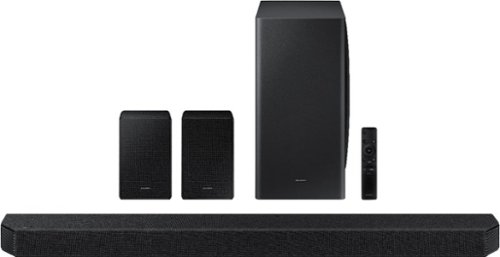
Samsung - HW-Q950A 11.1.4ch Sound bar with Dolby Atmos - Black
Breakthrough innovation with True 11.1.4ch sound.
I have read that there is an audio lag that is according with this soundbar and the xbox series x. Can anyone that has purchased this attest to that? If so, is there a work around that can be done so that I do not lose the 4k, 120hz when connected to tv?
Hi Tom! When connected to the TV via HDMI or HDMI ARC, you should not experience any audio delay. In the event you do experience issues with delay, the settings can be adjusted on the soundbar itself using the SOUND CONTROL button on the remote. Additionally, 2020/2021 Samsung TVs have a feature called Audio Pass-Through. If connected to a Samsung TV, you can utilize this feature to correct your audio-sync issue. Please also be aware both your soundbar and TV may have available firmware updates with improvements to audio sync and delay.
^Tim
^Tim
4 years, 8 months ago
by
Posted by:
Samsung