Samsung
Samsung's Stats
Reviews
- Review Count0
- Helpfulness Votes0
- First ReviewNone
- Last ReviewNone
- Featured Reviews0
- Average Rating0
Reviews Comments
- Review Comment Count0
- Helpfulness Votes0
- First Review CommentNone
- Last Review CommentNone
- Featured Review Comments0
Questions
- Question Count0
- Helpfulness Votes0
- First QuestionNone
- Last QuestionNone
- Featured Questions0
- Answer Count73779
- Helpfulness Votes37,946
- First AnswerApril 24, 2013
- Last AnswerAugust 22, 2026
- Featured Answers0
- Best Answers3946
Samsung's Reviews
Samsung has not submitted any reviews.
Samsung's Questions
Samsung has not submitted any questions.
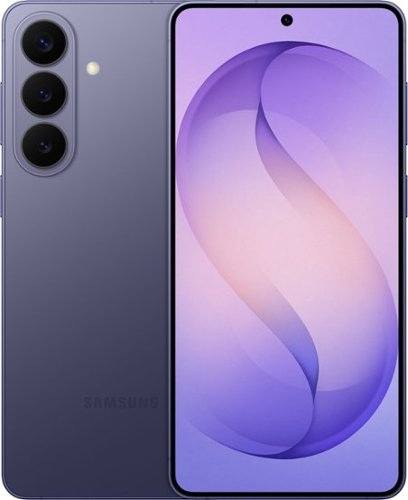
Samsung Galaxy S26+ is designed for the moments when creativity strikes ~ and the pace of your day doesn~t slow down. Powered by Galaxy AI, it helps you shape ideas, express yourself and keep everything moving naturally from inspiration to execution. With Photo Assist, creativity goes far beyond the original shot. Add or remove elements while restoring details or apply artistic styles like painting, black-and-white or playful illustrations to reimagine your photos in seconds. It~s an easy, intuitive way to give your images a new perspective ~ no additional apps required. Creative Studio with Galaxy AI takes those ideas even further. Create custom stickers, personalized profile pictures or entirely new images with a simple prompt. Whether you~re refining a memory or starting from scratch, Galaxy S26+ makes it effortless to turn imagination into something tangible and ready to share. As ideas turn into action, Galaxy S26+ keeps everything in sync. Now Nudge with Galaxy AI supports your conversations by surfacing helpful actions like adding events, viewing your calendar, sharing photos, browsing locations or sending contact details ~ right when they make sense. And with ProScaler enhancing sharpness and color automatically, everything you create, read and type looks clearer and more vibrant throughout the day. Samsung Galaxy S26+ brings creativity and momentum together ~ helping you express more, organize faster and move through your day with ease.
Main upgradation or differences between S 24+ and S26+

Hello Mstthew, thank you for asking us your question about the Samsung Galaxy S26+. The advertised Galaxy S26+ offers a 0.4 mm thinner design, a faster processor, and improved AI capabilities like "Now Nudge" and updated camera tools over the Galaxy S24+. It also now features a 4,300mAh battery and 20W wireless charging. Feel free to reach out to Support if you have additional questions. Thank you for being a staunch Samsung customer. - Debra
5 months, 1 week ago
by
Posted by:
Samsung
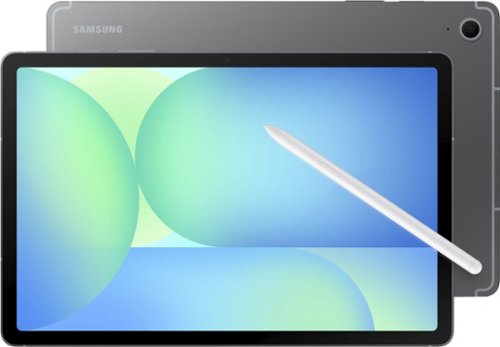
With Galaxy Tab S10 FE Wi-Fi, entertainment is always within reach. The spacious 10.9" display pulls you in, making everything look and feel large. Need to look something up? Circle to Search with Google makes it easy. Whether you see a stylish jacket in a music video or a mouthwatering dish on your feed, just circle it and let the answers come to you. Tab S10 FE Wi-Fi also comes equipped with IP68 water and dust resistance, so you can enjoy it while unwinding at home or out exploring. With the included S Pen, you can jot down notes, sketch ideas or doodle when inspiration strikes. Whatever you~re into, dive in deeper with Galaxy Tab S10 FE Wi-Fi.
Is there wireless charger
Good day Ellen, thank you for asking us your question about the Samsung Galaxy Tab S10 FE. No, the advertised Galaxy Tab S10 FE is not compatible with wireless charging. If you have any other questions for us or if you would like further assistance, please feel free to reach out to Support. Thank you for being a staunch Samsung customer. - Debra
5 months, 1 week ago
by
Posted by:
Samsung
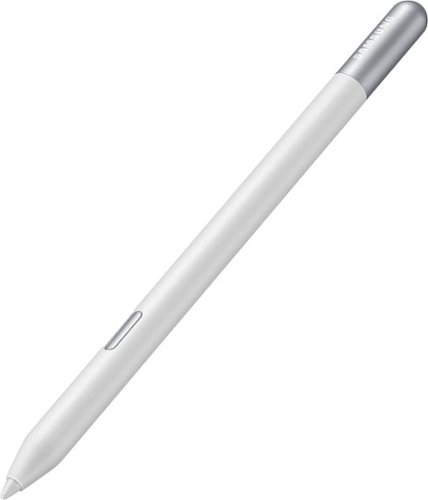
Meet the S Pen Creator Edition, the newest extension of your creativity. Get inspired with each pen stroke, and bring your ideas to life with the most tilt-sensitive S Pen yet.
Does it work with galaxy tab s11
Howdy Heue, thanks for asking us your question about the Samsung S Pen Creator Edition. Yes, the advertised S Pen Creator Edition is compatible with the Galaxy Tab S11. It works with Samsung devices that support the S Pen, including the Tab S series, allowing for enhanced, tilt-sensitive drawing. It acts as a non-Bluetooth, passive stylus for writing and sketching on the tablet. Check out, "Learn about the different Samsung S Pens" if you would like to learn more about compatibility. If you have additional questions, please feel free to reach out to Support at your leisure. Thanks for choosing Samsung! - Debra
5 months, 1 week ago
by
Posted by:
Samsung
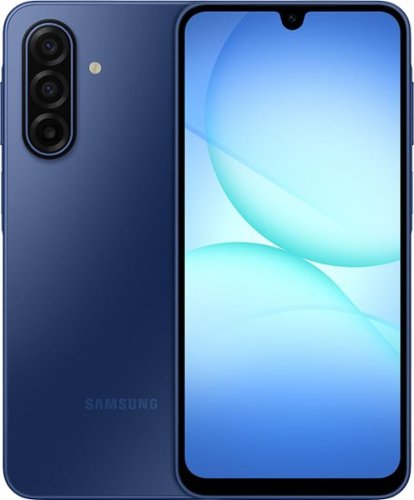
Galaxy A17 5G delivers everything you need at an awesome price for an awesome value. Capture precious memories in vivid colors and clarity with its enhanced triple lens camera. Stream your favorite movies and shows on its crystal clear 6.7" display. Now with the power of AI, Galaxy A17 5G makes web searches that much easier to seamlessly plan events, make dinner reservations, find the perfect gifts for loved ones and more with the help of Gemini. Power through your day with a reliable Super Fast Charging battery, up to 2TB of expandable storage and ultra fast 5G to stay connected with loved ones. As a Galaxy owner, you'll have access to amazing perks like Samsung Wallet, Samsung TV Plus and more. And with OS and security updates, Galaxy A17 5G keeps you protected and up to date So bring home a phone that delivers incredible value and makes every day a little more awesome.
Is this phone new? It states unlocked does that mean it was pre owned?
Hi Kerrilokemoen, thank you for taking the opportunity to ask us your questions about the Samsung Galaxy A17 5G. Yes, the advertised Galaxy A17 5G is a new device. Unlocked refers to compatibility of wireless carriers. This device is compatible with AT&T, Boost Mobile, Cricket, Google Fi, H2O Wireless, Metro by T-Mobile, T-Mobile, Ting Mobile, US Cellular, and Verizon. If you have additional questions for us, please feel free to contact Support. Thank you for being a loyal Samsung customer. - Debra
5 months, 1 week ago
by
Posted by:
Samsung
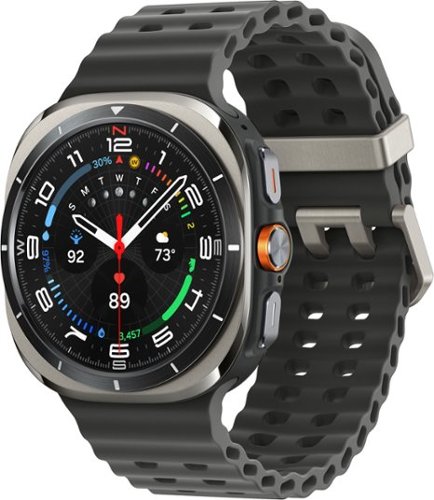
Galaxy Watch Ultra is no ordinary watch ~it~s the Watch built for outdoor adventurers who push the limits. Whether you~re a peak seeker, ridge runner or backcountry biker, this sporty Watch is titanium tough to help you go the distance. With its precision tracking capabilities, the power of Galaxy AI and a long-lasting battery, it~s got everything you need to achieve your personal best for days at a time. Get the competitive edge with sleep insights that coach you toward better rest so you can conquer your nights and win your days. Focus on your milestones while you stay in the know with quick briefings on the weather, your physical activity and more, all at a glance on your Watch screen. Plus, free up your hands with a little extra help from your Watch ~send texts and knock out multiple tasks while you hike or climb with an assistant you activate by simply raising your wrist. Whether you~re answering the call of the wild or living every day to the fullest, Watch Ultra helps you stay on track so you can reach new heights. Step up and stand out with Galaxy Watch Ultra.
Is necesary a cellular line for use all functions? Or I can use with Bluetooth connections to my smartphone?
Aloha Ale974, thank you for asking us your question about the Samsung Galaxy Watch Ultra. Yes, the advertised Galaxy Watch Ultra LTE does everything the Bluetooth version does, plus it adds independent cellular connectivity. The LTE model allows you to make calls, send texts, and stream music without your phone nearby, whereas the Bluetooth model requires your phone to be within a close proximity. If you have any other questions for us, please do not hesitate to contact Support. Thank you for being a valued Samsung customer. - Debra
5 months, 1 week ago
by
Posted by:
Samsung
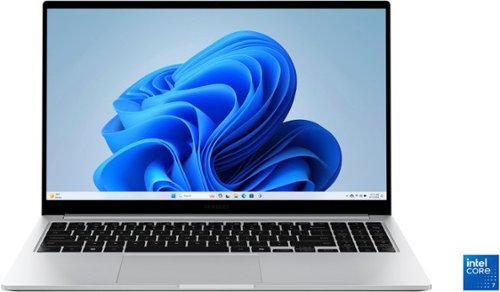
Samsung - Galaxy Book4 15.6" FHD Laptop - Intel Core 7- 16GB Memory - 512GB SSD - Silver
Get a little more out of your everyday with Galaxy Book4. This laptop delivers on all the top features you need with the premium design you want. The gorgeous display, ample processing power and seamless connectivity with your other Galaxy devices make your next laptop choice a no brainer. Powered by the latest Intel Core processor and a long lasting battery, this laptop allows you to stay on top of your inbox, listen to your favorite music and check in on what your friends are up to on social media. Need more storage? You~re in luck! You can expand your storage up to 2TB with a microSD card, so this laptop will support your needs no matter what you decide to take on next. Enjoy browsing the web or streaming video on the gorgeous full HD display that will be sure to spark screen envy wherever you go. And you~ll see every detail of that new movie you~ve been looking forward to on the large 15.6" screen. Plus, you can easily sync with your other Galaxy devices to create a seamlessly connected and aesthetically pleasing premium Galaxy ecosystem. Power and premium design to elevate your world that~s Galaxy Book4.
does this laptop have windows 11
Aloha Amarie, thank you for taking the time to ask us your question about the Samsung Galaxy Book4. Yes, the advertised Galaxy Book4 offers Windows 11 Home. Feel free to reach out to Support if you have any other questions for us. Thank you for being a steadfast Samsung customer. - Debra
5 months, 1 week ago
by
Posted by:
Samsung
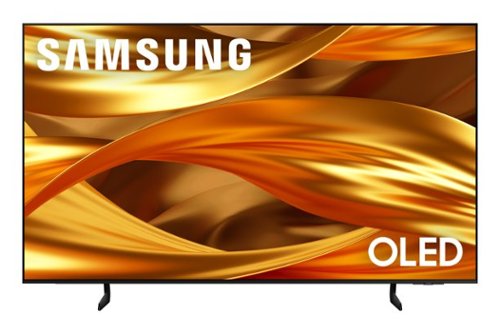
Self-illuminating pixels deliver the dramatic contrast of OLED and dazzling, expert-validated color, driven by our advanced AI processor. Experience a stunning picture with enhanced brightness and depth, all in a sleek design with a thin bezel. Dive into your content with Samsung Vision AI experiences and immerse yourself in multi-dimensional audio with top-firing speakers.
Does it have built in firestick
Gary - The S84F features hundreds of built-in apps available to install - no Fire Stick needed.
~ Samsung Specialist
~ Samsung Specialist
5 months, 1 week ago
by
Posted by:
Samsung
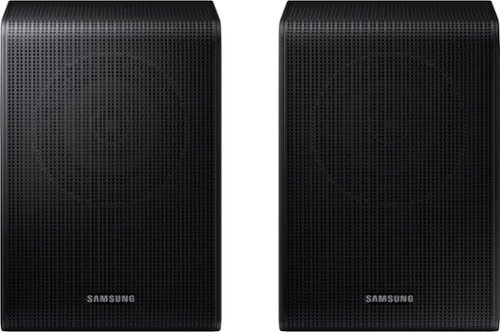
Get a truly cinematic experience from your home theater with rear speakers that connect wirelessly to your soundbar for simple setup and less clutter. With true surround sound, add audio depth and dimension with sound that comes from all sides, making you feel like you're in the scene.
Are these compatible with the HW-B650/ZA
Hello there! No, the HW-B650 is compatible with the SWA-9250S Wireless Rear Speaker Kit. ~ Samsung Solutions
5 months, 1 week ago
by
Posted by:
Samsung
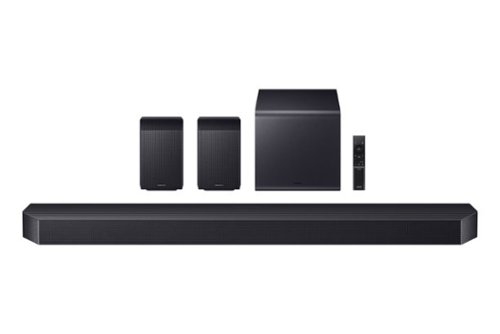
Experience our top of the line 11.1.4 soundbar, delivering breathtaking surround sound that elevates your home theater to new heights. With the included rear speakers, get an immersive audio experience that surrounds you from every angle. Feel heightened emotion with every thunderstorm, explosion, or car chase thanks to powerful, booming bass. Sit back and let the action come to life, with audio that makes every moment feel more real.
Since a second sub cannot be added to the system, is there a larger sub that will replace this smaller one. There is just not enough bass for the large room this is used in.
Hi there John! The HW-Q990F Soundbar is exclusively compatible with its' included rear speakers and subwoofer. ~Samsung Solutions
5 months, 1 week ago
by
Posted by:
Samsung
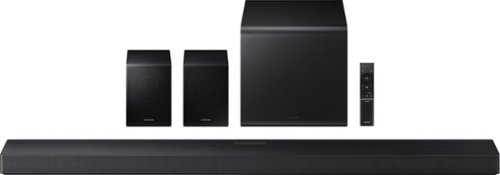
Enjoy a sleek, low profile design that fits into your space while delivering rich, multidimensional true surround sound with included rear speakers. Built in sensors detect whether the soundbar is placed flat on a table or is mounted flush against a wall and automatically recalibrates speaker direction for powerful Dolby Atmos audio, regardless of the setup. Enhance your home theater experience with crystal clear dialogue and booming bass, perfect for fast paced thrillers or action movies.
If the two rear speakers have to be connected by speaker wire then there's a wire running across the room, how is this wireless? Are there any speakers that is totally wireless?
Hi lefteyeyob, Some customers have difficulty hiding and running speaker wires from the front of the room, where the soundbar is located, to the back of the room where the rear speakers are placed. The Rear Speaker Kit helps eliminate that hassle.
Only one wire is required to connect the two rear speakers to each other, and the power cable plugs into the left rear speaker. The “wireless” convenience comes from the connection between the soundbar and the rear speakers, eliminating the need for long wires running the length of the room.
~ Samsung Solutions
Only one wire is required to connect the two rear speakers to each other, and the power cable plugs into the left rear speaker. The “wireless” convenience comes from the connection between the soundbar and the rear speakers, eliminating the need for long wires running the length of the room.
~ Samsung Solutions
5 months, 1 week ago
by
Posted by:
Samsung