Samsung
Samsung's Stats
Reviews
- Review Count0
- Helpfulness Votes0
- First ReviewNone
- Last ReviewNone
- Featured Reviews0
- Average Rating0
Reviews Comments
- Review Comment Count0
- Helpfulness Votes0
- First Review CommentNone
- Last Review CommentNone
- Featured Review Comments0
Questions
- Question Count0
- Helpfulness Votes0
- First QuestionNone
- Last QuestionNone
- Featured Questions0
- Answer Count74875
- Helpfulness Votes37,960
- First AnswerApril 24, 2013
- Last AnswerOctober 16, 2026
- Featured Answers0
- Best Answers3944
Samsung's Reviews
Samsung has not submitted any reviews.
Samsung's Questions
Samsung has not submitted any questions.

Samsung - HW-S50A 3.0ch Sound bar with Dolby Digital 5.1 - Deep Gray
Experience virtual 3D sound with the S Series, S50A all-in-one premium soundbar, a versatile soundbar that delivers sharp and realistic audio. Dialogue sounds crisp and super clean thanks to a built-in center speaker, so you won~t miss a word. Whether you~re playing games, watching sports, or kicking back with your favorite show, Adaptive Sound Lite enhances and optimizes your entertainment to a new level of audio. Plus, you can seamlessly pair mobile devices with Bluetooth~ TV Connection~. ~Please check whether your TV is Bluetooth~ compatible.
Can't figure out how to open the remote to install batteries

Hi! To open the remote to replace the batteries, locate the arrow on the back of the remote and slide the remote cover off in that direction. Should you need additional assistance with this, please reach out to Samsung Support at: 1-800-SAMSUNG, available 8AM - 12AM EST, 7 days a week, or Chat with us on Samsung.com: https://www.samsung.com/us/support/contact/ ^Tim
4 years, 9 months ago
by
Posted by:
Samsung
Samsung - HW-S50A 3.0ch Sound bar with Dolby Digital 5.1 - Deep Gray
Experience virtual 3D sound with the S Series, S50A all-in-one premium soundbar, a versatile soundbar that delivers sharp and realistic audio. Dialogue sounds crisp and super clean thanks to a built-in center speaker, so you won~t miss a word. Whether you~re playing games, watching sports, or kicking back with your favorite show, Adaptive Sound Lite enhances and optimizes your entertainment to a new level of audio. Plus, you can seamlessly pair mobile devices with Bluetooth~ TV Connection~. ~Please check whether your TV is Bluetooth~ compatible.
Can this sound bar be mounted to the bottom of the tv? I have a new Samsung QLED smart tv. Thanks
Hi Matt! Samsung soundbars are designed to be mounted direct to the wall. Should you wish to attach a soundbar to an existing TV mount, you can utilize the following Rocketfish mounting adapter from Best Buy: https://www.bestbuy.com/site/rocketfish-universal-soundbar-mounting-system-black/6354301.p?skuId=6354301
^Tim
^Tim
4 years, 9 months ago
by
Posted by:
Samsung

Samsung - HW-S60A 5.0ch Sound bar with Acoustic Beam and Alexa Built-in - Black
Designed to fill your space with sound from anywhere in the room.
Does this soundbar (HW-S60A) support Q-Symphony?
Hi Toma! The HW-S60A is not compatible with Q Symphony. This feature is available with our 2021 Q Series soundbars model HW-Q600A or above.
^Tim
^Tim
4 years, 9 months ago
by
Posted by:
Samsung
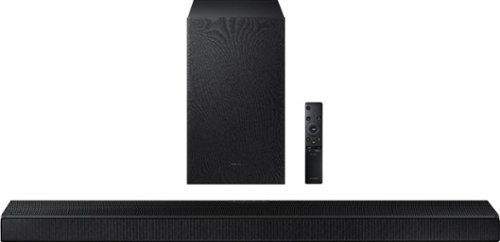
Samsung - HW-A650 3.1ch Sound bar - Black
Elevate your experience with 3D virtual surround sound and built-in center speaker.
Can you use the A650 with Samsung Series 8000 TV?
Hi EddyL! Yes, the HW-A650 is compatible with the Samsung AU8000 Crystal UHD TV. You can use the digital optical audio cable included with the soundbar to connect to the TV, or use HDMI ARC for an improved audio and user experience.
^Tim
^Tim
4 years, 9 months ago
by
Posted by:
Samsung
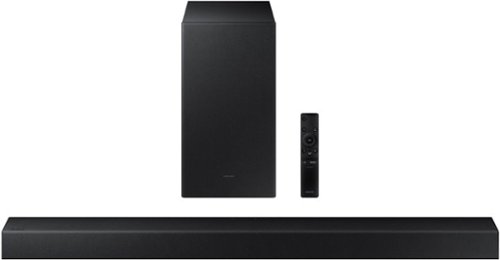
Samsung - HW-A450 Wireless 2.1ch Sound bar with Dolby Audio - Black
Elevate your sound experience with powerful bass.
If I have the tv connected to 5.1 receiver with 6 speakers (via HDMI). how does this augment/replace channels? thanks
Hi BP! The HW-A450 is a 2.1ch Soundbar which on its own will not provide you with a surround sound experience. Should you wish to expand the system to replace your 5.1ch surround sound, you can add the following wireless rear speaker kit for a more immersive surround sound solution: https://www.bestbuy.com/site/samsung-2-0-channel-wireless-rear-speaker-kit-with-surround-sound-black/6456117.p?skuId=6456117
^Tim
^Tim
4 years, 9 months ago
by
Posted by:
Samsung
Samsung - HW-A650 3.1ch Sound bar - Black
Elevate your experience with 3D virtual surround sound and built-in center speaker.
Is it ok to lay the subwoofer on it’s side instead of upright to fit it on my shelf?
Hi George! The wireless subwoofer included with the HW-A650 is flexible on where it can be placed due to the wireless connection, however it is designed to be positioned upright for the optimal audio experience.
^Tim
^Tim
4 years, 9 months ago
by
Posted by:
Samsung
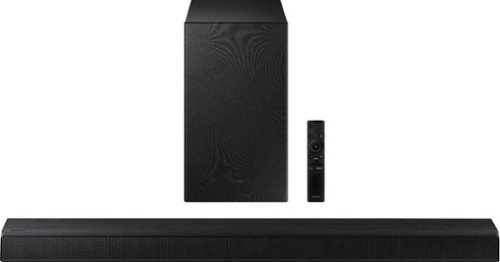
Samsung - HW-A550 2.1ch Sound bar with Dolby 5.1 - Black
Elevate your experience with virtual 3D surround sound.
If I use an optical audio cable, will I be able to use the 5.1 features of this? Optical out is the only viable option for my TV, so I'm not sure if I should get this or a cheaper sound bar that is only 2.1 so I don't pay for extra features I can't use?
Hi Joshin1206! With the HW-A550 connected to a TV via digital optical audio, you will still be able to take advantage of the immersive Dolby 5.1 and DTS Virtual:X technology.
^Tim
^Tim
4 years, 9 months ago
by
Posted by:
Samsung
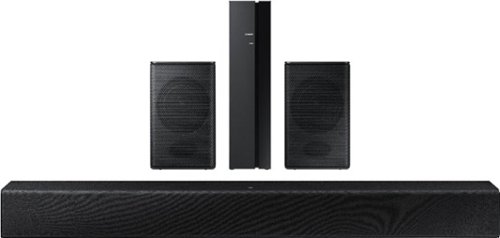
Samsung - HW-A40R 4ch Sound bar with Surround sound expansion - Black
Powerful, yet compact sound experience
This claims to have "wireless surround sound speakers" but can the surround sound speakers be connected through bluetooth or do they need to be connected with speaker wire?
Hi Jakov! The rear speaker wireless module requires a power cord to function and speaker cables to connect to the rear speakers. Once they are connected to the speaker cables, the rear speakers will pair wirelessly with the soundbar.
^Tim
^Tim
4 years, 9 months ago
by
Posted by:
Samsung
Samsung - HW-A40R 4ch Sound bar with Surround sound expansion - Black
Powerful, yet compact sound experience
How do you turn up the volume to the rear speakers? Barely any sound comes out of them, sound bar works great though. Please note surround sound is turned on just very little volume comes out.
Hi! You can try the following steps to improve the volume of the rear speakers: 1) Download and install the latest firmware version found at the following link (ver. HMS-A4X0WWB-1011): https://www.samsung.com/us/support/downloads/?model=N0054639&modelCode=HW-A40R/ZA
Once installed, with the Soundbar on, press and hold the STANDARD button on the remote control for about 6 seconds 3) The LEDs will blink to indicate you are in adjustment mode 4) Use the BASS Up/Down buttons to adjust the level of the REAR speakers between -6 to +6. 5) The adjustment mode will exit if the surround button is pressed, or if no button is pressed for 10 seconds. ^Tim
Once installed, with the Soundbar on, press and hold the STANDARD button on the remote control for about 6 seconds 3) The LEDs will blink to indicate you are in adjustment mode 4) Use the BASS Up/Down buttons to adjust the level of the REAR speakers between -6 to +6. 5) The adjustment mode will exit if the surround button is pressed, or if no button is pressed for 10 seconds. ^Tim
4 years, 9 months ago
by
Posted by:
Samsung
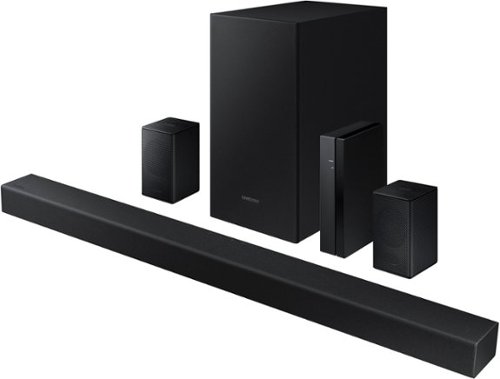
Samsung - 4.1-Channel Soundbar with Wireless Rear Speaker Kit and DOLBY AUDIO / DTS 2.0 - Black
Elevate your audio experience with high-quality optimized sound.
I got this for Christmas but the wall mounting bracket is wrong,if installed as directed it puts the back of the unit pointing down instead of against the back wall, which points the front of the unit up. Does anyone else see this? Samsung could not answe
Hi Dan! The HW-A430 soundbar should be oriented with the Samsung logo on top and the ports on bottom. When powered on, you should be able to see the display of the soundbar from the front. The wall mount included with the HW-A430 will properly mount the soundbar in the correct orientation ensuring the speakers are facing forward instead of at the ground. Should you need additional assistance mounting the soundbar, please contact us at 1-800-SAMSUNG, available 8AM - 12AM EST, 7 days a week, or Chat with us on Samsung.com: https://www.samsung.com/us/support/contact/ ^Tim
4 years, 9 months ago
by
Posted by:
Samsung