Samsung
Samsung's Stats
Reviews
- Review Count0
- Helpfulness Votes0
- First ReviewNone
- Last ReviewNone
- Featured Reviews0
- Average Rating0
Reviews Comments
- Review Comment Count0
- Helpfulness Votes0
- First Review CommentNone
- Last Review CommentNone
- Featured Review Comments0
Questions
- Question Count0
- Helpfulness Votes0
- First QuestionNone
- Last QuestionNone
- Featured Questions0
- Answer Count74944
- Helpfulness Votes37,966
- First AnswerApril 24, 2013
- Last AnswerOctober 21, 2026
- Featured Answers0
- Best Answers3945
Samsung's Reviews
Samsung has not submitted any reviews.
Samsung's Questions
Samsung has not submitted any questions.

Samsung - 5.1.2-Channel Soundbar with Dolby Atmos/DTS:X
Explore realistic 3D audio with sound precisely projected from above, in front, behind and to the side of you with the latest acoustic technologies.
Does this work with a non-samsung tv via ARC/eARC?

Hi! Yes, Samsung soundbars are not restricted to Samsung TVs and will connect to any TV supporting the audio connections. If your TV supports HDMI ARC or eARC, you will still enjoy excellent audio from the Q850A. Samsung 2021 TVs have the advantage of Object Tracking Sound with Q Symphony support. When paired with a Samsung soundbar, the TV speakers and soundbar work together for a more immersive audio experience.
^Tim
^Tim
4 years, 10 months ago
by
Posted by:
Samsung
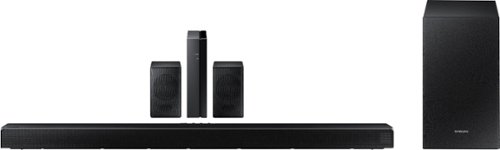
Samsung - HW-Q65T 7.1ch Soundbar with Dolby 5.1 / DTS Virtual:X - Black
Elevate your entertaining experience with immersive 3D sound. The power of Samsung sound bar Q65T makes surround soundbar comes to life with speakers that fire all around you.
Hi. So the rear speakers need to connect to the wireless module via hard wires, but the wireless module connects to the soundbar wirelessly (via Bluetooth?) so, there would be no wire from the sound bar / subwoofer to the wireless module? Thanks!
Hi Brian! You got it! You will need to connect power to the soundbar, sub, and rear speaker module. Each rear speaker will wire into the rear speaker's wireless module, which will then connect direct to the soundbar via wireless connection.
^Tim
^Tim
4 years, 10 months ago
by
Posted by:
Samsung
Samsung - HW-Q65T 7.1ch Soundbar with Dolby 5.1 / DTS Virtual:X - Black
Elevate your entertaining experience with immersive 3D sound. The power of Samsung sound bar Q65T makes surround soundbar comes to life with speakers that fire all around you.
So if I lose my internet connection, the subwoofer and surround speakers stop working?
Hi JJ! The HW-Q65T is not internet enabled, and does not require an internet connection for the subwoofer and rear speakers to connect to the soundbar. If your internet stops working, your wireless speakers will remain operating as long as they still have power.
^Tim
^Tim
4 years, 10 months ago
by
Posted by:
Samsung
Samsung - HW-Q65T 7.1ch Soundbar with Dolby 5.1 / DTS Virtual:X - Black
Elevate your entertaining experience with immersive 3D sound. The power of Samsung sound bar Q65T makes surround soundbar comes to life with speakers that fire all around you.
Will the features of the Q 65T function with an LGUN 8500 TV?
Hi! Yes, the HW-Q65T can be paired to any TV supporting HDMI, digital optical audio, or Bluetooth wireless audio technology.
^Tim
^Tim
4 years, 10 months ago
by
Posted by:
Samsung
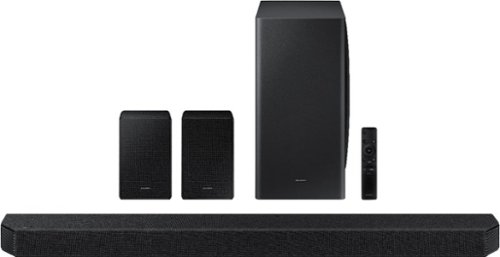
Samsung - HW-Q950A 11.1.4ch Sound bar with Dolby Atmos - Black
Breakthrough innovation with True 11.1.4ch sound.
Just upgraded from the 850t. Is if possible to daisy chain the 2 sound bars so that I can have 2 subs and satellite in the ceiling. Don’t want to damage anything.
Hi Rustula! Samsung soundbars are not designed to be paired or daisy chained together. The HW-Q950A is only compatible with the one included set of rear speakers at a time and will not connect to multiple pairs at a time.
^Tim
^Tim
4 years, 10 months ago
by
Posted by:
Samsung
Samsung - HW-Q65T 7.1ch Soundbar with Dolby 5.1 / DTS Virtual:X - Black
Elevate your entertaining experience with immersive 3D sound. The power of Samsung sound bar Q65T makes surround soundbar comes to life with speakers that fire all around you.
we are having difficulty with volume fading in and out some. And even with the volume turned to max (100) we are having some difficulty hearing dialog.
Hi cheesehead! I’m sorry to see that you are having difficulties with the volume of your soundbar.
So that we can better troubleshoot towards a solution, please reach out to Samsung Support at: 1-800-SAMSUNG, available 8AM - 12AM EST, 7 days a week, or Chat with us on Samsung.com: https://www.samsung.com/us/support/contact/ ^Tim
So that we can better troubleshoot towards a solution, please reach out to Samsung Support at: 1-800-SAMSUNG, available 8AM - 12AM EST, 7 days a week, or Chat with us on Samsung.com: https://www.samsung.com/us/support/contact/ ^Tim
4 years, 10 months ago
by
Posted by:
Samsung
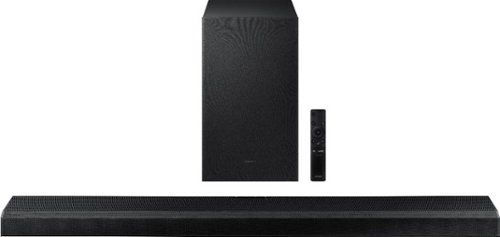
Samsung - 3.1.2-Channel Soundbar with Wireless Subwoofer, Dolby Atmos/DTS:X and Voice Assistant - Black
Powerful speaker deliver robust 3D surround sound that fire from front, side and above, for the most immersive sound for your home theatre experience.
I just purchased Samsung - 3.1.2-Channel Soundbar with Wireless Subwoofer, Dolby Atmos/DTS:X , but I do t hear anything coming out of the subwoofer
Hi! Follow these steps to manually connect the wireless sub to the soundbar Before performing the manual connection procedure below, check whether the power cables for the Soundbar and subwoofer are connected properly.
1. Press and hold ID SET on the rear of the subwoofer for at least 5 seconds.
• The red indicator on the rear of the subwoofer turns off and the blue indicator blinks.
2. Press and hold the Up button on the remote control for at least 5 seconds.
• The ID SET message appears on the display of the Soundbar for a moment, and then it disappears.
• The Soundbar will automatically power on when ID SET is complete.
3. Check if the LINK LED is solid blue (connection complete). The LINK LED indicator stops blinking and glows a solid blue when a connection is established between the Soundbar and the Wireless Subwoofer. If you need additional assistance, please reach out to Samsung Support at: 1-800-SAMSUNG, available 8AM - 12AM EST, 7 days a week, or Chat with us on Samsung.com: https://www.samsung.com/us/support/contact/ ^Tim
1. Press and hold ID SET on the rear of the subwoofer for at least 5 seconds.
• The red indicator on the rear of the subwoofer turns off and the blue indicator blinks.
2. Press and hold the Up button on the remote control for at least 5 seconds.
• The ID SET message appears on the display of the Soundbar for a moment, and then it disappears.
• The Soundbar will automatically power on when ID SET is complete.
3. Check if the LINK LED is solid blue (connection complete). The LINK LED indicator stops blinking and glows a solid blue when a connection is established between the Soundbar and the Wireless Subwoofer. If you need additional assistance, please reach out to Samsung Support at: 1-800-SAMSUNG, available 8AM - 12AM EST, 7 days a week, or Chat with us on Samsung.com: https://www.samsung.com/us/support/contact/ ^Tim
4 years, 10 months ago
by
Posted by:
Samsung
Samsung - HW-Q65T 7.1ch Soundbar with Dolby 5.1 / DTS Virtual:X - Black
Elevate your entertaining experience with immersive 3D sound. The power of Samsung sound bar Q65T makes surround soundbar comes to life with speakers that fire all around you.
How tall are the rear speakers
Hi Billy! The height of each rear speaker included with the HW-Q65T is 5.7".
^Tim
^Tim
4 years, 10 months ago
by
Posted by:
Samsung
Samsung - HW-Q65T 7.1ch Soundbar with Dolby 5.1 / DTS Virtual:X - Black
Elevate your entertaining experience with immersive 3D sound. The power of Samsung sound bar Q65T makes surround soundbar comes to life with speakers that fire all around you.
I currently have a DVD Samsung surround sound with wireless rear speakers. My rear speakers are a bigger and better quality (Samsung) Can I re-use these rear wall mounted speakers connecting to the new wire rear module?? Without damaging mod?
Hi Kid4titans! Rear speaker kits from Samsung are not designed to be interchanged without causing damage to the unit. The HW-Q65T includes a pair of rear speakers with a wireless transmitter, which is the only set of rear speakers compatible with this soundbar. For a improved rear speaker experience, check out the HW-Q700A soundbar from Samsung that is compatible with the 2.0.2ch Wireless Rear Speakers model SWA-9500S.
^Tim
^Tim
4 years, 10 months ago
by
Posted by:
Samsung
Samsung - HW-Q950A 11.1.4ch Sound bar with Dolby Atmos - Black
Breakthrough innovation with True 11.1.4ch sound.
Do the small speakers have a threaded input so you can hang them on a wall.
Hi Jimbo! Yes, the rear speakers included with the HW-Q950A feature a universal threaded slot on the back for compatibility with a wide range of speaker mounting solutions.
^Tim
^Tim
4 years, 10 months ago
by
Posted by:
Samsung