Samsung
 
 
Samsung's Stats
 
Reviews
  • Review Count
    0
  • Helpfulness Votes
    0
  • First Review
    None
  • Last Review
    None
  • Featured Reviews
    0
  • Average Rating
    0
 
Reviews Comments
  • Review Comment Count
    0
  • Helpfulness Votes
    0
  • First Review Comment
    None
  • Last Review Comment
    None
  • Featured Review Comments
    0
 
Questions
  • Question Count
    0
  • Helpfulness Votes
    0
  • First Question
    None
  • Last Question
    None
  • Featured Questions
    0
 
  • Answer Count
    69364
  • Helpfulness Votes
    37,319
  • First Answer
    April 24, 2013
  • Last Answer
    February 10, 2026
  • Featured Answers
    0
  • Best Answers
    3864
 
 
Samsung's Reviews
 
Samsung has not submitted any reviews.
 
Samsung's Questions
 
Samsung has not submitted any questions.
 
Samsung's Answers
<<prev 1 ... 4488 4489 4490 4491 4492 ... 6937 next>>
 
 Samsung - 65&quot; Class QN90A Neo QLED 4K UHD Smart Tizen TV
Samsung - 65" Class QN90A Neo QLED 4K UHD Smart Tizen TV
The QN90A is the finest of the Samsung 4K TV lineup. This series features Quantum HDR 32X which delivers spectacularly vibrant, bright, and vivid colors. Using a precise array of Quantum Mini LEDs, our game-changing Quantum Matrix Technology creates impeccable contrast so you can see intense picture detail. Object Tracking Sound+ follows the action as it happens on-screen to deliver a highly immersive experience. Plus, with the Ultra Viewing Angle and anti-glare screen technology, every seat is now the best seat.
 

I am wondering what day this will be available in stores?

Hi Release, please contact your local Best Buy for availability, or check back on BestBuy.com. ^Val
4 years, 11 months ago
by
Posted by: 
Samsung
 
 Samsung - 65&quot; Class QN800A Series Neo QLED 8K UHD Smart Tizen TV
Samsung - 65" Class QN800A Series Neo QLED 8K UHD Smart Tizen TV
Upgrade to 8K resolution with the QN800A to see unimaginable picture details. The lightning-fast Neo Quantum Processor 8K uses AI based deep learning to analyze every scene and optimize the picture to display outstanding clarity and depth. With 1.5 times more lighting zones, Quantum Matrix Technology Pro is a step up over standard Quantum Matrix Technology models. This expansive array of Quantum Mini LEDs dim and brighten for rich deep darks and brilliant whites. The QN800A tracks sound to the onscreen action, powers a new generation of Apps, levels up gaming, and offers features that go beyond Smart TV. Plus, you can reduce cable clutter with Attachable Slim One Connect.
 

What version is the ATSC tuner?

Hi ITSTAII, The ATSC tuner is version 3.0. ^Val
4 years, 11 months ago
by
Posted by: 
Samsung
 
 Samsung - 50&quot; Class Q60A Series QLED 4K UHD Smart Tizen TV
Samsung - 50" Class Q60A Series QLED 4K UHD Smart Tizen TV
Enter a world saturated with color and sharpened to refreshing clarity, all of it made possible through the power of Quantum Dot technology
 

What kind of stand is on the SAMSUNG Q60A QLED 4KUH?

Hi ROBSCOMICS, The Q60A will have FLOAT LIFT style legs which are height adjustable. ^Val
4 years, 11 months ago
by
Posted by: 
Samsung
 
 Samsung - 60&quot; Class Q60A Series QLED 4K UHD Smart Tizen TV
Samsung - 60" Class Q60A Series QLED 4K UHD Smart Tizen TV
Enter a world saturated with color and sharpened to refreshing clarity, all of it made possible through the power of Quantum Dot technology
 

Will there be a gaming mode on this tv?

Hi Philip, The Q60A features Super Ultrawide GameView & Game Bar. Quickly optimize game settings with an on-screen menu that lets you check input lag, FPS, HDR, wireless headset settings and more through an easy-to-access game bar. ^Val
4 years, 11 months ago
by
Posted by: 
Samsung
 
 Samsung - 60&quot; Class Q60A Series QLED 4K UHD Smart Tizen TV
Samsung - 60" Class Q60A Series QLED 4K UHD Smart Tizen TV
Enter a world saturated with color and sharpened to refreshing clarity, all of it made possible through the power of Quantum Dot technology
 

When will this tv be available.

Hi Linda, Best Buy and Samsung are working together to make this product available as soon as possible. Please continue to check the website or contact your local Best Buy for more information. ^Val
4 years, 11 months ago
by
Posted by: 
Samsung
 
 Samsung - 65&quot; Class QN800A Series Neo QLED 8K UHD Smart Tizen TV
Samsung - 65" Class QN800A Series Neo QLED 8K UHD Smart Tizen TV
Upgrade to 8K resolution with the QN800A to see unimaginable picture details. The lightning-fast Neo Quantum Processor 8K uses AI based deep learning to analyze every scene and optimize the picture to display outstanding clarity and depth. With 1.5 times more lighting zones, Quantum Matrix Technology Pro is a step up over standard Quantum Matrix Technology models. This expansive array of Quantum Mini LEDs dim and brighten for rich deep darks and brilliant whites. The QN800A tracks sound to the onscreen action, powers a new generation of Apps, levels up gaming, and offers features that go beyond Smart TV. Plus, you can reduce cable clutter with Attachable Slim One Connect.
 

What is the wattage of the speakers?

Hi Theblindman, the sound output (RMS) is 70W. ^Val
4 years, 11 months ago
by
Posted by: 
Samsung
 
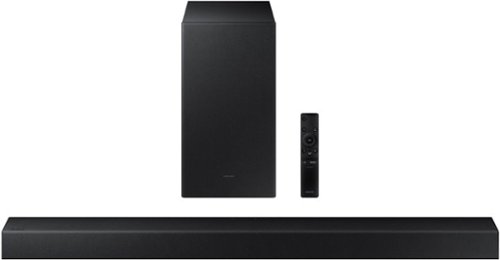
 Samsung - 2.1-Channel Soundbar with Wireless Subwoofer and Dolby Audio (2020) - Black
Samsung - 2.1-Channel Soundbar with Wireless Subwoofer and Dolby Audio (2020) - Black
Experience immersive entertainment with this Samsung soundbar system. The built-in Bluetooth lets you stream music from compatible devices, while the Smart Sound system automatically detects what you are watching and optimizes the audio for enhanced enjoyment. This Samsung soundbar system has an optical input that lets it connect directly to your Samsung TV.
 

If I put this on a Samsung TV, will it automatically power on when the TV is turned on? Or will I have to use its remote to power it on, and then the TV? I would rather not have to deal with power being separate and may sway me from getting a sound bar.

Hi LostInFlyoverState: In all configurations (Optical, Bluetooth, ARC, and Wi-Fi) when the TV is turned ON, the Soundbar will turn ON. If your soundbar is not turning on, it could be due to another reason. For example, if the Soundbar was used to connect to another device (say a smart phone), then it will remember the last device (smart phone) and wait for a command from that device (the smartphone) and ignore the TV ON command.

If you have a Samsung TV, you can adjust the Soundbar’s volume using the IR remote control that came with your Samsung TV. First use the TV menu to set the TV audio on your Samsung TV to external speakers, then use your Samsung remote to control the Soundbar’s volume. ^Patty
4 years, 11 months ago
by
Posted by: 
Samsung
 
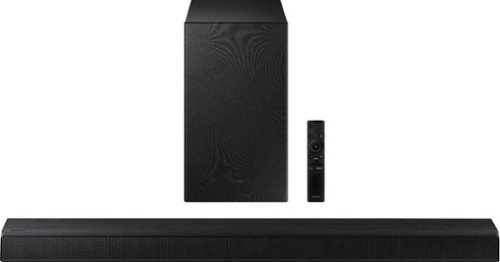
 Samsung - 3.1-Channel Soundbar with Wireless Subwoofer and DTS Virtual:X/Dolby Digital - Black
Samsung - 3.1-Channel Soundbar with Wireless Subwoofer and DTS Virtual:X/Dolby Digital - Black
Enjoy high-grade audio at home with this Samsung T Series acoustic beam sound bar. Dolby Audio and DTS provide rich, robust sound for a 3-D surround sound experience, and the center-channel speaker provides clear dialog reproduction. Game mode automatically adjusts the output of this Samsung T Series acoustic beam sound bar in real time for complete audio immersion.
 

Will my older Samsung TV support this? It is a 2015 J5200.

Hi Venger23: The Samsung HW-T650 soundbar may be connected to your 2015 J5200 TV via HDMI cable or optical cable (included). ^Patty
4 years, 11 months ago
by
Posted by: 
Samsung
 
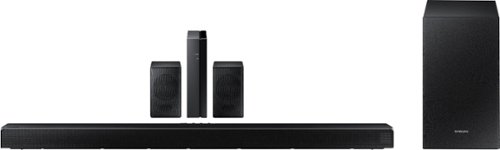
 Samsung - 5.1.2-Channel Soundbar with Wireless Rear Speakers and Dolby Atmos/DTS:X - Black
Samsung - 5.1.2-Channel Soundbar with Wireless Rear Speakers and Dolby Atmos/DTS:X - Black
Enhance your movie and audio experience with this Samsung Acoustic Beam Q Series sound bar. The 8-inch subwoofer and 1.5-inch tweeters produce powerful room-filling sound, while the included remote control lets you adjust settings and handle playback effortlessly. This Samsung Acoustic Beam Q Series sound bar has Bluetooth connectivity for streaming audio smoothly, and the wall-mountable design allows for a customized setup.
 

I recently purchased the Samsung Q850T speaker system. I am having trouble getting the rear speakers to work. I got them synced with the wireless receiver module as the blue light is constant. However, there is no sound coming from the speakers.

Hi WB: By design, the surround speakers are supposed to simulate sounds happening behind the viewer. Therefore, most of the time the surround channels are only used for ambient sounds, which are naturally lower in volume.

However, there are a few settings you can change to adjust the surround effect to your preference:

1) Make sure that the source (e.g. TV output) is sending surround channels to the Soundbar. If the source is not capable of surround, then set the Surround mode to OFF on the Soundbar by pressing the Surround button on the remote.
2) If the source has surround channels, select the desired Sound Mode from the Soundbar remote.
3) Turn off Dynamic Range Control. This is done by pressing and holing the Sound Mode button while the Soundbar is in standby mode. Depending on your soundbar model, you may or may not have DRC.
4) Increase the volume level of the surround speakers using the Sound Control button on the Soundbar remote control. Press the Sound Control button on the soundbar remote (looks like a gear), then select REAR LEVEL and use the Up/Down buttons to adjust the volume within a -6 to +6 range.

I hope these tips help to enhance your audio enjoyment. ^Patty
4 years, 11 months ago
by
Posted by: 
Samsung
 
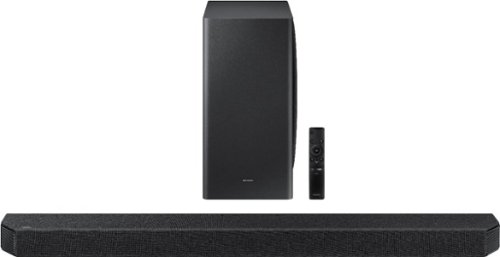
 Samsung - 5.1-Channel Soundbar with Wireless Subwoofer and Acoustic Beam - Black
Samsung - 5.1-Channel Soundbar with Wireless Subwoofer and Acoustic Beam - Black
Upgrade your entertainment room with this Samsung soundbar. The 6.5-inch subwoofer and 1.5-inch tweeters deliver powerful well-balanced sound, and Bluetooth connectivity lets you stream audio wirelessly. This Samsung soundbar includes a remote control for handling playback easily, while the HDMI and USB ports allow for flexible connectivity to a wide range of devices.
 

Does this sound bar work with a Westinghouse tv and if yes how.

Hi there: The Samsung HW-Q60T Soundbar can be connected to your TV via HDMI cable (included), optical cable, or via Bluetooth. Check your TV user manual for the best way to connect to your soundbar. ^Patty
4 years, 11 months ago
by
Posted by: 
Samsung
