Samsung
Samsung's Stats
Reviews
- Review Count0
- Helpfulness Votes0
- First ReviewNone
- Last ReviewNone
- Featured Reviews0
- Average Rating0
Reviews Comments
- Review Comment Count0
- Helpfulness Votes0
- First Review CommentNone
- Last Review CommentNone
- Featured Review Comments0
Questions
- Question Count0
- Helpfulness Votes0
- First QuestionNone
- Last QuestionNone
- Featured Questions0
- Answer Count75065
- Helpfulness Votes37,962
- First AnswerApril 24, 2013
- Last AnswerOctober 26, 2026
- Featured Answers0
- Best Answers3949
Samsung's Reviews
Samsung has not submitted any reviews.
Samsung's Questions
Samsung has not submitted any questions.
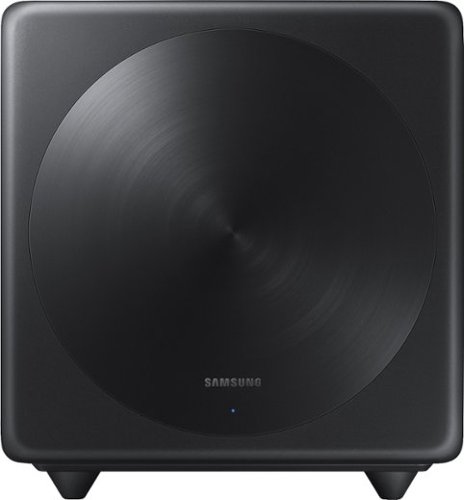
Samsung - Wireless Subwoofer - Black
Turn up the bass in your home theater or audio system with this 6.5-inch Samsung subwoofer. Wireless connectivity allows a neat cable-free setup, while compatibility with select Samsung S Series sound bars enables seamless integration with your system. With an output of up to 130W, this Samsung subwoofer offers powerful sound.
Can I add this to the Q850A. I really want to add a Klipsche 12 sub to this bar. Can it be done?

Hi Chad! The MX-T70 is not designed to connect to other soundbars or subwoofers. You can connect up to 10 Sound Tower speakers together to improve the audio experience. ^Tim
5 years, 1 month ago
by
Posted by:
Samsung
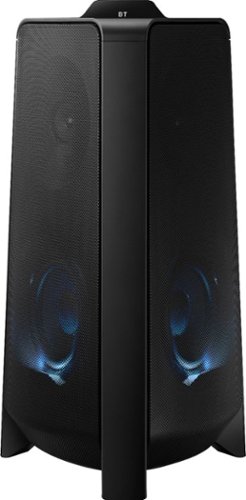
Samsung - MX-T50 Sound Tower 500W Wireless Speaker - Black
Enjoy balanced music and booming bass with this Samsung Giga party audio system. The two-dimensional sound and 500W of power broaden the music range to room-filling audio, while the built-in LED and DJ effects are adjustable from a smartphone so you're in control. This Samsung Giga party audio system has Bluetooth for wireless music streaming.
This speaker stopped connecting to my phone. It won’t even show up as a device. What can I do? Also, sometimes when I would play music the volume would go down even if I didn’t move anything and then go up volume-wise.
Hi Kim! Thank you for sharing your concerns with the connection to your Sound Tower.
So that we can better troubleshoot towards a solution, please reach out to Samsung Support at: 1-800-SAMSUNG (ask for Soundbars), available 8AM -12AM EST. 7 days a week. Or text “SUPPORT” to 800-726-7864, LiveChat on Samsung.com, or Email: https://www.samsung.com/us/support/#contact_us_for_support
We look forward to hearing from you.
^Tim
So that we can better troubleshoot towards a solution, please reach out to Samsung Support at: 1-800-SAMSUNG (ask for Soundbars), available 8AM -12AM EST. 7 days a week. Or text “SUPPORT” to 800-726-7864, LiveChat on Samsung.com, or Email: https://www.samsung.com/us/support/#contact_us_for_support
We look forward to hearing from you.
^Tim
5 years, 1 month ago
by
Posted by:
Samsung
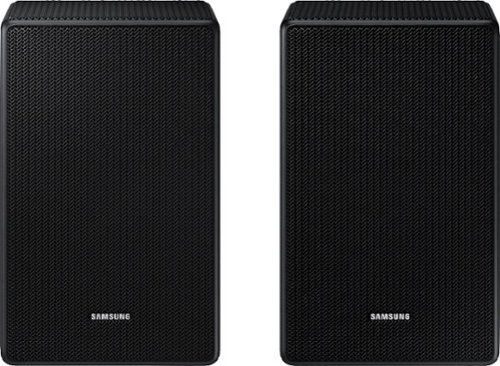
Samsung - SWA-9500S/ZA 2.0.2 Channel Wireless Rear Speaker Kit, Dolby Atmos/DTS:X - Black
Wrapped in sound, not wires
what true wireless samsung rear speakers work with the samsung hw-a650/za
Hi papa! The HW-A650 soundbar from Samsung is only compatible with the SWA-9100S rear speaker kit found at the following link from Best Buy: https://www.bestbuy.com/site/samsung-2-0-channel-wireless-rear-speaker-kit-with-surround-sound-black/6456117.p?skuId=6456117
^Tim
^Tim
5 years, 1 month ago
by
Posted by:
Samsung
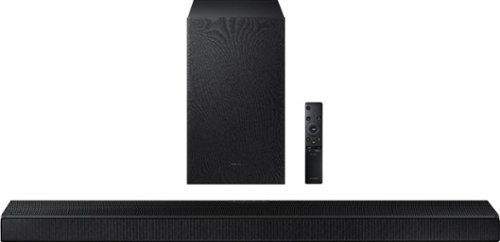
Samsung - HW-A650 3.1ch Sound bar - Black
Elevate your experience with 3D virtual surround sound and built-in center speaker.
I have this soundbar, and I have a Samsung 65 QN85A Series Neo QLED Model:QN65QN85AAFXZA I want to use the HDMI ARC but I have 4 HDMI connections in use. Cable HDMI, FireTV HDMI, Nintendo HDMI, and XBOX HDMI. How do I connect all using ARC?
Hi Vince! You will not be able to utilize all of these devices via the HDMI ARC source. You can connect three of the devices to the TV, along with the soundbar into the ARC port, then the additional fourth device can be connected direct to the soundbar. To utilize the three devices connected to the TV, you will switch the soundbar to the ARC source. To utilize the device connected to the soundbar, you will change the TV source to HDMI 3, and the soundbar source to HDMI. For further assistance please contact Samsung Customer Support at: 1-800-SAMSUNG (ask for Soundbars), available 8AM -12AM EST. 7 days a week. Or text “SUPPORT” to 800-726-7864, LiveChat on Samsung.com, or Email: https://www.samsung.com/us/support/#contact_us_for_support
We look forward to hearing from you.
^Tim
We look forward to hearing from you.
^Tim
5 years, 1 month ago
by
Posted by:
Samsung
Samsung - HW-A650 3.1ch Sound bar - Black
Elevate your experience with 3D virtual surround sound and built-in center speaker.
I just opened the box and setup my device, why does the remote volume button mutes?
Hi Blessed! Many of the buttons on your remote feature multiple functions. The volume button, for example, can be pressed in to mute/unmute the soundbar, or rocked forward and backward (or up and down) to adjust the volume levels. ^Tim
5 years, 1 month ago
by
Posted by:
Samsung
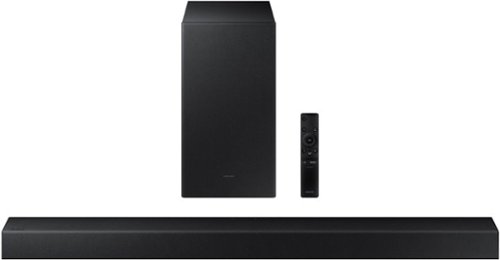
Samsung - HW-A450 Wireless 2.1ch Sound bar with Dolby Audio - Black
Elevate your sound experience with powerful bass.
Whats the width of the soundbar?
Hi Justin! The width of the HW-A450 is 33.9". ^Tim
5 years, 1 month ago
by
Posted by:
Samsung
Samsung - HW-A450 Wireless 2.1ch Sound bar with Dolby Audio - Black
Elevate your sound experience with powerful bass.
Can the soundbar be used to increase treble and decrease bass?
Hi, you can adjust treble and bass via the sound control button (looks like a gear symbol). ^Tim
5 years, 1 month ago
by
Posted by:
Samsung
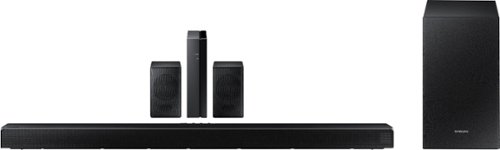
Samsung - HW-Q65T 7.1ch Soundbar with Dolby 5.1 / DTS Virtual:X - Black
Elevate your entertaining experience with immersive 3D sound. The power of Samsung sound bar Q65T makes surround soundbar comes to life with speakers that fire all around you.
Our subwoofer and surround speakers randomly cut in and out. Is there some way to fix this? I checked all cords and it is both the surround and the subwoofer.
Hi! Please be sure your firmware release is v.1006.0. Your issue may be caused by wireless interference. When there is a wireless device (e.g., wireless LAN) using the same frequency (5.8GHz) near the Soundbar, the wireless connection between the Subwoofer and Surround Speaker could become unstable. Please contact Samsung Customer Support so we can further troubleshoot towards a resolution. 1-800-SAMSUNG (ask for Soundbars), available 8AM -12AM EST. 7 days a week. Or text “SUPPORT” to 800-726-7864, LiveChat on Samsung.com, or Email: https://www.samsung.com/us/support/#contact_us_for_support
We look forward to hearing from you.
^Tim
We look forward to hearing from you.
^Tim
5 years, 1 month ago
by
Posted by:
Samsung

Samsung - 75" Class The Frame Series LED 4K UHD Smart Tizen TV (2021)
Transform your home with The Frame. Showcases artwork, watch television, movies, or display photos on this beautiful QLED screen. TV when it~s on, and art when it~s off. In Art Mode, the screen becomes a work of art, and with a subscription to the Samsung Art Store, you can choose from an entire library of artists~ works with something for everyone. You can even change the onscreen artwork as often as you like. Quantum Processor 4K automatically upscales all you content to 4K, and 100% Color Volume with Quantum Dot enriches every scene with millions of shades of color. The Frame truly changes the definition of what a TV can be.
Do I need to buy any additional accessories to wall mount it to tile? Is wall mount not included in the TV?
Hi Nish! The Frame TV comes with the Slim Fit Wall Mount and accessories for mounting. Additional hardware required will depend on the type of building material such as drywall, concrete, ceramic tile, brick, etc. Be sure to use appropriate wall mounting hardware for the type of wall you have. ^Gina
5 years, 1 month ago
by
Posted by:
Samsung
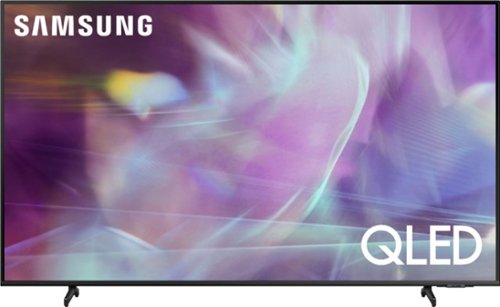
Samsung - 55" Class Q60A Series QLED 4K UHD Smart Tizen TV
Enter a world saturated with color and sharpened to refreshing clarity, all of it made possible through the power of Quantum Dot technology
I need a drawing of the size of the legs and the imprint they would leave on a tv stand. The sizes you sent me make no sense> Are you saying the heights of the legs are over 11 inches tall above the surface that you put the stand on?
boys21 - While we are unable to provide photos, please know the 55" Q60A dimensions can be found on the product page under 'Specifications' on Best Buy's website: https://www.bestbuy.com/site/samsung-55-class-q60a-series-qled-4k-uhd-smart-tizen-tv/6452372.p?skuId=6452372. Should you need further assistance in understanding this model's dimensions, please reach out to Samsung Support at: 1-800-SAMSUNG (ask for TVs), available 8AM - 12AM EST, 7 days a week, Chat with us on Samsung.com, or Email: https://www.samsung.com/us/support/#contact_us_for_support ^Gina
5 years, 1 month ago
by
Posted by:
Samsung