Samsung
Samsung's Stats
Reviews
- Review Count0
- Helpfulness Votes0
- First ReviewNone
- Last ReviewNone
- Featured Reviews0
- Average Rating0
Reviews Comments
- Review Comment Count0
- Helpfulness Votes0
- First Review CommentNone
- Last Review CommentNone
- Featured Review Comments0
Questions
- Question Count0
- Helpfulness Votes0
- First QuestionNone
- Last QuestionNone
- Featured Questions0
- Answer Count75088
- Helpfulness Votes37,980
- First AnswerApril 24, 2013
- Last AnswerOctober 27, 2026
- Featured Answers0
- Best Answers3950
Samsung's Reviews
Samsung has not submitted any reviews.
Samsung's Questions
Samsung has not submitted any questions.
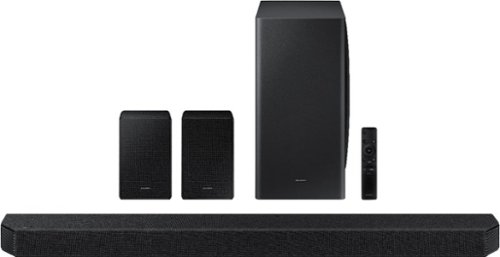
Samsung - HW-Q950A 11.1.4ch Sound bar with Dolby Atmos - Black
Breakthrough innovation with True 11.1.4ch sound.
Does samsung soundbar eARC work with Sony Bravia TV 850 ARC? Is it compatible?

Hi Manan! Yes, eARC compatible devices such as the HW-Q950A will still be compatible with devices supporting standard ARC. ^Tim
5 years, 2 months ago
by
Posted by:
Samsung
Samsung - 43" Class 8000 Series LED 4K UHD Smart Tizen TV (2021)
Step up to the world of Crystal UHD from Samsung. Elevated color and clarity offer you a picture that has to be seen to be believed. Add in smart features that make watching TV even easier, and you have a TV that is essential.
How do I connect my Sony DVD player to the TV if it only has component connections?
Hi TVprof! The AU8000 does not feature composite or component connections for compatibility with older devices. You can explore a wide range of Blu Ray player options that support HDMI, or utilize the following Insignia adapter to convert Composite to HDMI. Please know, the use of an adapter may lower the quality of your sound or image: https://www.bestbuy.com/site/insignia-rca-to-hdmi-converter-black/6134312.p?skuId=6134312
^Tim
^Tim
5 years, 2 months ago
by
Posted by:
Samsung
Samsung - 65" Class 8000 Series LED 4K UHD Smart Tizen TV (2021)
Step up to the world of Crystal UHD from Samsung. Elevated color and clarity offer you a picture that has to be seen to be believed. Add in smart features that make watching TV even easier, and you have a TV that is essential.
can this be attaxhed to a center mount table top stand
Hi bobe! The AU8000 features a VESA mounting pattern of 400 x 300 for compatibility with a wide range of universal mounting solutions. Check out the following center stand adapter from Insignia which is compatible with the 65" AU8000: https://www.bestbuy.com/site/insignia-tv-stand-for-most-flat-panel-tvs-up-to-65-black/6389372.p?skuId=6389372 ^Tim
5 years, 2 months ago
by
Posted by:
Samsung
Samsung - 55" Class 8000 Series LED 4K UHD Smart Tizen TV (2021)
Step up to the world of Crystal UHD from Samsung. Elevated color and clarity offer you a picture that has to be seen to be believed. Add in smart features that make watching TV even easier, and you have a TV that is essential.
If I have standard cable what do I need to hook this up, thank you
Hi Tom! The AU8000 features 3 HDMI and 1 RF antenna connection to use for external devices. If your video device does not support one of these two connections it will not be compatible with the TV. ^Tim
5 years, 2 months ago
by
Posted by:
Samsung
Samsung - 55" Class 8000 Series LED 4K UHD Smart Tizen TV (2021)
Step up to the world of Crystal UHD from Samsung. Elevated color and clarity offer you a picture that has to be seen to be believed. Add in smart features that make watching TV even easier, and you have a TV that is essential.
Please describe how I use the controller for tv? Have a diagram ?
Hi! To assist with learning the various functions of the remote, you can download the AU8000 TV's User Manual, e-Manual, and Quick Setup Guide on Samsung's website by clicking "Support" > "Manuals & Software" > "TVs & Home Theater" > "TVs". From there, you can select the AU8000 TV under "Crystal UHD TVs” > “A Model Lineup" and download the guides you would like.
^Tim
^Tim
5 years, 2 months ago
by
Posted by:
Samsung
Samsung - 43" Class 8000 Series LED 4K UHD Smart Tizen TV (2021)
Step up to the world of Crystal UHD from Samsung. Elevated color and clarity offer you a picture that has to be seen to be believed. Add in smart features that make watching TV even easier, and you have a TV that is essential.
My 43” 2021 AU8000 sound is piercing. Really unhappy with amd want to return. Is there anything I can do to add a little bass to the sound. I didn’t see anything in audio to adjust that.
Hi! There are several sound settings you can adjust to suit your personal sound preferences.
Change the Sound Mode by going to: Settings > Sound > Sound Mode
You can also customize the sound with Expert Settings by going to: Settings > Sound > Expert Settings
^Tim
Change the Sound Mode by going to: Settings > Sound > Sound Mode
You can also customize the sound with Expert Settings by going to: Settings > Sound > Expert Settings
^Tim
5 years, 2 months ago
by
Posted by:
Samsung
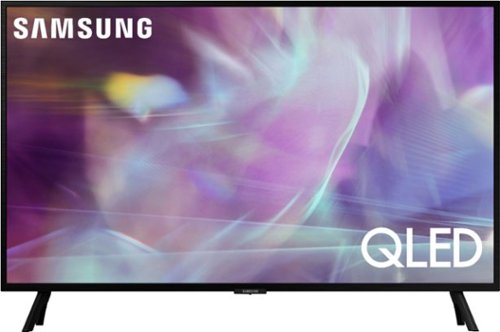
Samsung - 32" Class Q60A Series QLED 4K UHD Smart Tizen TV (2021)
Enjoy ultra-intense 4K vivid color and sharpened clarity with the Q60A / Q60AB. It combines Quantum Dot Technology with the power of 100% Color Volume to deliver a billion of shades for colorful, razor-sharp visuals. The ultra-smart Quantum Processor 4K Lite automatically upscales and transforms your content into 4K. Dual LED backlighting adjusts and coordinates with content in real time to enhance contrast and detail. Plus, with the rechargeable SolarCell Remote, you can easily access and control Smart TV and all your connected devices.
Is there an option to turn off the 120mhz motionflow feature?
Hi Scott - If you are referring to motion image settings on Samsung's Q60A TV, you can adjust the picture clarity setting by going to: Settings > Picture > Expert Settings > Picture Clarity Settings.
- Off: Picture Clarity Settings will always be off
- Auto: Picture Clarity Settings will automatically activate and deactivate based on the type of program being watched
- Custom: Allows custom adjustments and settings to be used. By selecting the Custom option, you can access these advanced settings for Judder Reduction, LED Clear Motion, and Noise Reduction.
^Gina
- Off: Picture Clarity Settings will always be off
- Auto: Picture Clarity Settings will automatically activate and deactivate based on the type of program being watched
- Custom: Allows custom adjustments and settings to be used. By selecting the Custom option, you can access these advanced settings for Judder Reduction, LED Clear Motion, and Noise Reduction.
^Gina
5 years, 2 months ago
by
Posted by:
Samsung
Samsung - 32" Class Q60A Series QLED 4K UHD Smart Tizen TV (2021)
Enjoy ultra-intense 4K vivid color and sharpened clarity with the Q60A / Q60AB. It combines Quantum Dot Technology with the power of 100% Color Volume to deliver a billion of shades for colorful, razor-sharp visuals. The ultra-smart Quantum Processor 4K Lite automatically upscales and transforms your content into 4K. Dual LED backlighting adjusts and coordinates with content in real time to enhance contrast and detail. Plus, with the rechargeable SolarCell Remote, you can easily access and control Smart TV and all your connected devices.
Can I get Circle TV on it?
Hi - The Samsung TV Plus app is available on the Q60A, built directly into your TV’s app guide. In the Samsung TV Plus channel guide, you can find Circle TV on channel 1087. ^Gina
5 years, 2 months ago
by
Posted by:
Samsung
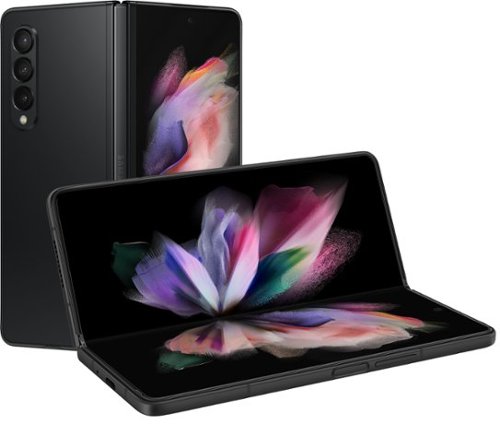
Samsung - Galaxy Z Fold3 5G 256GB - Phantom Black (Verizon)
Unfold a world of possibilities with Samsung Galaxy Z Fold3 5G. You can do it all on this incredible device that~s so much more than a phone ~ it~s a compact yet powerful tablet that helps you master your busy life. Bring your workspace anywhere with a foldable, expansive screen that gives you multiple windows that make multitasking a breeze.
Is the phone unlocked. Can it be use internationally like in Africa
Hello. Although this Galaxy Z Fold3 5G is unlocked, we would suggest contacting the carrier to ensure their services can be added. Thank you for asking this question. ^Kayla
5 years, 2 months ago
by
Posted by:
Samsung
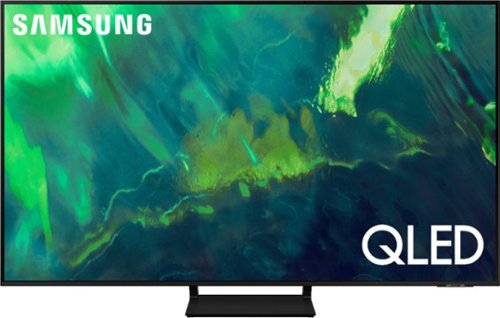
Samsung - 55" Class Q70A Series QLED 4K UHD Smart Tizen TV (2021)
As intelligent as it is beautiful. A Smart TV interface learns the content you like and makes suggestions based on what you watch.
I have to questions and are as follows: 1. Bose w/RCA converter via optical is not selectable under Optical. 2. Unable to set up Comcast via HDMI. 3. Iphone App will not connect after pin entry.
Noel - So that we can better assist you with your questions and troubleshoot towards a solution, please reach out to Samsung Support at: 1-800-SAMSUNG (ask for TVs), available 8AM -12AM EST M-F (9AM – 6PM EST Sat), text HELP to 62913, LiveChat on Samsung.com, or Email: https://www.samsung.com/us/support/#contact_us_for_support ^Gina
5 years, 2 months ago
by
Posted by:
Samsung