Samsung
Samsung's Stats
Reviews
- Review Count0
- Helpfulness Votes0
- First ReviewNone
- Last ReviewNone
- Featured Reviews0
- Average Rating0
Reviews Comments
- Review Comment Count0
- Helpfulness Votes0
- First Review CommentNone
- Last Review CommentNone
- Featured Review Comments0
Questions
- Question Count0
- Helpfulness Votes0
- First QuestionNone
- Last QuestionNone
- Featured Questions0
- Answer Count75132
- Helpfulness Votes37,968
- First AnswerApril 24, 2013
- Last AnswerOctober 29, 2026
- Featured Answers0
- Best Answers3950
Samsung's Reviews
Samsung has not submitted any reviews.
Samsung's Questions
Samsung has not submitted any questions.
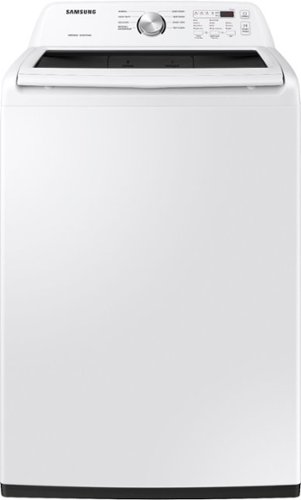
Samsung~s Large 4.5 cu. ft. Capacity Top Load washer fits more in every load and cuts down on laundry time. It is equipped with Vibration Reduction Technology+ to reduce noise for quiet washing and features Self Clean to eliminate bacteria from the drum.
When washing on the normal cycle, all is fine until the rinse/spin. After washing, the tub drains and spins, it then adds water and fabric softener about half way covering the clothes, but immediately drains and spins. It does not rinse. Washer is new.

Hello there! What you're describing definitely does not seem normal, and we'd love the opportunity to help resolve this. We'd like to speak with you directly to get some more details about this to determine the best solution. Please reference ticket number 1143425366, and contact us through either Facebook Messenger: http://m.me/samsungsupport; or Twitter: https://twitter.com/messages/compose?recipient_id=18768513. ^Jecca
5 years, 4 months ago
by
Posted by:
Samsung
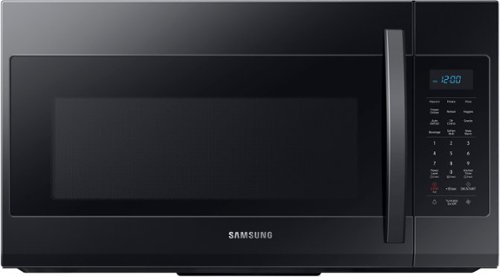
Samsung - 1.9 Cu. Ft. Over-the-Range Microwave with Sensor Cook - Black
Samsung 1.9 Cu. Ft. Over-the-Range Microwave: This Samsung over-the-range microwave makes preparing multiple dishes effortless with a large 1.9 cu. ft. capacity, accommodating even your big dishes. The Sensor Cook technology automatically adjusts your cooking time for optimal results. Additionally, the fingerprint-resistant finish helps reduce smudges and minimizes cleaning.
can you turn the beeping sound off? My previous samsungs could with a button or programming
I have great news for you! This model does have an option to turn the sound on/off. To do this, you'll need to enter the settings menu by pressing and holding the "0" button for about 3 seconds. Next, you'll need to tap the number "3" to select the sound feature. Next, press either "1" to turn the sound on, or "2" to turn the sound off. Finally, tap the "OK/START" button to set the option. ^Jecca
5 years, 4 months ago
by
Posted by:
Samsung
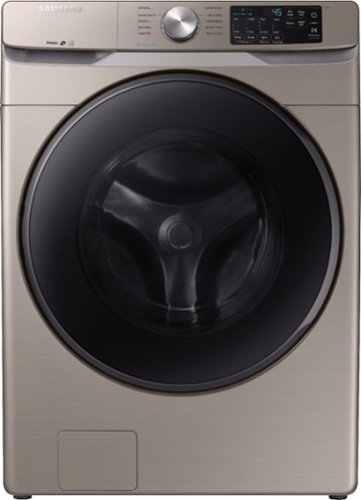
Samsung - 4.5 Cu. Ft. High-Efficiency Stackable Front Load Washer with Steam and Self Clean+ - Champagne
Samsung's 4.5 cu. ft. capacity front load washer with steam eliminates stains without the need to pretreat. Self Clean+ keeps your washer drum fresh and clean, while Smart Care allows for easy troubleshooting from the convenience of your smartphone. Bring inspiration to your laundry room with beautiful designer colors, including a new champagne finish.
What other accessories are required for installation?
Excellent question, Devika! First, I'm providing this link (https://bit.ly/2RYS3A6) to the user manual for this model. Page 15 has a list of what's included with the washer, and page 16 has what you'll need that is not included. ^Jecca
5 years, 4 months ago
by
Posted by:
Samsung
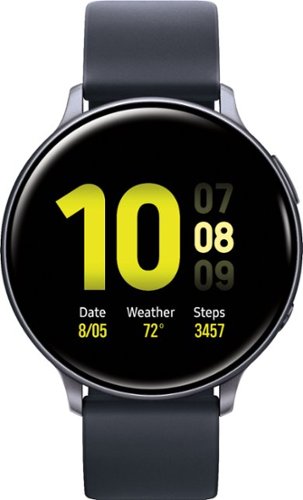
Enhance your sporting performance with this Samsung Galaxy Watch Active2 Bluetooth smartwatch. Monitor your workouts and receive detailed reports on your performance even as the running coach feature gives you important insight in real time. This Samsung Galaxy Watch Active2 Bluetooth smartwatch analyses your sleep pattern and offers helpful advice on how to improve it.
Can you download any kind of apps on this device?
Hello there. You are able to download applications to the device through the Galaxy Wearable application. I have included this link (https://www.samsung.com/us/support/answer/ANS00061436/) with more information. Thank you for asking this question. ^Kayla
5 years, 4 months ago
by
Posted by:
Samsung
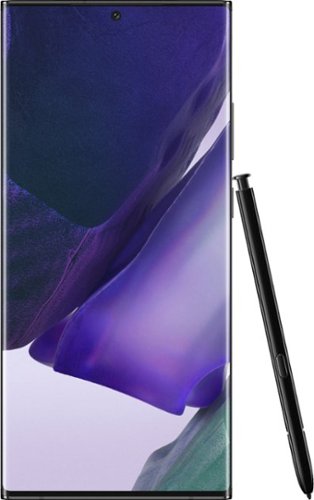
Samsung - Galaxy Note20 Ultra 5G 128GB - Mystic Black (AT&T)
The power to work. The power to play. This isn't the time to slow down, this is the time to forge ahead and take the opportunities that come your way. You don~t need a smartphone. You need a power phone. One as beautiful as it is intelligent with a pen that is mightier, a battery that doesn't leave you hanging and is as well-connected as you. Samsung Galaxy Note20 Ultra 5G takes power to the next level with cutting-edge technology, letting you master whatever you choose to do next.
How does this phone compare to Note 10 Plus
That is a great question! I have included a link that compares the Galaxy Note20 Ultra 5G to other devices. Thank you for taking the time to asking this question. ^Kayla
https://www.samsung.com/us/smartphones/galaxy-note20-5g/compare/?device-1=samsung-galaxy-note20-ultra-5g&device-2=samsung-galaxy-note10%2B&device-3=samsung-galaxy-s20-5g
https://www.samsung.com/us/smartphones/galaxy-note20-5g/compare/?device-1=samsung-galaxy-note20-ultra-5g&device-2=samsung-galaxy-note10%2B&device-3=samsung-galaxy-s20-5g
5 years, 4 months ago
by
Posted by:
Samsung

Get smarter about fitness with this Samsung Galaxy Watch Active2 smartwatch. Advanced sensors monitor your heart rate and track exercises, and the intuitive interface provides easy access to a variety of helpful fitness apps. This Samsung Galaxy Watch Active2 smartwatch has a rugged construction that stands up to accidental drops and rough treatment.
Please can this watch work with Cricket network, can I answer and make call when I don't have my cell phone with me through my contacts #.?
Hello. We would suggest contacting the carrier to ensure their services can be added to this Galaxy Watch Active2. Thank you for asking this question. ^Kayla
5 years, 4 months ago
by
Posted by:
Samsung
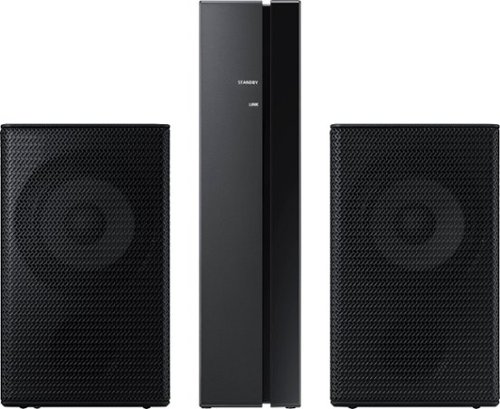
Samsung - 2.0-Channel Wireless Rear Speaker Kit with Surround Sound - Black
Connect easily and wirelessly to optional Samsung speakers for room-filling sound.
How do I adjust the volume on these rear speakers?
Hi Bobz!
By design, the surround speakers are supposed to simulate sounds happening behind the viewer. Therefore, most of the time the surround channels are only used for ambient sounds, which are naturally lower in volume.
If you would like to increase the volume level of the surround speakers, use the Sound Control button on the Soundbar remote control. Press the Sound Control button on the soundbar remote (looks like a gear), then select REAR LEVEL and use the Up/Down buttons to adjust the volume within a -6 to +6 range.
Should you need further assistance with this issue or have any questions, please contact Samsung Customer Support at 1-800-SAMSUNG, available 8AM - 12AM EST, 7 days a week.
^Tim
By design, the surround speakers are supposed to simulate sounds happening behind the viewer. Therefore, most of the time the surround channels are only used for ambient sounds, which are naturally lower in volume.
If you would like to increase the volume level of the surround speakers, use the Sound Control button on the Soundbar remote control. Press the Sound Control button on the soundbar remote (looks like a gear), then select REAR LEVEL and use the Up/Down buttons to adjust the volume within a -6 to +6 range.
Should you need further assistance with this issue or have any questions, please contact Samsung Customer Support at 1-800-SAMSUNG, available 8AM - 12AM EST, 7 days a week.
^Tim
5 years, 4 months ago
by
Posted by:
Samsung
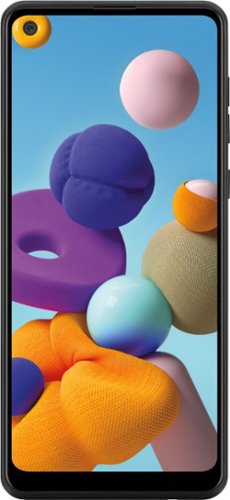
Samsung - Galaxy A21 32GB (Unlocked) - Black
With the Samsung Galaxy A21, we~re going bolder. Watch your world come alive on a massive 6.5~ Infinity Display~. Capture pro-grade photos with a versatile quad lens camera. And best of all? The long-lasting~, fast-charging battery~ lets you snap, share, and stream with complete peace of mind.
Can"t send or receive anymore pictures since I updated MY new phone last week (text or email) Help me send my pictures. MY new PHONE WAS 1ST ACTIVITIVTED ON JUNE 5 and was working good with no problems sending pictures SAMSUNG GALAXY A21
Hello, Shirley. We would love to get more information to assist you. Please reach out to us on Facebook at (http://m.me/samsungsupport) or Twitter at (https://twitter.com/messages/compose?recipient_id=18768513). We look forward to speaking with you. ^Kayla
5 years, 4 months ago
by
Posted by:
Samsung

Samsung - 5.1.2-Channel Soundbar with Dolby Atmos/DTS:X
Explore realistic 3D audio with sound precisely projected from above, in front, behind and to the side of you with the latest acoustic technologies.
Control not corresponding. Basically the volume MUTES and the woofer button doesn’t adjust and stays at zero. What can I do?? The bass is at standard and I want To adjust it. I already Did on the sound bar but not the woofer.
Images for this Question
(click to see full-size image)

Hi Los!
Thank you for purchasing the HW-Q850A Soundbar. Rocking the VOL button forward or backward adjusts the volume. Pressing it in will Mute. Pressing it a second time will Unmute. The bass can be adjusted by rocking the WOOFER button forward or backward.
Please refer to pages 9-10 of the of the Full Manual for details on using the remote control including buttons with more than one function.
https://downloadcenter.samsung.com/content/UM/202104/20210418034944001/AH81-13905A-00_FM_HW-Q800A_ZA_ENG_210409.0.pdf
For further assistance, please contact Samsung Customer Support at:
1-800-SAMSUNG (ask for Soundbars), available 8AM -12AM EST, 7 days a week. Or text HELP to 62913.
For additional support resources, visit us on the Samsung website and click on the ‘Support’ link in the upper right corner of the homepage for:
1) More ‘Contact Us’ options – LiveChat, Facebook, Twitter, Samsung Community, Samsung Members app
2) Manuals & Software
3) Warranty Info
4) Product Registration: For access to easy warranty support, convenient opt-in to special promos and offers, faster troubleshooting and service, and quick notification of system updates.
Thank you,
^Tim
Thank you for purchasing the HW-Q850A Soundbar. Rocking the VOL button forward or backward adjusts the volume. Pressing it in will Mute. Pressing it a second time will Unmute. The bass can be adjusted by rocking the WOOFER button forward or backward.
Please refer to pages 9-10 of the of the Full Manual for details on using the remote control including buttons with more than one function.
https://downloadcenter.samsung.com/content/UM/202104/20210418034944001/AH81-13905A-00_FM_HW-Q800A_ZA_ENG_210409.0.pdf
For further assistance, please contact Samsung Customer Support at:
1-800-SAMSUNG (ask for Soundbars), available 8AM -12AM EST, 7 days a week. Or text HELP to 62913.
For additional support resources, visit us on the Samsung website and click on the ‘Support’ link in the upper right corner of the homepage for:
1) More ‘Contact Us’ options – LiveChat, Facebook, Twitter, Samsung Community, Samsung Members app
2) Manuals & Software
3) Warranty Info
4) Product Registration: For access to easy warranty support, convenient opt-in to special promos and offers, faster troubleshooting and service, and quick notification of system updates.
Thank you,
^Tim
5 years, 4 months ago
by
Posted by:
Samsung

Samsung - 23 cu. ft. 4-Door Flex Counter Depth Smart Refrigerator with Family Hub - Stainless Steel
Smart Counter Depth 4-Door Flex refrigerator with Family Hub helps you connect to what~s most important: your family and home. Samsung~s Family Hub lets you see inside your refrigerator, manage your family~s calendars, stream music, see who~s at the front door and much more, all right from your fridge.
Hi! Does this refrigerator make "Sonic-style" ice? Thank you!
I'm happy to report it does, Annie! This model offers the options of cubed ice or "ice bites". The ice bites pieces are a form of crushed ice that are very similar to the type of ice you're describing. ^Jecca
5 years, 4 months ago
by
Posted by:
Samsung