Samsung
Samsung's Stats
Reviews
- Review Count0
- Helpfulness Votes0
- First ReviewNone
- Last ReviewNone
- Featured Reviews0
- Average Rating0
Reviews Comments
- Review Comment Count0
- Helpfulness Votes0
- First Review CommentNone
- Last Review CommentNone
- Featured Review Comments0
Questions
- Question Count0
- Helpfulness Votes0
- First QuestionNone
- Last QuestionNone
- Featured Questions0
- Answer Count73779
- Helpfulness Votes37,946
- First AnswerApril 24, 2013
- Last AnswerAugust 22, 2026
- Featured Answers0
- Best Answers3946
Samsung's Reviews
Samsung has not submitted any reviews.
Samsung's Questions
Samsung has not submitted any questions.
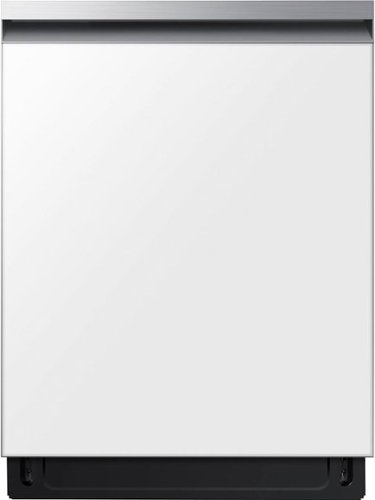
Powerful StormWash rotating jets let you skip the pre-rinse, delivering heavy duty cleaning from every angle. The AutoRelease Door delivers improved drying performance. Bespoke is Samsung~s premium line of home appliances, leading the way in design, technology and connectivity.
Does this used liquid only or can I use the pods?

Hi Tyla,
This dishwasher is compatible with liquid detergent, powder, and detergent pods or tablets. Although the model does not include a separate compartment specifically for pods or tablets, they can still be used by placing them directly into the main detergent dispenser. It is essential to ensure the tablet fits properly inside the dispenser and that the dispenser door closes completely, allowing the detergent to be released at the correct time during the wash cycle.
Leo
This dishwasher is compatible with liquid detergent, powder, and detergent pods or tablets. Although the model does not include a separate compartment specifically for pods or tablets, they can still be used by placing them directly into the main detergent dispenser. It is essential to ensure the tablet fits properly inside the dispenser and that the dispenser door closes completely, allowing the detergent to be released at the correct time during the wash cycle.
Leo
6 months ago
by
Posted by:
Samsung
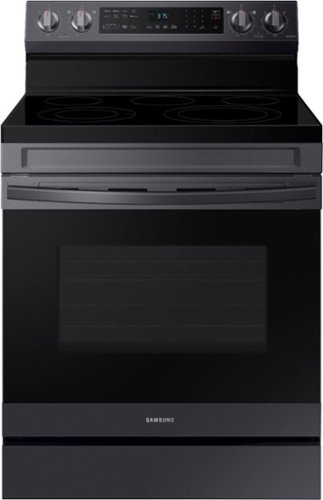
Elevate the look of your kitchen with Samsung~s Smart Freestanding Electric Range. Our Stainless Steel design elegantly wraps around cooktop sides and up through the slim control panel. Upgraded technology makes cooking simple and fun.
Why does it show c-31 on the display and none of the buttons to turn oven on won't work
Hi Greg,
We understand how frustrating it can be when the oven display shows C-31 and none of the buttons respond, especially when you are trying to use the oven. From Samsung’s perspective, this code is a safety indicator. C-31 typically means the cooling fan is not operating as expected, so the oven automatically disables the controls to prevent overheating. While this code is active, the oven will not turn on or respond to button presses.
In some cases, turning the power off at the circuit breaker for a few minutes can reset the system. If the code returns after power is restored, the oven will likely need to be inspected by a qualified technician to restore normal operation.
To help with next steps, we have shared a Samsung link where you can schedule a service appointment:
Repair Services:
https://www.samsung.com/us/support/service/
If you would like assistance with scheduling, you may also reach us through the following options:
1. Facebook Messenger: http://m.me/samsungsupport
2. Twitter: https://twitter.com/messages/compose?recipient_id=18768513
3. Samsung Community: https://us.community.samsung.com/t5/Samsung-Community/ct-p/us
4. Phone Customer Care: 1-800-726-7864 (1-800-SAMSUNG)
When you message us, please provide us with this reference number 1152010270 to help our team pull up your information.
Leo
We understand how frustrating it can be when the oven display shows C-31 and none of the buttons respond, especially when you are trying to use the oven. From Samsung’s perspective, this code is a safety indicator. C-31 typically means the cooling fan is not operating as expected, so the oven automatically disables the controls to prevent overheating. While this code is active, the oven will not turn on or respond to button presses.
In some cases, turning the power off at the circuit breaker for a few minutes can reset the system. If the code returns after power is restored, the oven will likely need to be inspected by a qualified technician to restore normal operation.
To help with next steps, we have shared a Samsung link where you can schedule a service appointment:
Repair Services:
https://www.samsung.com/us/support/service/
If you would like assistance with scheduling, you may also reach us through the following options:
1. Facebook Messenger: http://m.me/samsungsupport
2. Twitter: https://twitter.com/messages/compose?recipient_id=18768513
3. Samsung Community: https://us.community.samsung.com/t5/Samsung-Community/ct-p/us
4. Phone Customer Care: 1-800-726-7864 (1-800-SAMSUNG)
When you message us, please provide us with this reference number 1152010270 to help our team pull up your information.
Leo
6 months ago
by
Posted by:
Samsung
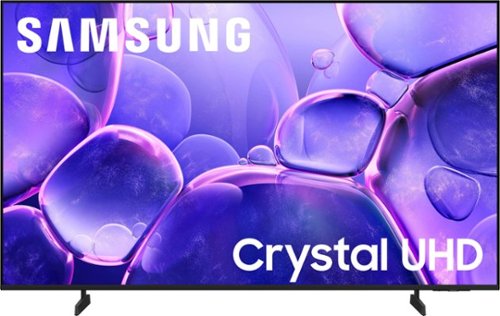
Samsung - 43 Class U8000F Series Crystal UHD 4K Smart Tizen TV (2025)
Upgrade your home theater with this stylish 4K TV featuring vibrant colors, rich contrast and an advanced 4K processor. Stay endlessly entertained with thousands of on demand shows and movies for free and enjoy peace of mind as watch thanks to our proprietary triple layer security that protects your personal data across all connected devices at once.
Can you turn this TV on and off and control volume without a remote?
Hi Georgecapecod,
You can use the power button below the TV to control it without a remote. You can also download the SmartThings app onto your smartphone and use it as a remote.
~Samsung Advisor
You can use the power button below the TV to control it without a remote. You can also download the SmartThings app onto your smartphone and use it as a remote.
~Samsung Advisor
6 months ago
by
Posted by:
Samsung
Upgrade your home theater with this stylish 4K TV featuring vibrant colors, rich contrast and an advanced 4K processor. Stay endlessly entertained with thousands of on demand shows and movies for free and enjoy peace of mind as watch thanks to our proprietary triple layer security that protects your personal data across all connected devices at once.
I use wireless throughout my entire home. But with this particular television, it continues to not allow me to watch anything as it constantly requests a wired connection. I do not have wired connections only wireless has anybody run into this?
Hi Me,
If your TV is having trouble connecting to the network, the following steps may help resolve the issue:
Signal & Setup Tips:
1. Check TV-to-router distance – Your TV should be within 50 feet of the modem or access point for reliable signal strength.
2. Minimize interference – Turn off nearby wireless devices and make sure there are no physical barriers (stone walls, fireplaces, appliances) between the TV and router.
Power Cycle Devices:
3. Restart both your TV and router – Unplug both devices for at least 30 seconds, then plug them back in and allow them to reboot fully.
Connection Type:
4. Evaluate your connection method –
o If using Wi-Fi, move your router closer to the TV and eliminate any obstructions.
o For a more stable connection, we strongly recommend using a wired Ethernet cable.
o If already using Ethernet, verify the cable is working by testing it with another device.
Run Built-In Diagnostic Tools:
5. Network Test: Settings > Support > Device Care > Self Diagnosis > Smart Hub Connection Test
6. Wi-Fi Check: Settings > Support > Device Care > Self Diagnosis > Wi-Fi
Last Resort:
7. Perform a Factory Reset (if issues persist): Settings > All Settings > General & Privacy > Reset > Factory Data Reset. Note that this will return all settings to their original defaults.
If these steps don’t resolve the issue, please reach out to Samsung Support at 1-800-SAMSUNG, available 8AM – 12AM EST, 7 days a week. LiveChat support and additional help are available at the ‘Support’ link on our website.
~ Samsung Advisor
If your TV is having trouble connecting to the network, the following steps may help resolve the issue:
Signal & Setup Tips:
1. Check TV-to-router distance – Your TV should be within 50 feet of the modem or access point for reliable signal strength.
2. Minimize interference – Turn off nearby wireless devices and make sure there are no physical barriers (stone walls, fireplaces, appliances) between the TV and router.
Power Cycle Devices:
3. Restart both your TV and router – Unplug both devices for at least 30 seconds, then plug them back in and allow them to reboot fully.
Connection Type:
4. Evaluate your connection method –
o If using Wi-Fi, move your router closer to the TV and eliminate any obstructions.
o For a more stable connection, we strongly recommend using a wired Ethernet cable.
o If already using Ethernet, verify the cable is working by testing it with another device.
Run Built-In Diagnostic Tools:
5. Network Test: Settings > Support > Device Care > Self Diagnosis > Smart Hub Connection Test
6. Wi-Fi Check: Settings > Support > Device Care > Self Diagnosis > Wi-Fi
Last Resort:
7. Perform a Factory Reset (if issues persist): Settings > All Settings > General & Privacy > Reset > Factory Data Reset. Note that this will return all settings to their original defaults.
If these steps don’t resolve the issue, please reach out to Samsung Support at 1-800-SAMSUNG, available 8AM – 12AM EST, 7 days a week. LiveChat support and additional help are available at the ‘Support’ link on our website.
~ Samsung Advisor
6 months ago
by
Posted by:
Samsung
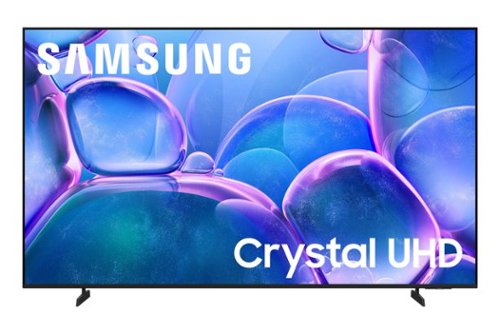
Samsung - 70" Class U7900 Series UHD 4K Smart Tizen TV (2025)
Upgrade your home theater with this stylish 4K TV featuring vibrant colors, rich contrast and an advanced 4K processor. Stay endlessly entertained with thousands of on demand shows and movies for free and enjoy peace of mind as watch thanks to our proprietary triple layer security that protects your personal data across all connected devices at once.
Will the 1 USB port support multimedia playback like MP4 and AVI video?
Hi USBPort,
For more information on the types of files you can play from a USB, please refer to the user manual pages 175-177: https://downloadcenter.samsung.com/content/UM/202503/20250329052306001/BN81-27185A-170_EUG_ROPATSCF_NA_ENG-US_250226.0.pdf
~Samsung Advisor
For more information on the types of files you can play from a USB, please refer to the user manual pages 175-177: https://downloadcenter.samsung.com/content/UM/202503/20250329052306001/BN81-27185A-170_EUG_ROPATSCF_NA_ENG-US_250226.0.pdf
~Samsung Advisor
6 months ago
by
Posted by:
Samsung
Samsung - 50" Class U7900 Series UHD 4K Smart Tizen TV (2025)
Upgrade your home theater with this stylish 4K TV featuring vibrant colors, rich contrast and an advanced 4K processor. Stay endlessly entertained with thousands of on demand shows and movies for free and enjoy peace of mind as watch thanks to our proprietary triple layer security that protects your personal data across all connected devices at once.
Does the Samsung 50" class U7900 series tv have an "audio out" port? You sent an email saying my answer was there but I could not find the answer.
Hi Bill,
Yes, there are two HDMI ports, one usb and the TV is Bluetooth-enabled. If you are looking for an optical audio out port, then we recommend the Q8F Series and above.
~Samsung Advisor
Yes, there are two HDMI ports, one usb and the TV is Bluetooth-enabled. If you are looking for an optical audio out port, then we recommend the Q8F Series and above.
~Samsung Advisor
6 months ago
by
Posted by:
Samsung
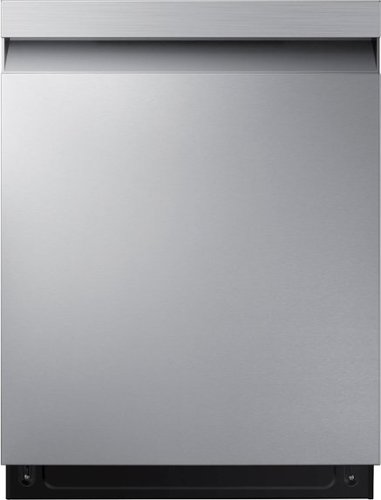
Powerful StormWash rotating jets let you skip the pre-rinse, delivering heavy duty cleaning from every angle. The AutoRelease Door delivers improved drying performance.
Had this Dishwasher for a week now. Now the door won't close.
Hi Stingray,
We understand how disappointing this feels, especially when the dishwasher is still brand new and should be working smoothly. Let us help.
I have shared a Samsung link below to help with your experience. The link has hyperlinks that can be visited for additional help.
Dishwasher door does not close:
https://www.samsung.com/us/support/troubleshooting/TSG01001919/
Should you need more assistance with your dishwasher, please feel free to get back to us via the following options:
1. Facebook Messenger: http://m.me/samsungsupport
2. Twitter: https://twitter.com/messages/compose?recipient_id=18768513
3. Samsung Community: https://us.community.samsung.com/t5/Samsung-Community/ct-p/us
When you message us, please provide us with this reference number 1152009842 to help our team pull up your information.
Leo
We understand how disappointing this feels, especially when the dishwasher is still brand new and should be working smoothly. Let us help.
I have shared a Samsung link below to help with your experience. The link has hyperlinks that can be visited for additional help.
Dishwasher door does not close:
https://www.samsung.com/us/support/troubleshooting/TSG01001919/
Should you need more assistance with your dishwasher, please feel free to get back to us via the following options:
1. Facebook Messenger: http://m.me/samsungsupport
2. Twitter: https://twitter.com/messages/compose?recipient_id=18768513
3. Samsung Community: https://us.community.samsung.com/t5/Samsung-Community/ct-p/us
When you message us, please provide us with this reference number 1152009842 to help our team pull up your information.
Leo
6 months ago
by
Posted by:
Samsung
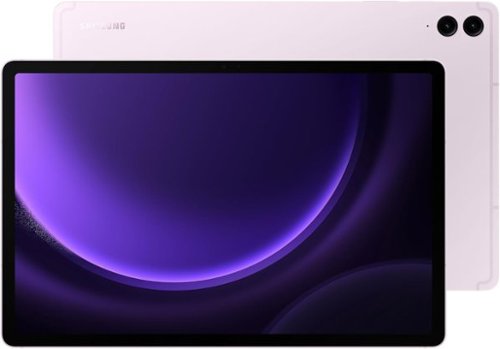
Collaborate easily with a camera that automatically adjusts to keep the focus on you. Plus, with a large display that can open up to three apps at once, you can multitask while you video chat
does it come with a stand ,jacket, etc.
Hey Mikie, thank you for taking the time to ask us your question about the Samsung Galaxy Tab S9 FE+. The Samsung Galaxy Tab S9 FE+ box typically comes with the tablet, an S Pen, a USB-C to USB-C charging cable, an ejection pin, and quick start/documentation paperwork. If you have any other questions, feel free to contact Support. Thank you for being a valued Samsung customer. - Debra
6 months ago
by
Posted by:
Samsung

Samsung - Galaxy S25 Ultra 1TB (Unlocked) - Titanium Black
Staying in the moment is easier than ever with the all-new Galaxy S25 Ultra. Its intelligent AI transforms into your own virtual assistant that evolves with you to work better for you. Let~s say you want to enjoy a night out with friends but don~t have time to plan. Just ask Galaxy S25 Ultra to invite your friends to the nearest bowling lounge tonight. Your phone will find the info and text it to them. You don~t need to slow down your speech or speak like a robot ~just talk to your phone naturally, and it will understand. While you~re out rolling spares, Night Video brings out the details in every moment ~even in low light ~while Audio Eraser makes it easy to reduce distracting noises, like those pins crashing one lane over. Galaxy S25 Ultra also keeps up with your schedule and provides the weather forecast for your night, allowing you to stay a step ahead and adjust plans on the fly. With a phone as evolved as Galaxy S25 Ultra, you don~t have to sweat the small stuff ~it~s handled intelligently.
I don't see Consumer Cellular listed, but this phone popped up in my search for phones that are compatible with Consumer Cellular. Can you tell me if if is in fact compatible with Consumer Cellular’s service?
Aloha KareBearMom, thank you for asking us your question about the Samsung Galaxy S25 Ultra. The advertised unlocked Galaxy S25 Ultra is compatible with AT&T, Boost Mobile, Cricket, Google Fi, H2O Wireless, Mint Mobile, Sprint, T-Mobile, Ultra Mobile, US Cellular, Verizon, and Visible. Let us know if you have any other questions for us by reaching out to Support. Thanks for being a devoted Samsung customer. - Debra
6 months ago
by
Posted by:
Samsung
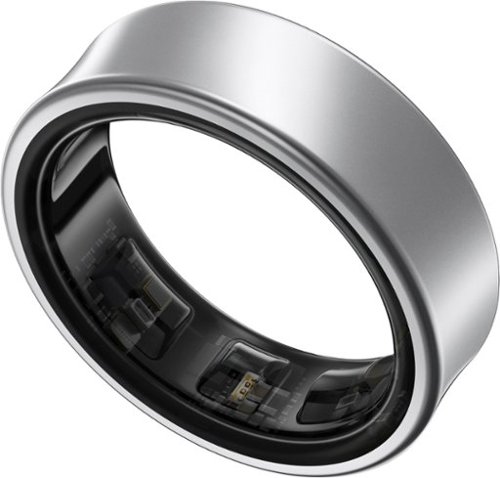
Get a deeper understanding of your body with the all-new Galaxy Ring. Merging the convenience of a wellness tracker with the timeless elegance of a sleek band, Galaxy Ring helps go-getters track their busy days in style. Packing the latest tracking innovations into a compact design that fits comfortably on your finger, Galaxy Ring tracks the valuable wellness insights you need to keep a pulse on your life, from the conference room to the yoga studio to dinner with family and friends. Enhanced by Galaxy AI,~ Galaxy Ring gives you new ways to feel amazing, like Energy Score ~ just open your phone to learn how ready you are to take on the day. You~ll also get a great night~s rest while Galaxy Ring does its thing ~ this sleep tracker is so comfortable, you~ll hardly know it~s there. The feather light silhouette slips seamlessly into your life with a durable design~ that allows you to wear it confidently from your morning shower to the gym, while a long-lasting battery~ lets you track insights for up to six days~ in between charges. Slip on a new, easier way to keep your health on track ~ Galaxy Ring
I have a new high-end pacemaker, and my cardiologist indicated that the Oura ring would not be an issue, but they didn't know if that was true with the Samsung ring. Can I safely use this ring with a pacemaker?
Greetings, thanks for contacting us with your question about the Samsung Galaxy Ring. Pacemakers and implantable medical devices should have a minimum separation of six (6) inches between a mobile device and an implantable medical device, such as a pacemaker or cardioverter defibrillator, to avoid potential interference with the medical device. Persons who have such medical devices should: ALWAYS keep the mobile device more than six (6) inches from their implantable medical device when the mobile device is turned ON, do not carry the mobile device in a breast pocket, use the ear opposite the implantable medical device to minimize the potential for interference. Turn the mobile device OFF immediately if there is any reason to suspect that interference is taking place. Read and follow the directions from the manufacturer of your implantable medical device. If you have any questions about using your wireless mobile device with an implantable medical device, consult your healthcare provider. For additional detailed information regarding potential interference and precautions needed for pacemakers, please visit: http://www.fda.gov. If you would like further assistance, please reach out to Support. Thanks for choosing Samsung! - Debra
6 months ago
by
Posted by:
Samsung