Samsung
Samsung's Stats
Reviews
- Review Count0
- Helpfulness Votes0
- First ReviewNone
- Last ReviewNone
- Featured Reviews0
- Average Rating0
Reviews Comments
- Review Comment Count0
- Helpfulness Votes0
- First Review CommentNone
- Last Review CommentNone
- Featured Review Comments0
Questions
- Question Count0
- Helpfulness Votes0
- First QuestionNone
- Last QuestionNone
- Featured Questions0
- Answer Count73423
- Helpfulness Votes37,897
- First AnswerApril 24, 2013
- Last AnswerJuly 31, 2026
- Featured Answers0
- Best Answers3936
Samsung's Reviews
Samsung has not submitted any reviews.
Samsung's Questions
Samsung has not submitted any questions.
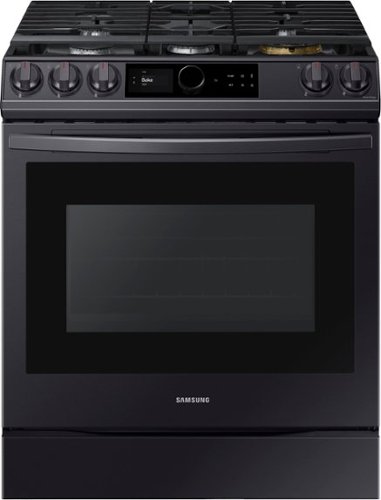
Samsung - 6.0 Cu. Ft. Front Control Slide-in Gas Range with Smart Dial, Air Fry & Wi-Fi, Fingerprint Resistant - Black Stainless Steel
The Samsung Front Control Slide-in Gas Range with Smart Dial and Air Fry is fully Wi-Fi connected and voice enabled, giving you the tools you need to simplify the cooking experience in the kitchen.
Can the oven selection dial be locked? It is way too sensitive and annoying while cleaning the stove after cooking. It goes on continuously

Hi there,
I can help with your concern. You are able to use the Control Lock feature that will disable the control panel while cleaning. Thank you for choosing Samsung. ^Brad
I can help with your concern. You are able to use the Control Lock feature that will disable the control panel while cleaning. Thank you for choosing Samsung. ^Brad
5 years, 8 months ago
by
Posted by:
Samsung
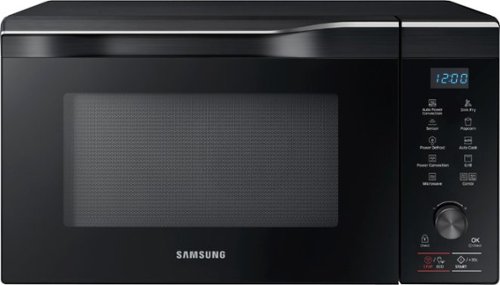
Samsung - 1.1 Cu. Ft. Countertop Convection Microwave with Sensor Cook and PowerGrill - Black Stainless Steel
The Samsung Countertop Microwave makes preparing multiple dishes effortless with 1.1 cu. ft. capacity. The Power Convection quickly circulates heat, delivering oven like results. Additionally, PowerGrill functions like a grill, allowing you to brown and crisp your food on the outside while maintaining tenderness inside.
I know this is supposed to be a countertop unit. My cabinet space is 24 inch wide, 16 inch high, and 24 inch deep. There should be enough space from the top, side and back for ventilation. Do you think it is safe to put this unit in my cabinet?
Hi there,
Ill help with that. These are installation instructions from the user manual for this counter top Microwave:
NOT FOR BUILT-IN INSTALLATION
1. When you install your oven, make
sure there is adequate ventilation for
your oven by leaving at least 10 cm
(4 inches) of space behind and, on the
sides of the oven and 20 cm (8 inches)
of space above.
This is the link to the Owners manual for any additional information:
https://downloadcenter.samsung.com/content/UM/201904/20190417121315393/MC11K7035CG_AA_DE68-04387Q-02_EN-MES.pdf
Thank you for choosing Samsung. ^Brad
Ill help with that. These are installation instructions from the user manual for this counter top Microwave:
NOT FOR BUILT-IN INSTALLATION
1. When you install your oven, make
sure there is adequate ventilation for
your oven by leaving at least 10 cm
(4 inches) of space behind and, on the
sides of the oven and 20 cm (8 inches)
of space above.
This is the link to the Owners manual for any additional information:
https://downloadcenter.samsung.com/content/UM/201904/20190417121315393/MC11K7035CG_AA_DE68-04387Q-02_EN-MES.pdf
Thank you for choosing Samsung. ^Brad
5 years, 8 months ago
by
Posted by:
Samsung
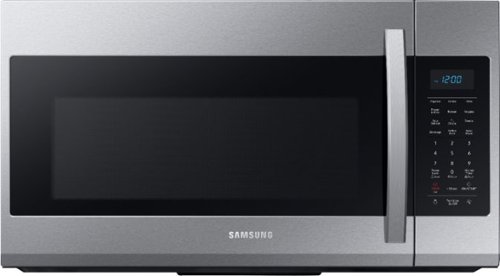
Samsung - 1.9 Cu. Ft. Over-the-Range Microwave with Sensor Cook - Stainless Steel
Samsung 1.9 Cu. Ft. Over-the-Range Microwave: This Samsung over-the-range microwave makes preparing multiple dishes effortless with a large 1.9 cu. ft. capacity, accommodating even your big dishes. The Sensor Cook technology automatically adjusts your cooking time for optimal results. Additionally, the fingerprint-resistant finish helps reduce smudges and minimizes cleaning.
Microwave meI9r7041fs bought it 5/20/20 now filter word is lite. Why and how do I remove it
Hi there,
I can help with that. That is your Filter reminder. The filter should be cleaned or replaced once every four months. When it is time to clean or replace the filter, the microwave displays the “Filter” message to remind you to clean or replace the filter. To remove the message, touch the number 0 when the microwave is in standby mode, or access Options. Thank you for choosing Samsung. ^Brad
I can help with that. That is your Filter reminder. The filter should be cleaned or replaced once every four months. When it is time to clean or replace the filter, the microwave displays the “Filter” message to remind you to clean or replace the filter. To remove the message, touch the number 0 when the microwave is in standby mode, or access Options. Thank you for choosing Samsung. ^Brad
5 years, 8 months ago
by
Posted by:
Samsung
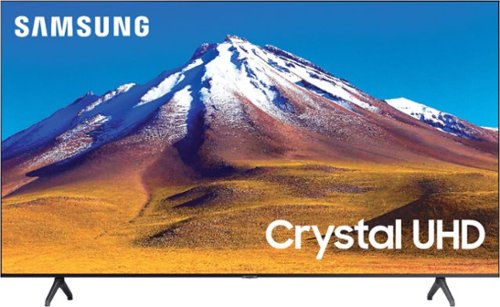
Samsung - 70" Class 6 Series LED 4K UHD Smart Tizen TV
Enhance your viewing experience with this 70-inch Samsung 4K UHD smart TV. The HDR technology and 4K UHD resolution render sharp details and realistic colors, while a Crystal processor delivers exceptional picture quality on the flat-panel display.
Does it have Bluetooth capabilities?
Hi! Yes, the TU6980 features Bluetooth technology allowing you to connect Bluetooth enabled devices such as headphones, speakers or keyboards. ^Tim
5 years, 8 months ago
by
Posted by:
Samsung
Samsung - 70" Class 6 Series LED 4K UHD Smart Tizen TV
Enhance your viewing experience with this 70-inch Samsung 4K UHD smart TV. The HDR technology and 4K UHD resolution render sharp details and realistic colors, while a Crystal processor delivers exceptional picture quality on the flat-panel display.
Does the Samsung 70' class 6 series led 4k uhf smart risen tv have a middle foot?
Hi John! No, the 70TU6980 does not have a center based stand, instead it uses two feet. ^Tim
5 years, 8 months ago
by
Posted by:
Samsung
Samsung - 70" Class 6 Series LED 4K UHD Smart Tizen TV
Enhance your viewing experience with this 70-inch Samsung 4K UHD smart TV. The HDR technology and 4K UHD resolution render sharp details and realistic colors, while a Crystal processor delivers exceptional picture quality on the flat-panel display.
When was this TV released?
Hi Scooterisgood! The TU6980 is a 2020 model from Samsung. ^Tim
5 years, 8 months ago
by
Posted by:
Samsung
Samsung - 70" Class 6 Series LED 4K UHD Smart Tizen TV
Enhance your viewing experience with this 70-inch Samsung 4K UHD smart TV. The HDR technology and 4K UHD resolution render sharp details and realistic colors, while a Crystal processor delivers exceptional picture quality on the flat-panel display.
When was this TV released?
Hi Scooterisgood! The TU6980 is a 2020 model from Samsung. ^Tim
5 years, 8 months ago
by
Posted by:
Samsung
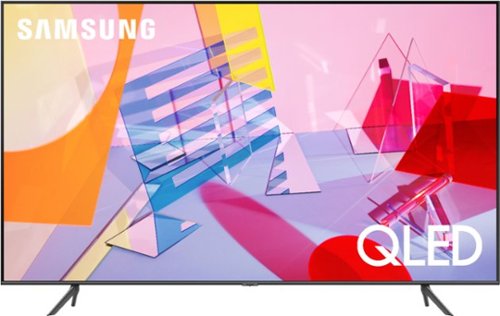
Samsung - 55" Class Q60T Series QLED 4K UHD Smart Tizen TV
Enjoy immersive viewing with this 55-inch Samsung QLED Smart TV. The Quantum HDR technology enhances contrast and makes colors look rich and vibrant, and native 4K resolution offers a cinematic viewing experience. This Samsung QLED Smart TV has an intuitive interface that makes it easy to find content on a variety of streaming services.
I bought the 55Q60T but can't find the proper wall mount screws? Everyone keeps saying you need: 4 M8 screws, 39-41mm length, and 1.25mm pitch. I can't find these screws online. Can someone provide a Amazon link to purchase these?
Hi LooseScrew! That is the correct screw size you are looking for. Wall mounting solutions from Best Buy include a universal screw kit with a wide range of different sizes. If the screw size required is not included, the best place to find the correct size would be a local hardware store. For additional support contact Samsung at:
― Phone: 1-800-SAMSUNG / Available 8 AM - 9 PM EST, Mon - Fri
― LiveChat or Email: https://www.samsung.com/us/support/#contact_us_for_support
We look forward to hearing from you.
^Tim
― Phone: 1-800-SAMSUNG / Available 8 AM - 9 PM EST, Mon - Fri
― LiveChat or Email: https://www.samsung.com/us/support/#contact_us_for_support
We look forward to hearing from you.
^Tim
5 years, 8 months ago
by
Posted by:
Samsung
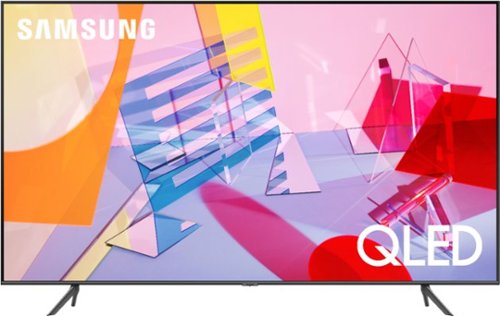
Samsung - 50" Class Q60T Series QLED 4K UHD Smart Tizen TV
Enjoy your TV experience with this UHD Samsung smart television. The ultrafast Quantum Processor optimizes and upscales content for impressive results, while the warm and cool LED backlights enhance contrast details. Tizen powers this Samsung smart television with next-generation apps and a host of enhancements that elevate your watching experience.
Hi will this TV pair well with a PS5, or will it be too slow? If slow, can the issue be fixed and how?
Hi Pw577! For optimal support of next generation consoles such as the PS5, I suggest exploring the 55" QLED model Q70T. This TV provides a 240 motion rate with native 4K 120hz and VRR support allowing you to take full advantage of the new gaming systems. You can find the TV at the following link from Best Buy: https://www.bestbuy.com/site/samsung-55-class-q70t-series-led-4k-uhd-smart-tizen-tv/6402398.p?skuId=6402398
^Tim
^Tim
5 years, 8 months ago
by
Posted by:
Samsung
Samsung - 50" Class Q60T Series QLED 4K UHD Smart Tizen TV
Enjoy your TV experience with this UHD Samsung smart television. The ultrafast Quantum Processor optimizes and upscales content for impressive results, while the warm and cool LED backlights enhance contrast details. Tizen powers this Samsung smart television with next-generation apps and a host of enhancements that elevate your watching experience.
Does this tv have Googlecast?
Hi Poppy! The Q60T features the ability to cast select applications from your mobile device as well as mirror the screen from Android devices, or connect Apple devices to the TV with built in Airplay 2. You can also take advantage of Multi View allowing you to view media from different sources, such as an app, Blu-ray player, or game console, on the main left screen while also mirroring your phone to the smaller screen. Multi View provides you with endless possibilities for splitting screens and viewing several types of content at the same time. ^Tim
5 years, 8 months ago
by
Posted by:
Samsung